
1. Introduction
The Nerunsa Smart Watch is designed to enhance your daily life with its comprehensive features, including health monitoring, fitness tracking, and smart notifications. This manual provides detailed instructions for setting up, operating, and maintaining your device to ensure optimal performance.
Package Contents:
- 1 x Nerunsa Smart Watch
- 1 x User Manual
- 1 x USB Magnetic Charging Cable
2. Setup Guide
2.1 Charging the Device
Before initial use, fully charge your smart watch. Connect the exclusive USB magnetic charging cable to the charging contacts on the back of the watch and to a standard USB power source. A full charge typically takes approximately 1.5 hours. The watch has a standby time of up to 30 days and can be used for up to 7 days under normal conditions.
2.2 App Installation
To unlock the full functionality of your smart watch, download and install the "Hero Band III" application on your smartphone. The app is compatible with both Android and iOS devices. Search for "Hero Band III" in your device's app store.
2.3 Device Pairing
- Ensure your smart watch is charged and powered on.
- Enable Bluetooth on your smartphone.
- Open the "Hero Band III" app.
- Follow the in-app instructions to search for and connect to your smart watch. Once connected, the watch will synchronize data with your phone.
3. Operating Instructions
3.1 Basic Navigation
The smart watch features a 1.4-inch full-touch HD color screen. Swipe left, right, up, or down to navigate through menus and functions. Tap to select options.

Image: The Nerunsa Smart Watch offers multiple interface styles and watch faces, allowing for personalization.
3.2 Customizing Watch Faces
Through the "Hero Band III" app, you can select your favorite photo from your phone's gallery to set as a custom watch face.
3.3 Message and Notification Reminders
Once connected via Bluetooth, the watch will display all messages and notifications from your smartphone and alert you through vibration. You can manage which notifications are received by adjusting the settings within the "Hero Band III" app.

Image: The smart watch displays message reminders and offers various functions including 8 sports modes and a stopwatch.
3.4 Health Monitoring
The watch features advanced sensors for real-time health data collection:
- Heart Rate Monitoring: Continuously detects your heart rate throughout the day.
- Sleep Monitoring: Automatically monitors your sleep status, distinguishing between deep sleep, light sleep, and awake time. Data is synchronized to the "Hero Band III" app for detailed analysis.

Image: The smart watch provides daily activity tracking, showing metrics like BPM, steps, distance, and total calories burned.
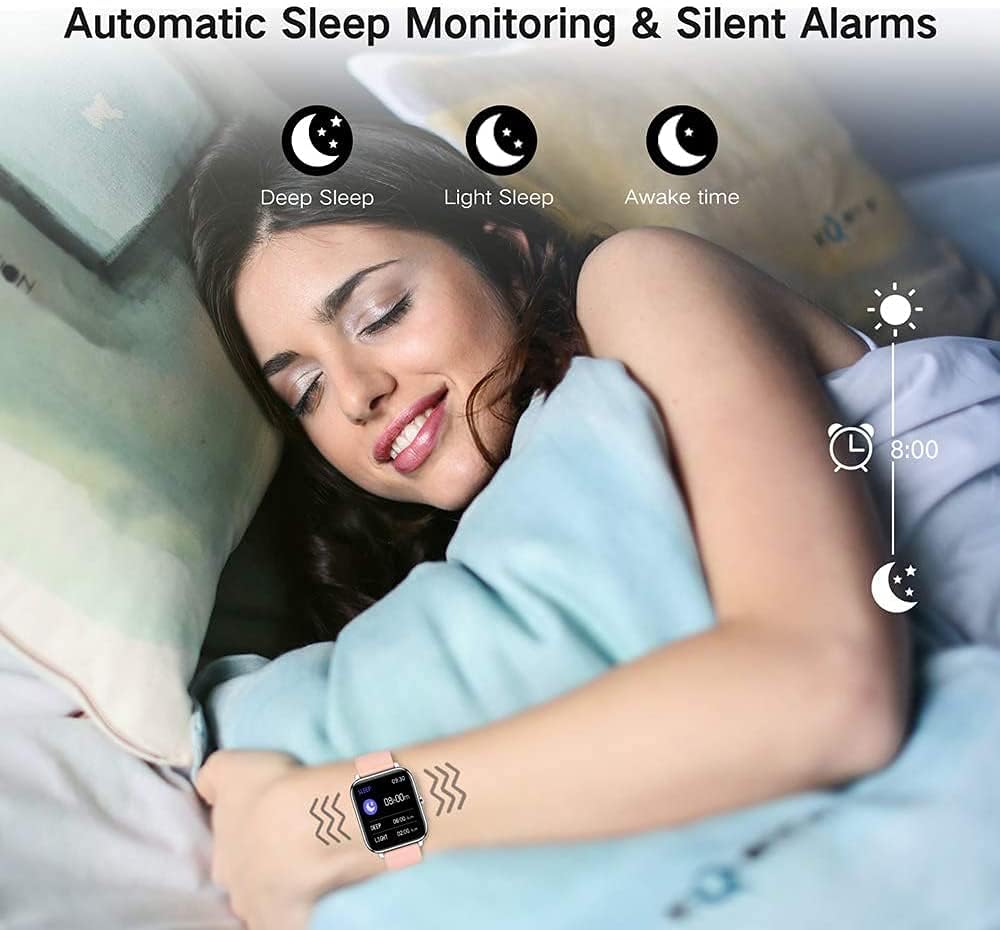
Image: The smart watch automatically monitors sleep, providing data on deep sleep, light sleep, and awake periods, and can be set with silent alarms.
3.5 Fitness Activity Tracking
The integrated pedometer tracks your steps, distance, and calories burned throughout the day. The watch supports 8 sports modes, including outdoor running, walking, cycling, and football. During these activities, the watch records data such as heart rate, steps, calories burned, distance, and active hours in real-time.
3.6 Additional Functions
The Nerunsa Smart Watch, in conjunction with the "Hero Band III" app, offers several practical tools:
- Weather Forecasts
- Music Control
- Camera Control
- Alarm Clock
- Stopwatch
- Find Your Phone function
4. Maintenance
4.1 Water Resistance
The smart watch is IP67 waterproof, meaning it is resistant to splashes, rain, and brief immersion in water. You can wear it worry-free during hand washing and outdoor activities in light rain. Note: IP67 rating does not mean it is suitable for swimming, showering, or diving. Avoid exposing the watch to hot water or steam.

Image: The smart watch is shown with water splashes, highlighting its IP67 waterproof capability.
4.2 Cleaning
Regularly clean your smart watch and strap with a soft, dry cloth. If necessary, use a slightly damp cloth and then dry thoroughly. Avoid using harsh chemicals or abrasive materials.
4.3 Battery Care
To prolong battery life, avoid fully discharging the watch frequently. Charge it when the battery level is low. Store the watch in a cool, dry place when not in use for extended periods.
5. Troubleshooting
- Watch not turning on: Ensure the watch is fully charged. Connect it to the charging cable and a power source for at least 10 minutes.
- Cannot pair with smartphone:
- Ensure Bluetooth is enabled on your phone.
- Make sure the "Hero Band III" app is installed and open.
- Check if the watch is within Bluetooth range of your phone.
- Restart both your phone and the watch.
- No notifications received:
- Verify that the watch is successfully paired with your phone.
- Check the notification settings within the "Hero Band III" app to ensure notifications are enabled for desired applications.
- Ensure your phone's notification settings allow the "Hero Band III" app to display notifications.
- Inaccurate sleep or step tracking: While the watch provides valuable data, external factors can influence accuracy. Ensure the watch is worn snugly on your wrist. For sleep tracking, ensure it is worn throughout the entire sleep period.
6. Specifications
| Brand | Nerunsa |
| Model | B0CB5VZBMB |
| Screen Size | 1.4 Inches |
| Operating System Compatibility | Android, iOS |
| Connectivity Technology | Bluetooth |
| Waterproof Rating | IP67 |
| Battery Type | Lithium Polymer |
| Charging Time | Approx. 1.5 hours |
| Normal Use Battery Life | Up to 7 days |
| Standby Time | Up to 30 days |
| Item Weight | 5.3 ounces |
| Package Dimensions | 6.42 x 3.78 x 0.87 inches |
7. Warranty and Support
For warranty information or technical support, please refer to the contact details provided with your purchase documentation or visit the official Nerunsa website. Keep your purchase receipt as proof of purchase.

