
Nerunsa 4034c5fc-feec-4d50-ba93-3165e0914633
Nerunsa Smart Watch User Manual
Model: 4034c5fc-feec-4d50-ba93-3165e0914633
1. Product Overview
The Nerunsa Smart Watch is designed to enhance your daily life with comprehensive health tracking, multiple sport modes, and smart connectivity features. It features a 1.69-inch HD full touch color screen and is built with an IP68 waterproof rating for versatile use.

Image: Front view of the Nerunsa Smart Watch, displaying time, steps, heart rate, and calories. The watch has a black strap and a rectangular screen.
What's in the Box:
- Smart Watch
- User Manual
- USB Magnetic Cable

Image: Diagram showing the smart watch, user manual, and USB magnetic charging cable included in the package.
2. Setup Guide
2.1 Charging the Device
Before first use, fully charge your Nerunsa Smart Watch. Connect the provided USB magnetic cable to the charging points on the back of the watch and to a USB power source. A full charge typically takes 1-2 hours.

Image: The smart watch screen displaying "Fully Charged" with a lightning bolt icon, indicating the charging status. Text labels show 1-2 hours for full charge, 5-7 days usage time, and 30 days standby time.
2.2 App Installation and Pairing
To unlock the full potential of your smart watch, download and install the "GloryFit" app on your smartphone. The watch is compatible with Android 5.0 and above, and iOS 9.0 and above, with Bluetooth 4.0 and above.
- Scan the QR code in the user manual or search for "GloryFit" in your phone's app store (Google Play Store for Android, Apple App Store for iOS).
- Install the app and open it.
- Ensure Bluetooth is enabled on your smartphone.
- In the "GloryFit" app, navigate to the device section and search for your Nerunsa Smart Watch.
- Select your watch from the list to pair. Follow any on-screen prompts to complete the pairing process.

Image: Four smartphones displaying different screens of the "GloryFit" app, highlighting features like exercise tracking, goal setting, health data reports, and social connections.
3. Operating Instructions
3.1 Basic Navigation
The Nerunsa Smart Watch features a 1.69-inch HD full touch color screen for intuitive operation. Swipe left, right, up, or down to navigate through different menus and functions. The side button typically serves as a power button and a back button.
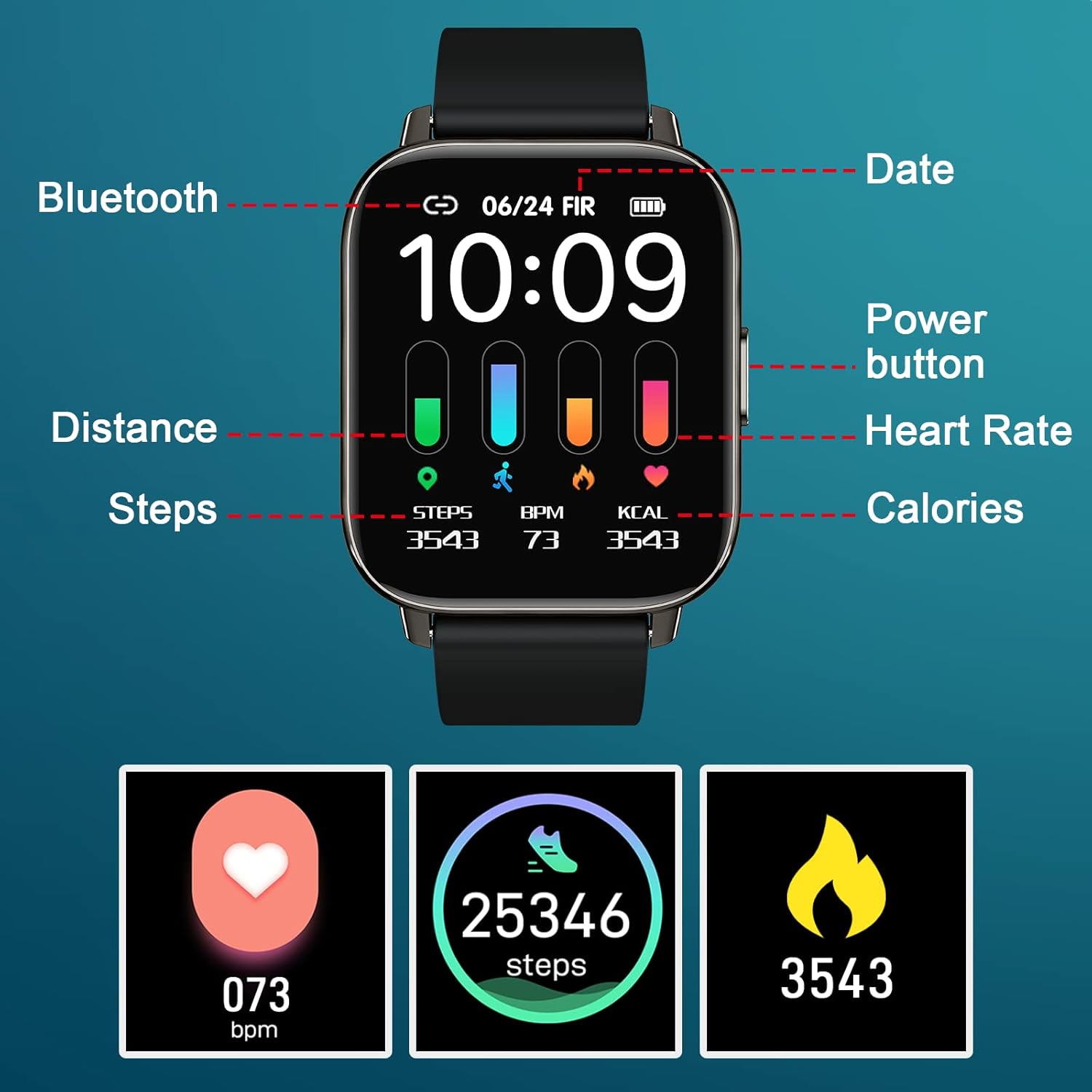
Image: Close-up of the Nerunsa Smart Watch screen with labels pointing to features such as Bluetooth status, date, power button, distance, heart rate, steps, and calories.
3.2 Customizing Watch Faces
Personalize your watch with over 200 free watch faces available in the "GloryFit" app. You can also upload your favorite photos to use as custom wallpapers.
- Open the "GloryFit" app on your smartphone.
- Navigate to the "Dial Settings" or "Watch Face" section.
- Browse available watch faces or select the option to upload a custom photo.
- Sync the selected watch face to your device.

Image: A woman looking surprised, with various customizable watch faces displayed around a Nerunsa Smart Watch, demonstrating the personalization options.
4. Health Monitoring Features
The Nerunsa Smart Watch is equipped with advanced sensors for all-day health monitoring, providing valuable insights into your well-being.
4.1 Heart Rate Monitoring
The watch continuously monitors your heart rate throughout the day. You can view real-time heart rate data on the watch screen or in the "GloryFit" app for detailed historical trends.
4.2 Sleep Monitoring
The smart watch automatically tracks your sleep status, including deep sleep, light sleep, and awake times. Comprehensive sleep quality analysis is available in the "GloryFit" app, offering recommendations for improved sleep habits.

Image: A woman resting, with icons representing deep sleep, light sleep, and awake states. Another image shows a woman sleeping with the watch on, illustrating automatic sleep monitoring. The image also shows a heart rate monitor icon.
5. Sports Modes and Activity Tracking
The Nerunsa Smart Watch supports 24 exercise modes, allowing you to track your workouts and monitor performance data in real-time.
5.1 Tracking Your Workouts
Select your desired sport mode on the watch before starting an activity. The watch will record data such as heart rate, steps, calories burned, distance, and active hours. For outdoor activities, the "GloryFit" app can record sports routes using your phone's GPS.
- Examples of supported modes include: outdoor running, walking, cycling, football, and more.
- Review your exercise data and weekly health reports in the "GloryFit" app.
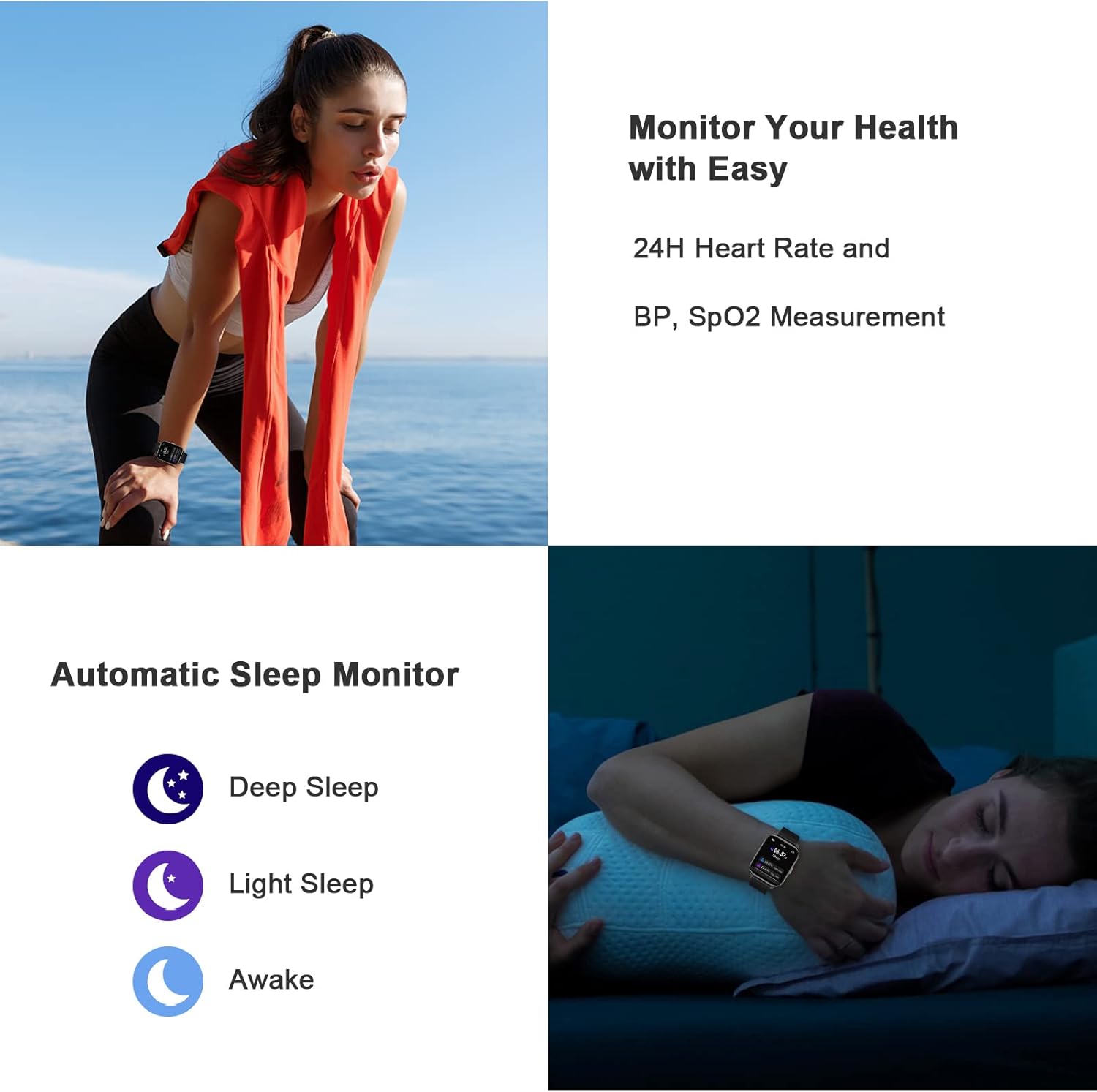
Image: A person running outdoors, with the smart watch displaying activity data. Icons representing 24 different sports modes are shown, along with a smartphone screen displaying a map and exercise statistics from the "GloryFit" app.
6. Connectivity and Notifications
Stay connected and informed with your Nerunsa Smart Watch.
6.1 Message Reminders
Once connected via Bluetooth, all messages and notifications from your smartphone will be displayed on your watch and accompanied by a vibration alert. This feature ensures you don't miss important communications during meetings, workouts, or while riding.
- You can enable or disable specific notification types within the "GloryFit" app settings.

Image: A series of icons representing various smart watch functions, including message notifications, music control, weather, and training modes.
6.2 Music Control
Control music playback on your smartphone directly from your watch. You can play, pause, skip tracks, and adjust volume without needing to take out your phone.
6.3 Camera Control
Use your smart watch as a remote shutter for your smartphone's camera, making it easier to take group photos or selfies.
7. Maintenance and Care
7.1 Water Resistance (IP68)
The Nerunsa Smart Watch has an IP68 waterproof rating, meaning it is resistant to dust and can withstand immersion in water up to 1.5 meters for 30 minutes. You can wear it during outdoor activities, on rainy days, or while washing your hands. However, it is not recommended for hot showers, saunas, or diving, as steam and hot water can damage the seals.

Image: The smart watch surrounded by water droplets, with smaller inset images showing it being used while washing hands, swimming, in the rain, and during a workout, illustrating its IP68 waterproof capabilities.
7.2 Cleaning and Storage
- Wipe the watch and strap regularly with a soft, damp cloth to remove sweat and dirt.
- Avoid using harsh chemicals or abrasive materials for cleaning.
- Store the watch in a cool, dry place when not in use.
8. Troubleshooting
| Problem | Possible Cause | Solution |
|---|---|---|
| Watch not turning on | Low battery | Charge the watch for 1-2 hours. |
| Unable to pair with phone | Bluetooth off, app issue, or watch too far | Ensure Bluetooth is on, restart the app/phone, bring watch closer, or reset watch. |
| Notifications not appearing | App permissions, notification settings, or Bluetooth disconnected | Check app permissions for notifications, verify settings in "GloryFit" app, ensure stable Bluetooth connection. |
| Inaccurate step count | Improper wearing, arm movements not recognized as steps | Ensure watch is worn snugly on the wrist. Calibrate in app if available. |
9. Specifications
- Model Number: 4034c5fc-feec-4d50-ba93-3165e0914633
- Screen Size: 1.69 Inches HD Full Touch Color Screen
- Waterproof Rating: IP68
- Battery Life: Up to 7 days (usage), 30 days (standby)
- Charging Time: 1-2 hours
- Compatibility: Android 5.0+ / iOS 9.0+ / Bluetooth 4.0+
- Health Monitoring: Real-time Heart Rate, Automatic Sleep Tracking
- Sports Modes: 24 Exercise Modes
- Connectivity: Bluetooth
- Item Weight: 5 ounces
- Package Dimensions: 6.42 x 4.06 x 0.87 inches
10. Warranty and Support
For warranty information and technical support, please refer to the official Nerunsa website or contact their customer service directly. Details can often be found on the product packaging or within the "GloryFit" app's 'About' section.
For further assistance, you may also visit the product detail page on Amazon: https://www.amazon.com/dp/B0CB5SNLFP
Related documents4034c5fc-feec-4d50-ba93-3165e0914633


Ask a question about this manual
Ask about setup, troubleshooting, compatibility, parts, safety, or missing instructions. Manuals+ will review the question and use this page’s manual context to help answer it.