1. Introduction
The FLEXTAIL Tiny Mosquito Repeller is a compact and versatile device designed to provide effective mosquito protection and illumination for outdoor activities. Featuring dual-sided heating technology and a multi-level camping light, it is an essential companion for camping, backpacking, patio use, and other outdoor adventures. This manual provides detailed instructions for the safe and efficient use of your device.
2. Safety Information
- Mosquito repellent pads are not included with this device. Ensure you use pads that fit within 1.37" x 0.86" x 0.11". If necessary, cut larger pads to size.
- For optimal protection, place the device in the center of your desired area. In windy conditions, position it upwind. For larger areas, consider using multiple devices.
- Avoid using the repellent in closed or poorly ventilated spaces. Ensure the device is uncovered and dry during operation.
- Allow the device to cool completely before handling or storing. Keep out of reach of children and pets.
- Dispose of used repellent pads responsibly according to local environmental guidelines.
- The device is IPX5-rated water-resistant, offering protection against splashes and light rain. However, avoid submerging the device in water.
- The rugged housing is designed to withstand drops from up to 1.2 meters.
3. Product Overview
Familiarize yourself with the components of your FLEXTAIL Tiny Mosquito Repeller:

Description: This diagram illustrates the key features of the Tiny Repeller, including the Top Hook for hanging, Repellent Pads Slot, Dual Mode Switch, Battery Indicator, Heating Port, Mode Indicator Light, Light Switch, and Magnetic Interface. It also highlights its compact size (5.2 oz), two temperature modes (329/230°F), dual-sided heating, emergency power supply, adjustable camping light, and IPX5 water resistance.
- Top Hook: For hanging the device.
- Repellent Pads Slot: Accommodates two mosquito repellent pads.
- Dual Mode Switch: Toggles between Camping and Outdoor repellent modes.
- Battery Indicator: Displays current battery level.
- Heating Port: Area where repellent pads are heated.
- Mode Indicator Light: Indicates the active repellent mode.
- Light Switch: Controls the camping light function.
- Magnetic Interface: Allows for magnetic attachment to metal surfaces.
4. Setup
4.1 Charging the Device
The Tiny Repeller is equipped with a 4800mAh high-capacity battery. Before first use, fully charge the device using the provided Type-C cable.
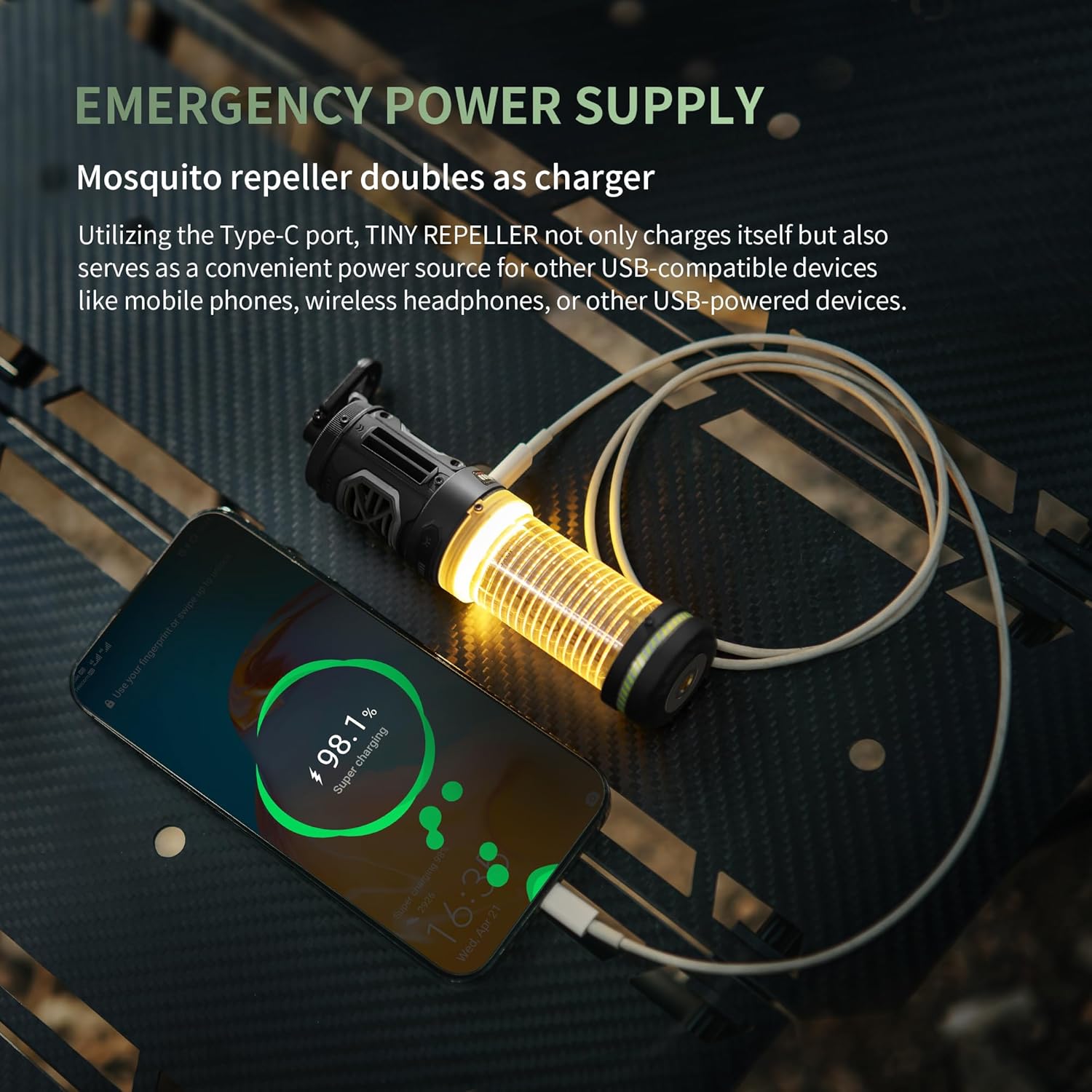
Description: This image shows the FLEXTAIL Tiny Repeller connected via its Type-C port to a smartphone, demonstrating its emergency power supply capability. The device can be charged via this port and also used to charge other USB-compatible devices.
4.2 Inserting Repellent Pads
The device accommodates two mosquito repellent pads simultaneously for enhanced efficacy. Ensure the device is off and cool before inserting or replacing pads.

Description: This image illustrates the process of replacing mosquito repellent pads. To replace, ensure the device is off and cool. Push the used mat out by inserting a fresh one into the slot. The device is designed to work efficiently whether you use one or two repellent pads.
Pad Size: Repellent pads should be approximately 0.86 x 1.37 x 0.11 inches. If your pads are larger, they can be trimmed to fit.
5. Operating Instructions
5.1 Mosquito Repellent Function
The Tiny Repeller features two heating modes for optimal mosquito repellent efficacy:

Description: This image displays the ultra-fast heating technology of the Tiny Repeller. A graph compares its heating speed to other mosquito repellers, showing it reaches 230°F in 50 seconds (Camping Mode) and 329°F in 2 minutes (Outdoor Mode). Visuals also show the device in use in both camping and outdoor settings.
- To activate: Double-click the mosquito repellent button. The device will enter Camping Mode (230°F) with a green indicator light. This mode provides an 11-hour runtime and covers a 10ft protection zone.
- To switch to Outdoor Mode: Press the mosquito repellent button once more. The device will reach 329°F, and the indicator light will turn red. This mode provides a 7-hour runtime and covers a 30ft protection zone.
- To turn off: Press the mosquito repellent button a third time. The mosquito repellent function will be deactivated.

Description: This visual guide shows the three steps for operating the mosquito repellent. Step 1: Double-click the button for 110°C mode (green light). Step 2: Press again for 165°C mode (red light). Step 3: Press a third time to turn off the function.
5.2 Camping Light Function
The Tiny Repeller also functions as a camping light with four adjustable brightness levels.

Description: This image illustrates the versatile camping light function with four adjustable brightness levels: 40Lm (up to 60h), 100Lm (up to 24h), 200Lm (up to 13h), and 400Lm (up to 10h). The device is shown hanging from a branch, illuminating the surroundings.
- To activate: Double-click the light button to turn on the camping light function at its lowest brightness (40 Lumens).
- To adjust brightness: Click the light button once to cycle through the brightness levels (100 Lumens, 200 Lumens, 400 Lumens).
- To turn off: Click the light button a fifth time to turn off the camping light function.

Description: This visual guide shows the three steps for operating the camping light. Step 1: Double-click the button to turn on the light at 40Lm. Step 2: Click to switch between 100Lm, 200Lm, and 400Lm. Step 3: Click the button a fifth time to turn off the light.
6. Maintenance
6.1 Cleaning
To clean your Tiny Repeller, ensure it is turned off and completely cool. Wipe the exterior with a soft, damp cloth. Do not use harsh chemicals or abrasive cleaners. Do not immerse the device in water.
6.2 Storage
When not in use, store the device in a cool, dry place away from direct sunlight and extreme temperatures. Ensure all repellent pads are removed before storage.
7. Troubleshooting
| Problem | Possible Cause | Solution |
|---|---|---|
| Device not heating / No repellent effect | Low battery; Incorrect mode selected; No repellent pad inserted; Repellent pad expired; Device malfunction. | Charge the device fully. Ensure repellent pads are inserted correctly. Select the appropriate mode (Camping or Outdoor). Replace repellent pad if old or ineffective. Contact customer support if issue persists. |
| Camping light not turning on or dim | Low battery; Incorrect operation. | Charge the device fully. Double-click the light button to activate, then single-click to adjust brightness. |
| Short battery life | Using high brightness light mode; Using Outdoor repellent mode continuously; Old battery. | Reduce light brightness. Switch to Camping mode for longer repellent runtime. Ensure full charge before use. Battery life may decrease over time with repeated charging cycles. |
| Device not charging other devices | Low battery; Incorrect cable; Device not compatible. | Ensure the Tiny Repeller has sufficient charge. Use a compatible Type-C cable. Verify the device you are trying to charge is compatible with USB power output. |
8. Specifications
| Feature | Detail |
|---|---|
| Model Number | OR13 |
| Dimensions | 5.6 x 1.4 x 1.4 inches |
| Weight | 5.22 ounces |
| Battery | 4800mAh Lithium Polymer (included) |
| Mosquito Repellent Modes | Camping Mode (230°F), Outdoor Mode (329°F) |
| Repellent Runtime | 11 hours (Camping Mode), 7 hours (Outdoor Mode) |
| Protection Zone | 10ft (Camping Mode), 30ft (Outdoor Mode) |
| Camping Light Brightness | 4 levels (40Lm, 100Lm, 200Lm, 400Lm) |
| Camping Light Runtime | 10-60 hours (depending on brightness) |
| Water Resistance | IPX5 |
| Drop Resistance | 1.2 meters |
| Charging Interface | Type-C (supports emergency power output) |
9. Warranty & Support
For warranty information and customer support, please refer to the product packaging or visit the official FLEXTAIL website. Keep your purchase receipt for any warranty claims.


