
1. Introduction
This manual provides detailed instructions for the installation, operation, and maintenance of your TEKXDD TEK-IT 0401 Smart Electronic Door Lock. Please read this manual thoroughly before installation and use to ensure proper function and safety. Keep this manual for future reference.
2. Product Features
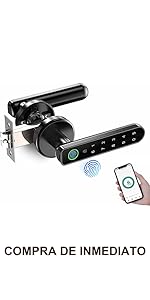
- Multiple Unlocking Methods: Supports fingerprint, password, mobile application (Tuya APP), and mechanical key for versatile access.
- Enhanced Security: Features an alarm for incorrect password attempts and a privacy password function (random number + correct number + random number) to prevent unauthorized access.
- Temporary Access: Conveniently supports temporary passwords and a normally open mode for guests or service personnel.
- Easy Installation: Designed for straightforward installation on most standard doors (35-55mm thickness) without requiring additional drilling. The handle direction is adjustable.
- Low Battery Alert & Emergency Power: Provides a low battery warning and includes a USB interface for emergency charging if batteries are depleted.
- Durable Design: Resistant to high temperatures and humidity, suitable for various residential and commercial environments.
3. Package Contents
Verify that all components are present in the package before beginning installation.

Description: This image displays the complete set of components for the TEKXDD TEK-IT 0401 Smart Electronic Door Lock. It includes the smart handle assembly, latch bolt, strike plate, two mechanical keys, a user manual, a screwdriver, and various screws for installation.
- Smart Handle (Front and Rear Panels)
- Latch Bolt
- Strike Plate
- Mechanical Keys (2)
- Mounting Screws Kit
- Installation Template
- User Manual
4. Installation Guide
4.1 Door Preparation and Dimensions
Ensure your door meets the following specifications:
- Door Thickness: 35mm to 55mm
- Backset: 60mm or 70mm (adjustable on the latch bolt)

Description: This diagram illustrates the key dimensions of the TEKXDD TEK-IT 0401 Smart Electronic Door Lock, including the handle length (150mm), handle width (28mm), and base diameter (65mm). It also shows the dimensions of the latch bolt, such as its length (85mm) and backset options (60mm).
4.2 Adjusting Handle Direction
The handle direction can be adjusted to suit left-opening or right-opening doors. Refer to the diagram below for guidance.

Description: This image shows the TEKXDD TEK-IT 0401 Smart Electronic Door Lock handle and illustrates how to rotate it to accommodate both left-opening and right-opening door configurations. Arrows indicate the rotational movement for adjustment.
4.3 Step-by-Step Installation
- Install Latch Bolt: Insert the latch bolt into the door edge. Ensure the bevel of the latch faces the door frame. Secure with screws.
- Install Front Panel: Route the data cable through the door hole. Align the front handle with the latch bolt and secure it.
- Install Rear Panel: Connect the data cable from the front panel to the rear panel. Align the rear handle with the latch bolt and secure it with the provided screws.
- Insert Batteries: Open the battery cover on the rear panel and insert 4 AAA batteries (not included), ensuring correct polarity.
- Test Operation: Test all unlocking methods (mechanical key, fingerprint, keypad) to ensure the lock functions correctly before closing the door.
5. Operation Instructions
5.1 Unlocking Methods Overview

Description: This image provides a visual summary of the four ways to unlock the TEKXDD TEK-IT 0401 Smart Electronic Door Lock: via the mobile app, fingerprint recognition, a numerical PIN code, or a traditional mechanical key.
5.2 Fingerprint Unlocking
- Registration: Follow the instructions in the Tuya APP to register your fingerprints. Typically, you will place your finger on the sensor multiple times from different angles.
- Unlocking: Place your registered finger on the fingerprint sensor. The lock will unlock if the fingerprint is recognized.
5.3 PIN Code Unlocking
- Setting PIN: Use the Tuya APP to set your desired PIN code.
- Privacy PIN: To enhance security, you can enter random digits before and after your actual PIN code (e.g., random digits + your PIN + random digits).
- Unlocking: Enter your PIN code on the keypad, then press '#'.
5.4 Mobile Application (Tuya APP) Unlocking
- Download & Setup: Download the Tuya Smart app from your device's app store (Android/iOS). Register an account and add your TEKXDD TEK-IT 0401 lock by following the in-app instructions.
- Unlocking: Open the Tuya Smart app, select your lock, and tap the unlock icon.
- Temporary Passwords: Generate temporary or one-time passwords for guests through the app.
- Activity Log: The app records door opening activities.
5.5 Mechanical Key Unlocking
In case of electronic failure or depleted batteries, use the mechanical key for emergency access.

Description: This image highlights the emergency key slot and the USB charging port on the TEKXDD TEK-IT 0401 Smart Electronic Door Lock, along with icons for fingerprint and app unlocking.
- Locate the keyhole cover on the front panel.
- Insert the mechanical key and turn to unlock.
6. Maintenance
6.1 Battery Replacement
The lock requires 4 AAA batteries (not included). When the battery is low, the lock will provide an audible and/or visual warning.
- Open the battery cover on the interior handle.
- Remove the old batteries and insert new AAA batteries, ensuring correct polarity.
- Close the battery cover.
6.2 Emergency Power Supply
If the batteries are completely depleted, you can use a power bank to temporarily power the lock via the USB interface for emergency unlocking.
Description: This image demonstrates the emergency power feature of the TEKXDD TEK-IT 0401 Smart Electronic Door Lock. A USB cable connects the lock's external port to a portable power bank, allowing temporary power for unlocking when the internal batteries are dead.
- Connect a standard USB power bank to the USB port located on the bottom of the exterior handle.
- Once powered, use a registered fingerprint or PIN code to unlock the door.
- Replace the internal AAA batteries as soon as possible.
6.3 Cleaning
Wipe the lock with a soft, dry cloth. Avoid using abrasive cleaners or solvents that could damage the finish or electronic components.
7. Troubleshooting
| Problem | Possible Cause | Solution |
|---|---|---|
| Lock does not respond. | Dead batteries. | Replace batteries or use emergency USB power. |
| Fingerprint not recognized. | Finger is wet/dirty, or not properly registered. | Ensure finger is clean and dry. Try different angles. Re-register fingerprint if necessary. |
| PIN code not working. | Incorrect PIN entered, or lock is in alarm state. | Verify PIN code. Wait for alarm to clear if triggered. |
| App cannot connect to lock. | Bluetooth is off, or lock is out of range. | Ensure Bluetooth is enabled on your phone and you are within range of the lock. Restart app. |
| Handle is loose. | Mounting screws are loose. | Tighten mounting screws on the interior handle. |
8. Specifications
| Feature | Specification |
|---|---|
| Brand | TEKXDD |
| Model Number | TEK-IT 0401 |
| Lock Type | Electronic Lock |
| Special Feature | Fingerprint Recognition |
| Unlocking Methods | Fingerprint, PIN Code, App, Mechanical Key |
| Control Method | Application (Tuya APP) |
| Material | Plastic |
| Color | Silver |
| Dimensions (L x W x H) | 10 x 2 x 3 centimeters (Handle) |
| Compatible Door Thickness | 35mm - 55mm |
| Power Supply | 4 x AAA Batteries (not included) |
| Emergency Power | USB Interface |
| Operating Temperature | Resistant to high temperatures |
| Operating Humidity | Resistant to humidity |
9. Warranty and Support
9.1 Warranty Information
TEKXDD products are covered by a standard manufacturer's warranty against defects in materials and workmanship. Please refer to your purchase documentation for specific warranty duration and terms. Extended warranty options may be available from your retailer.
9.2 Technical Support
For technical assistance, installation queries, or any issues with your TEKXDD TEK-IT 0401 Smart Electronic Door Lock, please contact our customer support team. We are committed to providing high-quality technical and after-sales services.
Contact Information: Please refer to the contact details provided on the TEKXDD official website or your product packaging for the most up-to-date support channels.

