
TOPCHANCES 2023New
TOPCHANCES 2023New Anti-Gravity Water Drop Humidifier User Manual
Model: 2023New | Brand: TOPCHANCES
1. Important Safety Instructions
Please read and understand all safety instructions before using this appliance. Failure to follow these instructions may result in electric shock, fire, or serious injury.
- Always place the humidifier on a firm, flat, waterproof surface.
- Do not immerse the humidifier in water or other liquids.
- Ensure the power adapter is 5V, 2A. Using an incorrect adapter may damage the device.
- Unplug the humidifier before filling, cleaning, or moving it.
- Do not use essential oils, perfumes, or distilled water directly in the water tank. Use tap water or purified water. If using essential oils, refer to the operating instructions for proper diffusion.
- Keep out of reach of children and pets.
- Do not block the mist outlet or air intake.
- If the humidifier emits unusual sounds, smells, or smoke, unplug it immediately and contact support.
2. Product Overview
2.1 Package Contents
- TOPCHANCES Anti-Gravity Water Drop Humidifier
- USB Power Cable
- User Manual
2.2 Product Components

Image: Overview of the humidifier's main components and dimensions. The image highlights the nozzle for mist output, the main base, and the power/mode switch button. Dimensions are approximately 9.61 inches in height and 6.85 inches in width.
- Mist Nozzle: Where the cool mist is released.
- Water Tank: Holds up to 680ml of water.
- Anti-Gravity Water Drop Display: Optical illusion feature showing water droplets moving upwards or downwards.
- Control Button: Used for power on/off and changing modes.
- Base: Stable foundation for the humidifier.
- USB Power Port: For connecting the power cable.
2.3 Key Features
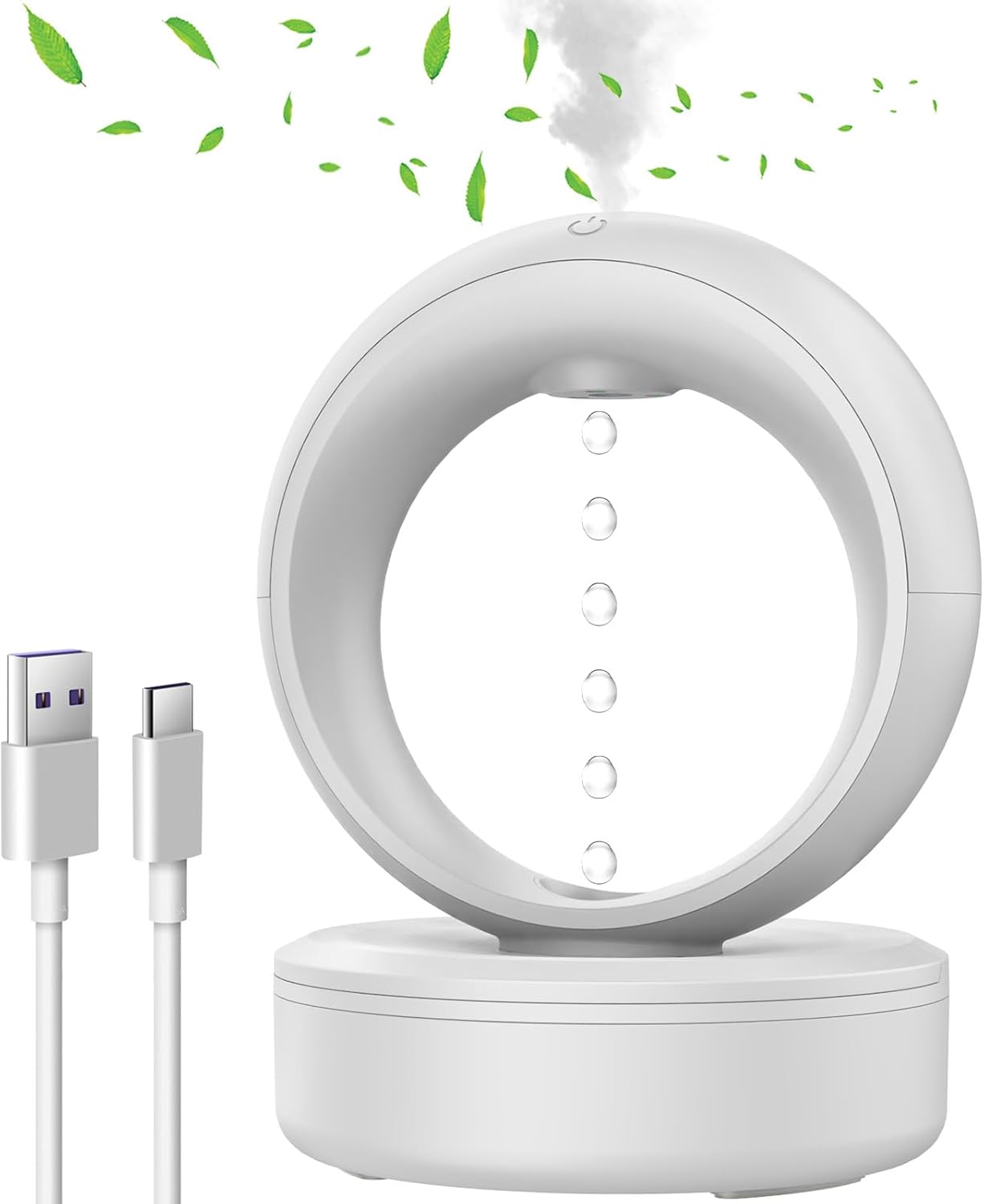
Image: The TOPCHANCES Anti-Gravity Water Drop Humidifier, a white circular device with a base, emitting mist from the top and displaying water droplets seemingly defying gravity within its central opening. A USB-C cable is shown next to it.
- Anti-Gravity Water Drop Design: Utilizes optical technology to create an illusion of water droplets flowing upwards, accompanied by soothing light and sound.
- Large Capacity: 680ml water tank provides up to 45 hours of continuous mist.
- Three Water Drop Modes: Adjustable settings for flow, static, or downflow water droplets.
- Automatic Shut-off: Features double power-off protection, including low water level detection and dry burn prevention.
- Ultra-Quiet Operation: Operates at less than 35 decibels, suitable for bedrooms and nurseries.
- Integrated Night Light: Provides soft ambient lighting.
- Multifunctional: Acts as a humidifier, ambient light, and can be used with essential oils (refer to specific instructions for essential oil use).
3. Setup
3.1 Power Supply Connection

Image: Illustration of compatible USB power sources for the humidifier, including a wall adapter, a power bank, a laptop's USB port, and a car charger hub. It emphasizes the requirement for a 5V, 2A power supply for optimal performance.
- Connect the provided USB power cable to the humidifier's USB port.
- Connect the other end of the USB cable to a 5V, 2A power source (e.g., a wall adapter, power bank, or computer USB port). Ensure the power source meets the 5V, 2A specification for proper operation.
3.2 Filling the Water Tank

Image: Demonstrates two ways to add water to the humidifier. Method 1 involves opening the top cover and pouring 680ml of water directly into the tank up to the water level line. Method 2 shows pouring water into the small opening where the droplets rise from, emphasizing that the machine should be off for this method.
Use clean tap water or purified water. Do not use distilled water or water containing impurities.
- Method 1 (Top Fill): Open the top cover of the water tank. Carefully pour up to 680ml of water into the tank, ensuring not to exceed the maximum water level line.
- Method 2 (Droplet Outlet Fill): Ensure the humidifier is powered off. Pour water into the small opening from which the water droplets emerge. This method requires the device to be off during refilling.
- Close the water tank cover securely after filling.
4. Operating Instructions
4.1 Power On/Off
- To Power On: Long press and hold the control button for 3 seconds. The humidifier will start operating in its default mode.
- To Power Off: Long press and hold the control button for 3 seconds.
4.2 Mist and Light Control

Image: Illustrates the three distinct water droplet display modes: 'Upflow Droplets' where water appears to move upwards, 'Static Droplets' where they seem to hover, and 'Downflow Droplets' where they fall normally. These modes are controlled via a smart touch button, alongside cool mist output and auto-shutoff features.
Once powered on, short press the control button to cycle through the available modes:
- Mode 1: Upflow Droplets - Water droplets appear to flow upwards, accompanied by mist and ambient light.
- Mode 2: Static Droplets - Water droplets appear to remain suspended, with mist and ambient light.
- Mode 3: Downflow Droplets - Water droplets flow downwards, with mist and ambient light.
- Light Only Mode: The humidifier can also function as a night light.
4.3 Timer Function and Auto-Shutoff
- The humidifier features an automatic 4-hour shut-off protection. After 4 hours of continuous operation, the device will power off.
- To continue use, simply power the humidifier on again.
- The device also has low water level detection and dry burn prevention, automatically shutting off when the water tank is empty.
5. Maintenance
Regular cleaning ensures optimal performance and extends the lifespan of your humidifier.
5.1 Regular Cleaning
- Unplug: Always unplug the humidifier from the power source before cleaning.
- Empty Water: Empty any remaining water from the tank.
- Clean Tank: Wipe the inside of the water tank with a soft, damp cloth. For mineral buildup, use a solution of white vinegar and water (1:1 ratio), let it sit for 15-20 minutes, then rinse thoroughly.
- Clean Mist Outlet: Gently wipe the mist outlet with a soft cloth to remove any residue.
- Dry: Allow all parts to air dry completely before reassembling or storing.
5.2 Storage
If not using the humidifier for an extended period:
- Clean the unit thoroughly as described above.
- Ensure all components are completely dry.
- Store the humidifier in a cool, dry place, away from direct sunlight.
6. Troubleshooting
Refer to the table below for common issues and their solutions.
| Problem | Possible Cause | Solution |
|---|---|---|
| No mist or weak mist | Low water level Mist outlet blocked Mineral buildup Incorrect power adapter | Refill water tank Clean mist outlet Clean the humidifier (see Maintenance) Ensure 5V, 2A power adapter is used |
| Humidifier not turning on | No power Power button not pressed correctly Low water level (auto-shutoff) | Check power connection Long press button for 3 seconds Refill water tank |
| Unusual noise | Unit not on a flat surface Water tank not properly seated Mineral buildup | Place on a flat, stable surface Ensure tank is correctly positioned Clean the humidifier |
| Water droplets not moving correctly | Insufficient water Unit not level Internal obstruction | Refill water tank Ensure unit is on a flat surface Contact customer support if issue persists after cleaning |
7. Specifications
| Feature | Specification |
|---|---|
| Brand | TOPCHANCES |
| Model | 2023New |
| Color | White |
| Dimensions (L x W x H) | 19.2 x 17.4 x 24.4 cm (approx. 7.56 x 6.85 x 9.61 inches) |
| Weight | 530 g |
| Water Tank Capacity | 680 ml |
| Operating Time | Up to 45 hours (with full tank) |
| Auto-Shutoff Timer | 4 hours (can be restarted) |
| Power Input | 5V, 2A (USB) |
| Noise Level | Less than 35 dB |
| Special Features | Anti-gravity water drop effect, Night light, Auto-shutoff (low water/4hr timer) |
8. Warranty and Support
For warranty information or technical support, please refer to the documentation provided at the time of purchase or contact your retailer. Keep your purchase receipt as proof of purchase.
If you encounter any issues not covered in this manual, please reach out to TOPCHANCES customer service for assistance.
Ask a question about this manual
Ask about setup, troubleshooting, compatibility, parts, safety, or missing instructions. Manuals+ will review the question and use this page’s manual context to help answer it.