
Introduction
Thank you for choosing the HETP 5200mAh Portable USB-C Power Bank. This compact and efficient power bank is designed to provide on-the-go charging for your USB-C compatible devices, including iPhone 15 series, Samsung Galaxy, Google Pixel, and other Android phones. Please read this manual carefully to ensure proper use and maintenance of your device.
Product Features
- 5200mAh Capacity: Provides emergency backup power for most USB-C devices.
- Built-in USB-C Connector: Direct plug-in design eliminates the need for extra cables.
- LCD Digital Display: Clearly shows the remaining battery percentage.
- PD Fast Recharging: Supports Power Delivery for quick recharging of the power bank and connected devices.
- Compact and Lightweight: Designed for portability, easily fits into pockets or bags.
- Case-Friendly Design: Supports phone cases with a thickness of less than 4mm.
- Pass-Through Technology: Allows charging of your device while the power bank itself is being recharged.
Package Contents
Please check the package for the following items:
- 1 x HETP 5200mAh USB-C Portable Charger
- 1 x USB-C Charging Cable
- 1 x User Manual
Setup
Before first use, it is recommended to fully charge your HETP Portable USB-C Power Bank. This ensures optimal battery performance and accuracy of the LCD display.
- Connect the provided USB-C charging cable to the USB-C input/output port on the power bank.
- Connect the other end of the USB-C cable to a compatible USB power adapter (not included) and plug it into a wall outlet.
- The LCD display will show the charging progress, indicating 100% when fully charged.
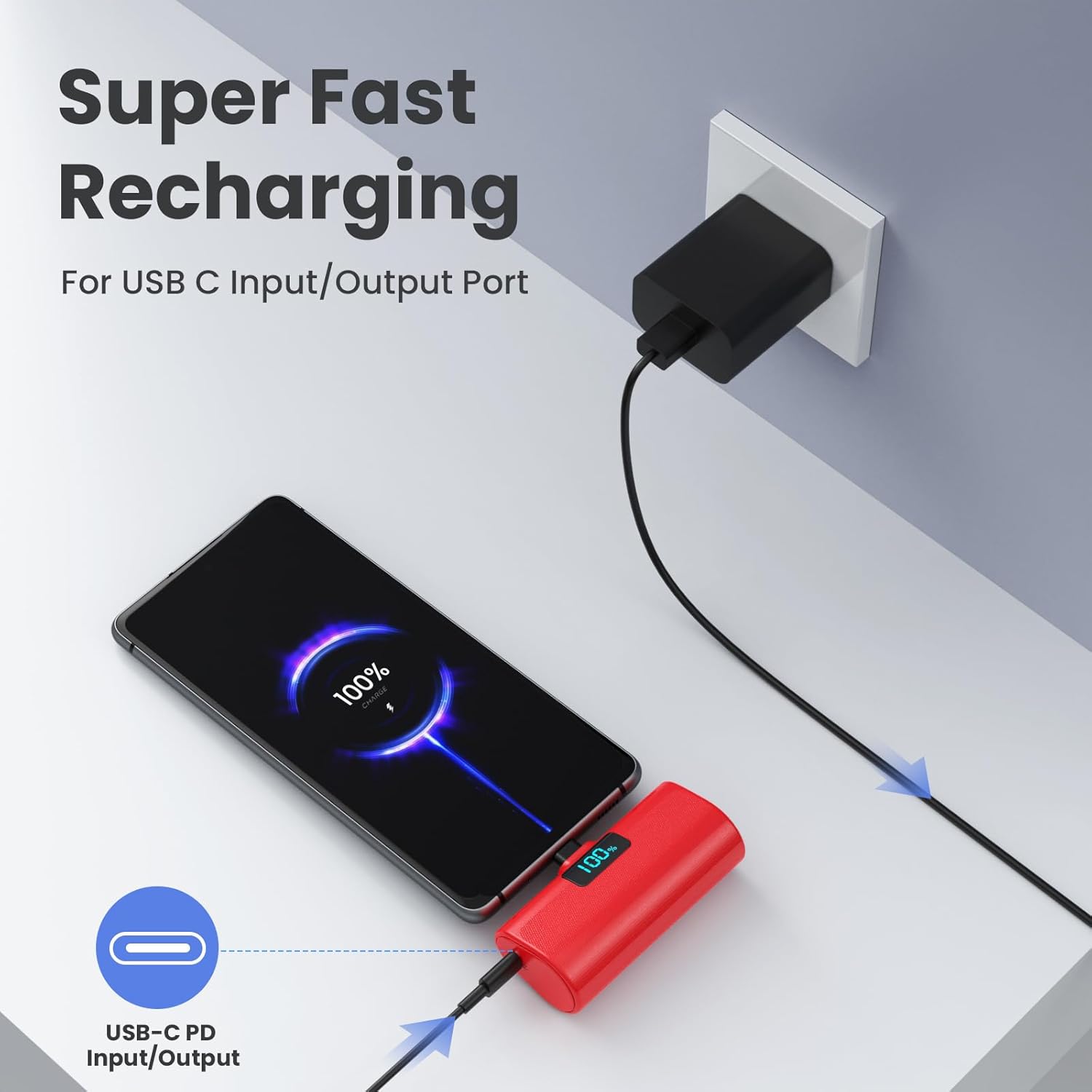
Image: The HETP power bank connected to a wall charger via its USB-C port, displaying '100%' on its LCD screen, indicating full charge. This illustrates the recharging process of the power bank itself.
Operating Instructions
Charging Your Device
- Ensure your device has a USB-C charging port. This power bank is specifically designed for USB-C devices.
- Carefully align the built-in USB-C connector of the power bank with your device's charging port.
- Gently plug the power bank directly into your device. The LCD display on the power bank will illuminate, showing the remaining battery percentage, and your device should begin charging.
- The power bank supports phone cases with a thickness of less than 4mm. For thicker cases, removal may be necessary for a secure connection.

Image: The red HETP power bank with its built-in USB-C connector plugged directly into the charging port of a smartphone. The power bank's LCD screen displays '100%', indicating its charge level while charging the phone.
LCD Display
The integrated LCD display provides real-time information about the power bank's battery status. When the power bank is in use or being recharged, the display will show the current percentage of battery remaining.
Pass-Through Charging
The HETP power bank supports pass-through charging. This feature allows you to charge your mobile device while simultaneously recharging the power bank itself. Simply connect your device to the power bank, and then connect the power bank to a power source using a USB-C cable.
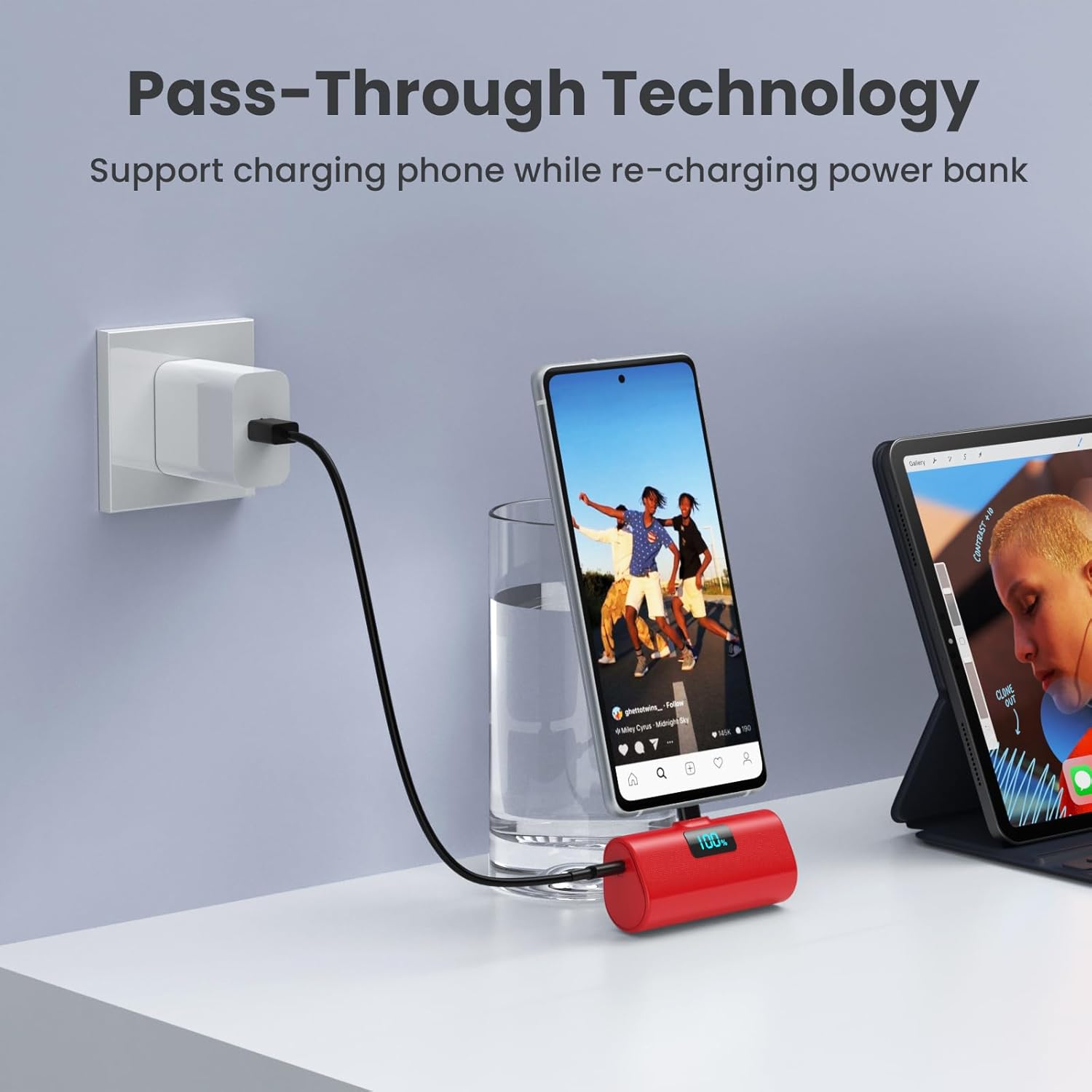
Image: The red HETP power bank is plugged into a smartphone, which is displaying content. Simultaneously, a USB-C cable is connected to the power bank's input port, leading to a wall adapter, demonstrating pass-through charging.
Compatibility
This power bank is designed with a built-in USB-C connector, making it compatible with a wide range of USB-C enabled devices. This includes, but is not limited to:
- iPhone 15 Series (iPhone 15, 15 Plus, 15 Pro, 15 Pro Max)
- Samsung Galaxy Series (S22/S22+, S21/S21+, S20/S20+, S9/S8, Note 22/21, Z Flip/Fold)
- Google Pixel Series
- LG Devices (G6/G7, V30/V40)
- Other Android phones and tablets with a USB-C port.

Image: A visual chart displaying various compatible smartphone models from Samsung, LG, Google, and the iPhone 15 series, alongside the HETP power bank, highlighting its broad USB-C device compatibility.
Maintenance and Care
To ensure the longevity and optimal performance of your power bank, please follow these guidelines:
- Storage: Store the power bank in a cool, dry place away from direct sunlight and extreme temperatures.
- Cleaning: Use a soft, dry cloth to clean the exterior of the power bank. Do not use liquid cleaners or aerosols.
- Avoid Drops: While designed for durability, avoid dropping the device or subjecting it to strong impacts.
- Water Exposure: Keep the power bank away from water and other liquids. It is not waterproof.
- Charging Cycles: For best battery health, fully charge and discharge the power bank at least once every three months if not in regular use.
Troubleshooting
If you encounter issues with your HETP Portable USB-C Power Bank, please refer to the following common solutions:
- Power Bank Not Charging:
- Ensure the USB-C charging cable is securely connected to both the power bank and the power adapter.
- Verify that the wall outlet is functional.
- Try using a different USB-C cable or power adapter.
- Device Not Charging from Power Bank:
- Confirm that your device has a USB-C port and is compatible.
- Ensure the power bank's built-in USB-C connector is fully and securely inserted into your device's port.
- Check the power bank's LCD display to ensure it has sufficient charge.
- Remove any thick phone cases that might prevent a proper connection.
- Slow Charging:
- Ensure you are using a PD-compatible wall adapter for fast recharging of the power bank.
- For device charging, ensure your device supports fast charging via USB-C.
Specifications
| Model Number | HX45X9 |
| Battery Capacity | 5200 Milliamp Hours (mAh) |
| Connector Type | USB Type C (Built-in) |
| Product Dimensions | 3 x 1.5 x 1.02 inches |
| Item Weight | 3.49 ounces |
| Special Features | Case-friendly, LCD Digital Display, Lipstick Size, Plug-in USB C, PD Fast Recharging |
| Manufacturer | Dongguan Yuanhaoxun Technology Co., Ltd. |
Warranty and Support
Your HETP 5200mAh Portable USB-C Power Bank comes with a 365-day warranty guarantee. For any product-related inquiries, technical support, or warranty claims, please contact our customer service team. We are committed to providing 24-hour friendly customer service to assist you.
Customer Service Contact: Please refer to the contact information provided on the product packaging or the official HETP website for the most up-to-date support channels.