
Introduction
This manual provides comprehensive instructions for the setup, operation, maintenance, and troubleshooting of your fohatu ECG+PPG Smartwatch. Please read this manual carefully before using the device to ensure proper function and to maximize its capabilities.
The fohatu Smartwatch is a versatile fitness tracker equipped with advanced health monitoring features, including ECG, PPG, heart rate, blood pressure, and SpO2 measurements. It also offers 10 sports modes, Bluetooth calling, and smart notifications, all displayed on a vibrant 1.92-inch HD screen.
Package Contents
- fohatu ECG+PPG Smartwatch (Black)
- Magnetic Charging Cable
- User Manual
Setup Guide
1. Charging the Smartwatch
Before initial use, fully charge your smartwatch. Connect the magnetic charging cable to the charging points on the back of the watch and plug the USB end into a standard USB power adapter (not included).

Image: The smartwatch connected to its magnetic charging cable, illustrating the charging process.
- Charging time: Approximately 3 hours for a full charge.
- Battery life: Up to 5-10 days depending on usage.
2. Downloading the Companion App
To unlock all features and synchronize data, download the dedicated companion app on your smartphone. Search for the app name (usually mentioned in the quick start guide or on the watch screen during initial setup) in the App Store (iOS) or Google Play Store (Android).

Image: A smartphone displaying the companion app icon and a QR code, indicating how to download the application.
- Compatibility: iOS 8.0 or later, Android OS 5.0 or later.
- Ensure your phone's Bluetooth is enabled.
3. Pairing the Smartwatch with Your Phone
- Open the companion app on your smartphone.
- Follow the in-app instructions to create an account or log in.
- Navigate to the "Device" or "Add Device" section within the app.
- The app will search for your smartwatch. Select your device from the list (e.g., "fohatu Smartwatch").
- Confirm the pairing request on both your phone and the smartwatch if prompted.
Once paired, the watch will synchronize time and data with your phone.
Operating Instructions
Basic Navigation
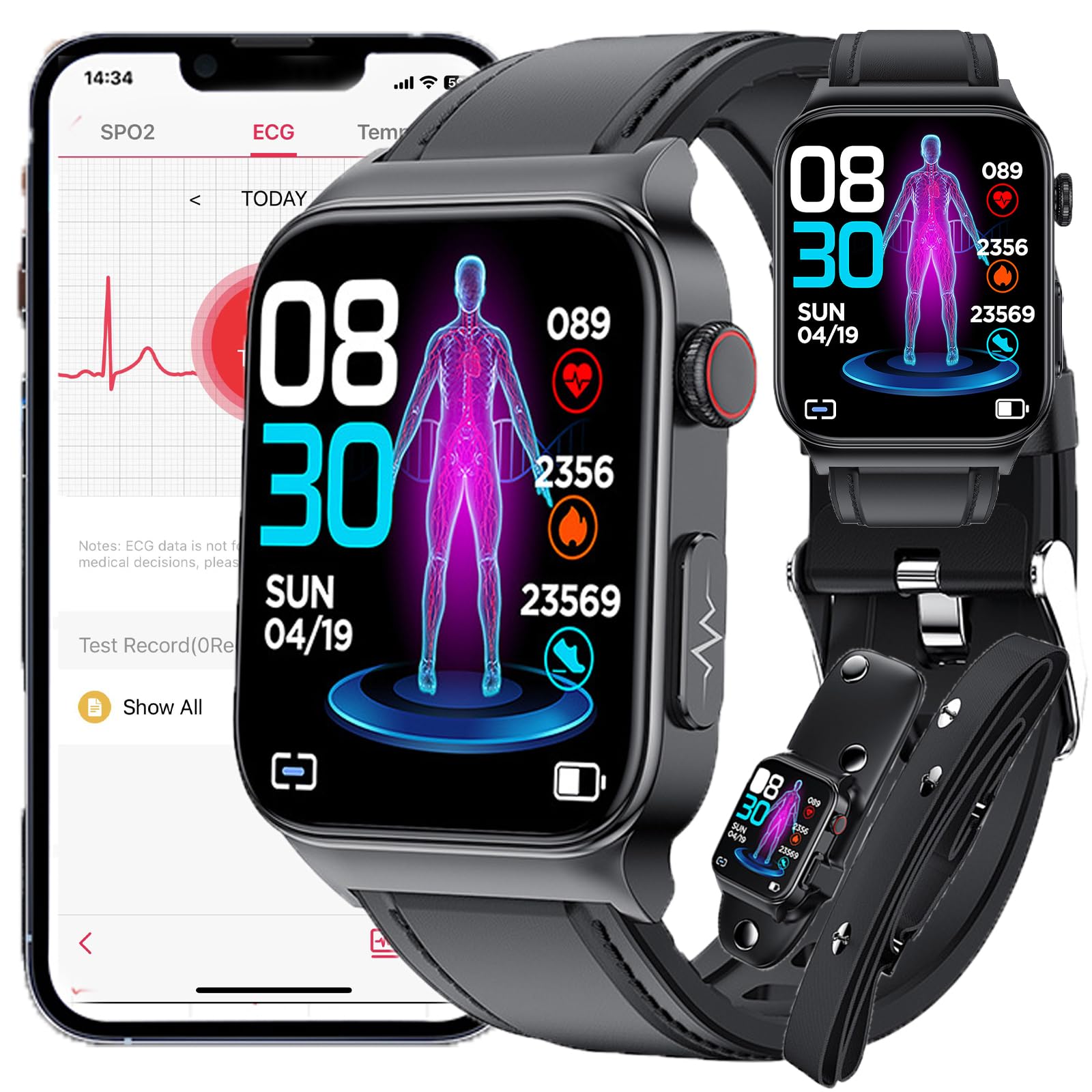
Image: A close-up view of the smartwatch display, highlighting its vibrant interface and various customizable watch faces.
- Touch Screen: Swipe left/right, up/down to navigate through menus and features. Tap to select.
- Side Button: Typically used to return to the home screen, turn the screen on/off, or access the main menu.
- Raise to Wake: The screen will automatically light up when you raise your wrist (can be enabled/disabled in settings).
Health Monitoring Features
The fohatu Smartwatch provides comprehensive health data to help you monitor your well-being.

Image: The smartwatch actively performing an ECG measurement on a user's wrist, showing the sensor in contact with the skin.
- ECG + PPG Monitoring: Access the ECG function from the watch menu or app. Follow on-screen instructions, typically involving placing a finger on the watch's electrode. The watch can detect 13 types of abnormal signals, including atrial fibrillation and bradycardia.
- Heart Rate Monitoring: The watch continuously monitors your heart rate. View real-time data on the watch or detailed trends in the app.
- Blood Pressure Measurement: Initiate a blood pressure reading from the watch. Ensure the watch is worn snugly on your wrist.
- SpO2 (Blood Oxygen) Measurement: Measure your blood oxygen saturation levels on demand.
- Sleep Monitoring: Wear the watch to bed to track your sleep patterns, including deep sleep, light sleep, and wake times.
- Sedentary Reminder: The watch can remind you to move if you've been inactive for too long.
Note: This device is not a medical device. Health data provided is for reference only and should not be used for medical diagnosis or treatment.
Fitness Tracking and Sports Modes
Track your daily activity and specific workouts with the integrated fitness features.

Image: The smartwatch screen showing multiple sport mode icons, such as running, cycling, and walking, indicating its fitness tracking capabilities.
- Daily Activity Tracking: Records steps, distance, and calories burned throughout the day.
- 10 Sport Modes: Select from various sports modes (e.g., running, cycling, walking) to track specific workout data. Start a workout from the "Exercise" menu on the watch.
Bluetooth Calling and Notifications
Once paired with your smartphone, the smartwatch allows for convenient communication.
- Bluetooth Calls: Make and receive calls directly from your watch. Ensure Bluetooth calling is enabled in the app and on the watch.
- Message Reminders: Receive notifications for calls, SMS, and social media apps (WeChat, QQ, Facebook, Twitter, etc.) directly on your wrist. Configure app notifications in the companion app.
Other Functions
- Stopwatch & Countdown: Access these tools from the watch menu.
- Alarm Clock: Set alarms via the companion app, and the watch will vibrate to alert you.
- Remote Camera Control: Use the "Shake to take photos" feature by enabling it in the app and shaking your wrist to trigger your phone's camera shutter.
- Weather Forecast: View current weather conditions after syncing with the app.
- Multiple Dials/Watch Faces: Customize your watch face from a selection available on the watch or through the app's dial market.
Maintenance and Care
- Cleaning: Wipe the watch and strap regularly with a soft, dry cloth. For stubborn dirt, use a slightly damp cloth and then dry thoroughly.
- Water Resistance: The watch is IP67 waterproof, meaning it can withstand splashes, rain, and brief immersion in shallow water. It is not suitable for hot showers, saunas, diving, or high-pressure water activities. Avoid prolonged exposure to water.
- Charging: Use only the provided magnetic charging cable. Ensure the charging contacts are clean and dry before charging.
- Storage: Store the watch in a cool, dry place when not in use. Avoid extreme temperatures.
- Avoid Chemicals: Do not expose the watch to strong chemicals, detergents, or solvents, as these can damage the materials.
Troubleshooting
| Problem | Possible Solution |
|---|---|
| Watch does not turn on. | Ensure the watch is fully charged. Connect it to the charger for at least 30 minutes. |
| Cannot pair with smartphone. |
|
| Inaccurate health data. |
|
| Notifications not received. |
|
| Screen is unresponsive. | Try restarting the watch by pressing and holding the side button, or connect it to the charger to force a restart. |
Specifications
| Model Number | 766473159057 |
| Brand | fohatu |
| Display | 1.92-inch HD Color Screen (240*286 resolution) |
| Battery Capacity | 280mAh |
| Charging Time | Approx. 3 hours |
| Battery Life | 5-10 days (depending on usage) |
| Waterproof Rating | IP67 |
| Wireless Connectivity | Bluetooth 5.0 |
| Compatibility | iOS 8.0+ / Android OS 5.0+ |
| Color | Black |
Warranty and Support
For warranty information and customer support, please refer to the documentation included with your purchase or contact the manufacturer directly. Keep your purchase receipt as proof of purchase.
Manufacturer: fohatu
For further assistance, please visit the official fohatu website or contact their customer service department.