Introduction
This manual provides essential information for the safe and effective operation, maintenance, and troubleshooting of your VEVOR 100 L/min HVAC Vacuum Pump, Model TW-1K. Please read this manual thoroughly before using the product to ensure proper function and to prevent injury or damage.
Safety Instructions
WARNING: Failure to follow these safety instructions may result in electric shock, fire, or serious injury.
- Always wear appropriate personal protective equipment, including safety glasses and gloves, when operating the vacuum pump.
- Ensure the power supply voltage matches the specifications on the pump's nameplate.
- Do not operate the pump in wet conditions or expose it to rain.
- Ensure adequate ventilation when operating the pump to prevent overheating.
- Never touch moving parts of the pump during operation.
- Disconnect the power supply before performing any maintenance or repairs.
- Use only VEVOR-approved vacuum pump oil. Mixing different types of oil can damage the pump.
- Keep children and unauthorized personnel away from the operating area.
- Handle refrigerant hoses and connections with care, as refrigerants can cause frostbite.
Package Contents
Verify that all items listed below are included in your package:
- 1 x Vacuum Pump
- 1 x Manifold Gauge Set
- 3 x Rubber Hoses (Red, Yellow, Blue)
- 2 x R134a Quick Couplers
- 2 x R410a Adapters
- 1 x R134a Bottle Opener
- 1 x Vacuum Pump Oil (250ml)
- 1 x Toolkit Bag
- 1 x User Manual

Figure 1: Complete package contents of the VEVOR vacuum pump kit.
Specifications
| Feature | Specification |
|---|---|
| Brand | VEVOR |
| Model Number | TW-1K |
| Vacuum Pump Capacity | 3.5 CFM (100 L/min) |
| Power | 150 W |
| Motor Type | Four Pole Pure Copper Motor |
| Motor Speed | 1440 RPM |
| Product Dimensions | 36.07 x 29.97 x 25.91 cm |
| Item Weight | 7.99 kg |
| Hose Pressure Rating | 800 PSI - 4000 PSI |
| Assembly Required | No |
| ASIN | B0CB3X3XHD |
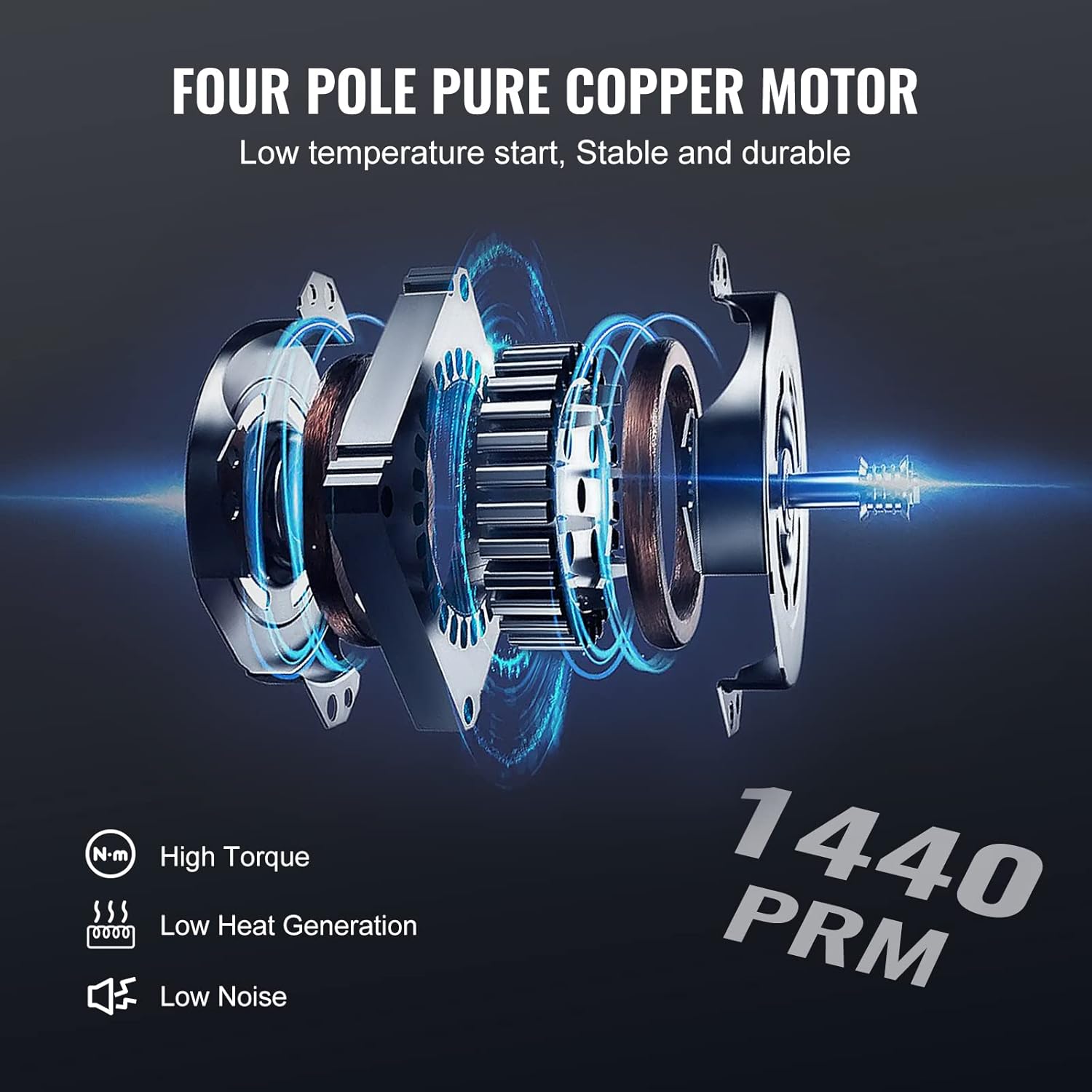
Figure 2: Internal view of the four-pole pure copper motor.
Setup
1. Unpacking and Inspection
Carefully remove all components from the packaging. Inspect the pump and accessories for any signs of damage during transit. If any damage is found, do not operate the unit and contact customer support.
2. Adding Vacuum Pump Oil
- Locate the oil fill cap on top of the pump.
- Unscrew and remove the oil fill cap.
- Carefully pour the provided vacuum pump oil into the oil reservoir until the oil level is between the MIN and MAX marks on the oil sight glass. Do not overfill.
- Replace the oil fill cap securely.
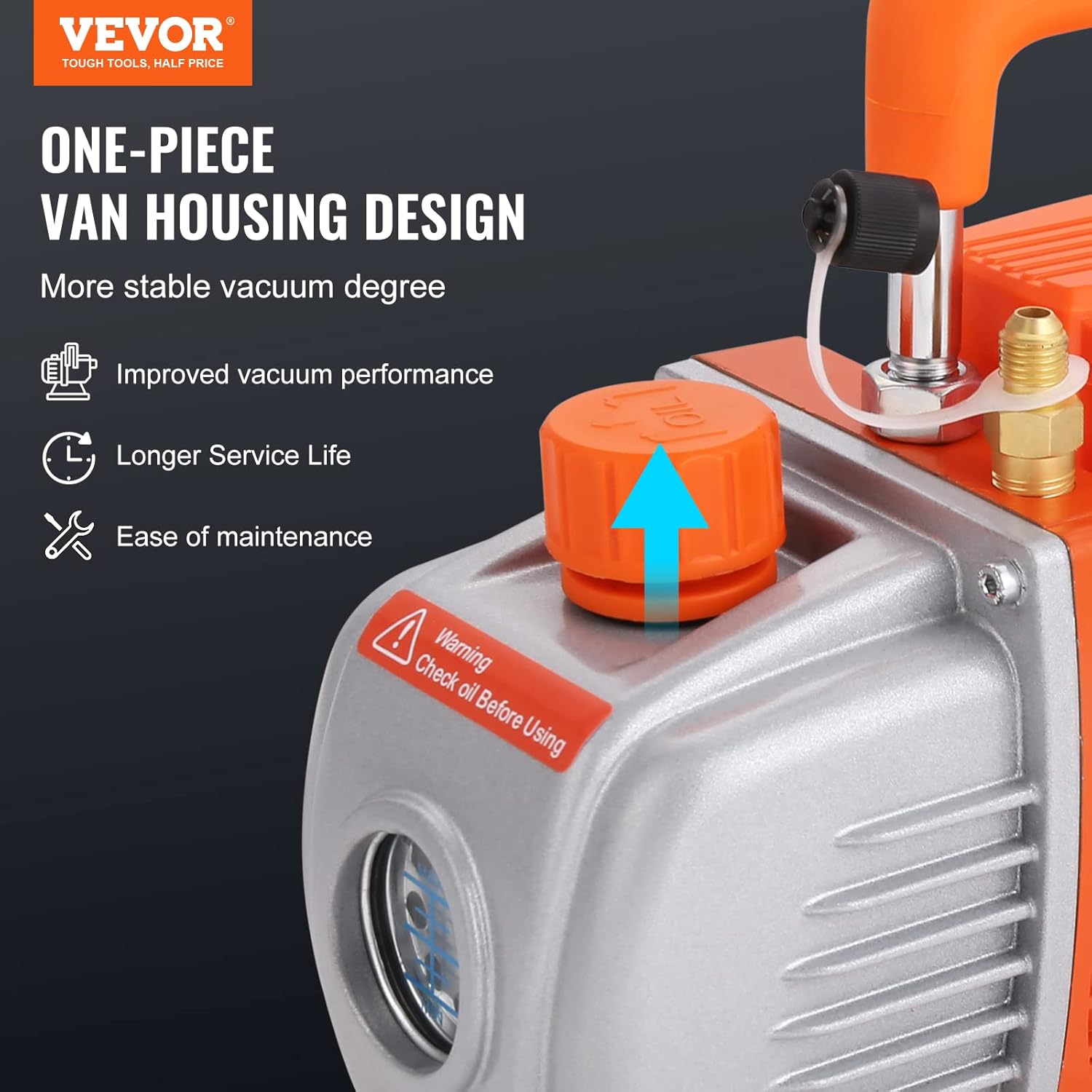
Figure 3: Location of the oil fill cap on the vacuum pump.
3. Connecting the Manifold Gauge and Hoses
- Connect the red hose to the high-pressure side (HI) of the manifold gauge and the system's high-pressure service port.
- Connect the blue hose to the low-pressure side (LO) of the manifold gauge and the system's low-pressure service port.
- Connect the yellow hose to the central service port of the manifold gauge and the vacuum pump's inlet. Use appropriate adapters (R134a or R410a) if necessary.
- Ensure all connections are tight to prevent leaks.

Figure 4: Manifold gauge and hoses connected.
Operating Instructions
1. Preparing for Evacuation
- Ensure the vacuum pump is placed on a stable, level surface.
- Confirm the oil level is correct in the pump's sight glass.
- Connect the manifold gauge and hoses to the HVAC system and the vacuum pump as described in the Setup section.
- Open both the high-pressure (red) and low-pressure (blue) valves on the manifold gauge.
2. Evacuation Procedure
- Plug the vacuum pump into a suitable electrical outlet.
- Turn on the vacuum pump. The pump will begin to draw a vacuum on the HVAC system.
- Monitor the manifold gauge. The pressure should drop steadily. Continue pumping until the desired vacuum level is reached (typically below 500 microns for HVAC systems).
- Once the desired vacuum is achieved, close both the high-pressure (red) and low-pressure (blue) valves on the manifold gauge.
- Turn off the vacuum pump.
- Observe the manifold gauge for a period (e.g., 15-30 minutes) to ensure the vacuum holds, indicating no leaks in the system.
3. Disconnecting the Pump
- After confirming the vacuum holds, slowly open the manifold gauge's central service port (yellow hose connection) to release the vacuum from the hose connected to the pump.
- Disconnect the yellow hose from the vacuum pump.
- Proceed with charging the HVAC system as required.
Maintenance
1. Checking Oil Level
Regularly check the oil level using the oil sight glass. The oil level should always be between the MIN and MAX marks. If the oil appears cloudy or discolored, it indicates contamination and should be changed immediately.

Figure 5: Oil sight glass for monitoring oil level.
2. Changing Vacuum Pump Oil
Vacuum pump oil should be changed after every 10-20 hours of operation or if it appears contaminated. Contaminated oil reduces pump efficiency and lifespan.
- Ensure the pump is off and unplugged.
- Place a suitable container under the oil drain plug.
- Remove the oil drain plug and the oil fill cap to allow the old oil to drain completely.
- Replace the oil drain plug.
- Refill with new VEVOR vacuum pump oil through the oil fill port until the level is between MIN and MAX on the sight glass.
- Dispose of used oil responsibly according to local regulations.
3. Cleaning
Keep the exterior of the pump clean and free of dust and debris. Use a damp cloth for cleaning. Do not use harsh chemicals or solvents.
Troubleshooting
| Problem | Possible Cause | Solution |
|---|---|---|
| Pump does not start | No power supply Faulty power cord/switch | Check power connection and outlet Inspect power cord and switch for damage |
| Pump runs but no vacuum is pulled | Leaky connections Insufficient oil Contaminated oil Pump inlet blocked | Check all hose and system connections for leaks Add oil to correct level Change vacuum pump oil Inspect pump inlet for obstructions |
| Poor vacuum performance | Contaminated oil Air leak in system/hoses Worn pump components | Change vacuum pump oil Check all connections and system for leaks Contact VEVOR support for service |
| Excessive noise or vibration | Low oil level Damaged motor/bearings Loose components | Check and add oil Contact VEVOR support Tighten any loose screws or fittings |
| Oil mist from exhaust | Overfilled oil Contaminated oil | Drain excess oil Change vacuum pump oil |
Warranty and Customer Support
VEVOR products are designed for durability and performance. For warranty information, technical support, or any questions regarding your VEVOR 100 L/min HVAC Vacuum Pump, please visit the official VEVOR support website.
Official Support Website: www.vevor.com/support
Please have your model number (TW-1K) and ASIN (B0CB3X3XHD) ready when contacting support for faster assistance.