
Introduction
This manual provides essential information for the proper installation, operation, and maintenance of your Thereye ER-WP02-RO Reverse Osmosis Membrane Filter. Please read these instructions carefully before use to ensure optimal performance and longevity of your filter.
Product Overview
The Thereye ER-WP02-RO is a high-performance reverse osmosis membrane filter designed for use with the Thereye ER-WP02 Reverse Osmosis Water Filter System. It is engineered to remove impurities from water, providing clean and safe drinking water.

Image 1: The Thereye ER-WP02-RO Reverse Osmosis Membrane Filter.
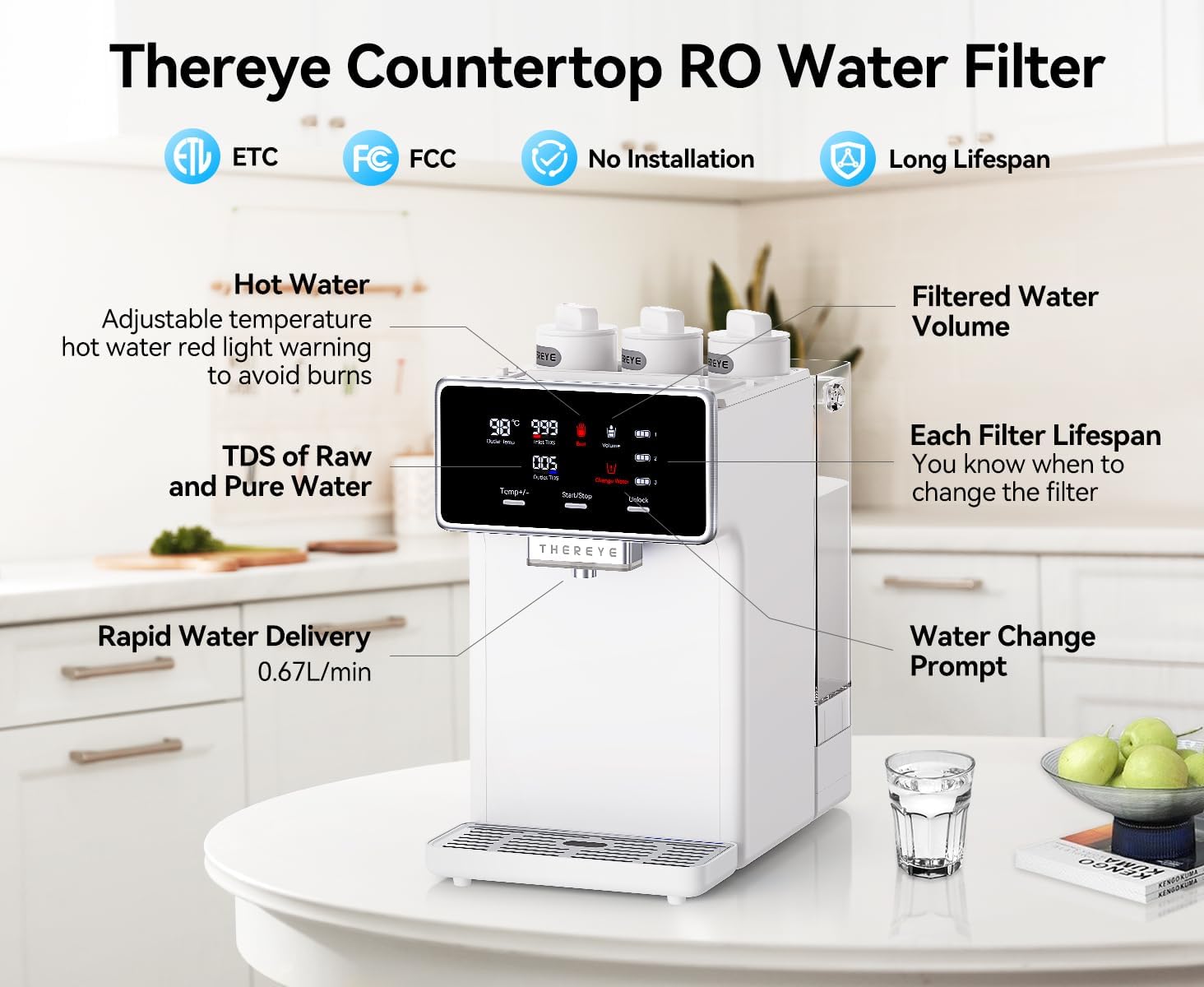
Image 2: The Thereye Countertop RO Water Filter System (ER-WP02) with which this filter is compatible.
This RO membrane filter is a critical component of a multi-stage filtration system, effectively reducing heavy metals, micro particles, and other contaminants to ensure high-quality purified water.

Image 3: Diagram illustrating the 7-stage Reverse Osmosis filtration process, highlighting the role of the RO membrane.
Specifications
| Model Number | ER-WP02-RO |
| Dimensions | 2.3"D x 2.3"W x 11"H (5.8cm x 5.8cm x 27.9cm) |
| Material | Carbon Fiber (as part of composite filter) |
| Item Weight | 1.06 pounds (0.48 Kilograms) |
| Service Life | Up to 24 months (actual life varies with water quality and usage) |
| Certifications | NSF (External Testing Certification) |
Installation (Setup)
The ER-WP02-RO filter is designed for easy installation and replacement within the compatible Thereye ER-WP02 Reverse Osmosis Water Filter System.
- Preparation: Ensure the water filter system is turned off and depressurized before attempting to replace any filters. Refer to your main system's manual for specific instructions on depressurizing.
- Remove Old Filter: Locate the RO filter slot. Gently lift and rotate the old filter counter-clockwise to unlock and remove it.
- Install New Filter: Align the new ER-WP02-RO filter with the designated slot. Insert the filter and press down firmly. Rotate the filter clockwise until it locks securely into place.
- Check for Leaks: Turn on the water supply to the system slowly and check for any leaks around the newly installed filter. If leaks occur, ensure the filter is properly seated and locked.
- Flush the Filter: Follow the instructions in your main system's manual for flushing new filters to remove any carbon fines or air.

Image 4: Visual guide demonstrating the rotary lift and press method for filter installation.
Maintenance
The ER-WP02-RO membrane filter has an estimated service life of up to 24 months. The actual lifespan can vary significantly based on the quality of your incoming water and the volume of water filtered. It is recommended to replace the filter when the system indicates a filter change is needed or if you notice a decrease in water flow or quality.
Regular replacement ensures the continued effectiveness of your water purification system.
Troubleshooting
- Low Water Flow: If water flow from your system decreases significantly, it may indicate that the RO membrane filter is clogged and requires replacement. Ensure all filters are correctly installed.
- Unusual Taste or Odor: While the RO membrane primarily removes dissolved solids, an unusual taste or odor might suggest issues with pre-filters or post-filters. Ensure all filters are replaced according to their recommended schedules.
- Leaks: If you observe leaks after filter replacement, turn off the water supply immediately. Re-install the filter, ensuring it is properly seated and rotated until locked. Check O-rings for damage.
For persistent issues, refer to the main system's troubleshooting guide or contact customer support.
Safety Information
WARNING: Do not use this filter with water that is microbiologically unsafe or of unknown quality without adequate disinfection before or after the system. This filter is designed to operate with potable water only. Do not use with water temperatures exceeding 95°F (35°C) or below 41°F (5°C).
Warranty and Support
For information regarding product warranty, technical support, or to purchase replacement filters, please refer to the documentation provided with your Thereye ER-WP02 Reverse Osmosis Water Filter System or visit the official Thereye website. Please retain your proof of purchase for warranty claims.

