
Introduction
The STATIK TaskPad Leather Desk Mat is designed to provide a spacious and protective surface for your workspace. This double-sided mat accommodates various devices, offering a smooth area for mouse movement and keyboard placement. It is constructed from durable, waterproof material to safeguard your desk from spills and scratches.

Image: The STATIK TaskPad Leather Desk Mat laid out on a desk with a laptop and mouse, showcasing its large surface area.
Setup
- Unrolling the Mat: Carefully remove the TaskPad from its packaging. It may be rolled for shipping.
- Flattening: Place the mat on a clean, flat surface. Due to its rolled packaging, it may take a short period (e.g., an hour) to fully flatten. You can gently roll it in the opposite direction or place heavy, flat objects on the corners to expedite the process.
- Positioning: Position the mat on your desk to cover the desired area. Ensure it is stable and does not interfere with other desk items.
- Securing for Travel: When not in use or for transport, roll the mat tightly and secure it with the provided strap.
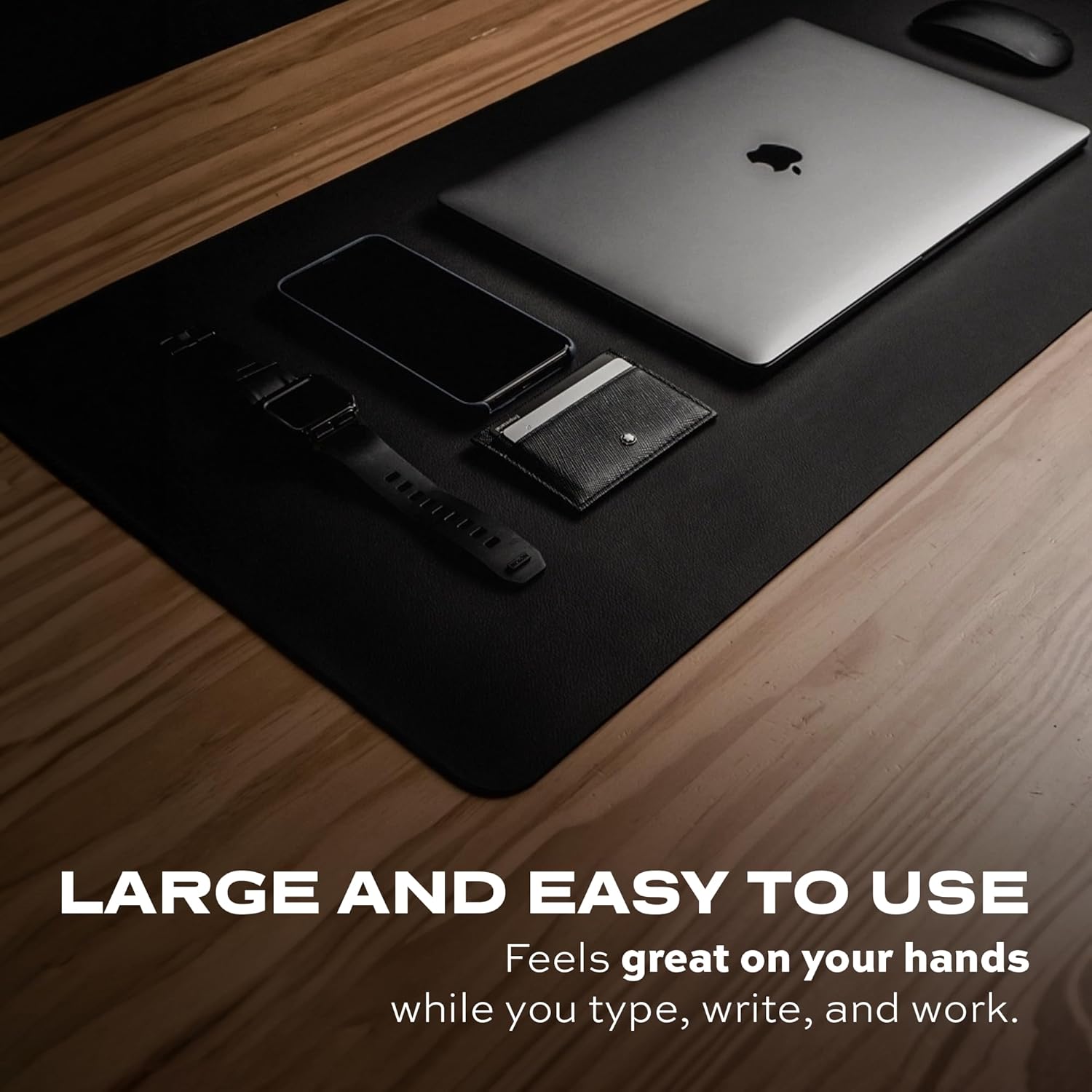
Image: A close-up of the STATIK TaskPad, illustrating its large surface accommodating a laptop, smartphone, and wallet, highlighting its utility for organizing a workspace.
Usage
- Spacious Surface: The 35.4" x 16.5" surface is designed to accommodate a laptop, keyboard, mouse, and other desk accessories, promoting an organized workspace.
- Mouse Tracking: The smooth texture of the TaskPad provides an optimal surface for precise mouse movements, suitable for general use, gaming, or design tasks.
- Double-Sided Design: The mat features a reversible design, offering two distinct colors (Black/Grey or Brown/Grey depending on model) to match your aesthetic preference. Simply flip the mat to change its appearance.
- Comfort: The soft and smooth material enhances comfort during extended periods of typing, writing, or mouse usage.

Image: A close-up view demonstrating the double-sided nature of the STATIK TaskPad, with one side black and the other grey, allowing for reversible use.

Image: The STATIK TaskPad with a laptop and white mouse, emphasizing the soft and smooth texture of the mat for comfortable use.
Maintenance
- Cleaning: The high-quality PU leather surface is waterproof and oil-proof. For spills or stains, simply wipe the mat with a damp cloth. Avoid abrasive cleaners or harsh chemicals.
- Protection: The mat acts as a protective layer for your desk, guarding against scratches, spills, and general wear.

Image: Water droplets on the surface of the STATIK TaskPad, illustrating its water-resistant feature and ease of cleaning.
Troubleshooting
- Mat Not Lying Flat: If the mat does not lie completely flat after unrolling, gently roll it in the opposite direction or place heavy, flat objects on the edges for a few hours to help it settle.
- Mouse Tracking Issues: If your mouse experiences inconsistent tracking, ensure the mat surface is clean and free of debris. Some optical mice may perform differently on various surfaces; if issues persist, consider adjusting mouse settings or using a dedicated small mouse pad on top if necessary.
- Mat Sliding: If the mat slides on your desk surface, ensure the desk is clean and dry. The mat is designed to have a stable grip, but on extremely smooth surfaces, a non-slip pad underneath may be used if needed.
Specifications
| Brand | Statik |
| Model Number | PUP-0800-BLK-GRY |
| Dimensions | 35.4" x 16.5" (90cm x 42cm) |
| Material | Vegan Leather (PU Leather) |
| Color | Black/Grey (Reversible) |
| Item Weight | 1.21 pounds |
| Features | Waterproof, Oil-proof, Double-Sided, Smooth Surface |

Image: A visual representation of the STATIK TaskPad's dimensions, indicating its length of 90cm (35.4 inches) and width of 42cm (16.5 inches).
Warranty and Support
For warranty information or product support, please refer to the official Statik website or contact their customer service directly. Details are typically provided with your product packaging or on the manufacturer's official channels.