
1. Introduction
Thank you for choosing the XROCKER Agility Esports RGB Neo Motion LED Gaming Chair. This manual provides essential information for the safe assembly, operation, and maintenance of your new gaming chair. The Agility Esports chair features patented Neo Motion Sync lighting technology, offering over 200 different color modes and effects, controllable via a dedicated smartphone application. It is designed for comfort and adjustability, suitable for gaming, office work, and relaxation.

Image 1.1: The XROCKER Agility Esports RGB Neo Motion LED Gaming Chair illuminated with dynamic lighting in a gaming environment.
2. Safety Information
Please read all safety instructions before assembly and use. Failure to follow these instructions may result in injury or damage to the product.
- Assembly is required. Ensure all components are correctly installed before use.
- Do not exceed the maximum weight capacity of 110 kg (242 lbs).
- Always follow the safety instructions provided with the product packaging.
- Keep small parts away from children during assembly.
- Use the chair on a stable, level surface.
- Avoid standing on the chair or using it as a step stool.
- Do not expose the chair to excessive moisture or direct sunlight for prolonged periods.
3. Setup and Assembly
The XROCKER Agility Esports Gaming Chair requires assembly. Please ensure you have all components before beginning. Refer to the included assembly guide for detailed step-by-step instructions. A general overview of the assembly process is provided below.
3.1 Unpacking and Component Check
Carefully unpack all parts and lay them out on a clean, soft surface to prevent scratches. Verify that all components listed in the assembly guide are present.
3.2 Assembly Steps (General)
- Attach the casters to the chair base.
- Insert the gas lift cylinder into the center of the base.
- Secure the mechanism plate to the underside of the seat.
- Attach the armrests to the seat.
- Connect the backrest to the seat assembly.
- Place the assembled seat and backrest onto the gas lift cylinder.
- Attach the headrest and lumbar support cushions.

Image 3.1: Product dimensions of the XROCKER Agility Esports Gaming Chair. The chair measures approximately 128cm in height, 59.9cm in width, and 66cm in depth.
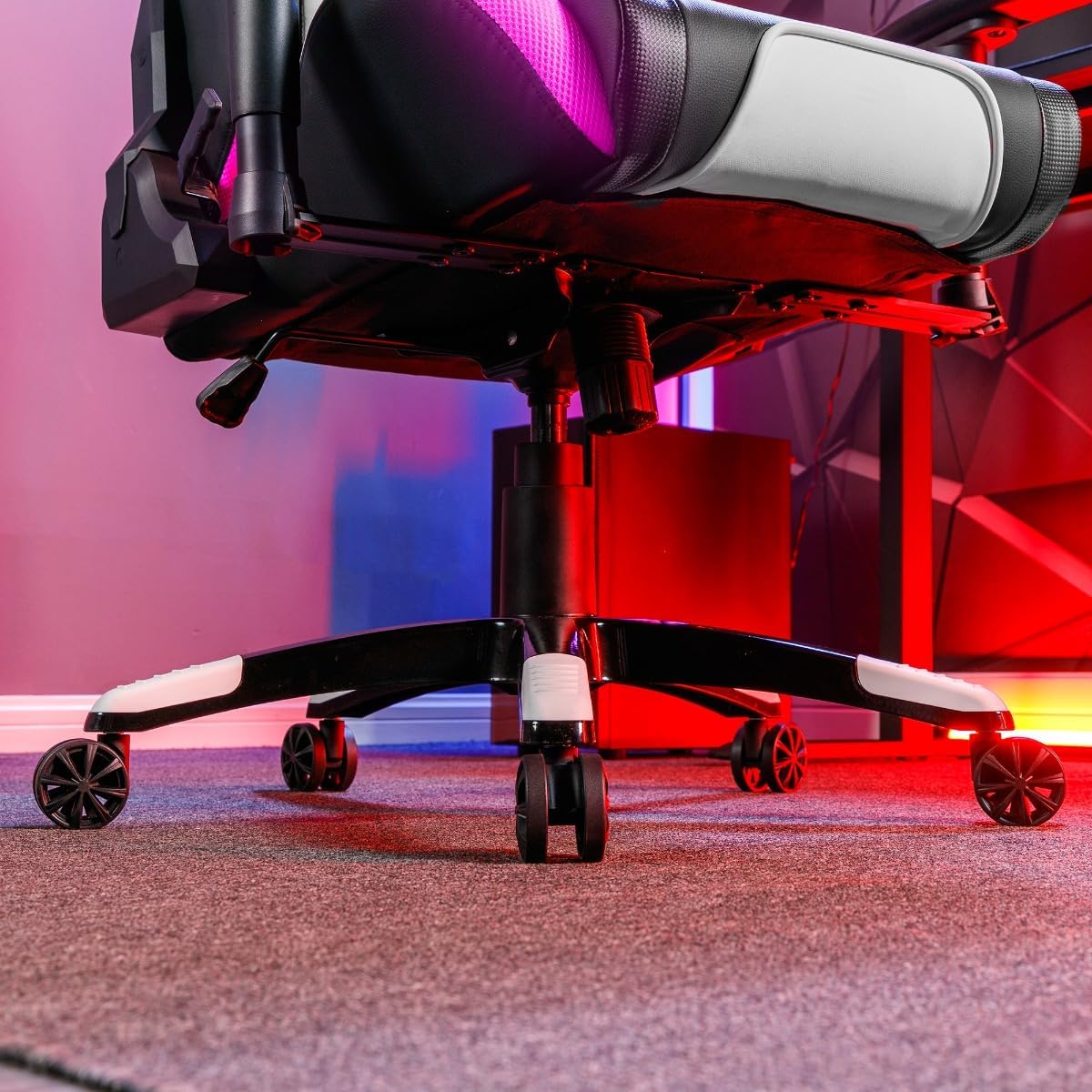
Image 3.2: The sturdy five-star base of the chair with smooth-rolling caster wheels, designed for stability and mobility.
4. Operating Instructions
4.1 Chair Adjustments
- Height Adjustment: Use the lever located under the seat on the right side to adjust the chair's height. Pull the lever up to raise the chair; sit on the chair and pull the lever up to lower it.
- Rocker Function: The chair features a rocker function for relaxation. Engage or disengage the rocking mechanism using the lever under the seat.
- Reclining Function: The backrest can be reclined to two positions. Use the recline lever on the side of the chair to adjust the angle.
- 3D Armrests: The armrests are adjustable in three dimensions (height, forward/backward, pivot) to provide optimal support. Use the buttons or levers on the armrests to make adjustments.
- Cushion Support: The included neck and lumbar cushions can be positioned for additional support and comfort.
4.2 Neo Motion Sync RGB Lighting
The Agility Esports chair is equipped with advanced Neo Motion Sync RGB lighting. This technology allows for dynamic lighting effects and synchronization with other compatible X Rocker products.
- Powering On/Off: Locate the control panel on the side of the chair (refer to Image 4.5). Press the power button to turn the lighting on or off.
- Mode Selection: Use the buttons on the control panel to cycle through over 200 different color modes, patterns, and lighting effects.
- Smartphone App Control: For advanced control and customization, download the Neo Motion Sync app on your smartphone. The app allows you to:
- Select and customize lighting modes.
- Adjust brightness and speed.
- Sync lighting with music or game sounds.
- Manage and synchronize up to 16 Neo Motion Sync products simultaneously.

Image 4.1: Detail of the chair's armrest, showcasing the integrated RGB Neo Motion LED lighting.
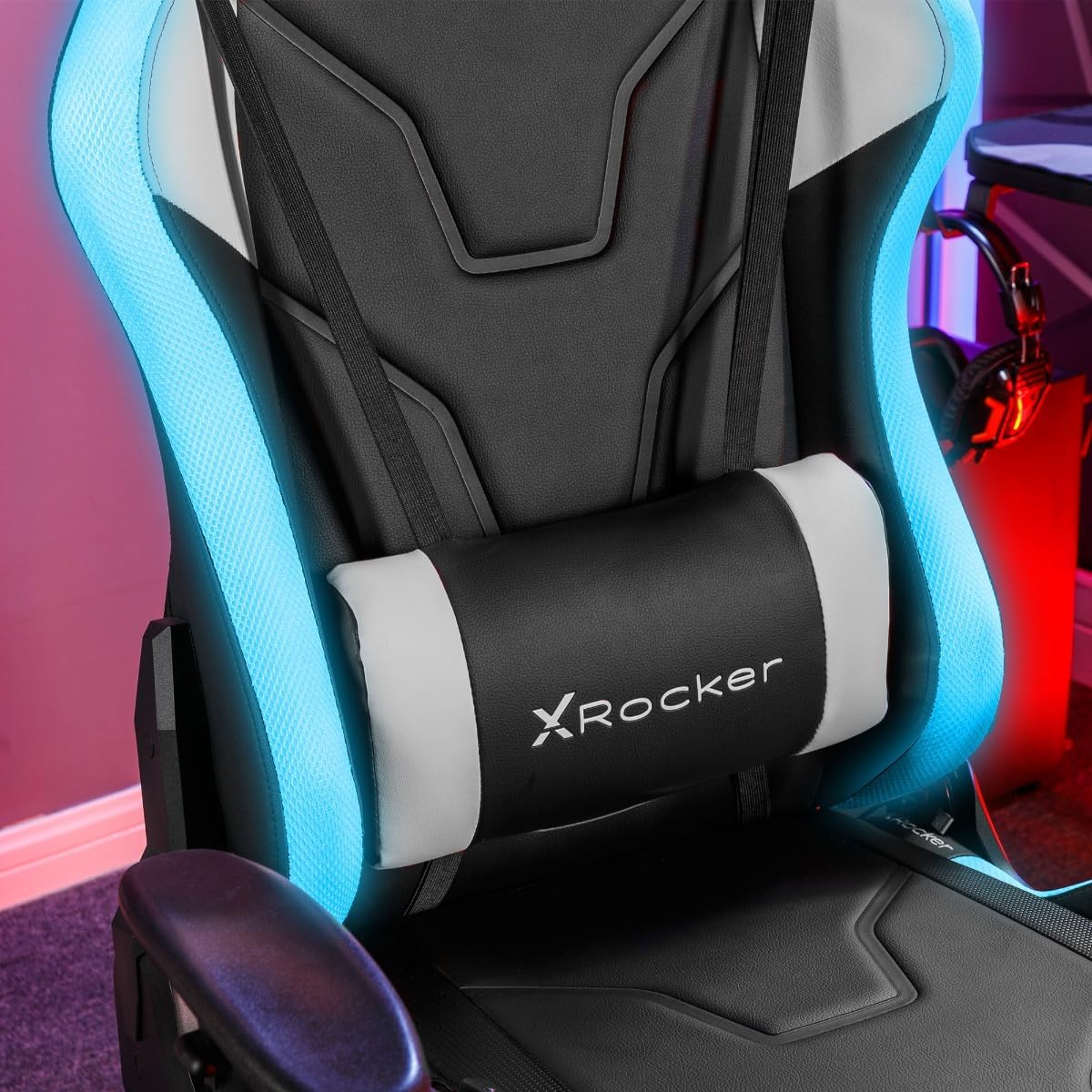
Image 4.2: The adjustable lumbar cushion, featuring integrated RGB lighting for enhanced visual appeal.

Image 4.3: The headrest cushion, providing neck support and incorporating RGB lighting elements.

Image 4.4: A side profile of the chair, illustrating the continuous flow of RGB lighting along its contours.

Image 4.5: The discreetly placed control panel for managing the chair's RGB lighting effects.
5. Maintenance
Proper maintenance will extend the life and appearance of your XROCKER Agility Esports Gaming Chair.
- Cleaning: Wipe clean with a damp cloth. For faux leather surfaces, use a mild, non-abrasive cleaner specifically designed for synthetic leather. Avoid harsh chemicals or abrasive materials.
- Regular Checks: Periodically check all screws and bolts to ensure they are tight. Re-tighten if necessary to maintain stability and safety.
- Caster Care: Keep the caster wheels free of hair and debris to ensure smooth movement.
- Avoid Overloading: Do not place excessive weight on the chair or its components.
6. Troubleshooting
If you encounter issues with your chair, refer to the following common problems and solutions:
| Problem | Possible Cause | Solution |
|---|---|---|
| Chair does not adjust height | Gas lift malfunction or lever not engaged. | Ensure the height adjustment lever is fully engaged. If the issue persists, the gas lift may need replacement. |
| Chair wobbles | Loose screws or uneven assembly. | Check and tighten all assembly screws, especially those connecting the seat to the mechanism and the backrest. Ensure the chair is on a level surface. |
| Casters do not roll smoothly | Debris caught in wheels. | Turn the chair over and remove any hair, dust, or debris from the caster wheels. |
| RGB lighting not working | Power issue, loose connection, or app malfunction. | Ensure the power cable for the RGB lighting is securely connected. Check the control panel for power. Restart the Neo Motion Sync app and ensure Bluetooth is enabled on your device. |
7. Specifications
| Feature | Detail |
|---|---|
| Brand | X Rocker |
| Model Name | Agility Esports |
| Model Number | AGILITYRGB |
| Color | Black & White |
| Material | Faux Leather (Seat), Foam, Polyester (Fill) |
| Frame Material | Alloy Steel |
| Product Dimensions (D x W x H) | 25.98"D x 23.58"W x 53.94"H (66cm D x 59.9cm W x 137cm H) |
| Item Weight | 23 Kilograms (50.7 lbs) |
| Maximum Weight Recommendation | 110 Kilograms (242 lbs) |
| Assembly Required | Yes |
| Back Style | High Back |
| Arm Style | Rounded (3D Adjustable) |
| Cushion Style | Lumbar, Head |
| Furniture Base Movement | Swivel |
| Reclining Position Count | 2 |
| Tilting | Yes (Rocker Function) |
| Lighting Technology | Neo Motion Sync RGB LED |
| Control Method | On-chair controls, Smartphone App |
8. Warranty & Support
8.1 Warranty Information
Specific warranty details for the XROCKER Agility Esports RGB Neo Motion LED Gaming Chair are typically provided with your purchase documentation or can be obtained directly from the retailer or X Rocker's official website. Please retain your proof of purchase for any warranty claims.
8.2 Customer Support
For technical assistance, missing parts, or any other inquiries regarding your XROCKER product, please contact X Rocker customer support or the retailer from whom you purchased the chair. Contact information can usually be found on the X Rocker official website or your purchase receipt.
X Rocker Official Website: www.xrockeruk.com (Please check for your regional website)

