
1. Product Overview
About Your G-Drive ArmorATD
The SanDisk Professional 5TB G-Drive ArmorATD is a rugged, durable portable external hard drive designed for reliable data storage and backup. It features a high-capacity mechanical hard disk, USB-C connectivity, and is built to withstand challenging environments.
Key Features
- USB-C (5Gbps) drive for quick file backup and storage.
- Works with macOS right out of the box, and Windows via reformat.
- Transfer rates of up to 130MB/s read (1 MB/s = 1 million bytes per second. Performance may vary depending upon host device, usage conditions, drive capacity, and other factors).
- Premium, anodized aluminum enclosure for strength.
- Built tough with an easy-grip bumper for professional-grade durability.
2. Getting Started
What's in the Box
- SanDisk Professional G-Drive ArmorATD (5TB)
- USB-C to USB-C Cable
- USB-C to USB-A Cable
- Quick Start Guide
Connecting Your Drive
To connect your G-Drive ArmorATD to your computer:
- Select the appropriate USB cable (USB-C to USB-C for newer devices, or USB-C to USB-A for older devices).
- Plug one end of the cable into the USB-C port on your G-Drive ArmorATD.
- Plug the other end of the cable into an available USB port on your computer.
- The drive is pre-formatted for macOS and should be recognized automatically. For Windows users, reformatting the drive to an NTFS file system is required for full functionality. Refer to the 'Troubleshooting' section for details on reformatting.

The G-Drive ArmorATD comes with both USB-A to USB-C and USB-C to USB-C cables for versatile connectivity.
3. Basic Operation
Data Transfer
Once connected, your G-Drive ArmorATD will appear as an external drive on your computer. You can transfer files by dragging and dropping them to and from the drive. The drive supports transfer speeds of up to 130MB/s read, allowing for efficient backup and access to your data.
Compatibility
The G-Drive ArmorATD is compatible with both macOS and Windows operating systems. It is ready to use with macOS directly. For Windows, a simple reformatting process is necessary to ensure optimal performance and compatibility.

The G-Drive ArmorATD connected to a laptop, ready for data transfer.
4. Care and Durability
Rugged Design
The G-Drive ArmorATD is engineered for durability, featuring a robust design that includes:
- Crush Resistance: Withstands up to 1000 lbs of crush force.
- Drop Resistance: Protects data from drops up to 1 meter (3 feet).
- Rain and Dust Resistance: IP54-rated for protection against rain and dust ingress. Ensure the port cover is securely closed to maintain water and dust resistance.
Environmental Protection
The drive's premium anodized aluminum enclosure and easy-grip protective bumper provide enhanced protection against physical impacts and environmental elements, making it suitable for use in various outdoor and demanding conditions.
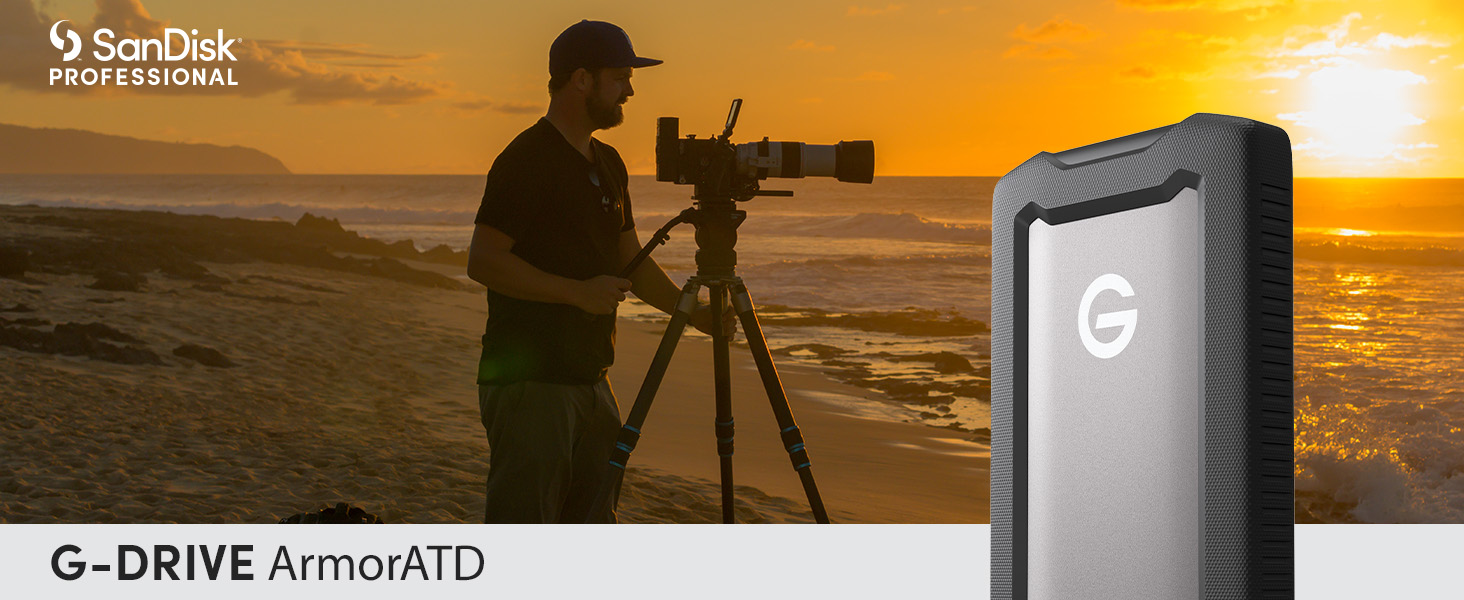
The G-Drive ArmorATD is built to withstand challenging outdoor conditions, offering robust protection against elements.
5. Troubleshooting Common Issues
Drive Not Appearing on Windows
The G-Drive ArmorATD is pre-formatted for macOS. If you are using a Windows computer and the drive does not appear, it needs to be reformatted to an NTFS file system. This process will erase all data on the drive, so ensure no critical data is present before proceeding.
- Connect the G-Drive ArmorATD to your Windows computer.
- Open Disk Management (Right-click on 'This PC' or 'My Computer', select 'Manage', then 'Disk Management').
- Locate the G-Drive ArmorATD (it may appear as 'Unallocated Space' or with an unknown file system).
- Right-click on the drive's partition and select 'Delete Volume' (if applicable).
- Right-click on the unallocated space and select 'New Simple Volume'.
- Follow the on-screen wizard, ensuring to select NTFS as the file system and assign a drive letter.
Slow Transfer Speeds
If you experience slower than expected transfer speeds:
- Ensure you are using the provided USB-C cables, as they are optimized for the drive's performance.
- Connect the drive to a USB 3.0 (or higher) port on your computer. Older USB 2.0 ports will result in significantly slower speeds.
- Avoid transferring a large number of very small files simultaneously, as this can reduce overall transfer efficiency.
6. Technical Specifications
| Feature | Specification |
|---|---|
| Digital Storage Capacity | 5 TB |
| Hard Drive Interface | USB 3.2 |
| Connectivity Technology | Thunderbolt, USB |
| Special Feature | Durable, Portable |
| Hard Disk Form Factor | 2.5 Inches |
| Compatible Devices | Desktop, Laptop |
| Item Weight | 12.3 ounces |
| Product Dimensions (LxWxH) | 5.2 x 3.46 x 1.18 inches |
| Model Number | SDPH81G-005T-GBA1D |
7. Warranty and Support
Warranty Information
Your SanDisk Professional G-Drive ArmorATD comes with a limited manufacturer's warranty. Please refer to the warranty card included in your product packaging or visit the official SanDisk Professional website for detailed terms and conditions.
Customer Support
For technical assistance, troubleshooting, or product inquiries, please visit the SanDisk Professional Support Page or contact their customer service directly.


