
1. Introduction
Thank you for choosing the SHW 48x24 Glass Electric Height Adjustable Standing Desk. This manual provides essential information for the safe and efficient assembly, operation, and maintenance of your new desk. This desk features a motorized height adjustment system, a tempered glass desktop, an integrated monitor riser, and a pull-out storage drawer, designed to enhance your workspace ergonomics and organization.
2. Safety Information
- Read all instructions carefully before assembly and use.
- Keep children and pets away from the desk during operation.
- Ensure all connections are secure before operating the electric height adjustment.
- Do not overload the desk. The maximum weight recommendation is 150 pounds.
- Avoid using a clamping monitor arm directly on the glass surface to prevent damage.
- Keep liquids away from electrical components.
- Unplug the desk from the power source before cleaning or maintenance.
- Do not attempt to disassemble or repair the motor or control unit yourself. Contact qualified service personnel.
3. Package Contents
Verify that all components are present before beginning assembly.
- Tempered Glass Desktop
- Desk Legs (Metal Base)
- Electric Motor and Control Unit
- Monitor Riser (1)
- Pull-Out Storage Drawer (1)
- Drawer Organizer Tray (1)
- Utility Hooks (2)
- All necessary assembly tools and hardware

Figure 1: Exploded view of the SHW Electric Standing Desk components with key dimensions. Includes the glass top, legs, monitor riser, and pull-out drawer.
4. Setup & Assembly
Assembly is required. All necessary tools are included. Follow the instructions provided in the separate assembly guide for detailed steps. The desk is designed for straightforward assembly.
4.1 Key Assembly Steps:
- Attach the desk legs to the tempered glass desktop.
- Secure the electric motor and control unit to the underside of the desk.
- Install the monitor riser onto the desktop.
- Slide the pull-out storage drawer into its designated slot.
- Attach the utility hooks to the sides of the desk frame.
- Connect the power cable and organize wires using the provided cable management accessories (adhesive twist ties and under-desk basket).

Figure 2: The SHW Electric Standing Desk demonstrating its height adjustment capability. The desk can be raised or lowered to suit sitting or standing preferences.
5. Operating Instructions
5.1 Electric Height Adjustment:
The desk features a smooth motorized lift system for easy height adjustment. The height can be adjusted from 28 inches to 46 inches.
- Use the Up (^) and Down (v) arrows on the control panel to manually adjust the desk height.
- The digital display will show the current height.
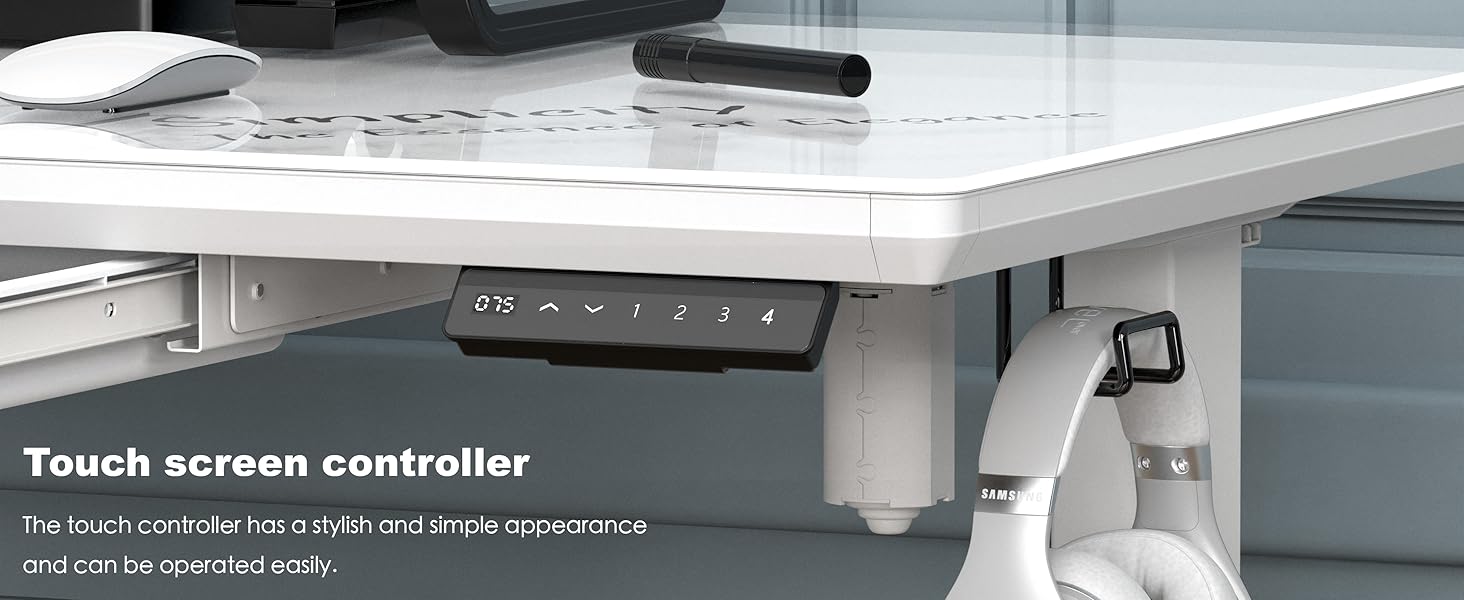
Figure 3: The touch screen control panel for the electric height adjustment, featuring up/down arrows and four memory preset buttons.
5.2 Memory Presets:
The desk includes four memory preset buttons (1, 2, 3, 4) to save your preferred sitting and standing heights.
- Adjust the desk to your desired height using the Up/Down arrows.
- Press and hold one of the numbered preset buttons (1-4) for a few seconds until the display flashes or beeps, indicating the height has been saved.
- To recall a saved height, simply press the corresponding preset button. The desk will automatically adjust to that height.
5.3 Integrated Storage Drawer:
The pull-out drawer provides convenient storage for office supplies and personal items, helping to keep your workspace tidy.
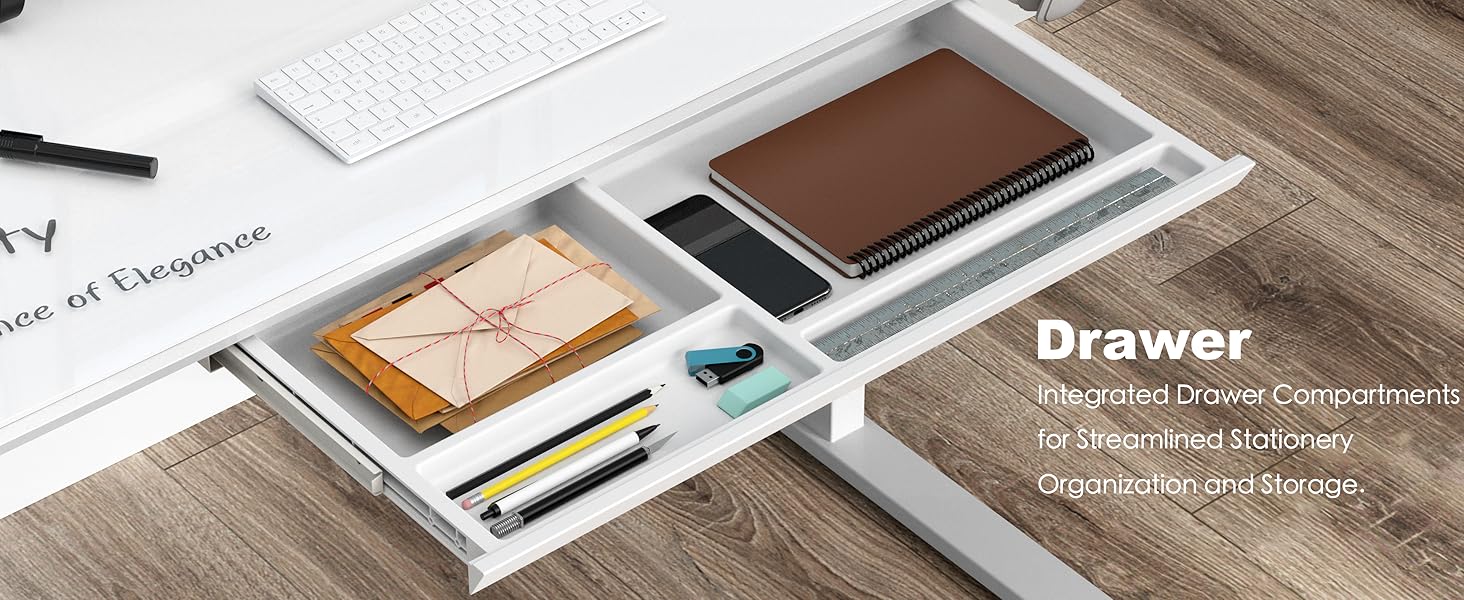
Figure 4: The integrated pull-out drawer, featuring compartments for organizing pens, notebooks, and other small office essentials.
5.4 Monitor Riser:
The built-in monitor riser elevates your monitor to eye level, promoting better ergonomics and freeing up desktop space underneath.
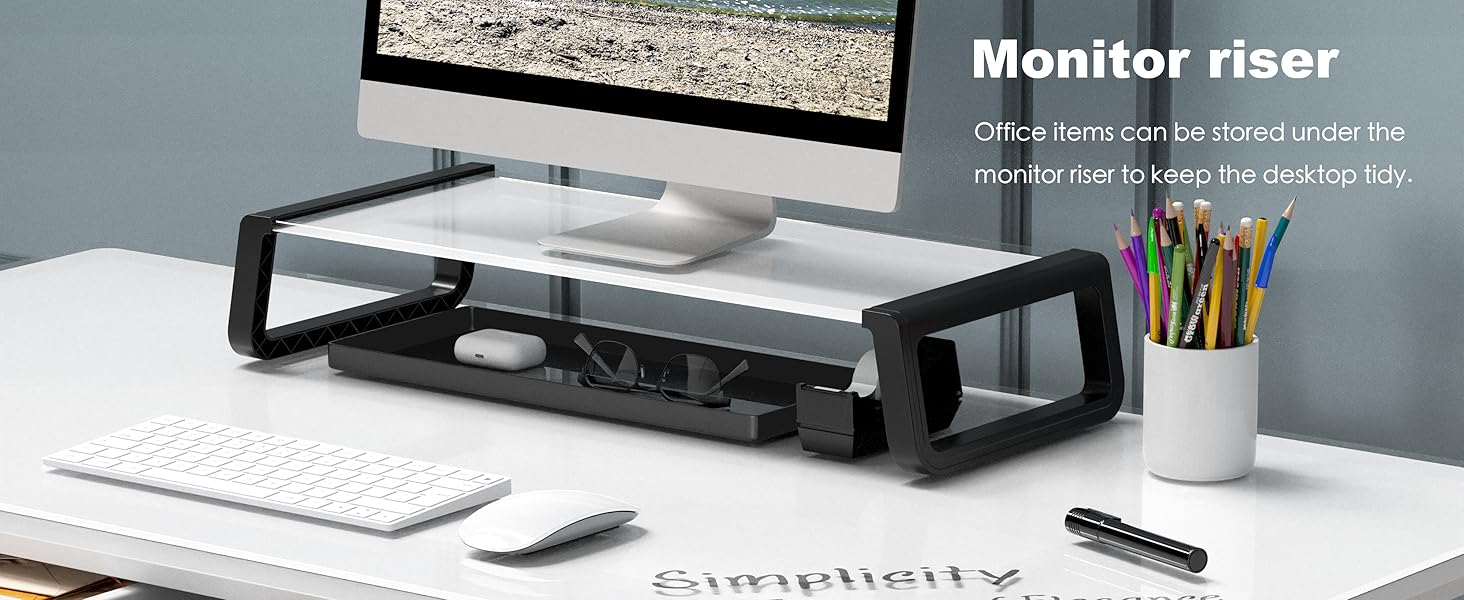
Figure 5: The integrated monitor riser, designed to elevate your screen and provide additional storage space for small items.
6. Maintenance
6.1 Cleaning the Glass Desktop:
The tempered glass surface is easy to clean. Use a soft, damp cloth with a mild glass cleaner. Avoid abrasive cleaners or harsh chemicals that could damage the glass or finish.
6.2 General Care:
- Regularly check all screws and bolts to ensure they are tight.
- Keep the desk away from direct sunlight and extreme temperatures to prevent material degradation.
- Ensure cables are properly managed to avoid snagging during height adjustments.
7. Troubleshooting
| Problem | Possible Cause | Solution |
|---|---|---|
| Desk does not move. | Power cable disconnected; motor error. | Check power connections. Unplug and replug the desk. If the issue persists, contact support. |
| Desk movement is uneven or noisy. | Loose connections; obstruction; motor issue. | Ensure all bolts are tightened. Check for obstructions under the desk. If noise persists, contact support. |
| Memory presets not working. | Presets not properly saved. | Re-save your desired heights by holding the preset button until the display flashes. |
8. Specifications
| Feature | Detail |
|---|---|
| Brand | SHW |
| Model Number | OD-92G-W |
| Product Dimensions | 23.6"D x 47.2"W x 28-46"H |
| Height Adjustment Range | 28" to 46" |
| Desktop Material | Tempered Glass |
| Base Material | Metal |
| Color | White |
| Special Features | Electric Height Adjustment, Ergonomic, Glass Top, Memory Presets, Monitor Riser, Pull-Out Drawer |
| Maximum Weight Recommendation | 150 Pounds |
| Number of Drawers | 1 |
| Assembly Required | Yes (All tools included) |
9. Warranty
This SHW Electric Height Adjustable Standing Desk comes with a Limited Warranty. Please refer to the warranty card included in your package for specific terms, conditions, and duration of coverage. Keep your purchase receipt for warranty claims.
10. Customer Support
For any questions, assistance, or to report missing/damaged parts, please contact SHW customer support. You can find more information and contact details on the official SHW Store on Amazon.