
1. Introduction
Thank you for choosing the RIVERSONG Air X26 TWS Bluetooth 5.3 Earbuds. This manual provides essential information for setting up, operating, and maintaining your earbuds. Please read it carefully before use to ensure optimal performance and longevity of your device.
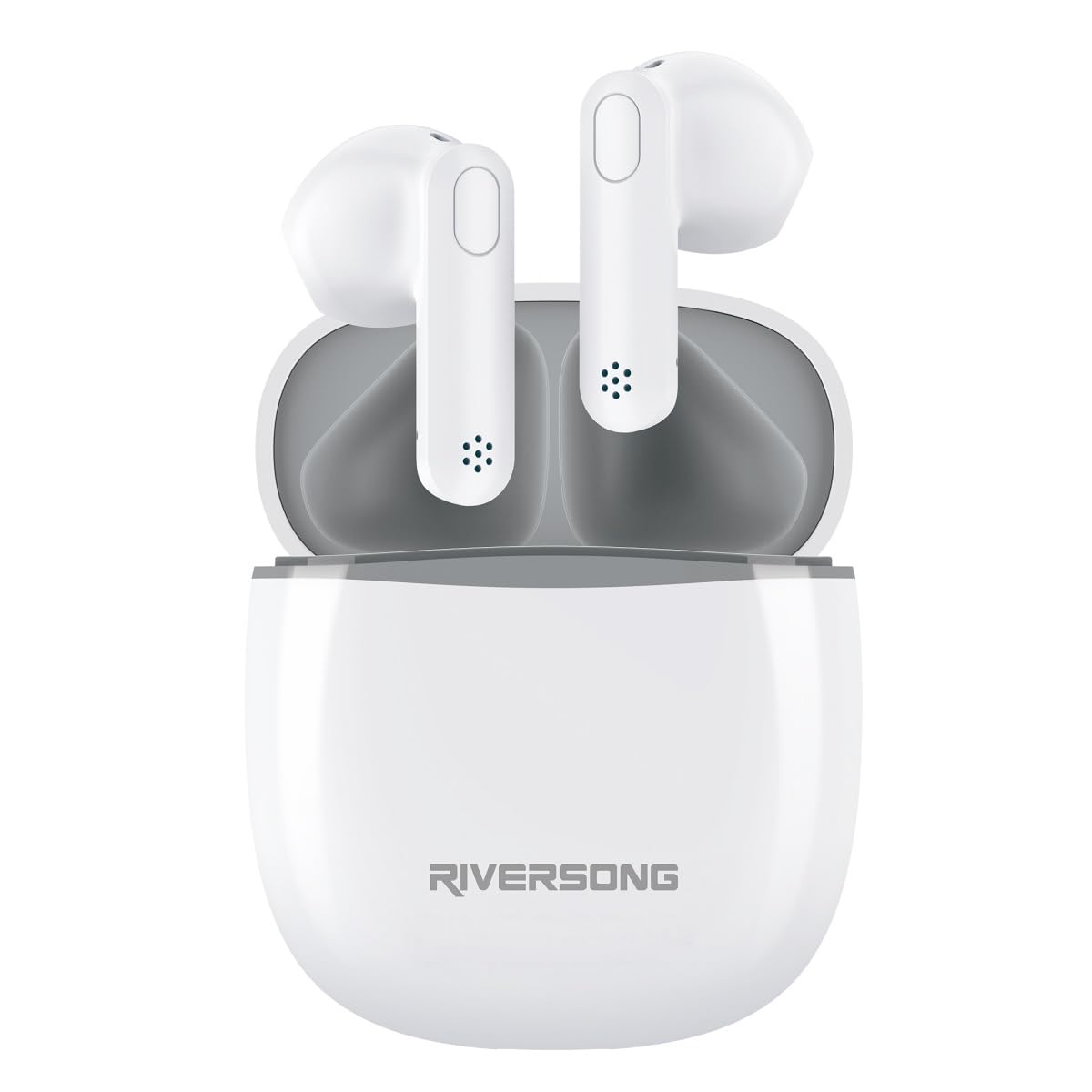
The RIVERSONG Air X26 TWS earbuds are shown resting in their charging case. Icons around the image indicate features such as Active Noise Cancellation (ANC), touch control, Bluetooth 5.3 connectivity, and an integrated microphone.
2. Package Contents
Ensure all items are present in your package:
- RIVERSONG Air X26 TWS Earbuds (Left and Right)
- Charging Case
- USB Charging Cable
- User Manual
3. Product Overview
Familiarize yourself with the components of your earbuds:
- Earbuds: In-ear design with integrated microphone and touch control area.
- Charging Case: Stores and charges the earbuds, features a charging port and LED indicator.
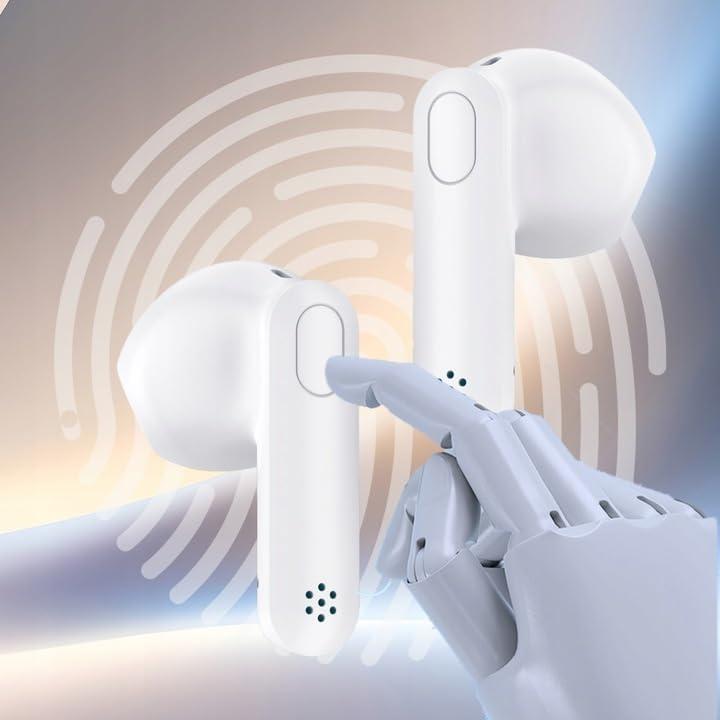
A detailed view of one RIVERSONG Air X26 earbud, illustrating the designated touch control surface for managing audio playback and calls.
4. Setup
4.1 Charging the Earbuds and Case
Before first use, fully charge both the earbuds and the charging case.
- Place the earbuds into the charging case. Ensure they are correctly seated.
- Connect the USB charging cable to the charging port on the case and to a power source.
- The LED indicator on the case will show charging status. It will typically turn off or change color when fully charged.
The earbuds feature fast charging capabilities:

The RIVERSONG Air X26 charging case is shown with an overlay indicating '5 min = 120 min', highlighting its fast charging capability, providing 120 minutes of playback from a 5-minute charge.
4.2 Pairing with a Bluetooth Device
- Open the charging case. The earbuds will automatically enter pairing mode (LED indicators will flash).
- On your device (smartphone, tablet, etc.), enable Bluetooth.
- Search for available Bluetooth devices and select "RIVERSONG Air X26" from the list.
- Once connected, the earbud LED indicators will stop flashing.
- The earbuds will automatically reconnect to the last paired device when taken out of the case, if Bluetooth is enabled on the device.
5. Operating the Earbuds
5.1 Wearing the Earbuds
Insert the earbuds gently into your ears, ensuring a comfortable and secure fit for optimal sound quality and Active Noise Cancellation (ANC) performance.

A woman is depicted wearing the RIVERSONG Air X26 TWS earbuds, demonstrating their in-ear fit and suitability for daily use.
5.2 Touch Controls
The Air X26 earbuds feature intuitive touch controls on each earbud:
- Single Tap: Play/Pause music, Answer/End call.
- Double Tap (Left Earbud): Previous track.
- Double Tap (Right Earbud): Next track.
- Long Press (Left Earbud): Activate/Deactivate Active Noise Cancellation (ANC) mode.
- Long Press (Right Earbud): Activate voice assistant.
- Triple Tap: Reject incoming call.
5.3 Active Noise Cancellation (ANC)
The ANC feature reduces ambient noise for an immersive listening experience. To toggle ANC mode, long press the touch area on the left earbud.
6. Maintenance
6.1 Cleaning
- Gently wipe the earbuds and charging case with a soft, dry, lint-free cloth.
- Do not use abrasive cleaners, alcohol, or chemical solvents.
- Keep the charging contacts on both the earbuds and the case clean and dry.
6.2 Storage
When not in use, store the earbuds in their charging case to protect them and keep them charged. Store the device in a cool, dry place away from extreme temperatures and direct sunlight.

The RIVERSONG Air X26 charging case is depicted with water droplets, signifying its water-resistant design, suitable for various environments.
7. Troubleshooting
If you encounter issues, refer to the following common solutions:
| Problem | Solution |
|---|---|
| Earbuds not pairing |
|
| No sound from one earbud |
|
| Charging case not charging |
|
8. Specifications
- Model Number: EA173AU-W
- Brand: RIVERSONG
- Bluetooth Version: 5.3
- Battery Type: Lithium-polymer (3 included)
- Features: Active Noise Cancellation (ANC), Touch Control, Integrated Microphone
- Charging: USB (cable included)
9. Safety Information
- Do not expose the earbuds or charging case to extreme temperatures, humidity, or liquids.
- Avoid dropping, impacting, or disassembling the device.
- Do not use the earbuds at high volume for extended periods to prevent hearing damage.
- Keep out of reach of children.
10. Warranty and Support
For warranty information and customer support, please refer to the warranty card included with your purchase or visit the official RIVERSONG website. Please have your model number (EA173AU-W) and proof of purchase ready when contacting support.