
1. Important Safety Information
Please read and understand all safety information before using this product. Failure to follow these instructions may result in electric shock, fire, or serious injury.
- Keep out of reach of children.
- Do not operate the unit if it is damaged.
- Do not expose the unit to water or extreme temperatures.
- Ensure proper ventilation during use and charging.
- Always connect the smart clamps correctly to the battery terminals (red to positive, black to negative).
- Avoid short-circuiting the smart clamps.
- Do not attempt to jump start a frozen battery.
- Refer to your vehicle's owner's manual for specific jump-starting procedures.
Integrated Safety Protection System
The DBPOWER G60 is equipped with a comprehensive safety protection system to ensure safe operation:
- Reverse Polarity Protection: Prevents damage if clamps are connected incorrectly.
- Spark-Proof Protection: Eliminates sparks during connection.
- Zero-Damage Protection: Protects the device and vehicle from damage.
- Over-Temperature Protection: Shuts down if internal temperature exceeds safe limits.
- Auto Shutoff Protection: Automatically turns off after a period of inactivity.
- Low Voltage Protection: Prevents over-discharge of the internal battery.
- Reverse Charge Protection: Prevents current flow back into the jump starter from the vehicle battery.
- Over Current Protection: Protects against excessive current draw.
- Over Voltage Protection: Safeguards against voltage spikes.
- Short-Circuit Protection: Prevents damage from short circuits.
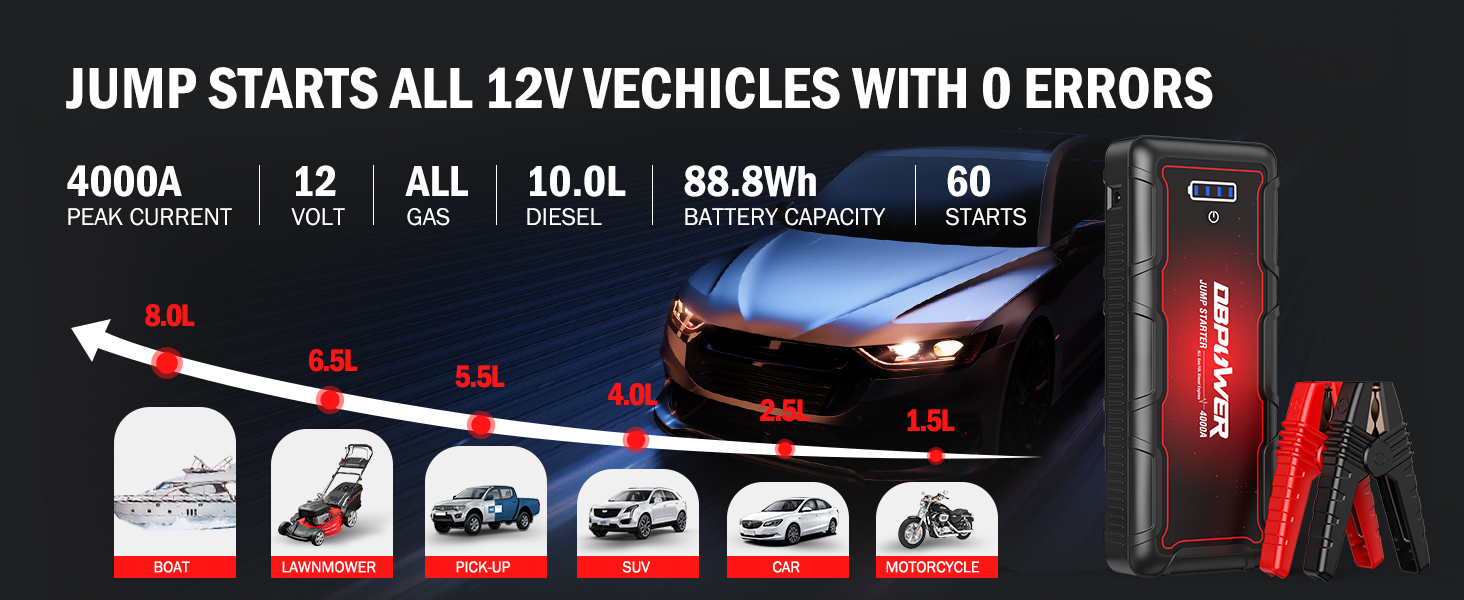
Image: Overview of the DBPOWER G60's integrated safety protection systems.
2. Product Overview
Package Contents
The DBPOWER G60 package includes the following items:
- DBPOWER G60 Jump Starter
- Smart Jump Cable (with clamps)
- USB Type-C Charging Cable
- Storage Bag
- User Manual (this document)

Image: Contents of the DBPOWER G60 Jump Starter package.
Device Features
The DBPOWER G60 is a versatile device designed for vehicle jump-starting and portable power needs.
- Jump Starter: 4000A peak current, capable of starting all gasoline engines and up to 10.0L diesel engines. Provides up to 60 jump starts on a single charge.
- Power Bank: 88.8Wh capacity with multiple output ports:
- 2 USB outputs (5V/9V/12V and 5V/2.1A)
- 1 DC output (12-16.8V/10A)
- 1 Type-C in/out port (5V/3A)
- LED Flashlight: Super bright LED light with 3 modes: lighting, flash, and SOS.
- Durability: Rugged ABS material, waterproof, dustproof, and drop-proof design.

Image: Multifunctionality and port layout of the DBPOWER G60.
3. Setup and Charging
Initial Charging
Before first use, fully charge the DBPOWER G60. It is recommended to charge the unit every 3-6 months to maintain battery health, even if not in use.
- Connect the included USB Type-C charging cable to the Type-C input port on the jump starter.
- Connect the other end of the USB Type-C cable to a compatible USB wall adapter (not included) or a car charger.
- The LED indicator lights on the jump starter will illuminate to show the charging progress. All lights will be solid when fully charged.

Image: Charging the DBPOWER G60 with a wall charger (not included).

Image: Recharging the DBPOWER G60 while driving using a car's USB port.
4. Operating Instructions
4.1 Jump Starting a Vehicle
The DBPOWER G60 can jump start 12V vehicles with all gasoline engines and up to 10.0L diesel engines.
- Prepare the Vehicle: Ensure the vehicle's ignition is off and all accessories (lights, radio, A/C) are turned off. Place the vehicle in park (automatic) or neutral (manual) and engage the parking brake.
- Connect Smart Clamps: Insert the blue plug of the smart jump cable into the jump start output port on the DBPOWER G60. Ensure a secure connection.
- Attach to Battery:
- Connect the red (+) clamp to the vehicle's positive (+) battery terminal.
- Connect the black (-) clamp to the vehicle's negative (-) battery terminal.
The indicator light on the smart clamp will show the connection status. A solid green light indicates a correct and ready connection.
- Start the Vehicle: Once the smart clamp indicator is green, start your vehicle's engine. If the vehicle does not start immediately, wait 20-30 seconds and try again. Do not crank for more than 3 seconds per attempt.
- Remove Clamps: After the vehicle starts, immediately remove the smart clamps from the vehicle battery, then disconnect the smart cable from the jump starter.
Force Start Function (for 0V Dead Batteries)
If your vehicle's battery is completely dead (0V) and the smart clamp indicator does not turn green, you can use the force start function. Ensure the jump starter is fully charged or above 12V before attempting this.
- Connect the smart clamps to the vehicle battery as described above.
- Press and hold the "Force Start" button on the smart clamp (refer to the smart clamp for button location). The indicator light will change to a solid green.
- Start the vehicle within 30 seconds.
- Immediately remove the clamps after the vehicle starts.
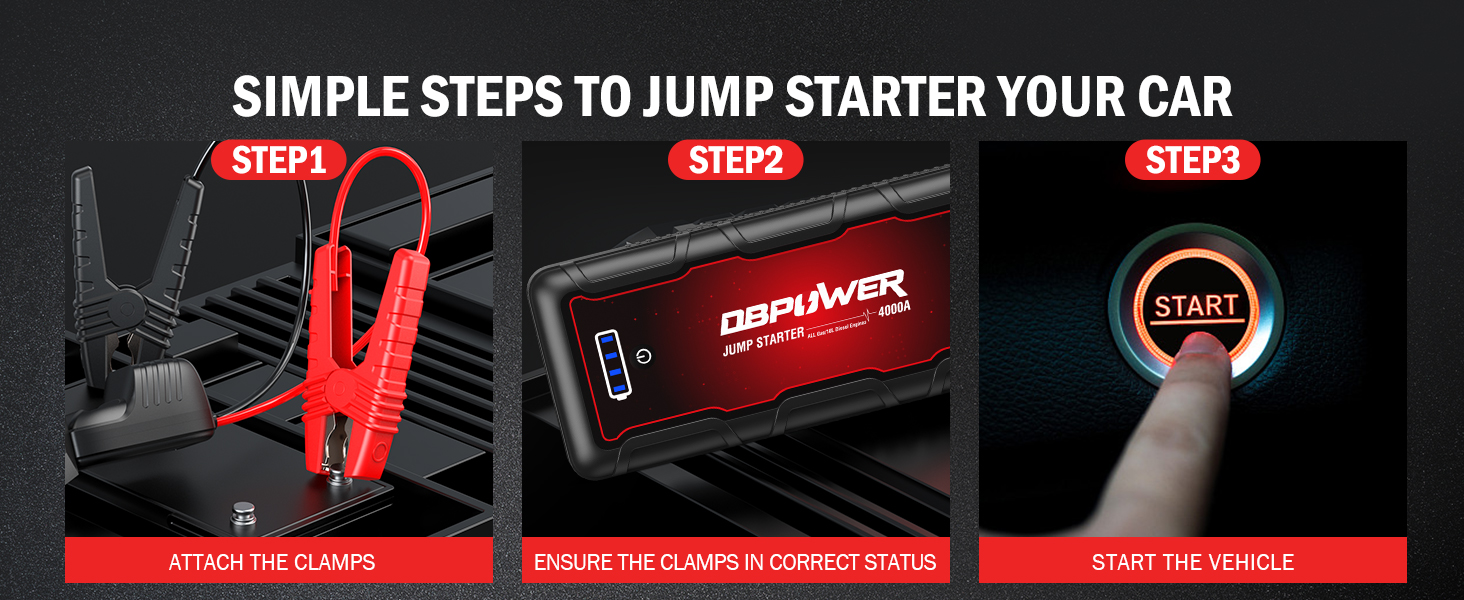
Image: Simple steps for jump starting your car with the DBPOWER G60.

Image: Vehicle compatibility and jump-starting capacity of the DBPOWER G60.
4.2 Using as a Power Bank
The DBPOWER G60 can charge various electronic devices and power 12V accessories.
- USB Outputs: Connect your smartphone, tablet, camera, or other USB-powered devices to the 5V/9V/12V or 5V/2.1A USB output ports using an appropriate charging cable.
- Type-C Port: Use the 5V/3A Type-C port for charging compatible devices or for recharging the jump starter itself.
- DC Output: The 12-16.8V/10A DC output can power 12V car accessories such as tire inflators, car vacuum cleaners, or car refrigerators.
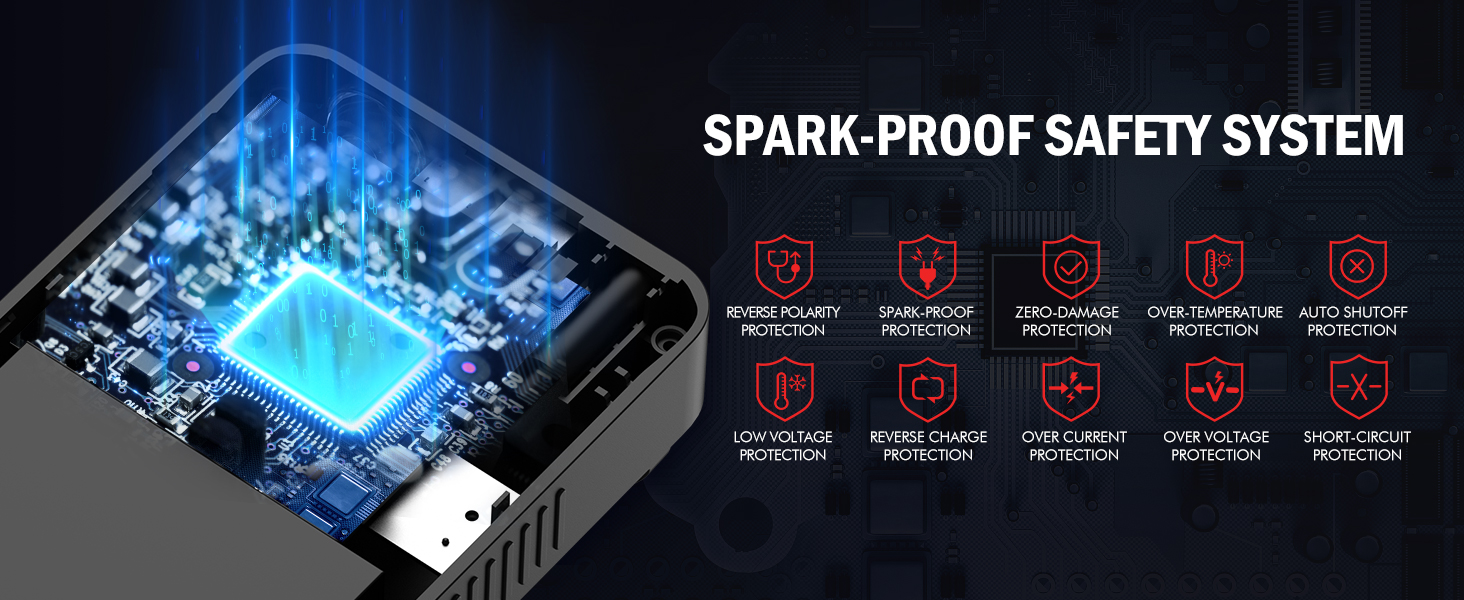
Image: The DBPOWER G60 functioning as an 88.8Wh power bank for various devices.

Image: Using the 16V DC output to power a tire inflator.
4.3 Using the LED Flashlight
The integrated LED flashlight offers three modes for various situations:
- Lighting Mode: Press the power button once to turn on the flashlight for general illumination.
- Strobe Mode: Press the power button again to activate the strobe light, useful for signaling or attracting attention.
- SOS Mode: Press the power button a third time to activate the SOS signal, which flashes in a standard Morse code pattern for emergency situations.
- Press the power button a fourth time to turn off the flashlight.

Image: The DBPOWER G60's LED flashlight with three modes: Light, Strobe, and SOS.
5. Maintenance and Storage
- Recharging: For optimal performance and battery longevity, recharge the jump starter at least once every 3-6 months, even if it has not been used.
- Cleaning: Wipe the unit with a dry, soft cloth. Do not use harsh chemicals or abrasive materials.
- Storage: Store the jump starter in a cool, dry place away from direct sunlight and extreme temperatures. The unit is designed to withstand temperatures from -4°F to 140°F (-20°C to 60°C).
- Durability: The rugged ABS material provides waterproof, dustproof, and drop-proof protection, making it suitable for various environments.

Image: The DBPOWER G60 is built to withstand extreme weather conditions.
6. Troubleshooting
If you encounter issues with your DBPOWER G60, refer to the following common problems and solutions:
| Problem | Possible Cause | Solution |
|---|---|---|
| Vehicle does not start. | Jump starter battery is low. Clamps are not connected correctly. Vehicle battery is completely dead (0V). Vehicle issue unrelated to battery. | Ensure jump starter is fully charged. Check clamp connections (red to +, black to -). Ensure smart clamp indicator is solid green. Use the Force Start function (see section 4.1). Consult a mechanic. |
| Smart clamp indicator is not green. | Incorrect connection. Vehicle battery voltage too low. | Recheck connections. Use the Force Start function. |
| Jump starter not charging. | Charging cable or adapter issue. Port damage. | Try a different USB Type-C cable and wall adapter. Contact customer support. |
| LED flashlight not working. | Jump starter battery is low. Device malfunction. | Charge the jump starter. Contact customer support. |
7. Technical Specifications
| Feature | Specification |
|---|---|
| Model | G60 |
| Peak Current | 4000A |
| Battery Capacity | 88.8Wh (Lithium Ion) |
| Start Voltage | 12V |
| Gas Engine Rating | All Gas Engines |
| Diesel Engine Rating | Up to 10.0L Diesel Engines |
| USB Output 1 | 5V/9V/12V |
| USB Output 2 | 5V/2.1A |
| DC Output | 12-16.8V/10A |
| Type-C Input/Output | 5V/3A |
| Operating Temperature | -4°F to 140°F (-20°C to 60°C) |
| Dimensions (L x W x H) | 8.7" x 3.5" x 1.6" (approx.) |
| Weight | 1.56 lbs (0.7 kg) |
8. Warranty and Support
DBPOWER products are designed for reliability and performance. For specific warranty details, please refer to the warranty card included with your product or visit the official DBPOWER website.
If you have any questions, concerns, or require technical assistance, please contact DBPOWER customer support. Our team is available to assist you and aims to reply within 24 hours.
For support, please visit: DBPOWER Official Store on Amazon


