
Introduction
Thank you for choosing the Bearhug Electric Blanket. This manual provides essential information for the safe and efficient use, maintenance, and care of your electric blanket. Please read all instructions carefully before use and retain this manual for future reference.
Important Safety Instructions
When using electrical appliances, basic precautions should always be followed to reduce the risk of fire, electric shock, and injury to persons, including the following:
- Read all instructions before using this electric blanket.
- Do not use with an infant, a child, an invalid, or any person insensitive to heat.
- Do not use with a helpless person or a person with disabilities who cannot operate the controls.
- Do not use if the blanket is wet.
- Do not use this blanket in conjunction with another heating pad or blanket.
- Ensure the power cord is not pinched or damaged.
- Always unplug the blanket from the electrical outlet when not in use.
- This blanket is equipped with an automatic shut-off feature for safety.
- Keep the control unit away from moisture.
Product Features
- Dual-Sided Comfort: Features plush Faux Fur on one side and cozy Sherpa on the other for enhanced comfort.
- 10 Heat Settings: Customize your warmth with 10 adjustable heat levels.
- 1-12 Hour Auto Shut-Off: For safety and energy efficiency, the blanket automatically turns off after the set time.
- Machine Washable: Designed for easy care and long-lasting use.
- ETL Certified: Ensures product safety and quality standards are met.
- U-Shape Heating Wires: Provides even heat distribution across the blanket.

Image: Close-up view of the blanket's dual-sided faux fur and sherpa textures.
Video: An overview of the Bearhug Electric Blanket, highlighting its features and comfort.
Setup Instructions
- Unpack: Carefully remove the electric blanket from its packaging. Retain packaging for storage if desired.
- Placement: Lay the electric blanket flat on your bed, ensuring it is evenly spread and not bunched up. The connector for the control unit should be positioned at the foot of the bed.
- Connect Control Unit: Locate the connector on the blanket and firmly plug in the control unit cable. Ensure a secure connection.
- Power Connection: Plug the control unit's power cord into a standard 120V AC electrical outlet.

Image: The electric blanket properly placed on a bed, ready for use.
Operating Instructions
Your Bearhug Electric Blanket features an easy-to-use control unit for personalized comfort.
- Power On/Off: Press the Power button (usually indicated by a circle with a vertical line) to turn the blanket on or off. The display will illuminate when on.
- Adjust Heat Settings: Use the TEMP + and TEMP - buttons to cycle through the 10 available heat settings. Start with a lower setting and adjust as needed for your desired warmth.
- Set Auto Shut-Off Timer: Press the TIMER + or TIMER - buttons to set the automatic shut-off time from 1 to 12 hours. The blanket will automatically turn off after the selected duration.
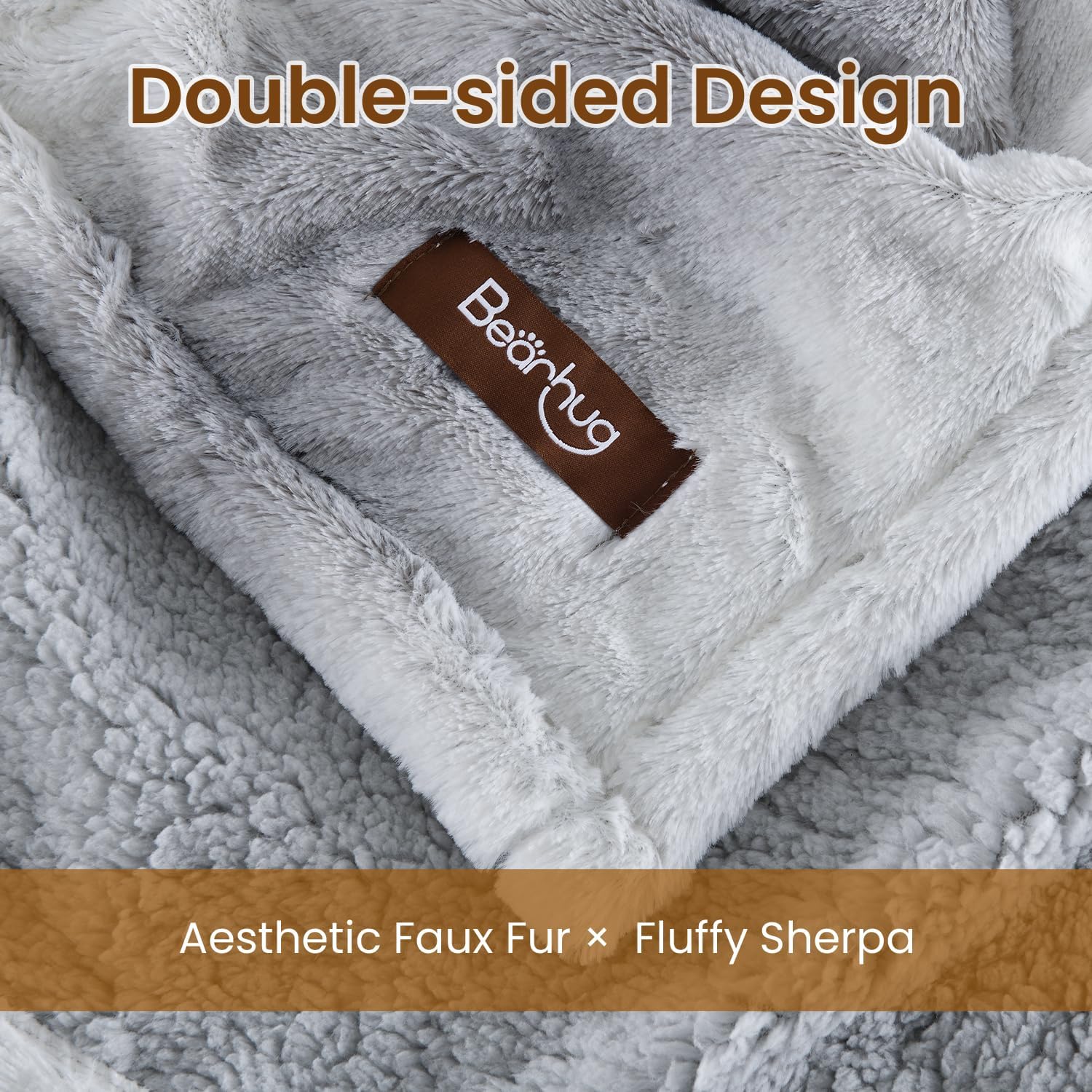
Image: Detailed view of the control unit with buttons for power, temperature adjustment, and timer settings.
Video: Demonstrates how to customize warmth settings using the controller.
Maintenance and Care
Proper care ensures the longevity and performance of your electric blanket.
- Before Washing: Always unplug the control unit from the blanket and the wall outlet. Ensure all cords are detached.
- Machine Wash: Wash on a gentle cycle with cold water (maximum 104°F / 40°C). Use a mild detergent.
- Drying: Tumble dry on low heat or line dry. Ensure the blanket is completely dry before reconnecting the control unit or storing.
- Do Not: Do not dry clean, bleach, iron, or wring the blanket. These actions can damage the internal heating elements.
- Storage: When not in use, store the blanket loosely folded in a cool, dry place. Avoid placing heavy objects on top of it.

Image: Instructions for machine washing the electric blanket.
Troubleshooting
If your electric blanket is not functioning as expected, please refer to the following common issues:
- No Heat: Ensure the control unit is securely connected to both the blanket and the wall outlet. Try plugging into a different outlet.
- Error Code Displayed: If an error code appears on the control unit, unplug the blanket from the wall outlet for 5 minutes, then plug it back in. If the error persists, contact customer support.
- Uneven Heating: Ensure the blanket is spread flat and not folded or bunched. If the issue continues, contact customer support.
For further assistance, please contact Bearhug Customer Support.
Specifications
| Brand | Bearhug |
| Model Name | BHEBPV-GW7784 |
| Size | Full Size 77" x 84" |
| Material | Faux Fur, Sherpa |
| Heat Settings | 10 |
| Auto Shut-Off | 1-12 Hours |
| Special Features | Breathable, Corded Electric, Durable, Reversible, Skin Friendly |
| Care Instructions | Machine Wash |

Image: Dimensional diagram of the electric blanket.
Warranty and Support
Your Bearhug Electric Blanket is covered by a manufacturer's warranty. For specific warranty details, please refer to the documentation included with your product or visit the official Bearhug website. If you encounter any issues or require assistance, please contact Bearhug Customer Support.
Contact Information:
- Website: Bearhug Official Store
- Email: Refer to product packaging or official website for support email.
- Phone: Refer to product packaging or official website for support phone number.