
Introduction
Thank you for choosing the Accutime Super Mario Digital Kids Watch. This watch features a digital LCD display, a light-up bezel, and official Super Mario character artwork. This manual provides instructions for setup, operation, maintenance, and troubleshooting to ensure optimal use of your watch.

Image: The Super Mario Digital Kids Watch presented in its packaging and demonstrating its light-up function.
Setup
Strap Adjustment
The watch features a molded red plastic strap designed for comfort and durability. It is adjustable to fit wrist sizes from 5.5 inches to 8 inches. To adjust the strap, simply use the buckle to select the appropriate hole that provides a secure yet comfortable fit on the wearer's wrist. Ensure the two strap keepers are used to secure any excess strap length.

Image: Components of the watch strap, illustrating how the two pieces attach to the watch body.
Initial Power On
Your watch comes with a pre-installed battery. The digital display should be active upon removal from packaging. If the display is not visible, gently press any of the side buttons to activate it.
Operating Instructions
Setting the Time
The watch has four case-side buttons. These buttons are used to set the time and activate features. While specific button functions may vary slightly, the general procedure for setting time on most digital watches is as follows:
- Locate the MODE button (often on the bottom left). Press it repeatedly until the time display begins to flash, indicating it is in setting mode.
- Use the SET or ADJUST button (often on the top right) to change the flashing digit (hours, then minutes).
- Use the LIGHT or ADVANCE button (often on the bottom right) to increment the value of the flashing digit.
- Once the desired time is set, press the MODE button again to exit the setting mode.
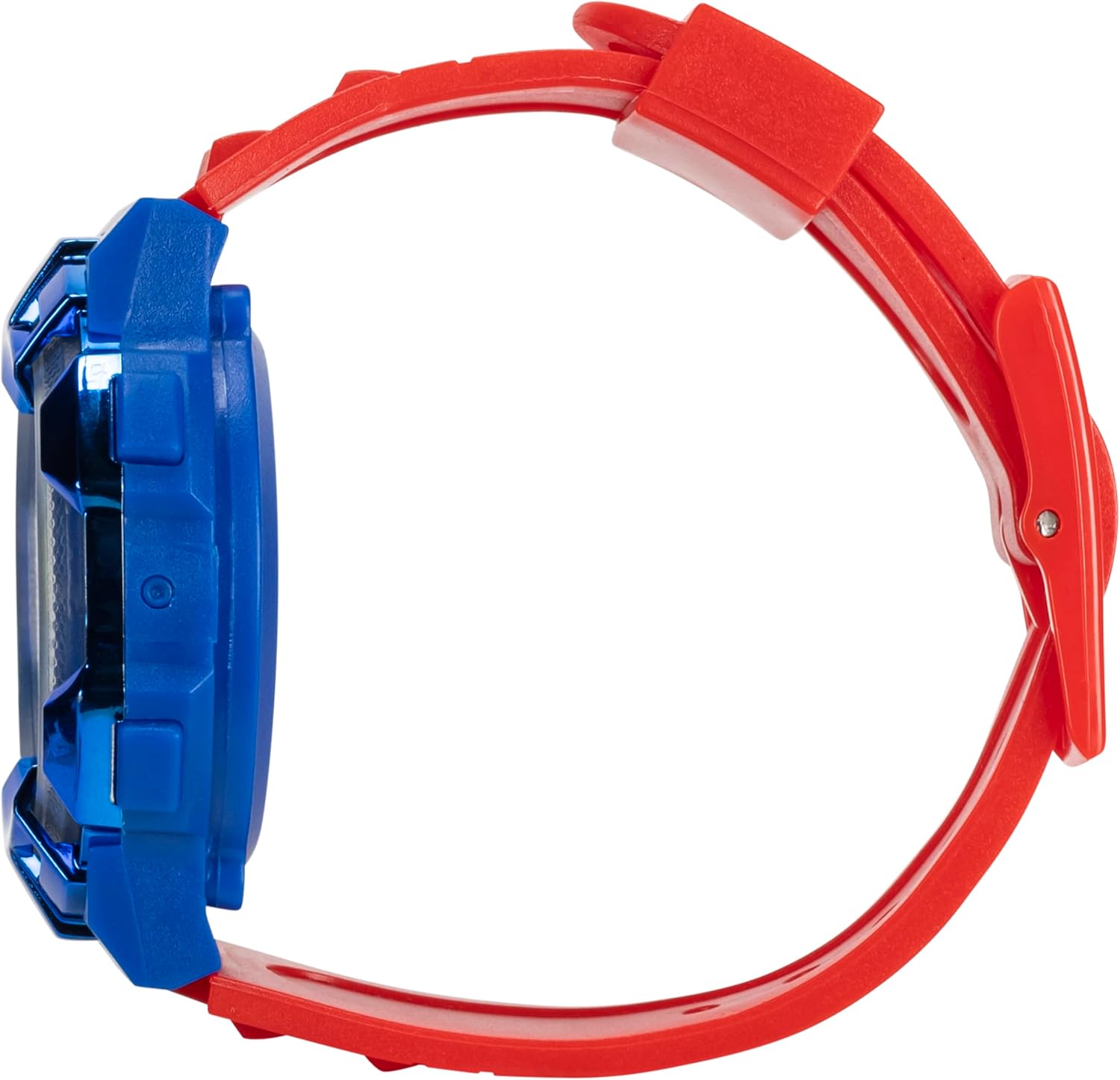
Image: Side profile of the watch, showing the placement of the four control buttons.
Activating the Light-Up Bezel
The watch features an anodized blue light-up bezel with multicolor lights. To activate this feature, press the designated LIGHT button (typically one of the side buttons). The lights will illuminate for a short duration and then automatically turn off.

Image: The watch face with the bezel lights activated, showcasing the multicolor illumination.
Maintenance
Cleaning
To clean your watch, wipe it gently with a soft, dry, or slightly damp cloth. Do not use harsh chemicals, abrasive cleaners, or solvents, as these can damage the watch's finish and components.
Water Resistance
This watch is Water Resistant. It is designed to withstand splashes, rain, or brief immersion in water. It is not suitable for swimming, bathing, or diving. Avoid pressing buttons while the watch is wet to prevent water ingress.
Battery Replacement
The watch is powered by a standard watch battery. When the display dims or stops functioning, the battery may need replacement. Battery replacement should ideally be performed by a qualified watch technician to ensure proper sealing and function. If replacing yourself, ensure the correct battery type is used and the back cover is securely re-sealed.
Troubleshooting
- Display is blank or dim: The battery may be low or depleted. Replace the battery.
- Time is incorrect: Re-set the time following the instructions in the 'Operating Instructions' section. Ensure buttons are not accidentally pressed.
- Lights are not working: Check if the battery is low. If the battery is new and the lights still do not work, there may be an internal issue.
- Buttons are unresponsive: Ensure the watch is clean and free from debris around the buttons. If the issue persists, the internal mechanism may require inspection.
For persistent issues not resolved by these steps, please contact customer support.
Specifications
| Feature | Detail |
|---|---|
| Model Number | GSM4050AZ |
| Display Type | Digital LCD |
| Movement Type | Quartz |
| Strap Material | Silicone |
| Strap Color | Red |
| Case Material | Plastic |
| Bezel Color | Blue |
| Wrist Size Range | 5.5" to 8" |
| Water Resistance | Water Resistant |
| Additional Features | Light-Up Bezel |
| Item Weight | 1 ounce |
Warranty Information
This Accutime Super Mario Digital Kids Watch comes with a Limited Warranty. Please refer to the product packaging or contact Accutime customer service for specific terms and conditions of the warranty, including coverage duration and claim procedures.
Customer Support
For further assistance, technical support, or warranty claims, please contact Accutime Watch Corp. customer service. Contact information can typically be found on the product packaging or on the official Accutime website.