
REWARD RD81101M-F
Contents
REWARD Men's Chronograph Quartz Watch User Manual
Model: RD81101M-F
Product Overview
This manual provides comprehensive instructions for the REWARD Men's Chronograph Quartz Watch, model RD81101M-F. It covers essential information regarding its features, setup, operation, and maintenance to ensure optimal performance and longevity of your timepiece.

Figure 1: Front view of the REWARD Men's Chronograph Quartz Watch.
Key Features
- Chronograph Function: Precise timing capabilities with dedicated subdials.
- Date Display: Convenient date window for quick reference.
- Luminous Hands and Markers: Enhanced visibility in low-light conditions.
- 3ATM Water Resistance: Suitable for everyday use, including hand washing and light rain. Not suitable for swimming or diving.
- Durable Construction: Stainless steel case and band with mineral glass for scratch resistance.
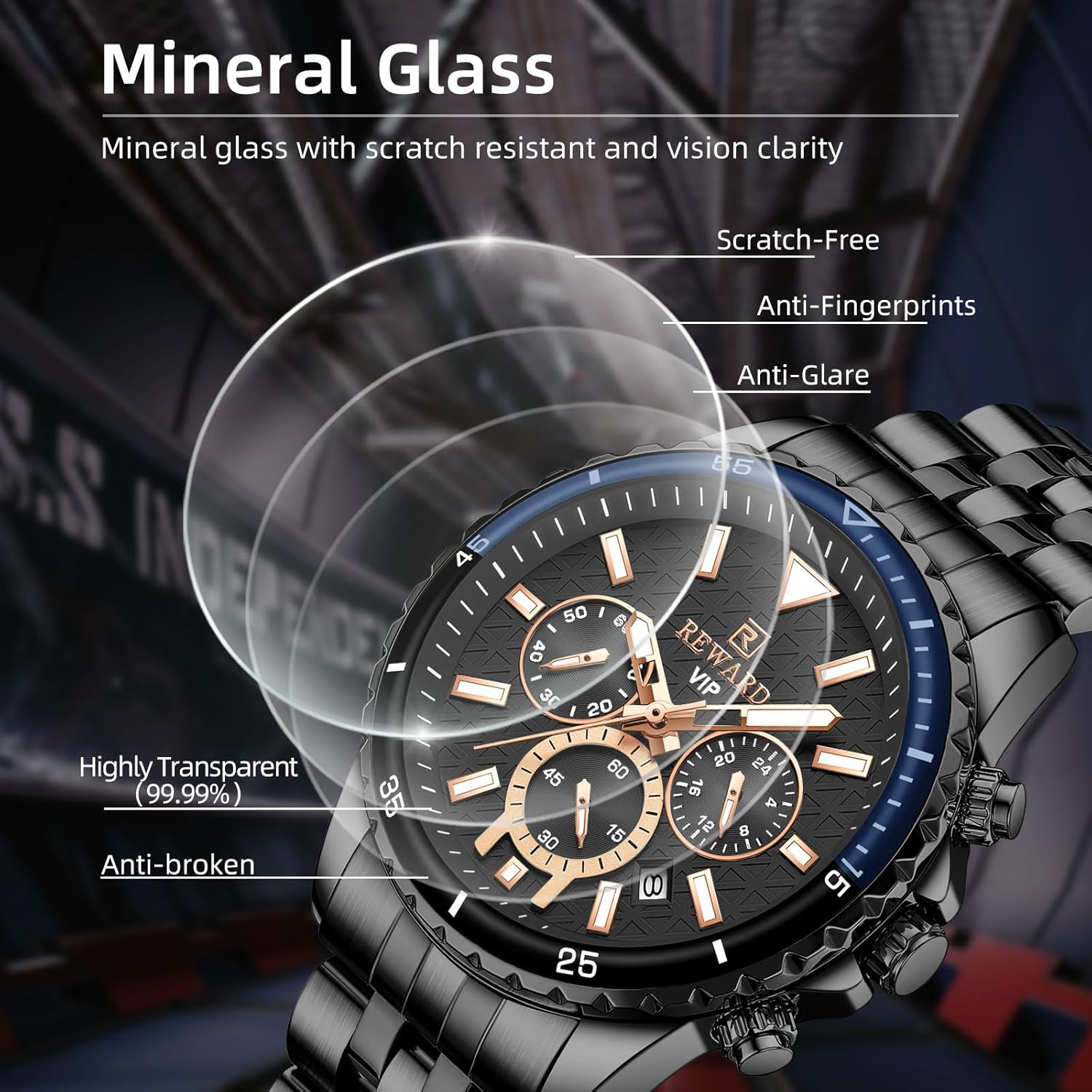
Figure 2: Mineral glass features for enhanced durability and clarity.
Setup and Initial Adjustment
1. Setting Time and Date
- Pull the Crown: Gently pull the crown (middle knob on the right side of the watch) out to position 1 for date adjustment, or position 2 for time adjustment.
- Adjust Date: In position 1, rotate the crown clockwise or counter-clockwise to set the correct date.
- Adjust Time: In position 2, rotate the crown to set the correct time. Ensure AM/PM is correctly set if the watch has a 24-hour subdial.
- Push the Crown Back: Once set, push the crown back into its original position to start the watch and seal it against dust and moisture.
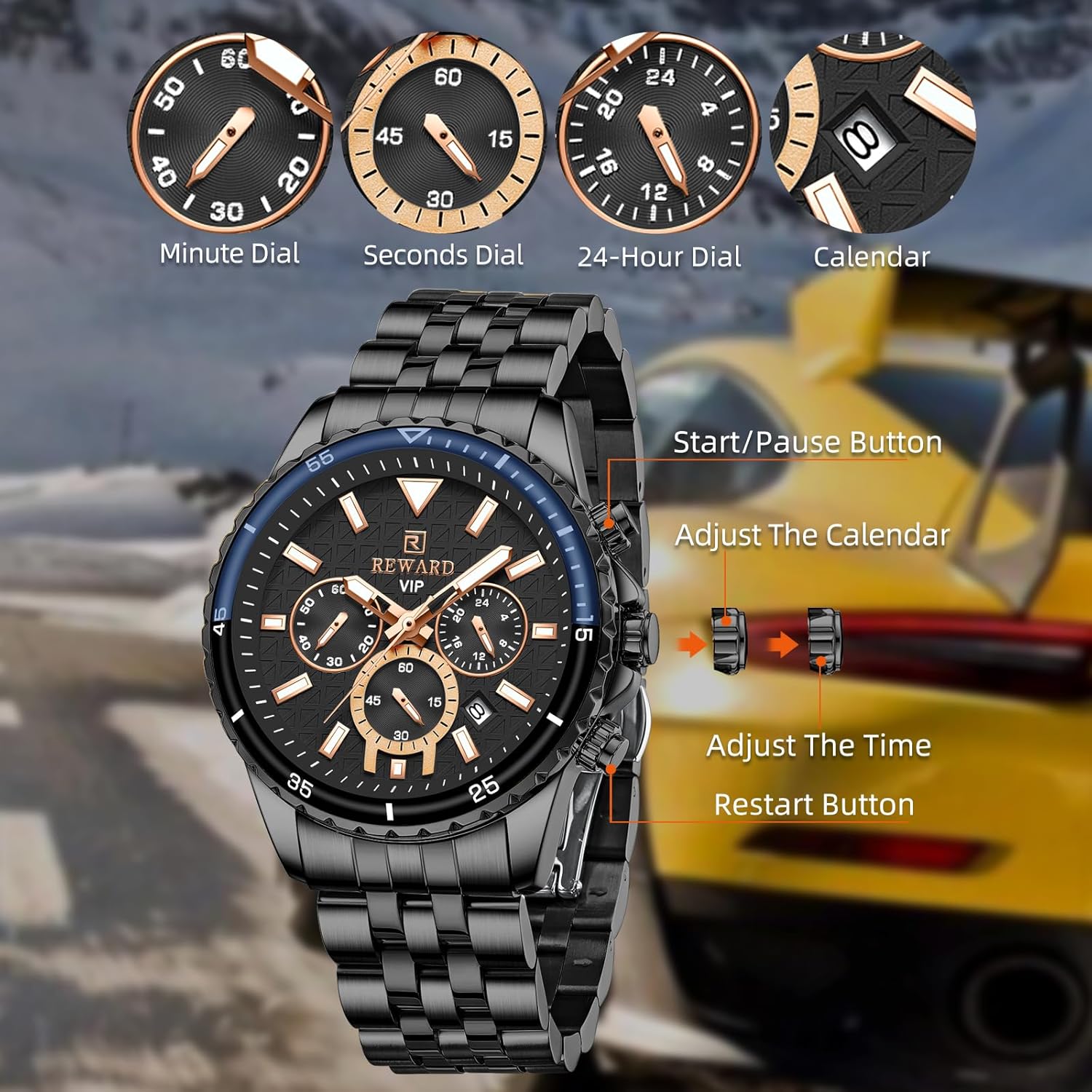
Figure 3: Watch controls and subdial functions.
2. Band Adjustment
The watch band can be adjusted by removing links to achieve a comfortable fit. A small pin tool is included for this purpose.
- Identify the removable links on the band. These typically have small arrows indicating the direction to push the pin.
- Use the provided pin tool to push the pins out in the direction of the arrow.
- Remove the desired number of links.
- Reassemble the band by inserting the pins back into place, ensuring they are fully seated.

Figure 4: Included pin tool for band adjustment.
Operating the Chronograph
The chronograph function allows for precise measurement of elapsed time.
- Start/Pause: Press the top button (A) to start the chronograph. Press it again to pause.
- Reset: While the chronograph is paused, press the bottom button (B) to reset all chronograph hands to zero.
- Continuous Timing: If you need to continue timing after pausing, press button (A) again to resume.
Video 1: Demonstration of the REWARD Men's Watch RD81101M features, including chronograph operation and luminous display.
Maintenance and Care
1. Water Resistance
The watch is rated for 3ATM water resistance, meaning it is suitable for daily use such as hand washing, rain, and splashing. It is not designed for showering, swimming, diving, or any prolonged water immersion.
- Do not operate the crown or push buttons when the watch is wet or submerged.
- Avoid exposing the watch to hot water or steam, as this can compromise the seals.
- If the watch is exposed to saltwater, rinse it with fresh water and dry thoroughly.

Figure 5: Water resistance guidelines for the watch.
2. Cleaning
To maintain the appearance of your watch:
- Wipe the case and band regularly with a soft, dry cloth.
- For stainless steel bands, a slightly damp cloth can be used, followed by immediate drying.
- Avoid using chemical cleaners, solvents, or abrasive materials.
3. Battery Replacement
This quartz watch is powered by a battery. When the watch stops or the second hand begins to skip, it indicates a low battery. Battery replacement should be performed by a qualified watch technician to ensure proper sealing and function.
Troubleshooting
| Problem | Possible Cause | Solution |
|---|---|---|
| Watch not running | Battery depleted; Crown not pushed in | Replace battery; Push crown fully in |
| Date not changing | Incorrect time setting (AM/PM); Date mechanism stuck | Adjust time past 12 AM; Consult technician |
| Chronograph hands not resetting to zero | Chronograph not reset properly; Internal misalignment | Press reset button firmly; Consult technician |
| Condensation under glass | Water ingress due to compromised seal or extreme temperature change | Seek immediate professional service to prevent damage |
Specifications
- Model Number: RD81101M-F
- Movement: Quartz
- Case Material: Stainless Steel
- Band Material: Stainless Steel
- Clasp Type: Foldover Clasp With Push Button
- Water Resistance: 3ATM (30 meters)
- Case Size: 44 mm (diameter)
- Case Thickness: 12 mm
- Band Width: 20 mm
- Band Length: 240 mm (including case)
- Watch Weight: 150 grams
- Glass Type: Mineral Glass

Figure 6: Key dimensions and weight of the watch.
Warranty and Support
For detailed warranty information and customer support, please refer to the official REWARD documentation or contact the seller directly.
A PDF user guide is also available for download: Download User Guide (PDF)
Protection plans are available for purchase:
- 2-Year Protection Plan: $3.99
- 3-Year Protection Plan: $5.99
- Complete Protect (monthly): $16.99/month
Documents and downloads
Ask a question about this manual
Ask about setup, troubleshooting, compatibility, parts, safety, or missing instructions. Manuals+ will review the question and use this page’s manual context to help answer it.