
1. Introduction
This manual provides detailed instructions for the setup, operation, and maintenance of the SEQURE ODESC V4.2 Brushless Servo Motor Controller Driver Board. This board is designed for precise control of brushless DC (BLDC) motors using Field-Oriented Control (FOC) and is compatible with Odrivetool software configuration. Please read this manual thoroughly before use to ensure proper functionality and safety.
2. Product Overview
The ODESC V4.2 is a high-performance single driver board featuring an STM32F405RGT6 microprocessor. It offers robust motor control capabilities for various applications.
2.1 Key Features
- Microprocessor: STM32F405RGT6
- Supported Motor Type: Brushless DC (BLDC) motors
- Input Voltage: 8V-24V DC
- Continuous Current: 70A (heat dissipation dependent)
- Peak Current: 120A/motor
- Braking Modes: Power resistors & regenerative braking
- Control Modes: Speed mode, position mode, current mode, torque mode for trajectory planning
- Communication Interfaces: USB (open source protocol), Step/direction (PLC), UART, PWM (RC remote control), GPIO, analog input, CAN, ASCII
- Integrated high-current open skylight design and custom aluminum metal heat sink for enhanced stability.
2.2 Package Contents
- 1 x ODESC V4.2 Driver Board
- 1 x Type-C Data Cable
- 1 x 50W 2Ω Power Resistor
- 2 x 12AWG Power Cables
- 1 x GH1.25mm 2P Single End Connecting Wire
- 1 x GH1.25mm 5P Single End Connecting Wire
- 1 x GH1.25mm 6P Single End Connecting Wire
- 1 x GH1.25mm 5P Double End with Same Direction
- 1 x GH1.25mm 6P Double End with Same Direction
3. Specifications
| Specification | Value |
|---|---|
| Hardware Version | Newest Version |
| Microprocessor | STM32F405RGT6 |
| Dimensions | 63*58*30mm / 2.5*2.3*1.2 inches |
| Supported Motor Type | Brushless Motor |
| Continuous Current | 70A |
| Peak Current | 120A/motor |
| Input Voltage | 8V-24V |
| Power Cable | 12AWG |
Note: The 24V version of the ODESC V4.2 board is designed for optimal performance within the 8V-24V input range. A 56V variant is also available, but this manual specifically covers the 24V model.
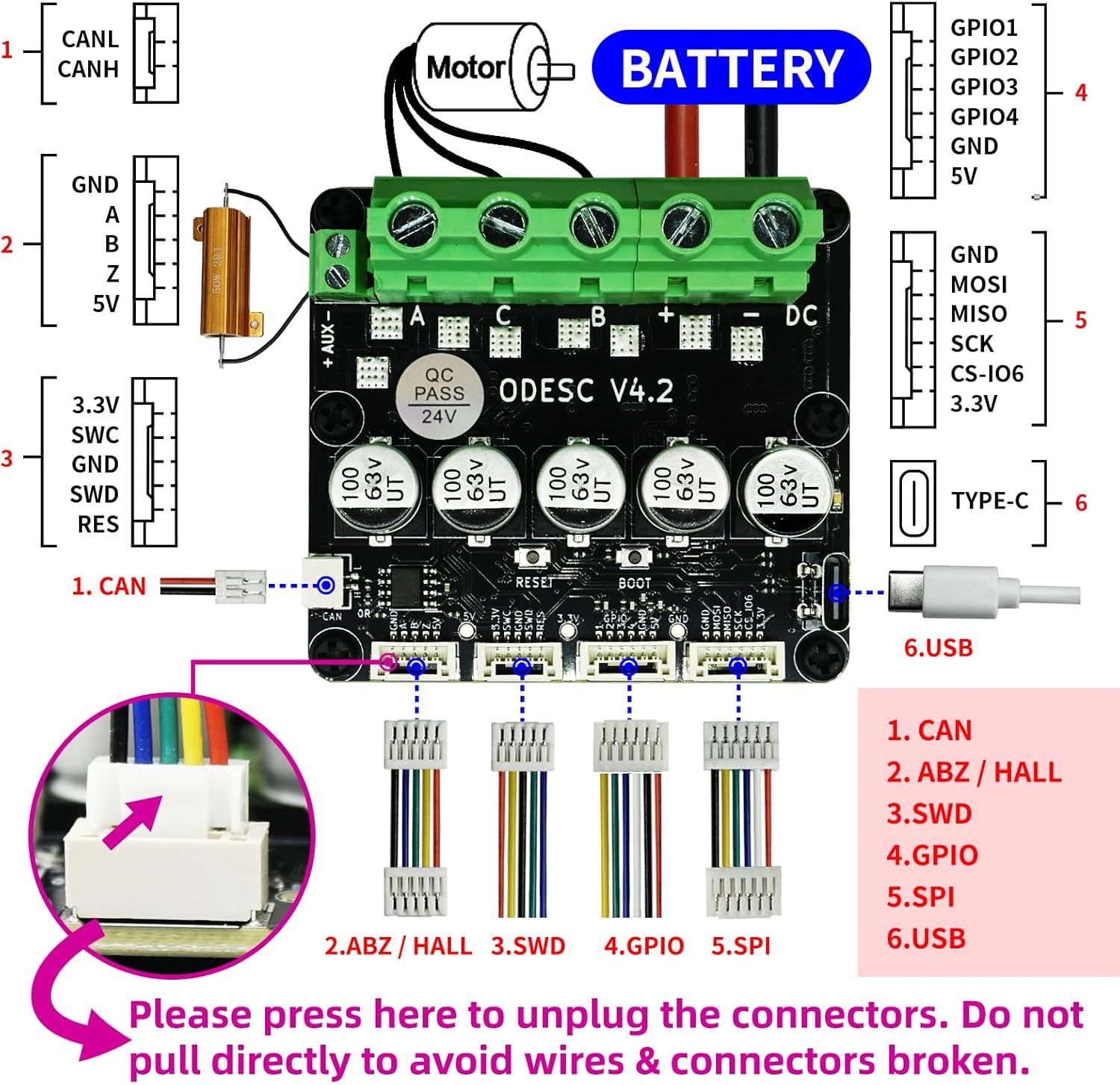
Image: Comparison of ODESC V4.2 24V and 56V boards, showing the voltage rating on each board for easy identification.

Image: Physical dimensions of the ODESC V4.2 board, indicating its length (63mm/2.48"), width (58mm/2.28"), and height (30mm/1.18").
4. Setup & Installation
4.1 Hardware Wiring
Proper wiring is essential for safe and effective operation. Refer to the diagrams below for correct connections.
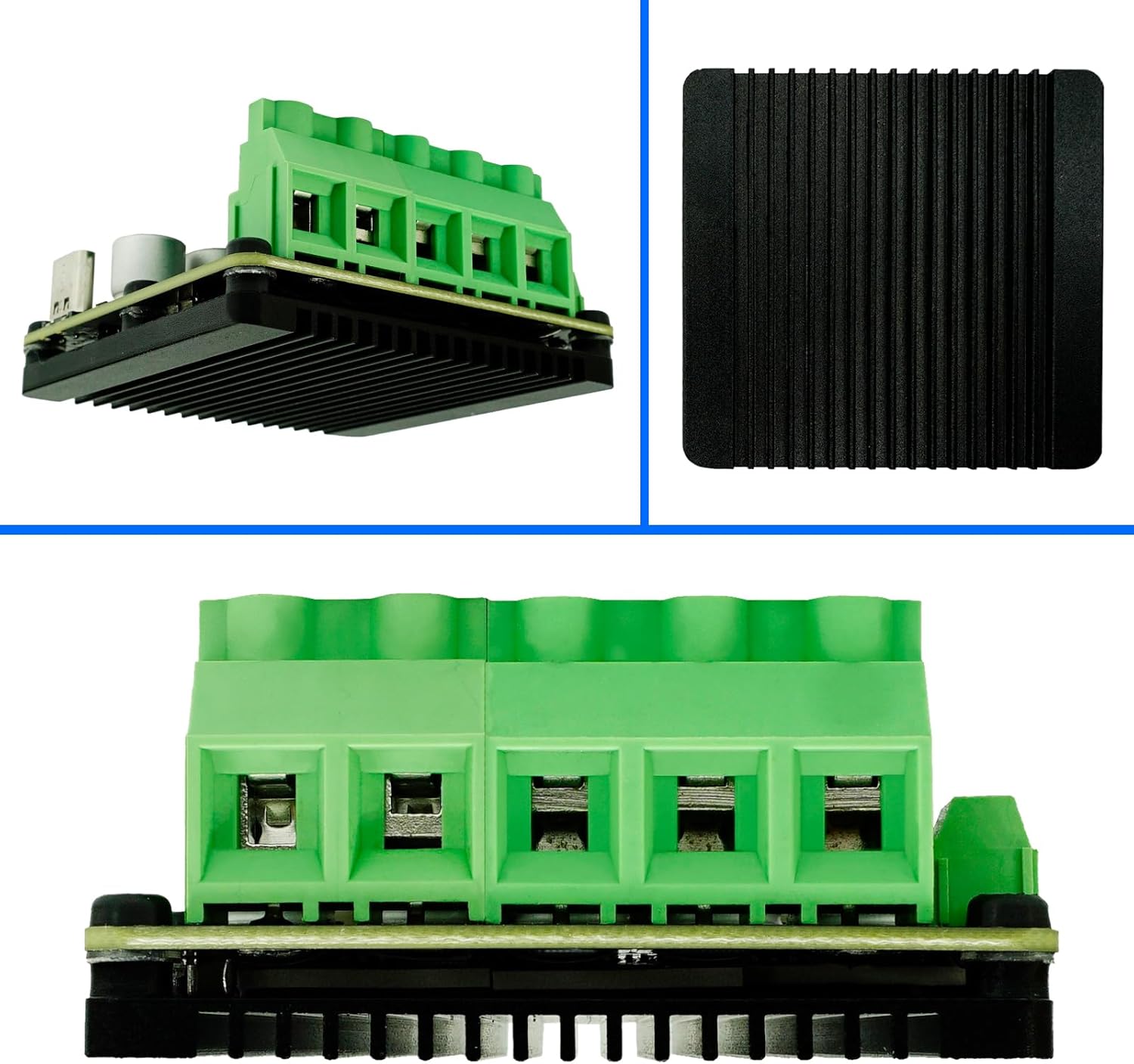
Image: Comprehensive wiring diagram for the ODESC V4.2 board, illustrating connections for the motor, battery, and a 50W 2Ω power resistor. It also shows the various sensor and communication ports.

Image: Close-up view of the ODESC V4.2 board with labels for key connection points: 1. CAN, 2. ABZ/HALL, 3. SWD, 4. GPIO, 5. SPI, and 6. USB. A note advises to press the white tabs to unplug connectors to avoid damage.
4.2 Software Environment Installation
To configure and control the ODESC board, you need to install the necessary software environment on your PC. It is recommended to use Windows 10 and Python version 3.9 or later.
Video: This tutorial demonstrates how to install the necessary software environment for the ODESC V4.2 board on a PC, including Python and Odrivetool, and how to connect the ODESC to the computer.
5. Operating Modes
The ODESC V4.2 supports various motor control modes. Below are instructions and demonstrations for Hall Speed Mode and Sensorless Speed Mode.
5.1 Hall Speed Mode and PWM Control
This section covers configuring the ODESC for Hall Speed Mode and controlling the motor using PWM. Ensure all hardware connections are secure before proceeding with software configuration.
Video: A step-by-step guide on setting up and testing the ODESC V4.2 in Hall Speed Mode, including motor calibration and PWM control using Odrivetool commands.
5.2 Sensorless Speed Mode
For applications where a Hall sensor or encoder is not used, the ODESC can operate in Sensorless Speed Mode. This mode estimates the motor's position and speed without direct feedback.
Video: Demonstrates the configuration and testing of the ODESC V4.2 in Sensorless Speed Mode, showing how to achieve motor rotation without external position sensors.
6. Applications
The ODESC V4.2 Brushless Servo Motor Controller Driver Board is versatile and suitable for a wide range of applications requiring precise motor control. Common uses include:
- CNC Milling Machines
- 3D Printers
- Robots
- AGV (Automated Guided Vehicle) Cars
- Pan Tilt Slides
- Mechanical Arms
- Electric Surfboards
- Precision 3D Printing
- Writing/Printing Machines
- Electric Skateboards

Image: Visual representation of diverse applications for the ODESC V4.2 board, such as robotics, mechanical arms, electric surfboards, precision 3D printing, writing/printing machines, and electric skateboards.
7. Troubleshooting
If you encounter issues with your ODESC V4.2 board, consider the following common troubleshooting steps:
- Connection Issues: Ensure all power and data cables are securely connected. Verify that the USB Type-C cable is properly seated and the board is powered.
- Software Communication: Confirm that Python and Odrivetool are correctly installed and that the ODESC is recognized by your computer. Use `odrv0.hw_version_variant` or `odrv0.vbus_voltage` commands in Odrivetool to check communication.
- Motor Calibration Errors: If motor calibration fails or returns an error, review the specific error message. Ensure the motor configuration parameters (pole pairs, current limits) are correctly set. Sometimes, increasing the encoder calibration range (`odrv0.axis0.encoder.config.calib_range`) or recalibrating after a reboot can resolve issues.
- Motor Movement: If the motor does not move as expected, check the selected motion mode (e.g., velocity control) and input commands. Ensure current limits are appropriate for your motor.
- Power Supply: Verify that the input voltage is within the specified 8V-24V range for the 24V board. Insufficient or unstable power can lead to erratic behavior.
- Heat Dissipation: Ensure adequate heat dissipation, especially during high-current operation. The integrated heat sink helps, but additional cooling may be required depending on the load.
- Firmware: Ensure your ODESC board has the latest compatible firmware. Refer to the official ODESC documentation for firmware update procedures.
For further assistance, consult the official Odrive documentation or community forums.
8. Warranty & Support
This SEQURE ODESC V4.2 Driver Board comes with a standard manufacturer's warranty against defects in materials and workmanship. Please retain your proof of purchase for warranty claims.
For technical support, troubleshooting, or warranty inquiries, please contact SEQURE customer service through the retailer where you purchased the product or visit the official SEQURE website for contact information.
Always refer to the latest official documentation and community resources for the most up-to-date information and advanced usage guides.