
OPPO ETE51 & ETE52
OPPO Enco Air3 Pro True Wireless Earbuds User Manual
Model: ETE51 & ETE52
1. Introduction
Thank you for choosing the OPPO Enco Air3 Pro True Wireless Earbuds. This manual provides detailed instructions on how to set up, operate, maintain, and troubleshoot your earbuds to ensure optimal performance and longevity. Please read this manual thoroughly before using the product.

Image: The OPPO Enco Air3 Pro earbuds resting in their open charging case, showcasing their sleek white design.
2. Setup
2.1 What's in the Box
- OPPO Enco Air3 Pro Earbuds (Left and Right)
- Charging Case
- Charging Cable (Type-C)
- Eartips (various sizes)
- User Manual
2.2 Charging the Earbuds and Case
Before first use, fully charge the earbuds and the charging case. Place the earbuds into the charging case and close the lid. Connect the Type-C charging cable to the charging port on the case and a power source.
- The indicator light on the case will show charging status.
- A full charge provides up to 30 hours of listening time with the charging case.
- A quick 10-minute charge can provide up to 2 hours of listening time.

Image: The OPPO Enco Air3 Pro earbuds and charging case, illustrating the 30-hour total playtime capability.
2.3 Pairing with a Device
- Ensure the earbuds are in the charging case and the lid is open.
- Press and hold the function button on the charging case for 2 seconds until the indicator light flashes white, indicating pairing mode.
- On your device (smartphone, tablet, laptop), enable Bluetooth and search for "OPPO Enco Air3 Pro" in the list of available devices.
- Select the earbuds to connect. Once connected, the indicator light will turn solid white.
The earbuds support Bluetooth 5.3 for stable connectivity and can be paired with two devices simultaneously, allowing seamless switching between them.
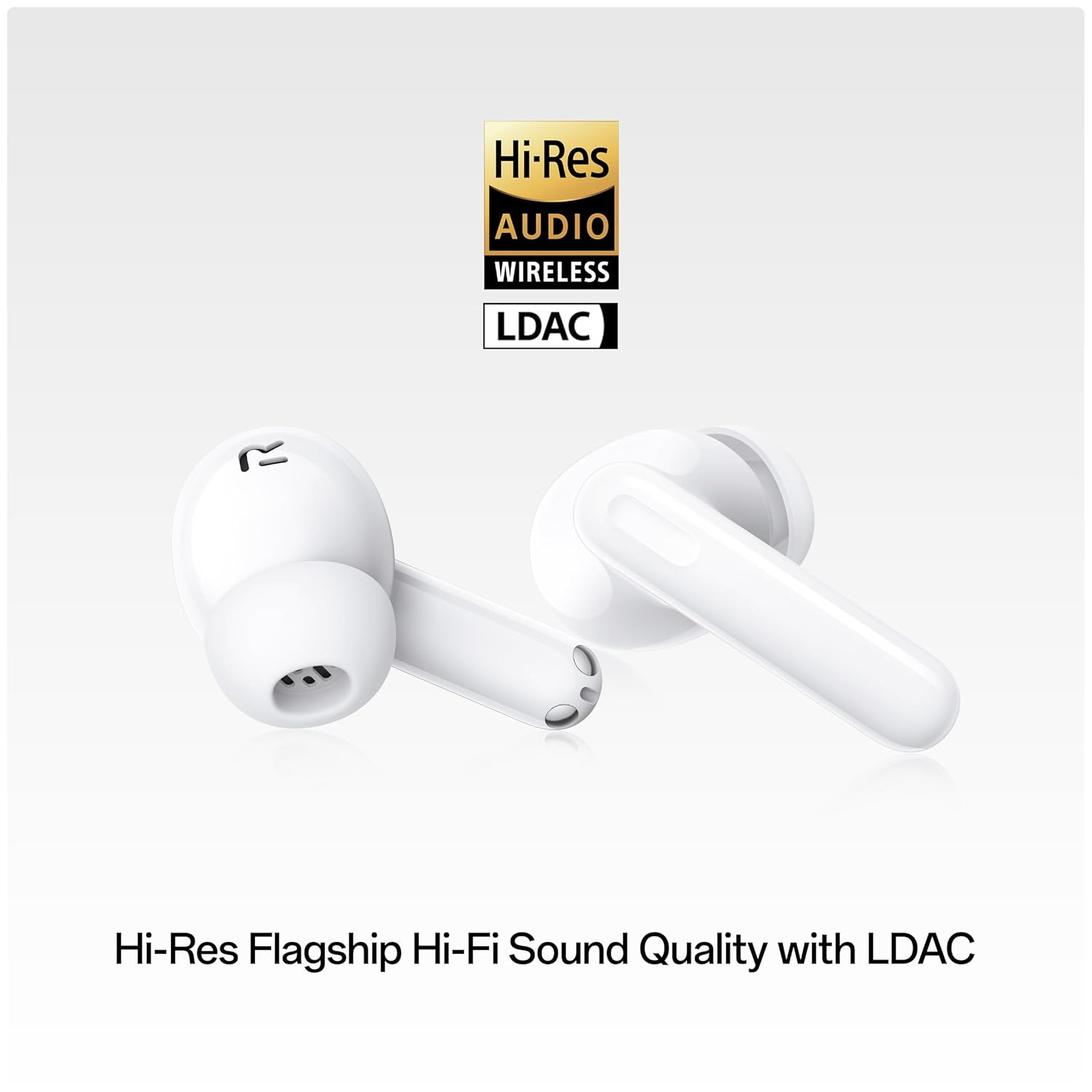
Image: The OPPO Enco Air3 Pro earbuds demonstrating simultaneous multi-device connection with a smartphone and a tablet.
3. Operating Instructions
3.1 Touch Controls
The earbuds feature intuitive touch controls on their stems. Default controls are as follows:
- Double Tap: Play/Pause music, Answer/End call.
- Triple Tap: Skip to next track.
- Press and Hold (Left Earbud): Toggle Active Noise Cancellation (ANC) / Transparency Mode.
- Press and Hold (Right Earbud): Activate Voice Assistant.
- Slide Up/Down: Adjust volume (requires customization via HeyMelody app).
For customized touch controls and additional features, download the HeyMelody app from your device's app store.
3.2 Active Noise Cancellation (ANC)
The OPPO Enco Air3 Pro features flagship-grade 49 dB Active Noise Cancellation. This technology effectively reduces ambient noise, providing an immersive listening experience. Adaptive ANC intelligently adjusts noise cancellation levels based on your environment (home, office, on the go) for optimal comfort.

Image: A single OPPO Enco Air3 Pro earbud with a visual representation of 49dB Ultra Deep Active Noise Cancellation.
3.3 Sound Quality and Features
- Bamboo Fiber Diaphragm: The earbuds utilize an industry-first composite bamboo fiber in the treble dome of the sound unit, enhancing high-frequency detail and reducing distortion for a natural sound reproduction.
- 12.4mm Dynamic Drivers: Large dynamic drivers deliver powerful and dynamic audio.
- Hi-Res Audio with LDAC: Supports Hi-Res audio and LDAC codec for high-fidelity sound quality (requires compatible device).
- Spatial Sound Effects: Experience enhanced spatial audio for a more immersive listening experience.

Image: A detailed cross-section view of the earbud's driver, highlighting the innovative bamboo fiber diaphragm.
3.4 Ultra-Low Latency Gaming Mode
Activate the exclusive game mode for an ultra-low latency of 47ms, ensuring synchronized audio and visuals during gaming. This feature provides a competitive edge by minimizing audio delay.

Image: The OPPO Enco Air3 Pro earbuds positioned next to a smartphone displaying a racing game, demonstrating the 47ms ultra-low latency gaming mode.
4. Maintenance
4.1 Cleaning and Care
- Regularly clean the earbuds, eartips, and charging contacts with a soft, dry, lint-free cloth.
- Remove eartips and clean any earwax or debris from the earbud nozzles using a small brush or cotton swab.
- Do not use abrasive cleaners, alcohol, or chemical solvents.
4.2 Water and Dust Resistance
The OPPO Enco Air3 Pro earbuds are rated IP55 for dust and water resistance. This means they are protected against limited dust ingress and low-pressure water jets from any direction. They are suitable for exercise and light rain, but are not designed for swimming or showering. The charging case is not water-resistant.

Image: The OPPO Enco Air3 Pro earbuds with water droplets, visually representing their IP55 dustproof and waterproof capabilities.
4.3 Battery Care
- Store the earbuds and case in a cool, dry place away from extreme temperatures.
- Avoid fully discharging the battery frequently. Charge them regularly, even if not in use for extended periods.
5. Troubleshooting
| Problem | Possible Solution |
|---|---|
| Earbuds not pairing | Ensure earbuds are charged. Place them in the case, open the lid, and press the function button for 2 seconds to enter pairing mode. Check if Bluetooth is enabled on your device. |
| No sound from one earbud | Place both earbuds back into the charging case, close the lid, wait a few seconds, then open it again. Reconnect to your device. Ensure both earbuds are charged. |
| Poor sound quality | Ensure eartips are properly sealed in your ear. Clean earbud nozzles. Try different eartip sizes. Move closer to your device to avoid interference. |
| ANC not working effectively | Ensure earbuds are properly seated in your ears for a good seal. Toggle ANC on/off using touch controls or the HeyMelody app. |
| Earbuds not charging | Check the charging cable and power adapter. Ensure charging contacts on earbuds and case are clean and dry. |
If the issue persists, try resetting the earbuds (refer to the HeyMelody app or OPPO support website for specific reset instructions) or contact customer support.
6. Specifications
| Feature | Detail |
|---|---|
| Model Numbers | ETE51 & ETE52 |
| Connectivity | Bluetooth 5.3 |
| Bluetooth Range | 10 Metres |
| Noise Control | Active Noise Cancellation (up to 49 dB) |
| Audio Driver Size | 12.4 mm Dynamic Driver |
| Audio Latency | 47 Milliseconds (Gaming Mode) |
| Battery Life (Earbuds + Case) | Up to 30 Hours |
| Fast Charge | 10 min charge for 2 hours playtime |
| Water Resistance | IP55 (Earbuds only) |
| Control Type | Touch Control, Voice Control, Volume Control |
| Weight | 40 Grams |
| Material | Plastic |
| Included Components | Charging Cable Type-C, User Manual, Eartips |
7. Warranty and Support
7.1 Warranty Information
Your OPPO Enco Air3 Pro earbuds come with a 1-year manufacturer's warranty from the date of purchase. This warranty covers defects in materials and workmanship under normal use. Please retain your proof of purchase for warranty claims.
The product is eligible for a 10-day service center replacement in case of manufacturing defects.
7.2 Customer Support
For technical assistance, warranty claims, or further inquiries, please contact OPPO customer support through their official website or the contact information provided in your product packaging. You may also visit an authorized OPPO service center.
Manufacturer: OPPO, Guangdong Oppo Mobile Telecommunications Corp, Ltd. NO.18, HAIBIN ROAD, WUSHA, CHANGAN, DONGUAN, GUANGDONG, China.
Importer: Oppo Mobiles India Private Limited 5th Floor, Tower-B, Building No. 8, DLF Cyber City, Gurugram, Haryana-122002, India.
Related documentsETE51 & ETE52


Ask a question about this manual
Ask about setup, troubleshooting, compatibility, parts, safety, or missing instructions. Manuals+ will review the question and use this page’s manual context to help answer it.