
Zunate Zunate8u6vexhwpr
Zunate K56 Pro Smartwatch User Manual
Model: Zunate8u6vexhwpr
Introduction
This manual provides comprehensive instructions for the Zunate K56 Pro Smartwatch. Please read this manual thoroughly before using your device to ensure proper operation and to maximize its features.

Image: The Zunate K56 Pro Smartwatch in green with its magnetic charging cable.
Package Contents
- 1 x Zunate K56 Pro Smartwatch
- 1 x Magnetic Charging Cable
- 1 x User Manual (this document)
Setup Guide
1. Initial Charging
Before first use, fully charge your K56 Pro Smartwatch. Connect the magnetic charging cable to the charging points on the back of the watch and plug the USB end into a standard USB power adapter (not included) or a computer USB port. The watch will display a charging indicator. A full charge typically takes a few hours.

Image: The smartwatch screen showing a battery icon, highlighting its 400mAh battery and up to 30 days standby time.
2. App Installation (Dafit App)
To unlock the full potential of your K56 Pro Smartwatch, you need to install the Dafit application on your smartphone.
- For Android devices (Android 4.4 or later): Search for "Dafit" in the Google Play Store and download the application.
- For iOS devices (iOS 8.0 or later): Search for "Dafit" in the Apple App Store and download the application.
- Alternatively, you can scan the QR code provided in the watch's packaging or on the watch screen (if available) to directly download the Dafit app.
3. Pairing with Smartphone
- Ensure Bluetooth is enabled on your smartphone.
- Open the Dafit app.
- Follow the in-app instructions to search for and connect to your K56 Pro Smartwatch. The watch will typically appear as "K56 Pro" or a similar device name.
- Confirm the pairing request on both your smartphone and the smartwatch.
Operating Instructions
Basic Navigation
- Touch Screen: The 1.39-inch HD IPS color screen is fully touch-enabled for navigation. Swipe left, right, up, or down to access different functions and menus.
- Side Buttons: Use the physical buttons on the side of the watch for power on/off, returning to the home screen, or quick access to specific features as configured.

Image: A detailed view of the 1.39-inch high-definition IPS screen, displaying the date and time clearly.
Key Features and Functions
- Bluetooth Calls & Music: With its built-in speaker and microphone, the K56 Pro allows you to answer calls, dial numbers, view call history, and play music directly from your wrist when connected to your smartphone via Bluetooth.

Image: Two smartwatch screens demonstrating quick phone contacts view and vibration alerts for messages or app notifications.
- Notifications: Receive alerts for incoming calls, SMS messages, and notifications from various apps (e.g., Facebook, WhatsApp) directly on your watch. The watch will vibrate to notify you.
- Fitness Tracking: The watch automatically and accurately records your exercise data.
- Multiple Sport Modes: Supports various activities including walking, running, cycling, skipping, badminton, football, basketball, cross-country running, mountaineering, sit-ups, golf, free exercise, rowing, tennis, rugby, yoga, fitness, hiking, baseball, volleyball, table tennis, dumbbell training, roller skating, and more.

Image: The smartwatch interface showing various sport modes, accompanied by images of individuals engaged in different outdoor activities.
- Daily Activity: Tracks steps, calories burned, distance covered, and active time.
- Heart Rate Monitoring: Continuous 24-hour heart rate monitoring.
- Sleep Monitoring: Analyzes sleep duration and quality.
- Scientific Exercise Data: View detailed statistics and trends in the Dafit app to help you exercise scientifically.

Image: The smartwatch screen showing real-time exercise data, with a smartphone displaying a detailed activity log from the companion app.
- Multiple Sport Modes: Supports various activities including walking, running, cycling, skipping, badminton, football, basketball, cross-country running, mountaineering, sit-ups, golf, free exercise, rowing, tennis, rugby, yoga, fitness, hiking, baseball, volleyball, table tennis, dumbbell training, roller skating, and more.
- Health Monitoring: Supports various body data monitoring and sleep tracking to help you analyze your condition.
- Convenience Features: Includes weather display, alarm clock, remote camera control, music control, timer, sedentary reminder, and multi-language support.
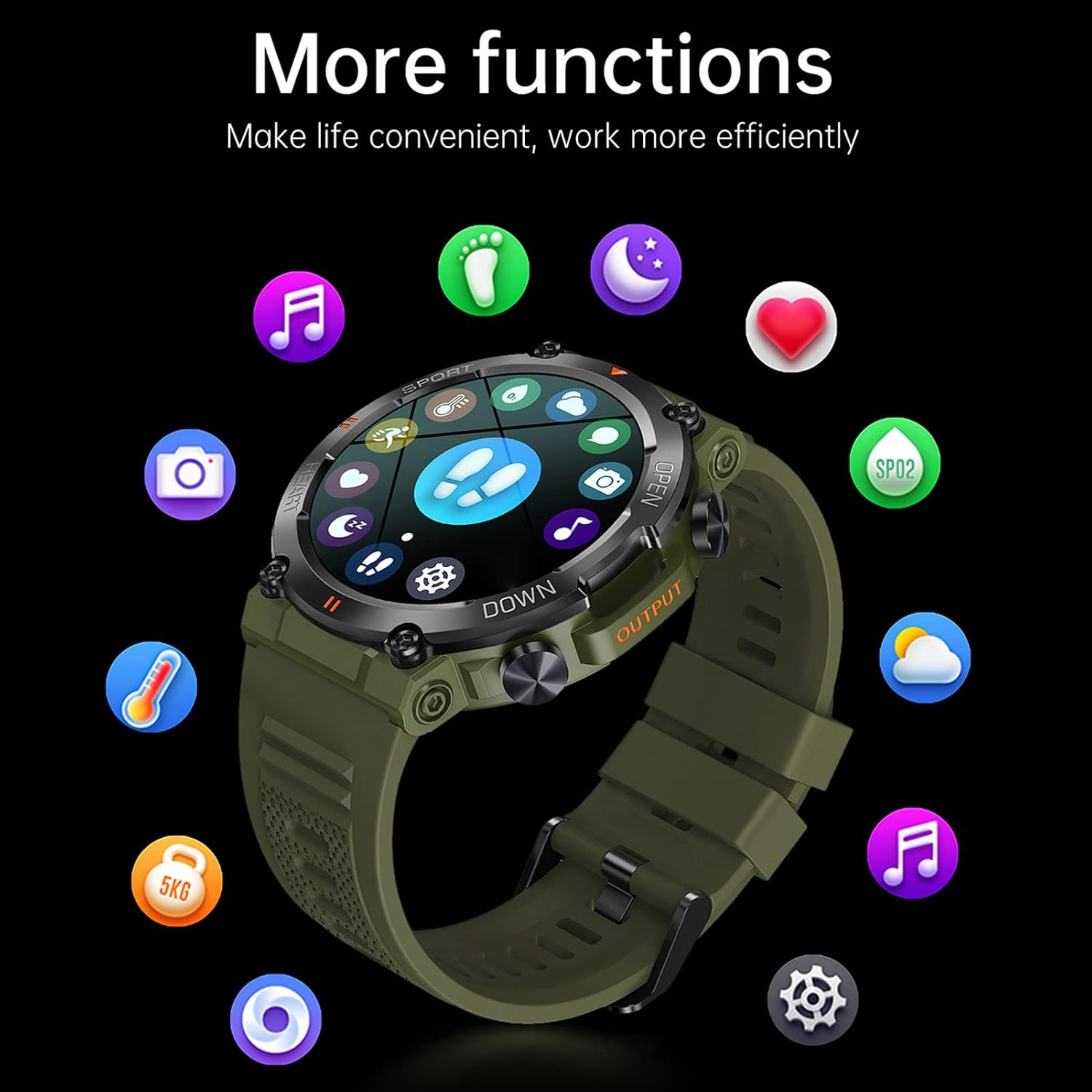
Image: The smartwatch screen surrounded by icons representing its diverse functions, such as music control, weather, heart rate, and more.
- Custom Dials: Personalize your watch face with custom dials or choose from a variety of options available through the app.
Maintenance
- Cleaning: Wipe the watch and strap regularly with a soft, damp cloth. Avoid using harsh chemicals or abrasive materials.
- Water Resistance: The K56 Pro is designed to be waterproof for daily use. However, avoid prolonged submersion in water, hot water, or steam. Do not operate buttons underwater.
- Strap Replacement: The watch uses a standard 22mm strap, which is easy to replace if needed.
- Anti-Sediment Design: The new anti-sediment bridge design helps prevent silt from clogging the air pressure hole, contributing to the watch's durability in outdoor environments.

Image: A close-up view of the smartwatch's side, highlighting the new anti-sediment bridge design which prevents clogging of the air pressure hole.
- Battery Life: To optimize battery life, adjust screen brightness, limit background app refresh, and disable unnecessary notifications.

Image: An illustration showing estimated battery usage times: 5 days for heavy usage, 10 days for regular usage, and 30 days in battery saver mode.
Troubleshooting
| Problem | Possible Solution |
|---|---|
| Watch does not turn on | Ensure the watch is fully charged. Connect it to the charger for at least 30 minutes. |
| Cannot pair with smartphone |
|
| Notifications not received |
|
| Inaccurate fitness data |
|
Specifications
| Model Name | K56 Pro |
| Model Number | Zunate8u6vexhwpr |
| Brand | Zunate |
| Display | 1.39-inch IPS HD Color Screen, 360 x 360 Resolution |
| Bluetooth Version | BLE 5.0 |
| Chipset | Realtek 8762DK |
| Memory | 128 MB Flash |
| Battery Capacity | 400 mAh Lithium Battery |
| Charging Method | Magnetic Contact Charging |
| Standby Time | Approx. 30 days |
| Working Time | Approx. 5-10 days |
| Vibration Motor | Built-in |
| Material | Aluminum Alloy and LCD |
| Color | Green (as per product description, though images show other colors) |
| Operating System Compatibility | Android 4.4 or later, iOS 8.0 or later |
| GPS | No GPS |
| Water Resistance | Waterproof for daily use (outdoor smartwatch design) |
Warranty Information
The Zunate K56 Pro Smartwatch comes with a 1 Year Warranty Against Manufacturer Defects. This warranty covers defects in materials and workmanship under normal use. It does not cover damage caused by misuse, accidents, unauthorized modifications, or normal wear and tear. Please retain your proof of purchase for warranty claims.
Support
For further assistance, technical support, or warranty claims, please contact the seller or manufacturer directly through the platform where you purchased the product. Refer to your purchase documentation for specific contact details.
Ask a question about this manual
Ask about setup, troubleshooting, compatibility, parts, safety, or missing instructions. Manuals+ will review the question and use this page’s manual context to help answer it.