
1. Introduction
This manual provides comprehensive instructions for the safe and effective operation of your Annadue K6 MAX Drone. The K6 MAX is a foldable RC quadcopter equipped with advanced features including a 4K triple camera system, 50X digital zoom, optical flow positioning, and 4-way intelligent obstacle avoidance. Please read this manual thoroughly before first use to ensure proper setup and flight.

Image 1.1: The Annadue K6 MAX Drone, featuring its three-camera system and obstacle avoidance capabilities.
2. Safety Information
Always prioritize safety during drone operation. Failure to follow these guidelines may result in injury, damage to property, or legal consequences.
- Flight Environment: Fly in open areas, away from people, animals, buildings, and power lines. Avoid flying in strong winds, rain, or snow.
- Line of Sight: Always maintain visual line of sight with the drone during flight.
- Battery Safety: Use only the provided charger and battery. Do not overcharge or puncture batteries. Discontinue use if batteries are damaged or swollen.
- Propeller Safety: Keep hands and face away from rotating propellers. Ensure propellers are securely attached before flight.
- Age Recommendation: This drone is recommended for adults and advanced beginners. Supervise younger users.
- Local Regulations: Be aware of and comply with all local drone flight regulations and restrictions.
3. Package Contents
Verify that all items are present in the package:
- Annadue K6 MAX Drone
- Remote Controller
- Rechargeable Drone Battery (Lithium)
- USB Charging Cable
- Spare Propellers
- Screwdriver (for propeller installation)
- User Manual
4. Setup Guide
4.1. Charging the Drone Battery
- Connect the USB charging cable to the drone battery.
- Plug the other end of the USB cable into a 5V/2A USB power adapter (not included).
- The indicator light on the battery will show charging status. Charge until fully charged (approximately 60-90 minutes).
4.2. Installing the Drone Battery
- Ensure the drone is powered off.
- Locate the battery compartment on the drone.
- Insert the fully charged battery into the compartment until it clicks into place.
- Close the battery compartment cover securely.
4.3. Attaching Propellers
If propellers are not pre-installed, attach them according to the markings (A and B) on the propellers and motor arms. Use the provided screwdriver to secure them.
4.4. Remote Controller Setup
- Install 3x AAA batteries (not included) into the remote controller.
- Extend the phone holder on the remote controller.
4.5. App Installation and Connection
- Scan the QR code in the manual or search for the designated app (e.g., "K6 MAX Drone" or similar) in your device's app store.
- Install the app on your smartphone.
- Power on the drone and the remote controller.
- On your smartphone, go to Wi-Fi settings and connect to the drone's Wi-Fi network (usually starts with "K6 MAX" or similar).
- Open the app to establish a connection with the drone.
5. Operating Instructions
5.1. Pre-Flight Checks
- Ensure drone battery is fully charged and securely installed.
- Remote controller has fresh batteries.
- Propellers are correctly installed and undamaged.
- Fly in a safe, open environment.
- App is connected to the drone's Wi-Fi.
5.2. Takeoff and Landing
- One-Key Takeoff: Press the one-key takeoff button on the remote or in the app. The drone will automatically ascend to a safe height and hover.
- Manual Takeoff: Push both joysticks down and outwards to unlock the motors. Then push the left joystick up to ascend.
- One-Key Landing: Press the one-key landing button. The drone will automatically descend and land.
- Manual Landing: Pull the left joystick down to descend slowly.
5.3. Basic Flight Controls
- Left Joystick (Throttle/Yaw): Up/Down for altitude, Left/Right for rotation.
- Right Joystick (Forward/Backward/Sideways): Up/Down for forward/backward flight, Left/Right for left/right sideways flight.
5.4. Camera Operation
The K6 MAX features a triple camera system with 4K recording capability.
- Photo/Video Capture: Use the dedicated buttons on the remote or in the app to take photos or start/stop video recording.
- 50X Zoom: Utilize the app to digitally zoom from 0 to 50 times, allowing for detailed distant shots.
- Triple Camera System: Switch between horizontal, vertical, and downward-facing camera views via the app for diverse creative angles.
- Beauty Filter Shooting: The drone supports a beauty filter feature for enhanced photo capture directly from the app.
- Gesture Control: During flight, specific hand gestures can trigger photo or video recording. Refer to the app for detailed gesture instructions.
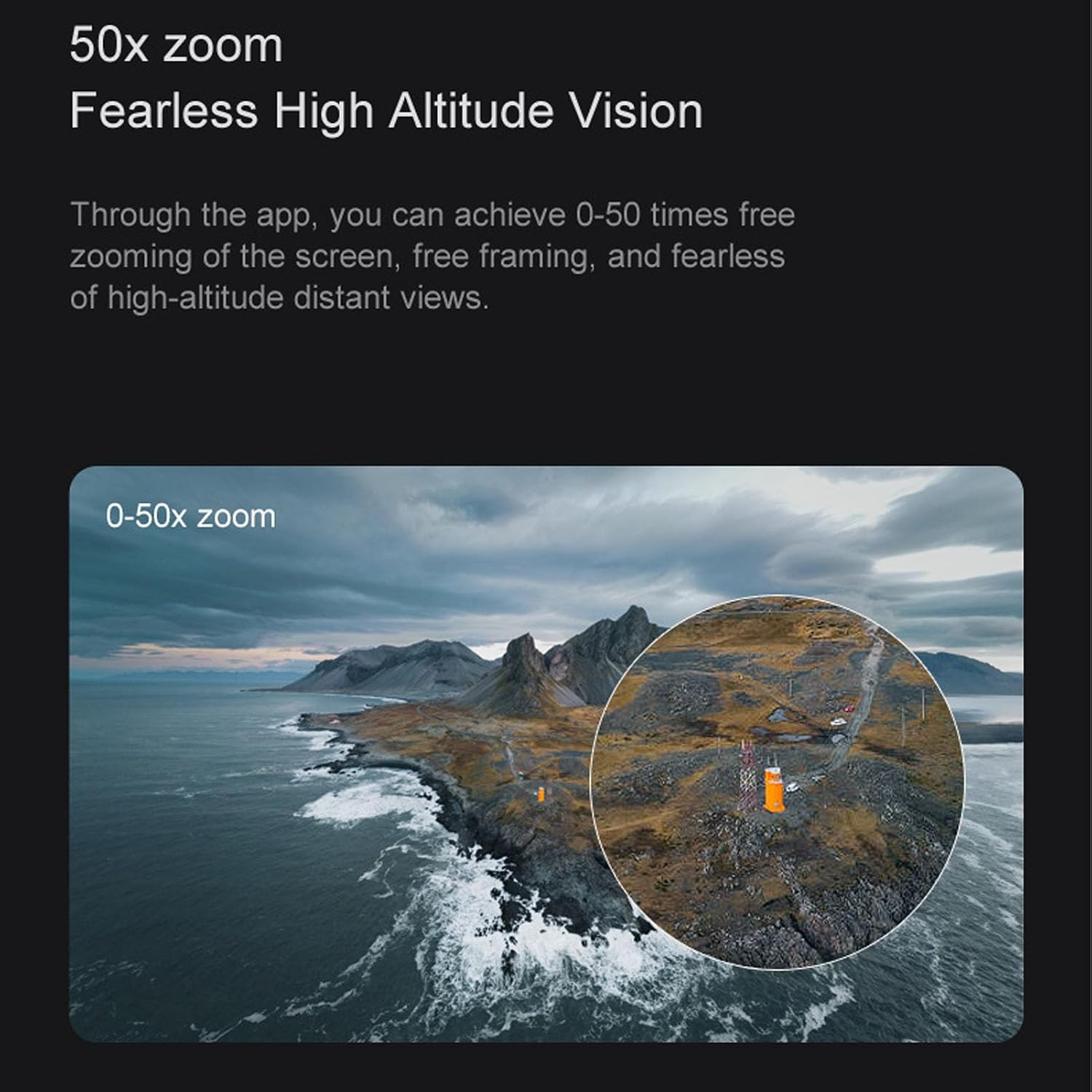
Image 5.1: Demonstration of the 50X digital zoom feature, allowing for detailed capture from high altitudes.

Image 5.2: Gesture control in action, enabling hands-free photo or video capture.

Image 5.3: Example of the beauty filter shooting feature, enhancing image quality with a single click.

Image 5.4: The triple camera system supports horizontal, vertical, and overlooking shooting modes for creative flexibility.

Image 5.5: Close-up of the drone's triple camera system, designed for versatile photography and videography.
5.5. Optical Flow Positioning
The drone utilizes optical flow positioning to maintain a stable hover both indoors and outdoors, simplifying control for users.

Image 5.6: Optical flow positioning allows the drone to maintain a consistent height, making it easier to control.
5.6. Obstacle Avoidance
The K6 MAX is equipped with 4-way intelligent obstacle avoidance, detecting obstacles and helping to prevent collisions during flight.

Image 5.7: The 4-way intelligent obstacle avoidance system helps the drone navigate safely, preventing crashes.
5.7. Trajectory Flight
Draw a desired flight path on the app interface, and the drone will automatically follow the trajectory, enabling intelligent and autonomous flight.
5.8. 360° Flips
Perform impressive 360-degree flips with a single button press on the remote controller, adding excitement to your flight experience.
6. Maintenance
- Cleaning: Use a soft, dry cloth to clean the drone body and camera lenses. Avoid using liquids or solvents.
- Propeller Replacement: If propellers are damaged, replace them immediately with spare parts. Ensure correct A/B propeller orientation.
- Battery Care: Store batteries in a cool, dry place. Do not store fully charged or completely depleted batteries for extended periods. Charge them to about 50% for long-term storage.
- Storage: When not in use, store the drone and remote controller in a safe, dry place, away from direct sunlight and extreme temperatures.
7. Troubleshooting
| Problem | Possible Cause | Solution |
|---|---|---|
| Drone does not power on | Battery not charged or incorrectly installed. | Charge battery fully. Reinstall battery correctly. |
| Remote controller not connecting | Remote batteries low or drone not powered on. | Replace remote batteries. Ensure drone is powered on. |
| App not connecting to drone | Not connected to drone's Wi-Fi or app not launched. | Connect to drone's Wi-Fi in phone settings. Relaunch the app. |
| Drone unstable during flight | Propellers damaged or incorrectly installed. Calibration needed. | Replace damaged propellers. Perform gyroscope calibration (refer to app/remote instructions). |
| Poor camera image quality | Lens dirty or insufficient lighting. | Clean camera lens. Ensure adequate lighting for optimal results. |
8. Specifications
- Model: Annadueg01obg7dwk
- Brand: Annadue
- Dimensions (Package): 22 x 18 x 7 cm
- Weight: 410 Grams
- Material: Plastic
- Camera: 4K (Effective Still Resolution: 8 Megapixels)
- Video Recording Resolution: 2K (Output: 1080p)
- Video Format: MP4
- Image Format: JPEG
- Zoom: 50X Digital Zoom
- Battery Capacity: 1800 mAh Lithium
- Max Range: 150 Meters
- Connectivity: Wi-Fi, Radio Frequency (Remote Control)
- Special Features: 4K Camera, 50x Zoom, Triple Camera System, Optical Flow Positioning, 4-Way Obstacle Avoidance, Gesture Control, 360° Flips, Trajectory Flight
- Skill Level: Advanced Beginner
9. Warranty and Support
9.1. Warranty Information
This Annadue K6 MAX Drone comes with a 1 Year Warranty Against Manufacturer Defects. Please retain your proof of purchase for warranty claims.
9.2. Customer Support
For technical assistance, troubleshooting, or warranty inquiries, please contact Annadue customer support through the retailer's platform or the official Annadue website. Provide your model number (Annadueg01obg7dwk) and a detailed description of the issue for faster service.