
WESTTREE X68
WESTTREE X68 Camping Fan User Manual
Model: X68
Introduction
Thank you for choosing the WESTTREE X68 Camping Fan. This rechargeable, battery-operated fan is designed for outdoor and indoor use, featuring a powerful airflow, integrated lighting, and power bank functionality. Please read this manual thoroughly before use to ensure proper operation and maintenance.
Safety Instructions
- Do not immerse the fan in water or other liquids.
- Keep out of reach of children.
- Do not block the fan blades or air inlets/outlets during operation.
- Use only the provided charging cable or a certified equivalent.
- Avoid exposing the fan to extreme temperatures or direct sunlight for extended periods.
- Do not attempt to disassemble or repair the fan yourself. Contact customer support for assistance.
- Remove the insulation sheet from the remote control before first use.
Package Contents
- WESTTREE X68 Camping Fan
- Remote Control
- USB Charging Cable
- User Manual
Product Overview
Familiarize yourself with the components of your WESTTREE X68 Camping Fan.

Image: The WESTTREE X68 Camping Fan shown with its remote control. The fan features a yellow and black design, with LED lights around the fan grille and control buttons on the base.
Key Features:
- 20000mAh Rechargeable Battery: Provides extended operation and acts as an emergency power bank.
- Dual Control: Operate via remote control or integrated buttons on the fan base.
- Multi-Angle Adjustment: Features 45°/90° automatic oscillation, 270° rotating head, and a 360° swivel hook.
- Integrated LED Lights: Offers multiple RGB flashing modes and static white/colorful light modes.
- Timer Function: Set operation for 1, 2, 4, or 8 hours.
- Sleep Mode: Turns off all indicator lights for undisturbed rest.
Setup
1. Initial Charging
- Connect the provided USB charging cable to the fan's charging port (USB-C or Micro-USB, depending on model).
- Connect the other end of the cable to a compatible USB power adapter (not included) or a power source.
- The battery indicator lights on the fan base will illuminate to show charging status. Charge the fan fully before first use (approximately 6 hours).

Image: The WESTTREE X68 fan in an outdoor setting, illustrating its use as a power bank to charge a smartphone, highlighting its 20000mAh battery capacity.
2. Remote Control Preparation
- Locate the remote control.
- Remove the transparent insulation sheet from the battery compartment of the remote control before its first use.
Operating Instructions
1. Power On/Off and Fan Speed Adjustment
- Via Fan Base: Press the power button on the fan base to turn the fan on or off. Rotate the knob to adjust the fan speed continuously.
- Via Remote Control: Press the power button on the remote to turn the fan on or off. Use the '+' and '-' buttons to increase or decrease fan speed.
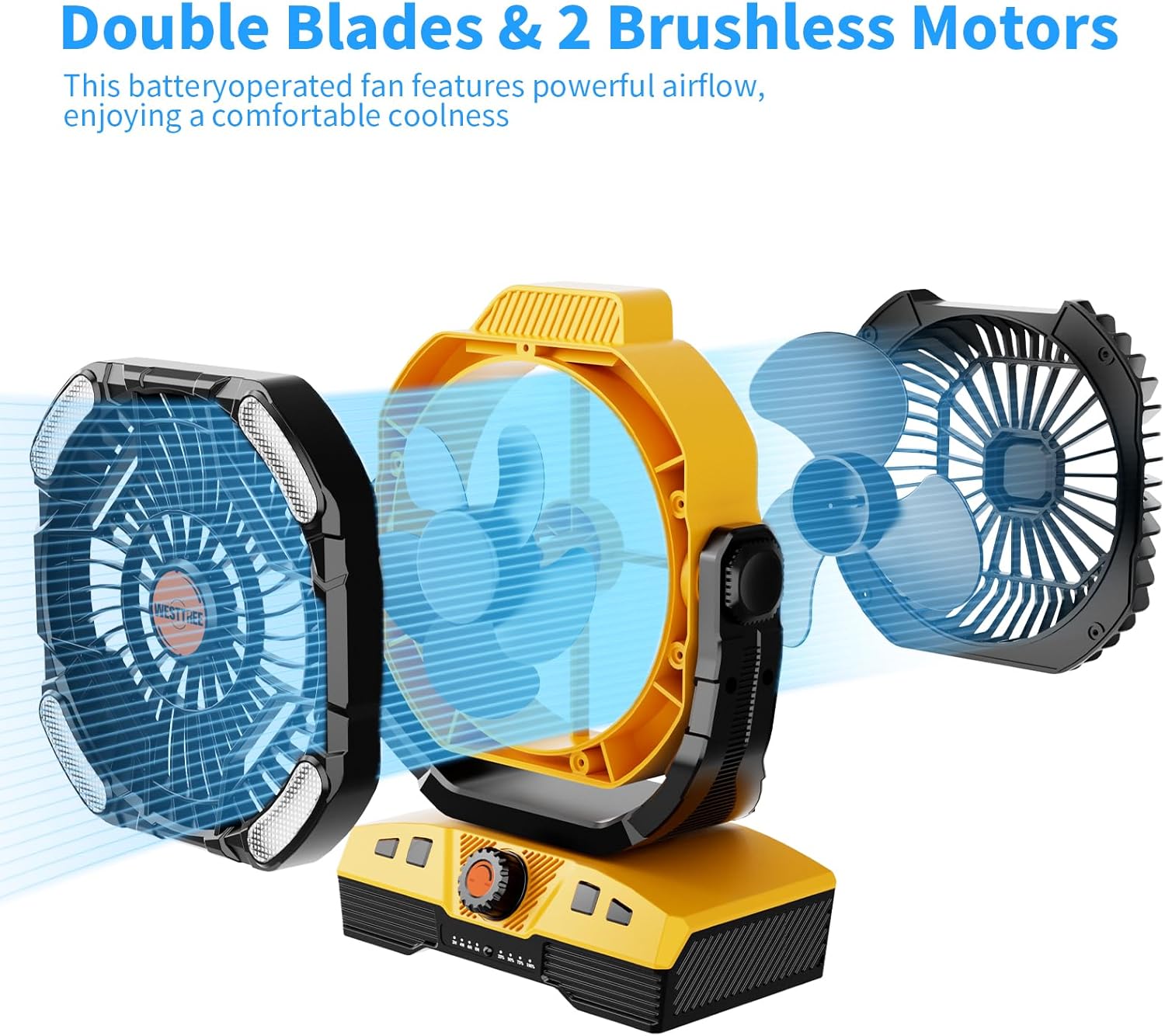
Image: An exploded view of the WESTTREE X68 fan, highlighting its double blades and two brushless motors, designed for powerful airflow.
2. Oscillation Function
- Automatic Oscillation: Press the oscillation button (↺) on the fan base or remote control to activate 45° or 90° automatic oscillation. Press again to stop.
- Manual Tilt: The fan head can be manually adjusted up to 270° vertically.
- Hanging Hook: The integrated hook allows for 360° rotation when hung.
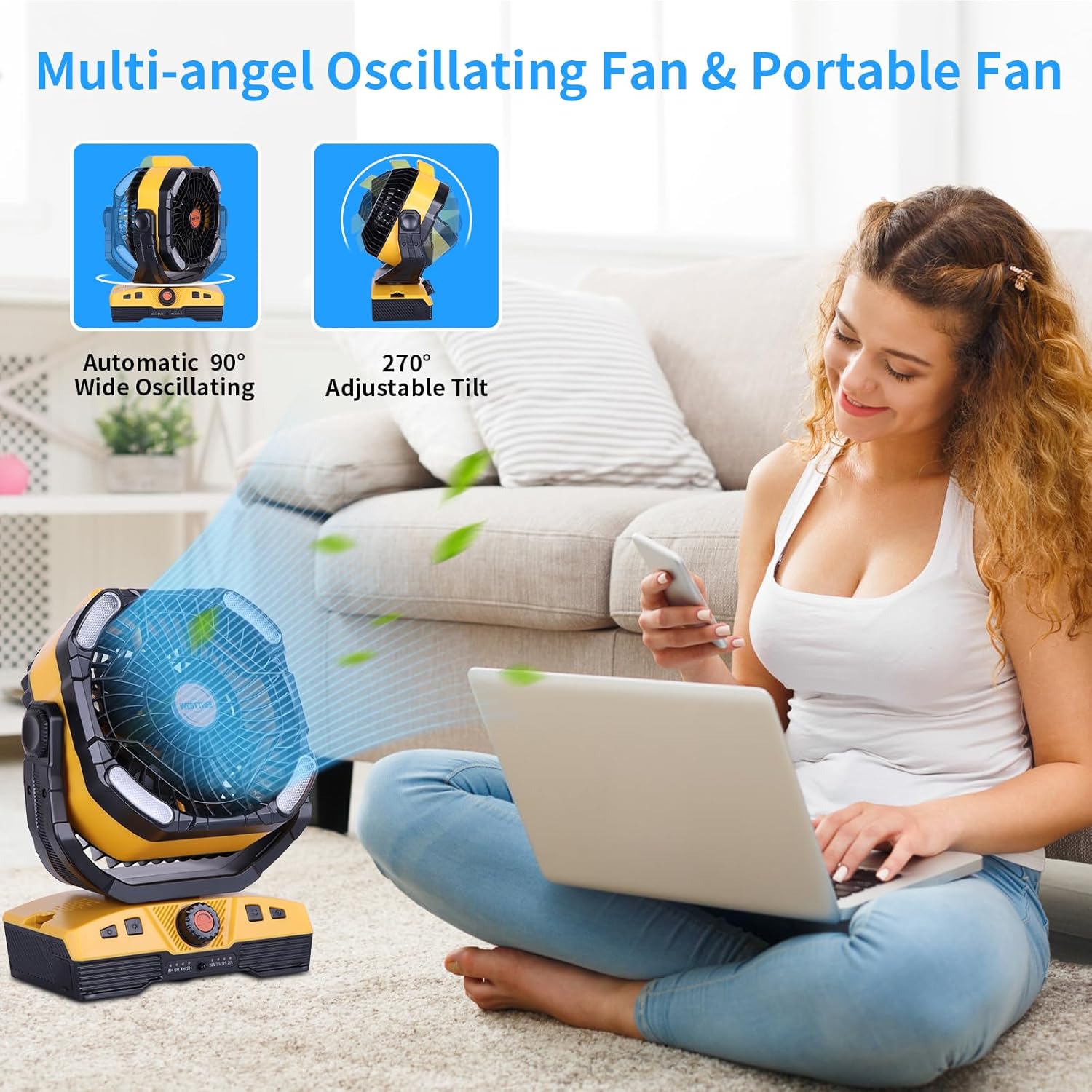
Image: The WESTTREE X68 fan positioned indoors, illustrating its 90-degree automatic oscillation and 270-degree adjustable tilt capabilities.
3. LED Light Modes
- Press the light button (💡) on the fan base or remote control to cycle through different light modes.
- RGB Flashing Modes: Includes breathing, gradient, twinkle flash, running lights, clocks, and alarms. Ideal for ambient lighting.
- Static Light Modes: Offers white and various colorful static light options for general illumination.

Image: Two WESTTREE X68 fans shown inside a tent at night, one displaying multiple RGB flashing light modes and the other showing static white light, demonstrating the fan's versatile lighting options.
4. Timer Function
- Press the timer button (⏲) on the fan base or remote control to set the fan to operate for 1, 2, 4, or 8 hours. The fan will automatically turn off after the selected duration.
5. Sleep Mode
- Press the sleep mode button (often indicated by a moon and star icon) on the remote control. This will turn off all indicator lights on the fan base, providing a dark environment for sleep.

Image: The WESTTREE X68 fan placed on a bedside table, providing quiet airflow to a person sleeping, emphasizing its low noise operation and timer function.
6. Power Bank Function
- Connect your device (e.g., smartphone, tablet) to the fan's USB-A output port using your device's charging cable.
- The fan's internal 20000mAh battery will provide emergency power to your connected device.
Maintenance
Cleaning
- Ensure the fan is turned off and unplugged before cleaning.
- Wipe the exterior of the fan with a soft, damp cloth. Do not use abrasive cleaners or solvents.
- For dust accumulation on the fan blades, use a soft brush or compressed air to gently clean through the grille. Do not attempt to remove the grille or blades.
Storage
- Store the fan in a cool, dry place away from direct sunlight and extreme temperatures.
- If storing for an extended period, ensure the battery is partially charged (around 50%) to prolong its lifespan. Recharge every 3-6 months.
Troubleshooting
| Problem | Possible Cause | Solution |
|---|---|---|
| Fan does not turn on. | Battery is depleted. | Charge the fan fully. |
| Fan does not turn on. | Power button not pressed correctly. | Ensure the power button on the fan base or remote is pressed firmly. |
| Remote control not working. | Insulation sheet still in place. | Remove the transparent insulation sheet from the remote's battery compartment. |
| Remote control not working. | Remote battery is low or dead. | Replace the remote control battery (CR2025 or equivalent). |
| Weak airflow. | Fan speed set too low. | Increase the fan speed using the knob or remote. |
| Weak airflow. | Fan blades are dirty. | Clean the fan blades as described in the Maintenance section. |
| Lights not working. | Light mode not selected. | Press the light button to cycle through modes. |
| Device not charging via USB port. | Fan battery is low. | Charge the fan. |
| Device not charging via USB port. | Incorrect cable or device incompatibility. | Ensure you are using a compatible USB cable and your device supports USB charging. |
Specifications
| Feature | Detail |
|---|---|
| Brand | WESTTREE |
| Model Name | X68 |
| Power Source | Battery Powered (20000mAh Lithium Ion) |
| Voltage | 5 Volts |
| Wattage | 100 watts |
| Control Method | Remote, Push Button |
| Oscillation | 45°/90° Automatic |
| Adjustable Angle | 270° Pivot, 360° Swivel Hook |
| Timer Settings | 1H, 2H, 4H, 8H |
| Light Modes | Multiple RGB Flashing, Static White/Colorful |
| Product Dimensions | 1"D x 1"W x 1"H (Note: These dimensions may be generic; refer to product packaging for exact measurements.) |
| Item Weight | 3.56 pounds |
| Indoor/Outdoor Usage | Outdoor |
Warranty and Support
For warranty information or technical support, please contact WESTTREE customer service. Details are typically provided on the product packaging or the official WESTTREE website.
Please retain your proof of purchase for any warranty claims.
Ask a question about this manual
Ask about setup, troubleshooting, compatibility, parts, safety, or missing instructions. Manuals+ will review the question and use this page’s manual context to help answer it.