
1. Introduction
The Vonyx Verve46 is a versatile and powerful portable PA system designed for various audio applications, including parties, presentations, and karaoke. This all-in-one unit features a robust design, integrated media player, Bluetooth connectivity, and two UHF wireless microphones, offering exceptional portability and ease of use. This manual provides detailed instructions for setting up, operating, and maintaining your Verve46 system to ensure optimal performance and longevity.
2. Safety Instructions
Please read these safety instructions carefully before using the Vonyx Verve46 system. Failure to follow these instructions may result in electric shock, fire, or other hazards.
- Power Source: Connect the unit only to a grounded mains outlet with the correct voltage (100-240V AC 50/60Hz).
- Water and Moisture: Do not expose the unit to rain or moisture. Do not place objects filled with liquids, such as vases, on the unit.
- Ventilation: Ensure adequate ventilation. Do not block ventilation openings.
- Heat: Keep the unit away from heat sources such as radiators, heat registers, stoves, or other apparatus (including amplifiers) that produce heat.
- Cleaning: Clean only with a dry cloth. Do not use liquid cleaners or aerosols.
- Servicing: Do not attempt to service the unit yourself. Refer all servicing to qualified service personnel.
- Battery: The unit contains a lead-acid battery. Do not dispose of the battery in fire. Follow local regulations for battery disposal.
- Microphones: Ensure microphones are powered off when not in use to conserve battery life.
3. Package Contents
Upon opening the package, ensure all items listed below are present and in good condition:
- 1x Vonyx Verve46 Portable PA System
- 2x UHF Wireless Handheld Microphones
- 1x Remote Control
- 1x Power Cable
- User Manual (this document)

Image: The Vonyx Verve46 portable PA system shown with its included accessories: the main speaker unit, two wireless UHF microphones, and a remote control, along with batteries for the microphones.
4. Product Overview
The Vonyx Verve46 is designed for portability and ease of use, featuring a robust ABS housing, retractable handle, and wheels for easy transport. It includes a comprehensive control panel for managing audio inputs and outputs.
4.1 Front and Side Views

Image: Front view of the Vonyx Verve46 speaker, showcasing its main speaker grille, horn tweeter, and the retractable trolley handle. The two wireless microphones and remote are also visible.

Image: Angled side view of the Vonyx Verve46 speaker, highlighting its durable ABS plastic casing and integrated side handle for carrying.
4.2 Rear Control Panel
The rear panel houses all the controls and input/output connections for the system.

Image: Close-up of the Vonyx Verve46's rear control panel, detailing the media player display, USB/SD slots, various input jacks (XLR, 6.3mm, RCA, 3.5mm), volume controls for microphones and master output, bass/treble adjustments, echo control, and battery information indicators.
- Media Player: Large graphic display with ID3 tag support for MP3 files. Includes USB port and SD card slot.
- Microphone Inputs: XLR and 6.3mm Jack inputs with individual level controls.
- AUX Input: 3.5mm Jack and RCA inputs for external audio devices.
- UHF Wireless Microphone Section: Dedicated controls and indicators for the two included wireless microphones.
- Battery Information: Status and charge indicators for the internal battery.
- Tone Controls: Bass and Treble adjustment knobs.
- Echo Control: Reverb adjustment for microphone inputs.
- Master Volume: Overall volume control for the system.
- Power Input: AC power connection.
4.3 Wireless Microphones and Remote Control
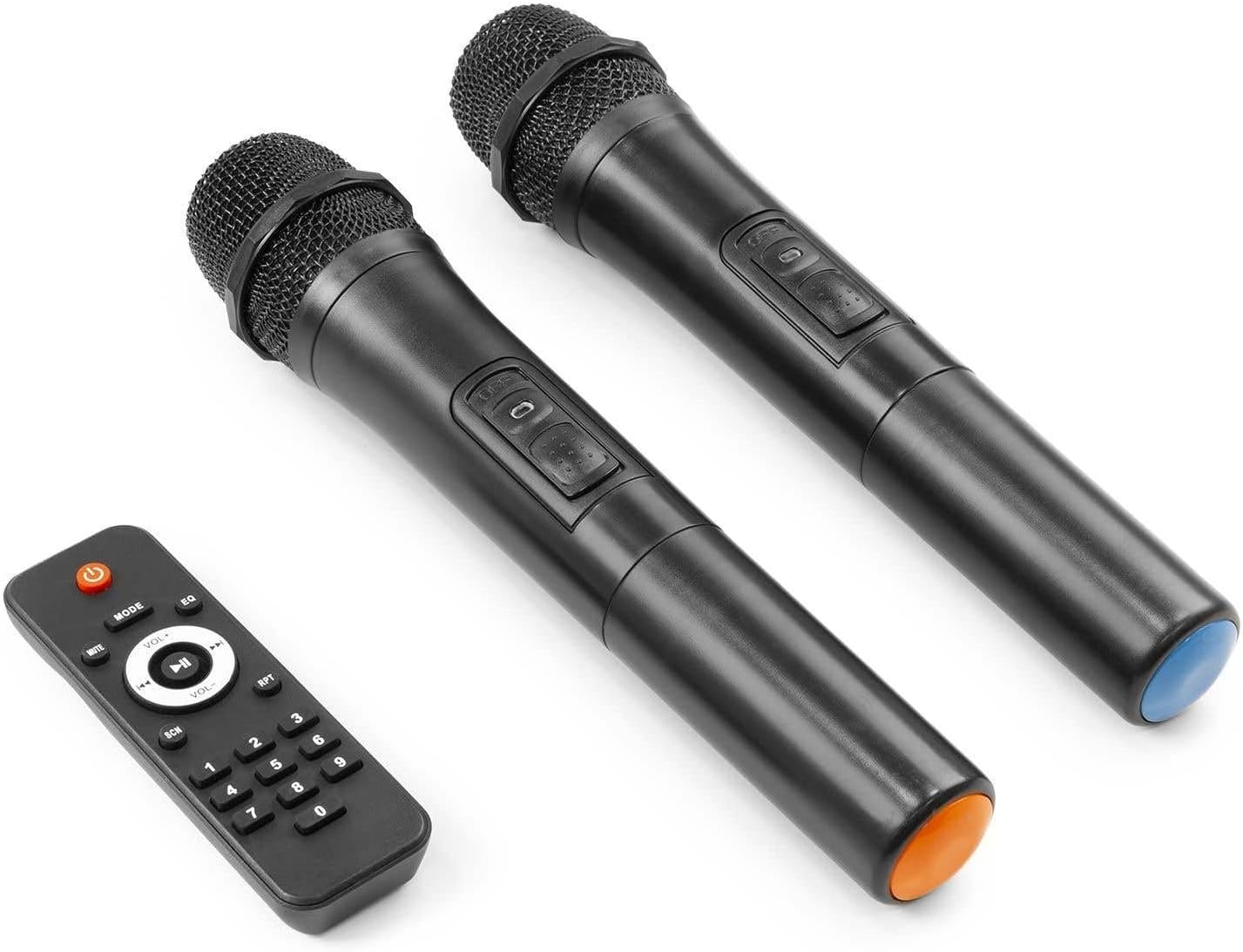
Image: The two wireless UHF handheld microphones, one with a blue base and one with an orange base, alongside the compact remote control for the media player.
- UHF Microphones: Two wireless microphones for vocal performances or presentations.
- Remote Control: Full-function remote for convenient control of the media player.
5. Setup
5.1 Initial Charging
Before first use, fully charge the internal battery. Connect the supplied power cable to the AC input on the rear panel and plug it into a suitable mains outlet. The battery charge indicator on the rear panel will show the charging status. A full charge can provide up to 9 hours of operation.
5.2 Powering On/Off
Locate the power switch on the rear panel. Flip the switch to the "ON" position to power on the unit. The display will light up. To power off, flip the switch to the "OFF" position.
5.3 Microphone Setup
- Insert batteries into the wireless microphones (batteries may be included or need to be purchased separately).
- Turn on the microphones using their respective power switches.
- The microphones will automatically connect to the PA system. Adjust the "MIC LEVEL" knobs on the rear panel to control the volume of each microphone.
- For wired microphones, connect them to the XLR or 6.3mm Jack inputs.
6. Operating Instructions
6.1 Bluetooth Pairing
- Ensure the Verve46 is powered on.
- Press the "MODE" button on the media player or remote control until "BT" or "Bluetooth" is displayed.
- On your Bluetooth-enabled device (smartphone, tablet, etc.), search for available Bluetooth devices.
- Select "VONYX" from the list of devices. Once paired, the system will confirm the connection.
- You can now stream audio wirelessly from your device to the Verve46.
6.2 USB/SD Playback
- Insert a USB flash drive or SD card containing MP3 audio files into the respective slot on the rear panel.
- The media player will automatically switch to USB/SD mode and begin playback. If not, press the "MODE" button to select the correct source.
- Use the media player controls (Play/Pause, Next, Previous) or the remote control to navigate and play tracks.
6.3 AUX Input
Connect external audio sources (e.g., laptop, CD player) using a 3.5mm audio cable to the AUX input or RCA cables to the RCA inputs on the rear panel. Select "AUX" mode on the media player if it doesn't switch automatically.
6.4 Audio Adjustments
- Master Volume: Adjust the large "MASTER VOLUME" knob to control the overall output level of the system.
- Bass/Treble: Use the "BASS" and "TREBLE" knobs to adjust the low and high frequencies of the audio output.
- Mic Echo: The "ECHO" knob controls the reverb effect applied to the microphone inputs. Turn clockwise for more echo.
- Mic Priority: If available, the "MIC PRIORITY" switch can be used to automatically lower music volume when a microphone is in use.
7. Maintenance
- Cleaning: Wipe the unit with a soft, dry cloth. Do not use abrasive cleaners or solvents.
- Battery Care: To prolong battery life, fully charge the unit before storing it for extended periods. Recharge the battery every 3 months if not in regular use. Avoid completely draining the battery frequently.
- Storage: Store the unit in a cool, dry place away from direct sunlight and extreme temperatures.
8. Troubleshooting
| Problem | Possible Cause | Solution |
|---|---|---|
| No power | Power cable not connected; Battery drained; Power switch off. | Check power cable connection; Charge the battery; Ensure power switch is ON. |
| No sound output | Master volume too low; Incorrect input source selected; Input device not connected or volume too low. | Increase Master Volume; Select correct input mode (BT, USB, SD, AUX); Check connections and volume on input device. |
| Bluetooth not connecting | Unit not in BT mode; Device too far; Previously paired device connected. | Ensure unit is in BT mode; Move device closer; Disconnect from other devices. |
| Microphone not working | Microphone off; Batteries low/dead; Mic level knob too low; Interference. | Turn on microphone; Replace batteries; Increase Mic Level; Move away from interference sources. |
| Distorted sound | Volume too high (clipping); Bass/Treble settings too extreme. | Reduce Master Volume; Adjust Bass/Treble settings. |
9. Specifications
| Feature | Detail |
|---|---|
| Output Power (Max) | 1000 W |
| Output Power (RMS) | 500 W |
| Battery | 12 V - 7.2 Ah (Lead Acid) |
| Battery Life | Up to 9 hours (on full charge) |
| Frequency Response | 45 Hz - 20,000 Hz |
| Tweeter Diameter | 1.5 inches (Titanium Compression Driver) |
| Woofer Diameter | 15 inches |
| Magnet Type | Ferrite |
| Input Connections | 3.5mm Jack, 6.3mm Jack, RCA, SD, USB, XLR (3-pin) |
| Output Connections | RCA |
| Handheld Microphone Frequency | 863.100 MHz, 864.500 MHz |
| Power Supply | 100-240 V AC 50/60 Hz |
| Dimensions (LxWxH) | 440 x 370 x 695 mm (17.3 x 14.6 x 27.4 inches) |
| Weight | 15.50 kg (34.17 lbs) |
| Material | Robust ABS Housing |