
Introduction
Thank you for choosing the SMAEL Men's Analog-Digital Sports Watch, Model SL-8079. This multi-function wristwatch combines classic analog timekeeping with modern digital features, including a stopwatch, alarm, calendar, and LED backlight. Designed for durability and water resistance, this manual will guide you through its setup, operation, and maintenance to ensure optimal performance.
Safety Information
- Water Resistance: This watch is water resistant up to 50 meters (5ATM). It is suitable for everyday use, splashes, and brief immersion in water. Do not press any buttons underwater.
- Temperature: Avoid exposing the watch to extreme temperatures, such as hot water, steam, or saunas, as this can compromise the water-resistant seals.
- Impact: While designed to be shock-resistant, avoid severe impacts or dropping the watch from significant heights.
- Chemicals: Keep the watch away from solvents, detergents, perfumes, and other chemicals that may damage the strap or case.
Watch Overview
Familiarize yourself with the buttons and display areas of your SMAEL watch:

Image: SMAEL watch with its buttons and display sections clearly labeled for easy identification.
- LIGHT Button (Top-Left): Activates the LED backlight for visibility in low-light conditions.
- MODE Button (Bottom-Left): Cycles through different modes: Time, Alarm, Stopwatch.
- START/STOP Button (Top-Right): Used to start/stop functions (e.g., stopwatch) and adjust settings (e.g., incrementing values). Also used for analog pointer adjustment.
- RESET/SELECT Button (Bottom-Right): Used to reset functions (e.g., stopwatch) and select options or decrement values during setting.
The digital display features sections for Time, Alarm, Calendar (Date and Day of the Week), and Stopwatch readings.
Setup
1. Setting Digital Time and Date
- From the normal time display, press the MODE button three times to enter time setting mode. The seconds digits will flash.
- Press the RESET/SELECT button to cycle through the settings: Seconds → Hour → Minute → Month → Date → Day of the Week.
- While a digit is flashing, use the START/STOP button to adjust the value.
- To switch between 12-hour and 24-hour format, press the RESET/SELECT button when the hour digits are flashing.
- Once all settings are correct, press the MODE button to exit the setting mode and return to the normal time display.
2. Setting Analog Time
The analog hands are synchronized with the digital time. If the analog hands do not match the digital time, follow these steps:
- From the normal time display, press and hold the START/STOP button for approximately 3-5 seconds until the analog hands start to move rapidly.
- Release the START/STOP button. The hands will automatically advance to match the currently set digital time.
- If the hands do not synchronize, repeat the process. Ensure the digital time is set correctly first.
3. Setting the Alarm
- From the normal time display, press the MODE button once to enter Alarm mode (ALM will be displayed).
- Press the RESET/SELECT button to toggle the alarm ON/OFF.
- To set the alarm time, press the START/STOP button. The hour digits will flash.
- Use the RESET/SELECT button to adjust the hour.
- Press the START/STOP button again to select the minute digits.
- Use the RESET/SELECT button to adjust the minutes.
- Press the MODE button to exit alarm setting mode.
Operating Functions
1. Mode Switching
Press the MODE button repeatedly to cycle through the following modes:
- Normal Time Display
- Alarm Mode (ALM)
- Stopwatch Mode (STW)
2. Stopwatch Function
- From the normal time display, press the MODE button twice to enter Stopwatch mode.
- Press the START/STOP button to start the stopwatch.
- Press the START/STOP button again to pause the stopwatch.
- Press the RESET/SELECT button to reset the stopwatch to zero.
- Press the MODE button to exit Stopwatch mode.
3. LED Backlight
Press the LIGHT button (top-left) to illuminate the digital display. The backlight will remain on for a few seconds. This feature is useful for viewing the time in dark environments.

Image: The watch display illuminated by its LED backlight in a dark setting.
4. Dual Time Display
This watch features a dual time display function, allowing you to track two different time zones simultaneously. The primary digital display shows the main time, while a smaller digital display can be set for a second time zone. To set the second time zone, follow the digital time setting steps, but ensure you are in the correct dual time mode (refer to the watch's specific display indicators for 'T2' or similar, if available, or consult the manufacturer's website for advanced settings).
Maintenance
1. Water Resistance Guidelines
The watch is rated for 50M water resistance. This means it can withstand splashes, rain, and brief immersion. However, to maintain its water resistance:
- Do NOT press any buttons while the watch is submerged in water.
- Avoid wearing the watch in hot showers, saunas, or steam rooms.
- After exposure to saltwater, rinse the watch with fresh water and dry it thoroughly.
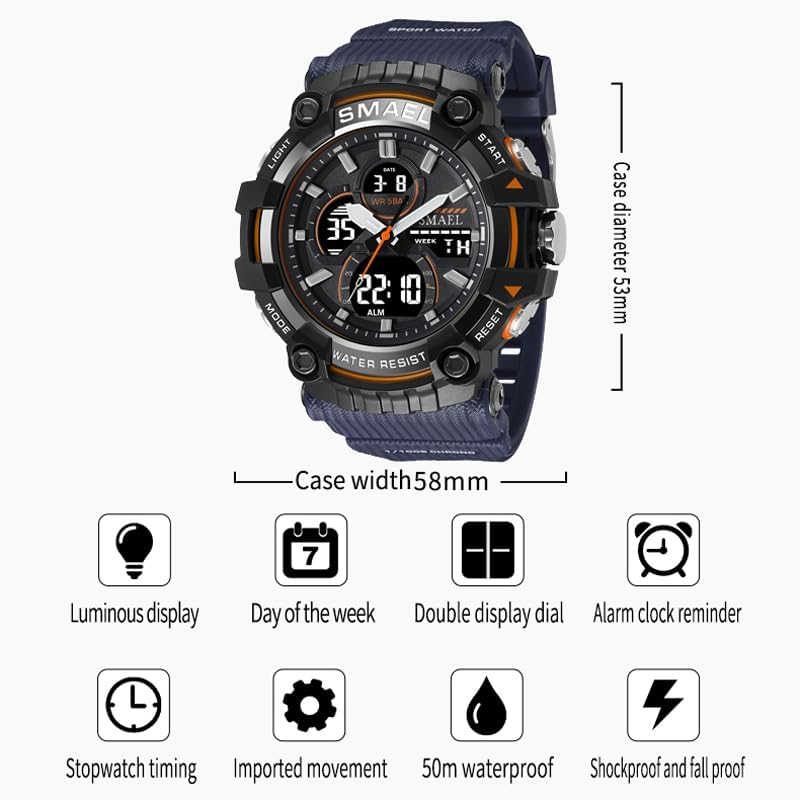
Image: The stainless steel back of the watch, indicating its water resistance rating.
2. Cleaning
To clean your watch, wipe it gently with a soft, damp cloth. For the strap, a mild soap solution can be used, followed by rinsing with clean water and thorough drying. Avoid harsh chemicals.
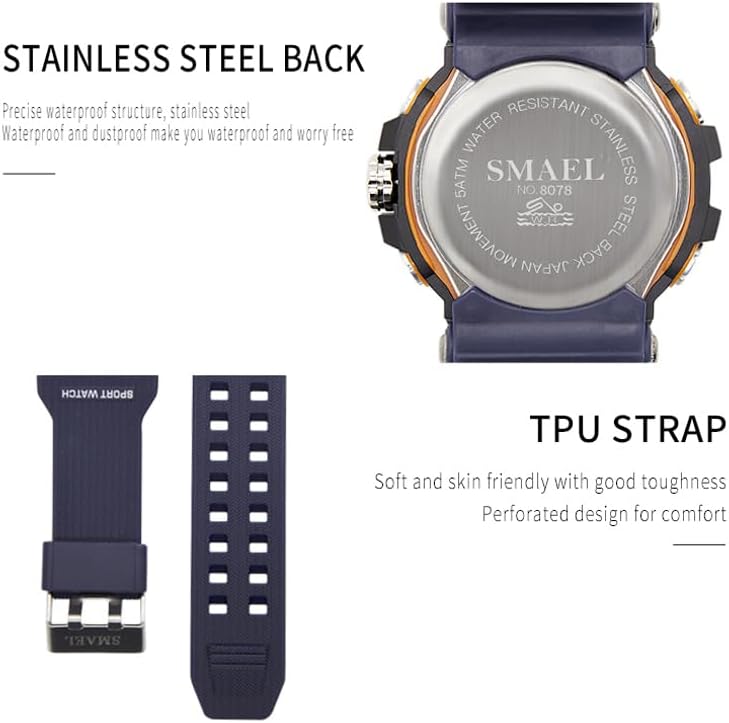
Image: The durable and comfortable TPU strap of the SMAEL watch.
3. Battery Replacement
When the display becomes dim or the watch stops functioning, the battery may need replacement. It is recommended to have the battery replaced by a qualified watch technician to ensure the water resistance seal is properly maintained.
Troubleshooting
- Watch not displaying time: Check if the battery needs replacement. Ensure no buttons are stuck.
- Analog hands not matching digital time: Follow the 'Setting Analog Time' instructions in the Setup section to synchronize the hands.
- Water inside the watch: If condensation or water appears inside the watch, stop using it immediately and seek professional service to prevent further damage.
- Buttons not responding: Ensure the watch is not in a locked mode (if applicable, though this model typically does not have a lock). Try resetting the watch by removing and reinserting the battery (professional service recommended).
Specifications

Image: Visual representation of the watch's dimensions and core features.
| Model Name | SL-8079 |
| Display Type | Analog-Digital |
| Movement | Quartz |
| Water Resistance Depth | 50 Meters (5ATM) |
| Case Diameter | 53 Millimeters |
| Band Width | 22 Millimeters |
| Case Thickness | 20 Millimeters |
| Band Material Type | Plastic (TPU) |
| Case Material Type | Rubber |
| Crystal Material | Mineral Glass |
| Additional Features | LED Backlight, Stopwatch, Alarm, Dual Time, Calendar |
| Clasp Type | Hook Buckle |
Warranty and Support
Your SMAEL watch comes with a Lifetime Warranty, ensuring peace of mind regarding manufacturing defects. For any questions, technical assistance, or warranty claims, please contact the seller or manufacturer directly through the platform where the product was purchased. Please retain your purchase receipt as proof of purchase.