
1. Introduction
The STRICH M4 UHF Wireless XLR Microphone System provides a reliable and high-quality wireless audio transmission solution for dynamic microphones. This system is designed for versatility, offering stable connectivity and clear sound for various applications, including stage performances, public address systems, and recording setups. It eliminates the need for cumbersome cables, providing freedom of movement and a cleaner setup.
2. What's in the Box
- 1 x M4 UHF Wireless Microphone Transmitter
- 1 x M4 UHF Wireless Microphone Receiver
- 1 x Dual Type-C Charging Cable
- 1 x XLR to 1/4" TRS Adapter

3. Product Features
- UHF Wireless Technology: Operates on UHF frequencies (470-960 MHz) for stable, interference-resistant signal transmission.
- 7 Selectable Channels: Supports one-to-one, one-to-many, and many-to-many transmission, allowing up to 7 sets to operate simultaneously without interference.
- Wide Compatibility: Designed for dynamic microphones, compatible with speakers, PA systems, DJ mixers, and audio interfaces. Includes an XLR-to-1/4" adapter for broader use.
- High Fidelity Audio: Features a broad frequency response of 20Hz to 20kHz, a dynamic range of up to 106 dB, low noise, and less than 5ms latency for clear and detailed audio quality.
- Extended Range: Offers a transmission range of 20-40 meters (65-131 feet), suitable for various indoor and outdoor settings.
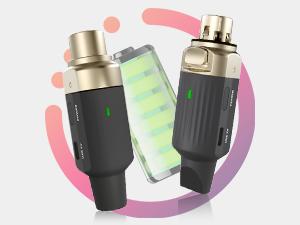
- Long Battery Life: Equipped with an 800mA high-capacity battery, providing over 5.5 hours of continuous operation. Features a built-in charging indicator and Type-C charging port.
- Compact and Durable Design: Made from Acrylonitrile Butadiene Styrene, ensuring durability and portability.

4. Setup Instructions
- Charge Devices: Ensure both the transmitter and receiver are fully charged using the provided dual Type-C charging cable. The charging indicator will show status.
- Connect Transmitter: Plug the M4 Transmitter (XLR male end) directly into the XLR output of your dynamic microphone.
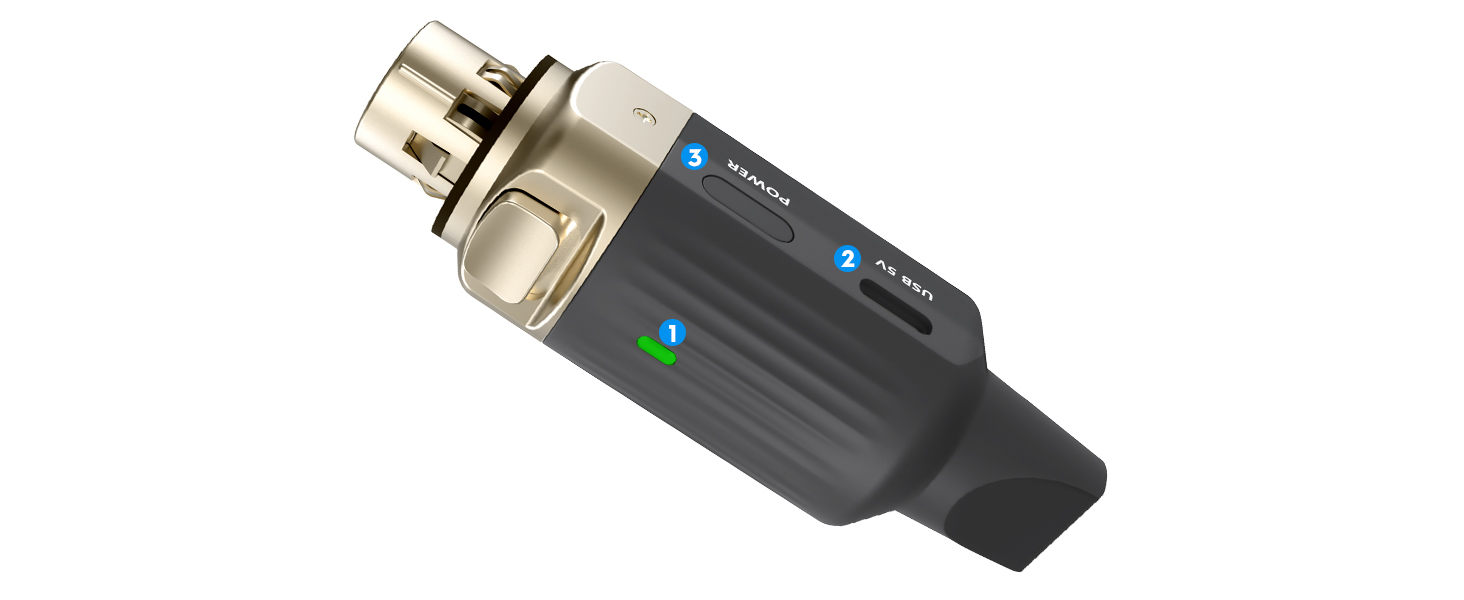
- Connect Receiver: Plug the M4 Receiver (XLR female end) into the XLR input of your audio device (e.g., PA system, speaker, DJ mixer). If your device uses a 1/4" input, use the included XLR to 1/4" TRS adapter.
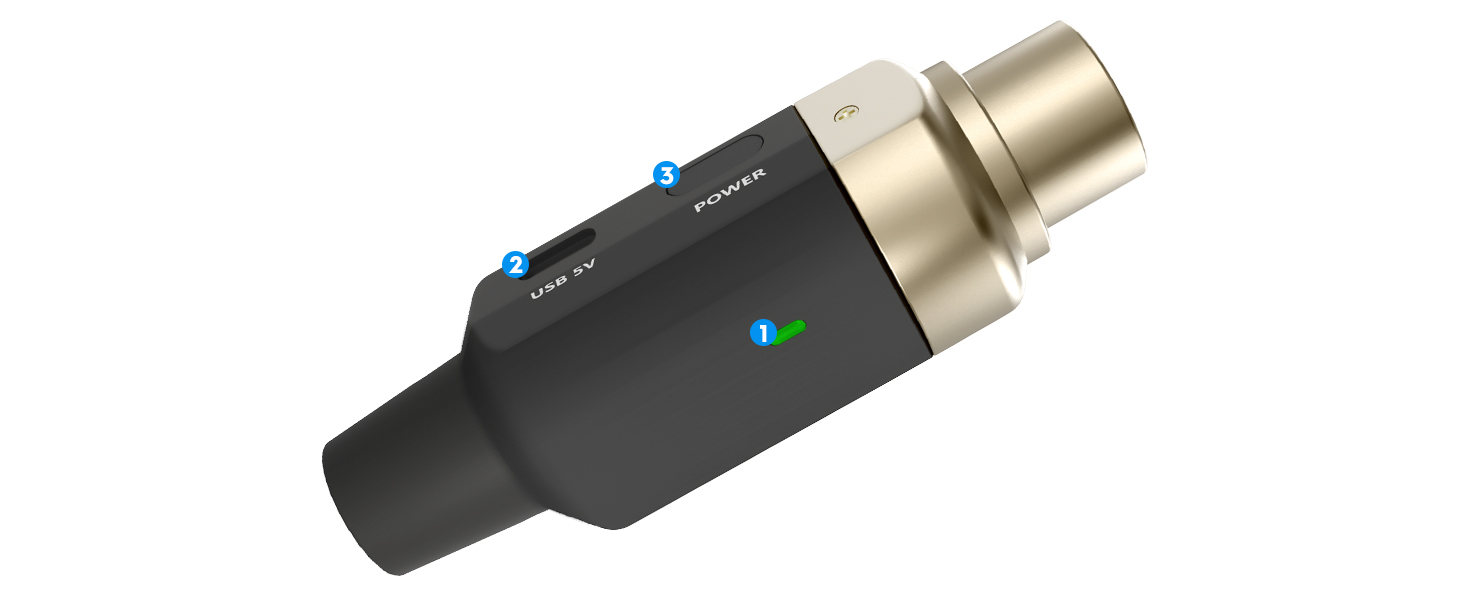
- Power On: Press and hold the power button on both the transmitter and receiver until the indicator lights illuminate.
- Pairing: The units will automatically attempt to pair. When successfully paired, the indicator lights on both the transmitter and receiver will show the same color (e.g., solid green or blue). If they do not pair or you experience interference, proceed to change channels.

Video 4.1: Official STRICH M4 UHF Wireless Mic Transmitter Receiver with 7 Channels overview and setup guide.
5. Operating Instructions
5.1 Power On/Off
To power on, press and hold the power button on each unit until the indicator light turns on. To power off, press and hold the power button again until the light turns off.
5.2 Changing Channels
If you experience interference or need to use multiple sets simultaneously, you can change the operating channel. Briefly press the power button on both the transmitter and receiver to cycle through the 7 available channels. Ensure both units are set to the same color indicator for proper pairing.
5.3 Charging
Connect the provided dual Type-C charging cable to the USB-C ports on both the transmitter and receiver, and then to a USB power source. The indicator light will show charging status (e.g., red while charging, off when fully charged). A full charge takes less than 4 hours and provides over 5.5 hours of continuous use.
6. Compatibility
The STRICH M4 system is highly adaptable and compatible with a variety of audio equipment:
- Microphones: Primarily designed for dynamic microphones with XLR outputs.
- Audio Output Devices: Connects to speakers, PA systems, DJ mixers, and audio interfaces with XLR or 1/4" inputs.
The included XLR to 1/4" TRS adapter ensures seamless integration with devices that do not have direct XLR inputs.

7. Specifications
| Feature | Specification |
|---|---|
| Model Name | M4 |
| Connectivity Technology | UHF |
| Frequency Band | 470-960 MHz |
| Number of Channels | 7 |
| Transmission Range | 20-40 meters / 65-131 feet |
| Latency | < 5ms |
| Frequency Response | 20 Hz - 20 kHz |
| Dynamic Range | Up to 106 dB |
| Battery Capacity | 800mA |
| Operating Time | Over 5.5 hours |
| Charging Time | Less than 4 hours |
| Charging Port | Type-C (USB 5V) |
| Material | Acrylonitrile Butadiene Styrene |
| Item Weight | 11.3 ounces |
| Product Dimensions | 6.22 x 4.53 x 1.69 inches |

8. Maintenance
- Cleaning: Use a soft, dry cloth to clean the exterior of the transmitter and receiver. Avoid using harsh chemicals or abrasive materials.
- Storage: Store the units in a cool, dry place away from direct sunlight and extreme temperatures when not in use.
- Battery Care: To prolong battery life, avoid fully discharging the units frequently. Charge them regularly, even if not in constant use.
- Handle with Care: While durable, avoid dropping or subjecting the units to strong impacts to prevent internal damage.
9. Troubleshooting
- No Sound:
- Ensure both transmitter and receiver are powered on and fully charged.
- Verify that both units are paired (indicator lights show the same color).
- Check all cable connections (microphone to transmitter, receiver to audio device).
- Confirm the microphone and audio device are functioning correctly.
- Interference/Poor Sound Quality:
- Change the operating channel on both the transmitter and receiver to find a clearer frequency.
- Ensure there are no obstructions between the transmitter and receiver.
- Move away from other wireless devices or strong electromagnetic fields.
- Check the distance between the units; ensure it's within the specified transmission range.
- Units Not Pairing:
- Power off and then power on both units simultaneously to re-initiate pairing.
- Ensure both units are fully charged.
10. Warranty and Support
STRICH offers a 12-month warranty for this product, covering manufacturing defects from the date of purchase. Additionally, a 30-day free return policy is available. For any technical assistance, troubleshooting, or warranty claims, please contact STRICH customer support. You can expect a prompt response to email inquiries within 24 hours.
For more information, visit the STRICH Store on Amazon.

