
1. Product Overview
The FEZIBO L-Shaped Electric Standing Desk is designed for home office environments, offering both sitting and standing positions. It features an electric height adjustment mechanism, integrated storage, and a durable construction.
- Electric Height Adjustment: Allows seamless transition between sitting and standing heights (70 cm to 139 cm / 27.5 to 54.7 inches).
- Integrated Storage: Includes a filing cabinet with 3 drawers for legal/letter/A4-sized documents and open shelves for office supplies.
- Durable Construction: Made from water-resistant, scratch-resistant composite wood with an antique finish and an industrial steel frame.
- Anti-Collision Function: Prevents damage by stopping movement if an obstruction is detected.
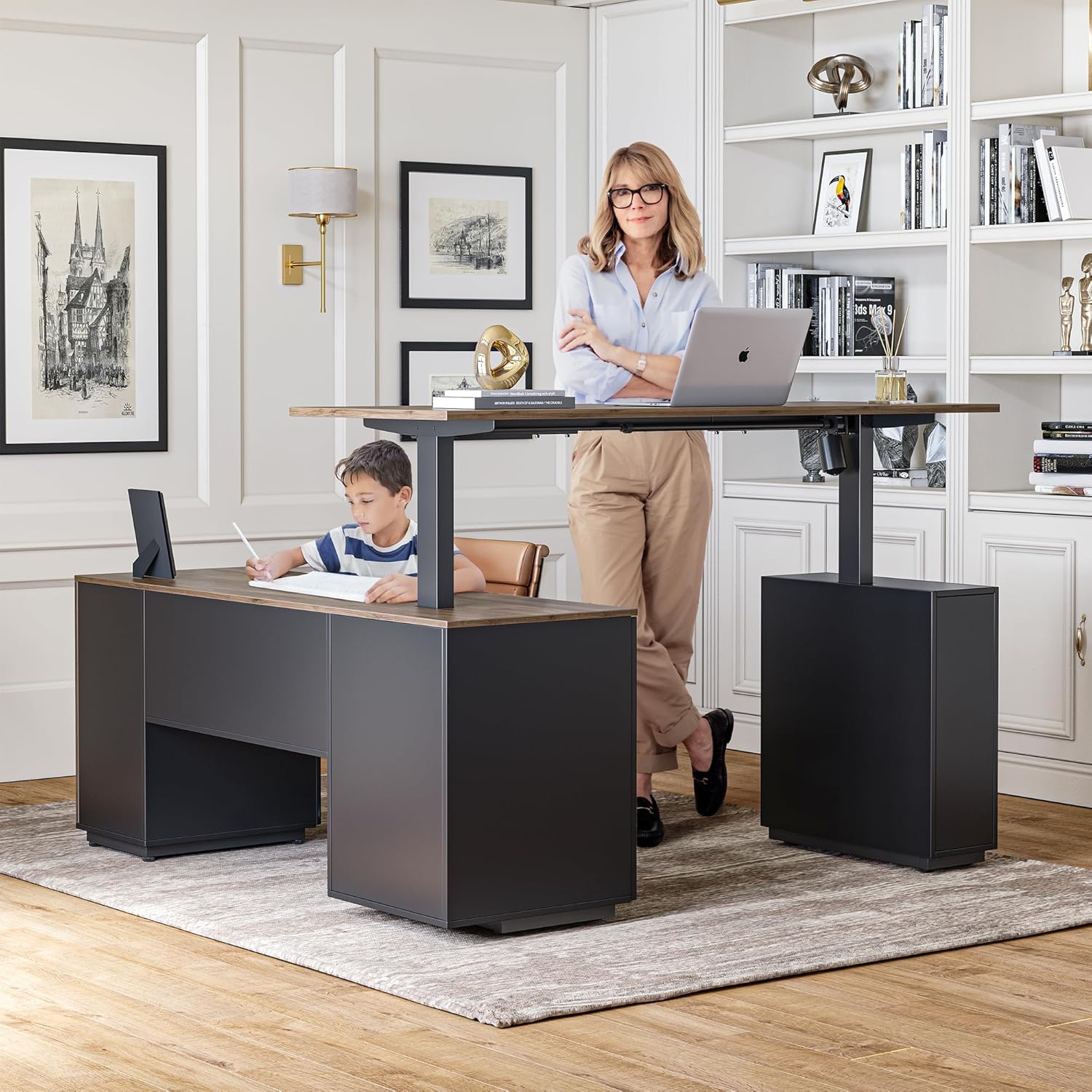
Image: The FEZIBO L-Shaped Electric Standing Desk in a home office, showcasing its dual-user capability and height adjustment.
2. Safety Information
Please read and understand all safety instructions before assembly and use to prevent injury or damage to the product.
- Weight Limit: Do not exceed the recommended weight limit of 80 kg (176 lbs) on the desk surface. Overloading can compromise stability and functionality.
- Height Adjustment: Ensure the desk height is set correctly for your ergonomic needs. Avoid sudden or extreme height changes without checking for obstructions.
- Obstructions: Keep the area around the desk clear during height adjustments to prevent collisions with walls, furniture, or other objects. The desk features an anti-collision function, but manual vigilance is still recommended.
- Children and Pets: Keep children and pets away from the desk during operation to prevent accidental injury.
- Power Cord: Ensure the power cord is not pinched, tangled, or damaged. Do not operate the desk with a damaged cord or plug.
- Assembly: Assembly requires careful attention to instructions. It is recommended that two people assemble the desk due to its size and weight.

Image: Diagram showing the dimensions of the L-shaped desk and its maximum load capacity of 176 lbs (80 kg).
3. Setup and Assembly
The FEZIBO L-Shaped Electric Standing Desk is delivered in multiple packages. Follow these general steps for assembly. Refer to the detailed graphical instructions included in your product packaging for specific steps.
3.1 Unpacking
- Open all packages carefully and verify that all components listed in the parts list are present.
- Place components on a soft, clean surface to prevent scratches during assembly.

Image: Illustration of the desk components arriving in dedicated, protective packaging.
3.2 Frame Assembly
- Assemble the main desk frame according to the provided diagrams. Ensure all screws are tightened securely.
- Attach the lifting columns to the frame.
3.3 Desktop and Storage Unit Assembly
- Attach the L-shaped desktop panels to the assembled frame. Pay attention to alignment and secure all fasteners.
- Assemble the 3-drawer filing cabinet and the open storage shelves. Integrate these units with the desk frame as per instructions.
- Ensure all wooden pegs and connectors are correctly inserted and secured.
3.4 Electrical Connection
- Connect the motor cables to the control box.
- Connect the control panel cable to the control box.
- Plug the power cord into the control box and then into a grounded electrical outlet.
4. Operating Instructions
This section details how to use the electric height adjustment features of your FEZIBO standing desk.
4.1 Control Panel Functions

Image: Close-up of the multi-function intelligent keypad, showing buttons for height adjustment, memory presets, and child lock.
- Up/Down Buttons (▲ / ▼): Press and hold to adjust the desk height manually. Release the button to stop at the desired height.
- Memory Presets (1, 2, 3): These buttons allow you to save and recall preferred sitting and standing heights.
- To Save a Height: Adjust the desk to your desired height using the Up/Down buttons. Press the 'S' button, then press one of the number buttons (1, 2, or 3) within 3 seconds. The display will show 'S-' followed by the number, indicating the height is saved.
- To Recall a Height: Press the corresponding number button (1, 2, or 3). The desk will automatically move to the saved height.
- Child-Friendly Memory/Screen Lock Button (S): This button may also function as a lock to prevent accidental adjustments. Consult your specific manual for details on activating/deactivating this feature.
- Automatic Anti-Collision Technology: The desk is equipped with sensors that detect obstructions during height adjustment. If an obstruction is detected, the desk will stop and slightly reverse its movement to prevent damage.
4.2 Initializing the Desk (First Use or After Power Loss)
If the desk does not respond or displays an error code, it may need to be initialized:
- Press and hold the Down (▼) button until the desk reaches its lowest position and then slightly moves up. Release the button.
- If the initialization is successful, the display will show the current height.
5. Maintenance
Regular maintenance ensures the longevity and optimal performance of your FEZIBO standing desk.
- Cleaning: Wipe the desk surface and frame with a soft, damp cloth. Avoid abrasive cleaners or harsh chemicals that could damage the finish.
- Cable Management: Periodically check and organize all cables to prevent tangling or damage, especially during height adjustments.
- Fasteners: Occasionally check all screws and bolts to ensure they remain tight. Retighten if necessary.
- Weight Distribution: Distribute weight evenly across the desk surface to maintain stability and prevent strain on the lifting mechanism.
- Environmental Conditions: Avoid exposing the desk to extreme temperatures or high humidity.
6. Troubleshooting
If you encounter issues with your desk, refer to the following common problems and solutions.
| Problem | Possible Cause | Solution |
|---|---|---|
| Desk does not move. | Power cord disconnected, motor cable loose, overload, initialization required. | Check power connection. Ensure all motor cables are securely plugged into the control box. Reduce weight on the desk. Perform initialization (see Section 4.2). |
| Desk moves unevenly or makes unusual noises. | Uneven weight distribution, loose fasteners, obstruction. | Distribute weight evenly. Check and tighten all assembly fasteners. Clear any obstructions. |
| Error code displayed on control panel. | Specific error (e.g., motor fault, sensor issue). | Refer to your detailed manual for specific error code meanings. Often, a power cycle (unplug for 30 seconds, then plug back in) or initialization can resolve temporary errors. |
| Memory presets not working. | Presets not saved correctly. | Re-save your desired heights using the procedure in Section 4.1. |
If the problem persists after attempting these solutions, please contact FEZIBO customer support.
7. Product Specifications
- Brand: FEZIBO
- Model: Chefschreibtisch 2
- Type: L-Shaped Electric Standing Desk
- Color: Black Walnut
- Desktop Material: Composite Wood
- Frame Material: Alloy Steel
- Desk Design: Standing Desk
- Product Dimensions: 160 x 160 x 67 cm (63 x 63 x 26.4 inches)
- Height Adjustment Range: 70 cm to 139 cm (27.5 inches to 54.7 inches)
- Maximum Load Capacity: 80 kg (176 lbs)
- Special Features: Electric height adjustment, Anti-collision technology, 3-drawer filing cabinet, Open storage shelves.
- Manufacturer: FEZIBO
- Country of Origin: China
8. Warranty and Support
FEZIBO products are designed for quality and durability. For specific warranty details, please refer to the warranty card included with your product or visit the official FEZIBO website.
- Warranty Coverage: Typically covers manufacturing defects in materials and workmanship for a specified period from the date of purchase.
- Exclusions: Does not cover damage caused by improper assembly, misuse, neglect, accidents, alterations, or normal wear and tear.
- Customer Support: If you have any questions, require assistance with assembly, or need troubleshooting support, please contact FEZIBO customer service. Contact information can usually be found on the product packaging, the official website, or your purchase documentation.
Please have your purchase receipt and product model number (Chefschreibtisch 2) ready when contacting support.


