
1. Introduction
The SYDYAM-V6 is a high-performance 2K police body camera designed for law enforcement, security personnel, and personal safety. It features 1296P HD video recording, a 36-million-pixel camera, and robust IP67 waterproofing. With its long battery life, infrared night vision, and loop recording capabilities, the V6 ensures reliable evidence collection in various environments. This manual provides essential information for setting up, operating, maintaining, and troubleshooting your SYDYAM-V6 body camera.

Image: Front and back view of the SYDYAM-V6 body camera, showcasing its compact design and screen.
2. What's in the Box
Please verify that all the following components are included in your package:
- 1 x SYDYAM V6-32GB Body Worn Camera
- 1 x USB Cable
- 1 x User Manual
- 1 x Short Back Clip
- 1 x Long Shoulder Clip
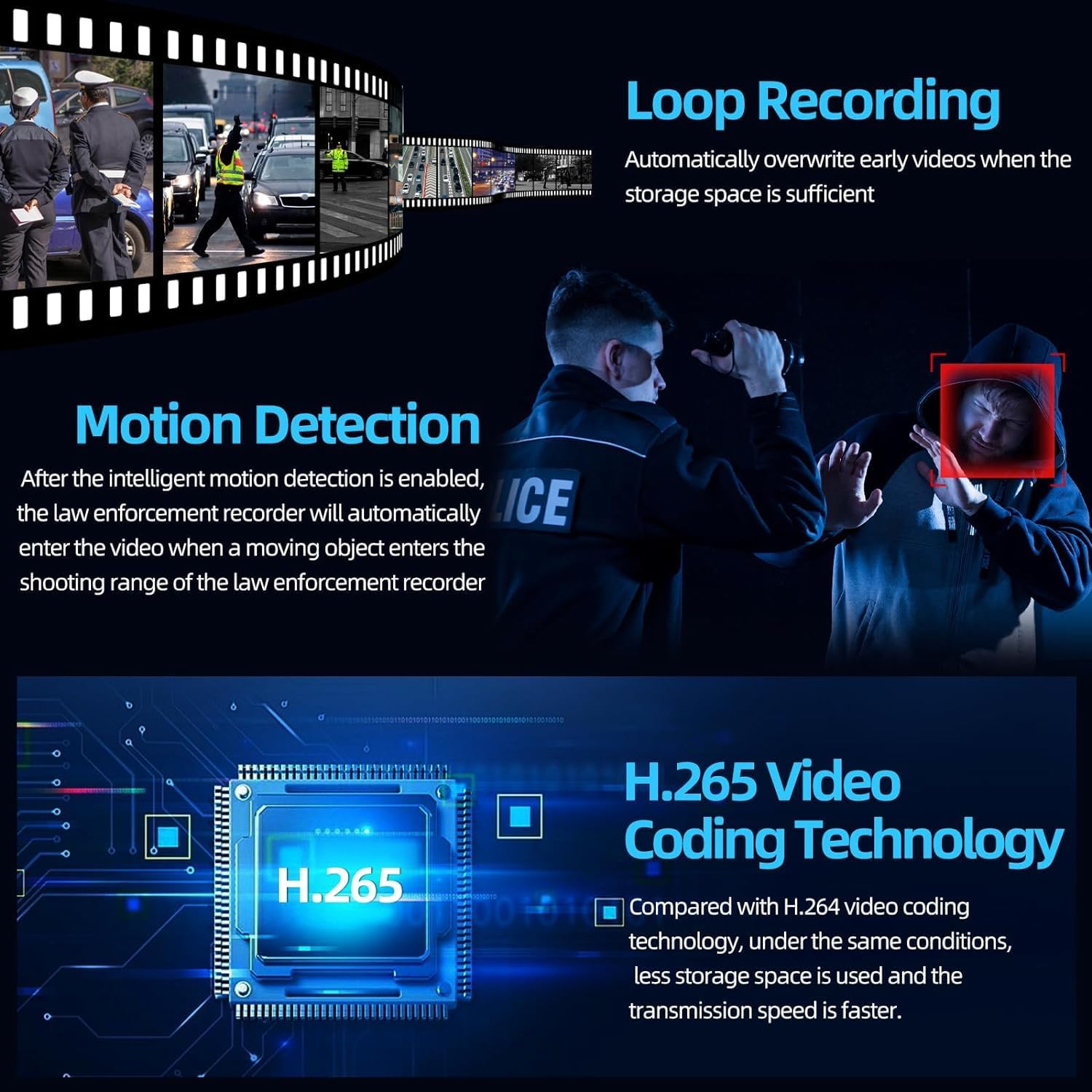
Image: A visual representation of the SYDYAM-V6 body camera and its included accessories: the camera unit, a shoulder clip, a back clip, a charger, a USB charging cable, and the instruction manual.
3. Product Features
3.1 High-Definition Recording
The SYDYAM-V6 supports high-resolution video and image capture to ensure clear and detailed evidence.
- 2K/1296P HD Video: Records video at 1296P resolution, providing sharp and clear footage.
- 36 Million Pixels: Captures high-quality still images with significant detail.
- 170° Wide Angle Lens: Offers a broad field of view to capture more of the scene, reducing the chance of missing critical details.
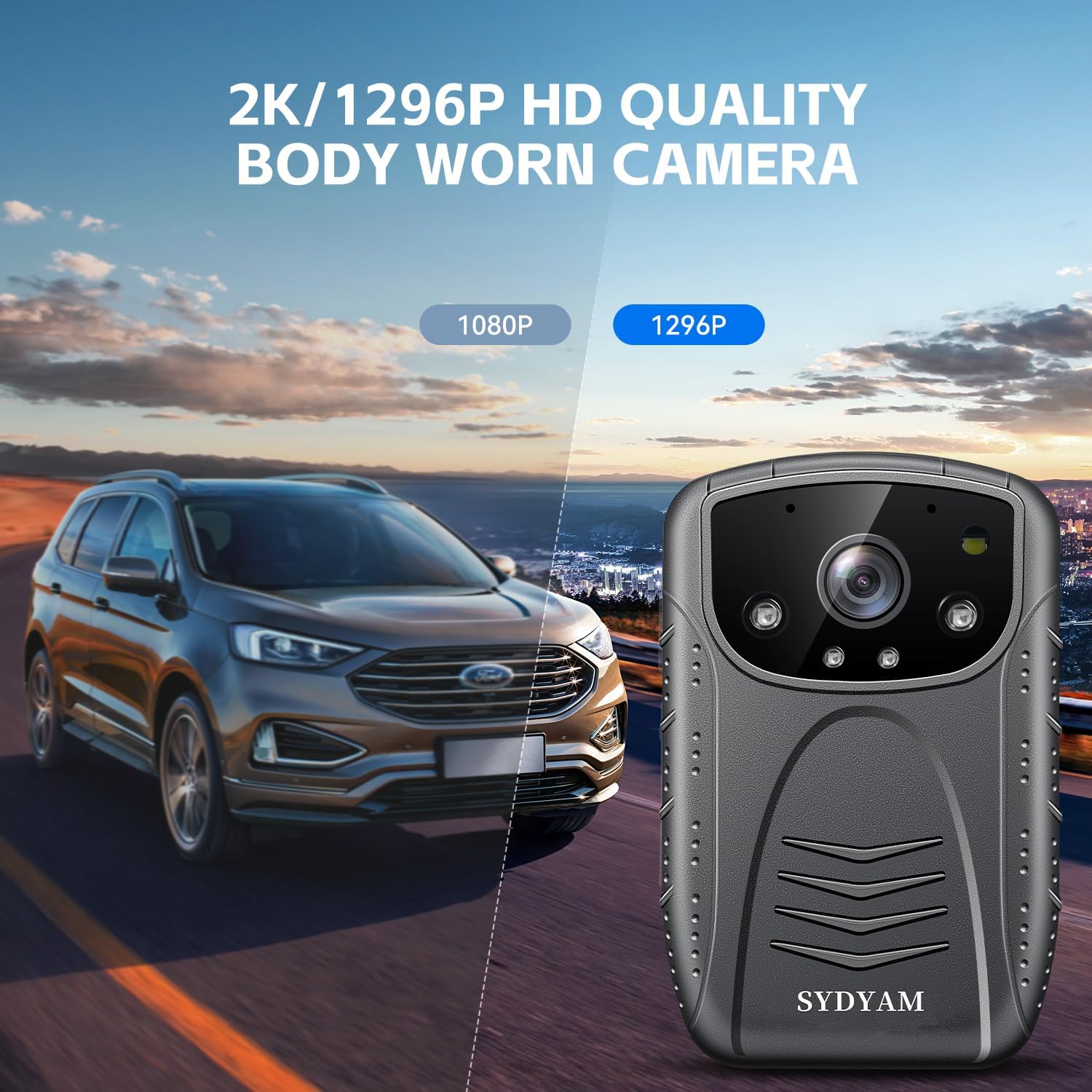
Image: A visual comparison demonstrating the superior clarity of 2K/1296P HD video quality compared to 1080P, with the SYDYAM-V6 body camera shown alongside a car on a road.

Image: A diagram illustrating the 170-degree wide-angle capability of the SYDYAM-V6 body camera, showing its extensive field of view over a rocky landscape.
3.2 Power and Storage
The V6 is equipped for extended operation and flexible storage.
- Extended Battery Life: Built-in 3000mAh lithium battery provides approximately 11-13 hours of continuous video recording. Charging time is approximately 5 hours.
- Replaceable Memory Card: Comes with a 32GB memory card and supports Micro SD cards up to 512GB, allowing for ample storage and easy replacement.
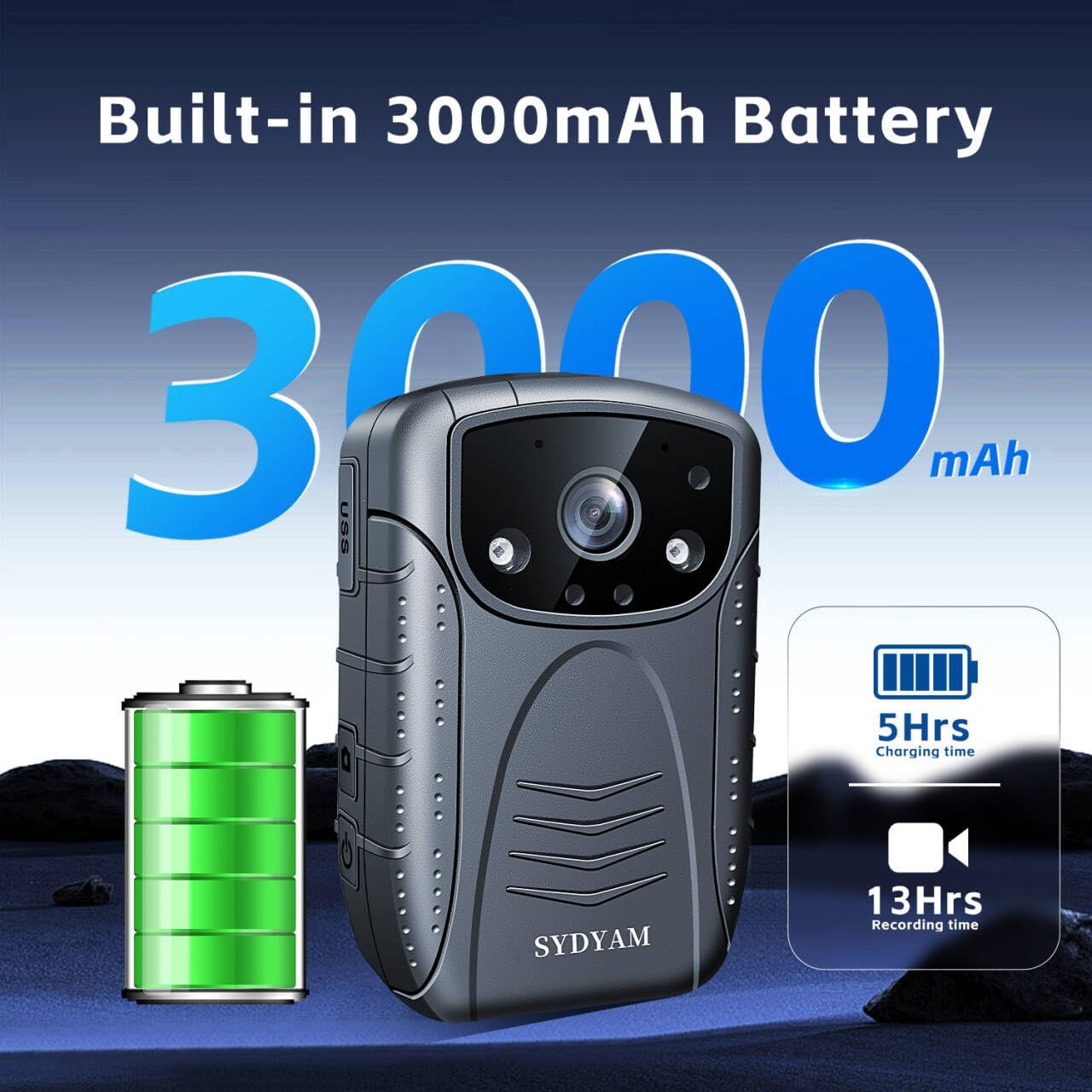
Image: An illustration highlighting the SYDYAM-V6 body camera's built-in 3000mAh battery, indicating a 5-hour charging time and 13-hour recording time, with a battery icon and large '3000mAh' text.
3.3 Advanced Recording Capabilities
Enhance your recording experience with these intelligent features:
- Infrared Night Vision & Flashing Alert: Two high-power infrared lights enable automatic night vision, capturing clear black and white images up to 32ft (10m) in dark environments. The camera can also activate LED and warning lights when needed.
- Loop Recording: Automatically divides recorded video into short segments (5/10/15/20 minutes, user-settable) and overwrites the oldest files when the memory card is full, ensuring continuous recording without manual management.
- Motion Detection: When enabled, the camera automatically begins recording when a moving object enters its field of view, conserving storage space and capturing relevant events.
- H.265 Video Coding Technology: Utilizes advanced H.265 compression, which provides higher compression efficiency compared to H.264, saving storage space and enabling faster transmission speeds.

Image: An illustration of the SYDYAM-V6 body camera highlighting its infrared night vision and F2.0 large aperture capabilities, showing a clear night vision recording of two police officers.

Image: A graphic illustrating the SYDYAM-V6's features: loop recording with filmstrip visuals, motion detection with a police officer and a suspect, and H.265 video coding technology with a circuit board diagram.
3.4 Design and Versatility
The V6 is designed for practical and diverse applications.
- Compact and Portable Design: Weighs approximately 110g (4.3 ounces) and measures 3.62 x 1.18 x 2.4 inches, making it lightweight and easy to carry.
- Flexible Mounting Options: Includes two 360° rotating clips (short back clip and long shoulder clip) for secure and versatile attachment to uniforms or gear.
- IP67 Waterproof Rating: Provides protection against dust ingress and temporary immersion in water, ensuring durability in challenging conditions.
- Multi-Function Use: Ideal for various scenarios including police patrol, outdoor sports, driving records, travel records, meeting records, and building monitoring. It serves as a reliable personal security camera.
- Car Mode Support: Can be used as a dash cam to record driving processes, helping to document incidents and prevent disputes.

Image: A graphic detailing the compact size (92mm*58mm*30mm) and light weight (126g) of the SYDYAM-V6 body camera, along with illustrations of how it can be worn using its 360-degree rotating clips on a uniform.

Image: A collage of six images demonstrating the diverse applications of the SYDYAM-V6 body camera, including police patrol, outdoor sports, driving record, travel record, meeting record, and building monitoring.

Image: A scene depicting a car accident with a cyclist, illustrating how the SYDYAM-V6 body camera, when used in car mode and mounted on the windshield, can record driving incidents.
4. Setup
4.1 Charging the Device
- Connect the provided USB-C cable to the camera's charging port.
- Plug the other end of the USB-C cable into a compatible USB power adapter (not included) or a computer's USB port.
- The charging indicator light will illuminate. A full charge typically takes about 5 hours.
- Once fully charged, the indicator light will change or turn off, depending on the camera's status.
4.2 Inserting the Memory Card
- Locate the Micro SD card slot on the side or bottom of the camera.
- Gently insert the 32GB Micro SD card (included) or another compatible Micro SD card (up to 512GB) into the slot until it clicks into place. Ensure the card is oriented correctly.
- To remove the card, gently push it inward until it springs out.
4.3 Initial Power On
- Press and hold the Power button (usually located on the side or top) for a few seconds until the screen illuminates and the camera powers on.
- Follow any on-screen prompts for initial setup, such as setting the date and time.
5. Operating Instructions
5.1 Basic Recording (Video/Audio)
- To Start Video Recording: With the camera powered on, press the Video Record button (often marked with a camera icon or 'REC'). The recording indicator light will flash, and a timer will appear on the screen.
- To Stop Video Recording: Press the Video Record button again. The indicator light will stop flashing.
- To Start Audio Recording: Press the Audio Record button (often marked with a microphone icon). An audio recording indicator will appear.
- To Stop Audio Recording: Press the Audio Record button again.
5.2 Activating Night Vision
The camera can automatically switch to night vision in low-light conditions. For manual control:
- In video recording mode, press the Night Vision button (refer to your camera's specific button layout in the included user manual for exact location).
- The infrared lights will activate, and the screen will display a black and white image.
5.3 Using Loop Recording
Loop recording is enabled by default. You can adjust the segment length in the camera's settings menu:
- Navigate to the camera's System Settings.
- Find the 'Loop Recording' or 'Video Segment' option.
- Select your desired segment length (e.g., 5, 10, 15, or 20 minutes).
5.4 Motion Detection Activation
To enable or disable motion detection:
- Access the camera's settings menu.
- Locate the 'Motion Detection' option.
- Toggle it On or Off as required. When On, the camera will automatically start recording when motion is detected.
5.5 Flashing Alert Function
In emergency situations, you can activate the flashing alert:
- Press the dedicated Alert/Warning Light button (consult your camera's specific button layout).
- The camera's LED and warning lights will begin flashing, providing a visual alert.
6. Maintenance
6.1 Cleaning
- Use a soft, dry cloth to clean the camera body.
- For the lens, use a specialized lens cleaning cloth and solution to avoid scratches.
- Do not use harsh chemicals or abrasive materials.
6.2 Storage
- Store the camera in a cool, dry place away from direct sunlight and extreme temperatures.
- If storing for an extended period, ensure the battery is partially charged (around 50%) to prolong its lifespan.
6.3 Battery Care
- Avoid fully discharging the battery frequently.
- Charge the camera regularly, even if not in use, to maintain battery health.
- Use only the provided USB cable for charging.
7. Troubleshooting
This section addresses common issues you might encounter with your SYDYAM-V6 body camera.
| Problem | Possible Cause | Solution |
|---|---|---|
| Camera won't turn on. | Low battery; System crash. | Charge the camera fully. If unresponsive, perform a hard reset (refer to manual for reset button location, usually a small pinhole). |
| Cannot record video/audio. | Memory card full or not inserted correctly; Camera mode incorrect. | Check memory card insertion and free space. Format the card if necessary (this will erase all data). Ensure camera is in the correct recording mode. |
| Poor video quality. | Dirty lens; Low light conditions; Incorrect resolution settings. | Clean the lens. Activate night vision in low light. Check video resolution settings in the menu. |
| Battery drains quickly. | Frequent use of night vision or flashing alert; Old battery. | Reduce use of power-intensive features. Ensure full charge before use. If battery life significantly degrades, consider professional service. |
| Camera freezes or lags. | Software issue; Memory card speed. | Restart the camera. Ensure you are using a high-speed Micro SD card (Class 10 or higher recommended). Update firmware if available. |
8. Technical Specifications
Detailed specifications for the SYDYAM-V6 body camera:
| Feature | Specification |
|---|---|
| Model Number | V6-32G |
| Video Capture Resolution | 1296p (2K) |
| Photo Sensor Technology | CMOS |
| Flash Memory Type | Micro SD (32GB included, Max 512GB) |
| Video Capture Format | H.264, H.265 |
| Screen Size | 2 Inches |
| Connectivity Technology | USB |
| Color | Black |
| Special Features | Night Vision, Loop Recording, Motion Detection, Flashing Alert, Car Mode, IP67 Waterproof |
| Battery Type | 3000mAh Lithium Battery (1 AAA battery required for internal clock/memory, not for operation) |
| Recording Time | Approx. 11-13 hours |
| Charging Time | Approx. 5 hours |
| Item Weight | 4.3 ounces (approx. 126g) |
| Product Dimensions | 3.62 x 1.18 x 2.4 inches (92 x 30 x 58 mm) |
9. Warranty and Support
SYDYAM is committed to providing high-quality products and excellent customer service.
- One-Year Warranty: Your SYDYAM-V6 body camera is covered by a one-year warranty from the date of purchase, protecting against manufacturing defects.
- 24h Response: Our customer support team is available to provide timely assistance for any inquiries or issues you may have.
- Lifetime Support: We offer lifetime technical support for your SYDYAM product, ensuring long-term satisfaction and assistance.
For support, please visit the official SYDYAM store on Amazon or contact our customer service team directly.

Image: A graphic detailing SYDYAM's after-sales support, including commitments to high-quality products, 24-hour response, a one-year warranty, and lifetime support, represented by shield icons.