
1. Introduction
The PULADU SLB-150CC is a specialized 7.35V Lithium Battery designed for use with DigiCOURSE Three-Dimensional Oceanographic Survey Streamer Course Sensors. This manual provides essential information for the safe and effective use, installation, maintenance, and troubleshooting of your SLB-150CC battery. Please read this manual thoroughly before using the product.
2. Safety Information and Warnings
Lithium batteries can pose risks if not handled correctly. Adhere to all safety warnings to prevent injury or damage.
- Explosion Hazard: This battery may explode if shorted, recharged, or exposed to fire.
- Physical Damage: DO NOT crush, puncture, or disassemble the battery.
- Temperature: Avoid exposing the battery to extreme temperatures, direct sunlight, or heat sources.
- Water Exposure: Do not immerse the battery in water or allow it to get wet.
- Disposal: Dispose of used batteries according to local regulations. Do not dispose of in general waste.
- Compatibility: Available capacity may not be valid if used in legacy devices without battery gauge support. Ensure compatibility with your specific DigiCOURSE sensor model.
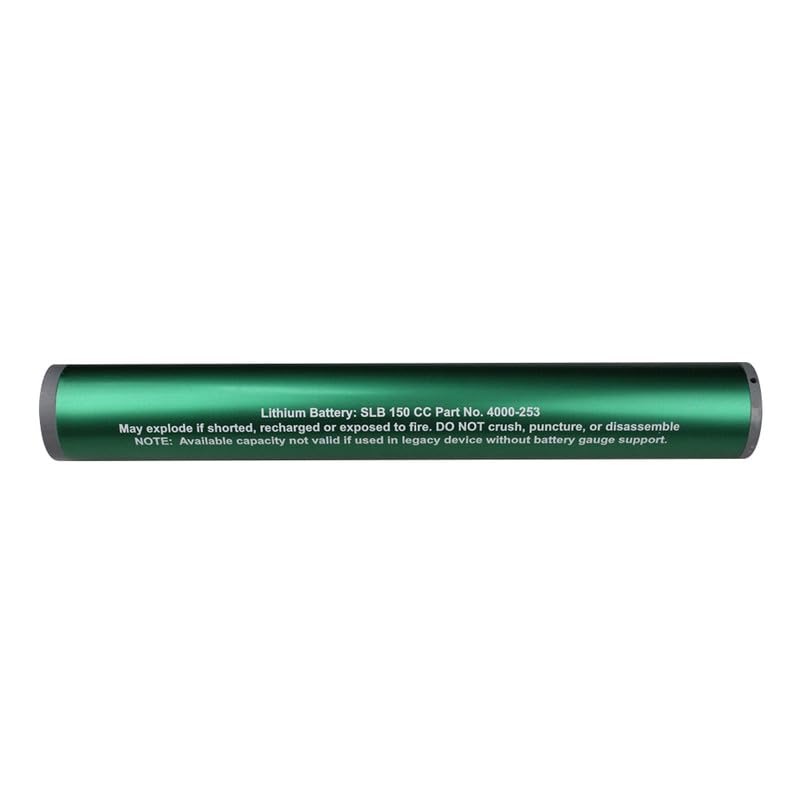
Image 2.1: Top view of the SLB-150CC battery, clearly showing the printed safety warnings regarding explosion, physical damage, and legacy device compatibility.

Image 2.2: Angled view of the SLB-150CC battery, providing another perspective of the battery's cylindrical shape and the critical safety instructions.
3. Setup and Installation
Follow these steps to properly install the SLB-150CC battery into your compatible device.
- Verify Compatibility: Ensure your device, typically a DigiCOURSE Three-Dimensional Oceanographic Survey Streamer Course Sensor, is designed to accept the SLB-150CC battery.
- Power Off Device: Before installation, ensure the host device is completely powered off and disconnected from any external power sources.
- Locate Battery Compartment: Open the battery compartment of your device according to its specific instructions.
- Insert Battery: Carefully insert the SLB-150CC battery, aligning the connector pins with the device's receptacle. Ensure a firm and secure connection.
- Close Compartment: Securely close the battery compartment.
- Initial Check: Power on your device and verify that it recognizes the battery and functions correctly.
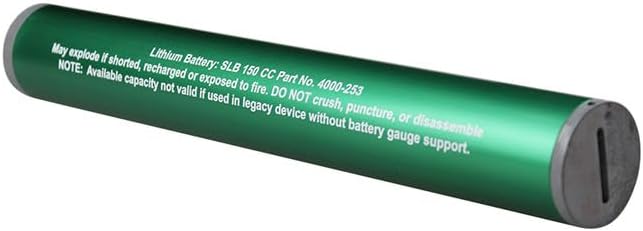
Image 3.1: End view of the SLB-150CC battery, illustrating the multi-pin connector used for device integration.
4. Operating Instructions
The SLB-150CC battery provides power to your compatible oceanographic sensor. Its operation is largely dependent on the host device.
- Powering On/Off: The battery powers the device when installed. Refer to your sensor's manual for specific power-on and power-off procedures.
- Battery Life: The 100 Milliamp Hours capacity provides operational power for the sensor. Actual battery life will vary based on the sensor's power consumption and operational mode.
- Monitoring: If your sensor features a battery gauge or indicator, monitor the battery level regularly to ensure uninterrupted operation.
- Replacement: Replace the battery when its charge is depleted. This battery is not rechargeable.
5. Maintenance and Storage
Proper care and storage will help maintain the battery's integrity and prevent premature failure.
- Cleaning: Keep the battery contacts clean and free from dirt or corrosion. Use a dry, soft cloth for cleaning.
- Storage Temperature: Store the battery in a cool, dry place, ideally between 0°C and 25°C (32°F and 77°F).
- Humidity: Avoid storing in areas with high humidity.
- Long-Term Storage: If storing for extended periods, ensure the battery is kept in its original packaging or a protective container to prevent accidental short-circuiting.
- Disposal: When the battery reaches its end of life, dispose of it responsibly at a certified recycling facility for lithium batteries. Do not incinerate or mutilate.
6. Troubleshooting
If you encounter issues with your SLB-150CC battery, consider the following common solutions.
- Device Not Powering On:
- Ensure the battery is correctly inserted and fully seated in the compartment.
- Check if the battery contacts are clean and free from debris.
- If the battery is depleted, replace it with a new one.
- Short Operating Time:
- The battery may be nearing its end of life. Replace with a new battery.
- Verify that the host device is not drawing excessive power due to a malfunction.
- Battery Overheating:
- Immediately power off the device and remove the battery.
- Do not use the battery if it shows signs of swelling, leakage, or excessive heat. Dispose of it safely.
If problems persist after attempting these steps, contact the device manufacturer or a qualified service technician.
7. Specifications
| Feature | Detail |
|---|---|
| Model Name | SLB-150CC |
| Brand | PULADU |
| Voltage | 7.35 Volts |
| Amperage | 1 Amps |
| Battery Cell Composition | Lithium Ion |
| Battery Capacity | 100 Milliamp Hours |
| Number of Batteries | 1 Lithium Metal battery required |
| Battery Weight | 55 Grams |
| Item Weight | 60 Grams |
| Unit Count | 1.0 Count |
| Compatible Devices | DigiCOURSE Three-Dimensional Oceanographic Survey Streamer Course Sensor (SLB-150CC) |
| Manufacturer | PULADU |
| UPC | 747302512540 |
| ASIN | B0C9DKV8X |
8. Warranty and Support
Specific warranty information for the PULADU SLB-150CC Lithium Battery is not provided in this document. For details regarding warranty coverage, technical support, or service, please refer to the documentation provided with your original purchase or contact PULADU customer service directly.