
1. Introduction
This manual provides instructions for the assembly, operation, and maintenance of your Tangkula 10FT Offset Patio Umbrella. Please read all instructions carefully before use to ensure proper function and safety.
The umbrella features a 10-foot canopy, 32 solar LED lights, tilt adjustment, and a crank handle for easy operation. It is designed for outdoor use, providing shade and ambient lighting.
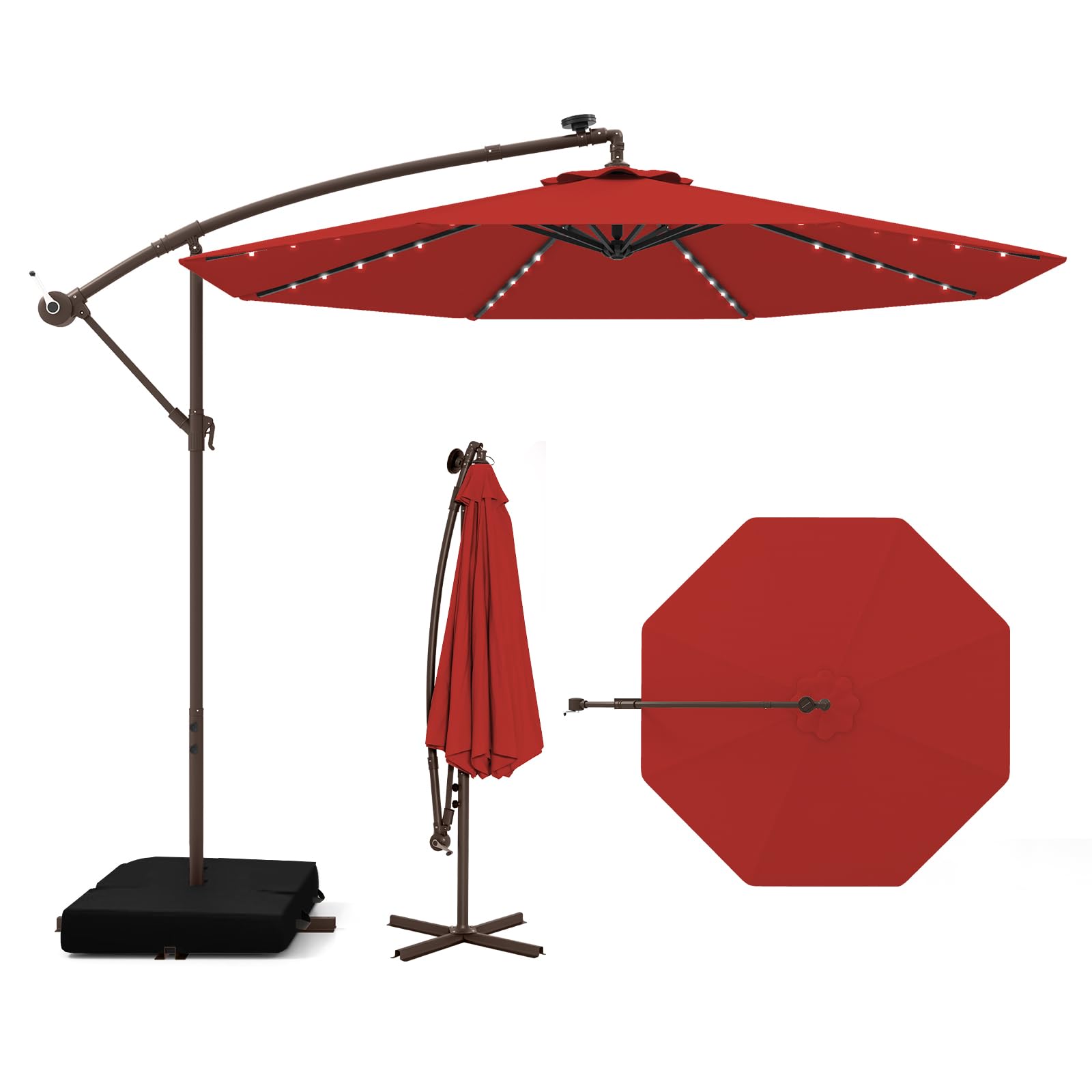
Image 1: Tangkula 10FT Offset Patio Umbrella (Burgundy)
2. Safety Information
- Always ensure the umbrella base is properly weighted to prevent tipping, especially in windy conditions. The included sandbags should be filled to their maximum capacity (110 lbs each, total 220 lbs).
- Do not use the umbrella during strong winds, heavy rain, or storms. Close and secure the umbrella to prevent damage or injury.
- Keep children and pets away from the umbrella during opening and closing operations.
- Avoid placing the umbrella near open flames or heat sources.
- Regularly inspect all components for wear and tear. Replace damaged parts immediately.
3. Package Contents
Verify that all components are present before beginning assembly:
- 1 x Umbrella Canopy and Frame Assembly
- 1 x Sand Bag (2-part, empty)
- 1 x User Guide (this document)
4. Setup and Assembly
Follow these steps to assemble your patio umbrella:
- Prepare the Base: Fill the two-part sandbag with sand (up to 110 lbs per bag, 220 lbs total) to provide stability for the umbrella. Place the filled sandbags onto the umbrella base.
- Assemble the Pole: Connect the upper and lower sections of the umbrella pole. Ensure they are securely fastened according to the provided hardware.
- Attach Umbrella to Base: Insert the assembled pole into the base. Secure it firmly using any locking mechanisms or screws provided.
- Open the Canopy: Use the crank handle to slowly open the umbrella canopy. Turn the crank clockwise until the canopy is fully extended.
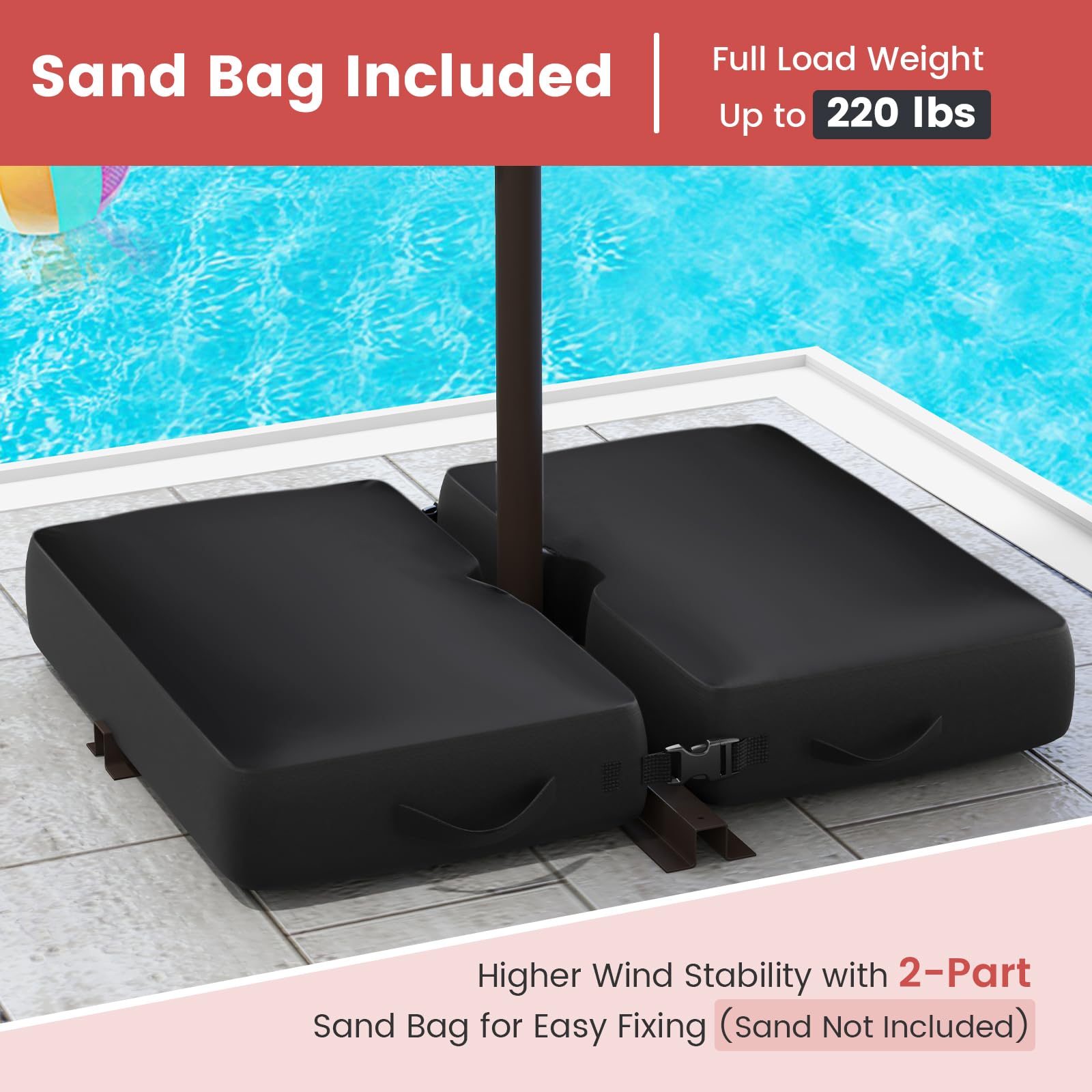
Image 2: Sandbag Base for Stability
For a visual guide on installation, please refer to the following video:
Video 1: Installation Guide for Offset Patio Umbrella. This video demonstrates the assembly process, including attaching the pole and opening the canopy.
5. Operating Instructions
5.1 Opening and Closing the Umbrella
- To open: Turn the crank handle clockwise until the canopy is fully extended.
- To close: Turn the crank handle counter-clockwise until the canopy is fully retracted. Secure the canopy with the attached strap when closed.
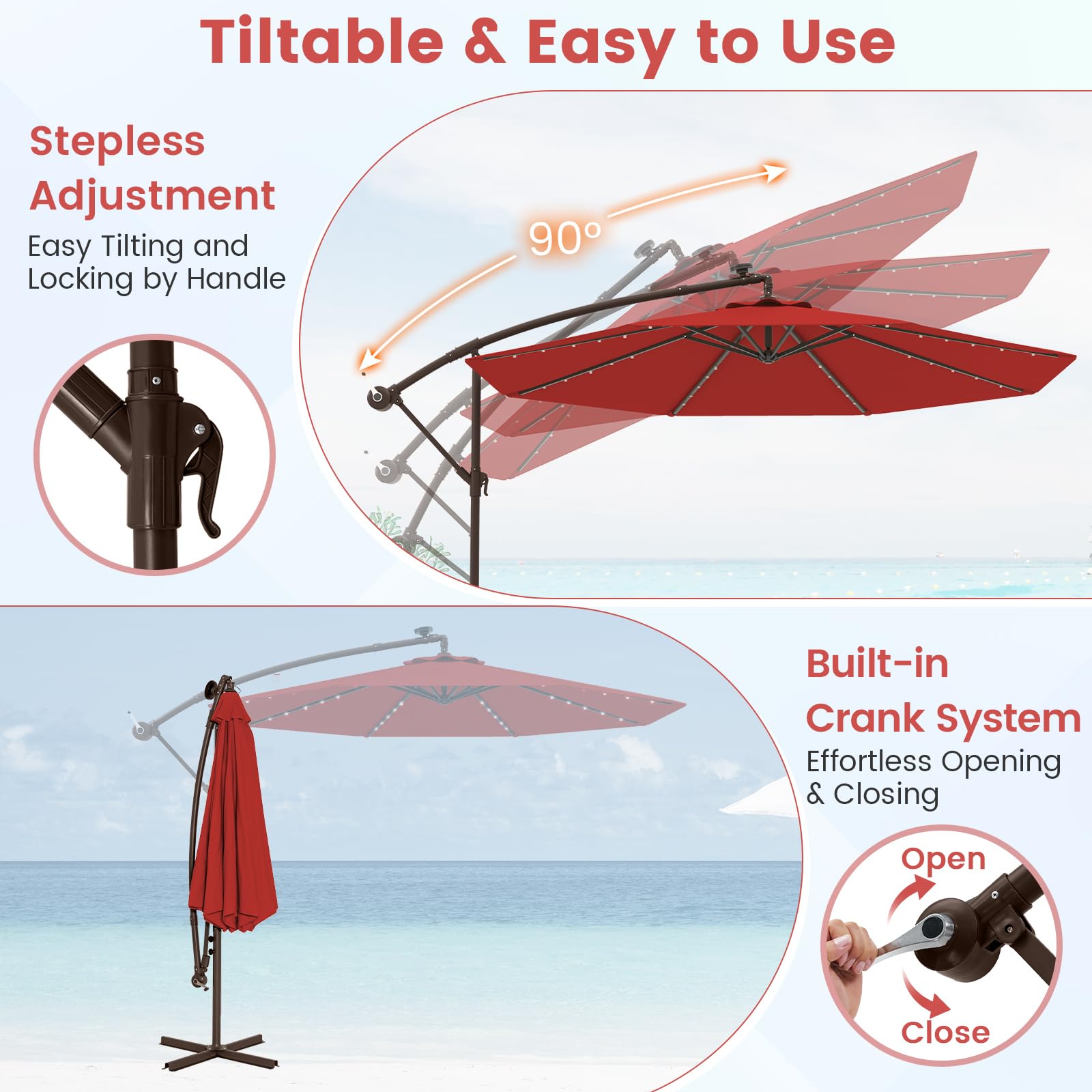
Image 3: Crank System for Opening/Closing and Tilt Adjustment
5.2 Tilt Adjustment
The umbrella features a tilt adjustment mechanism to provide optimal shade throughout the day.
- Locate the tilt handle on the main pole.
- Loosen the handle to adjust the canopy to your desired angle.
- Tighten the handle to lock the canopy in position.
5.3 Solar LED Lights
The umbrella is equipped with 32 solar-powered LED lights for nighttime illumination.
- Ensure the solar panel located on top of the umbrella is exposed to direct sunlight during the day for charging. A full charge takes approximately 6 hours.
- The lights will automatically turn on at dusk and provide continuous lighting for up to 6 hours on a full charge.
- There may be a manual switch near the solar panel to control the lights. Refer to the specific design of your umbrella for its location.
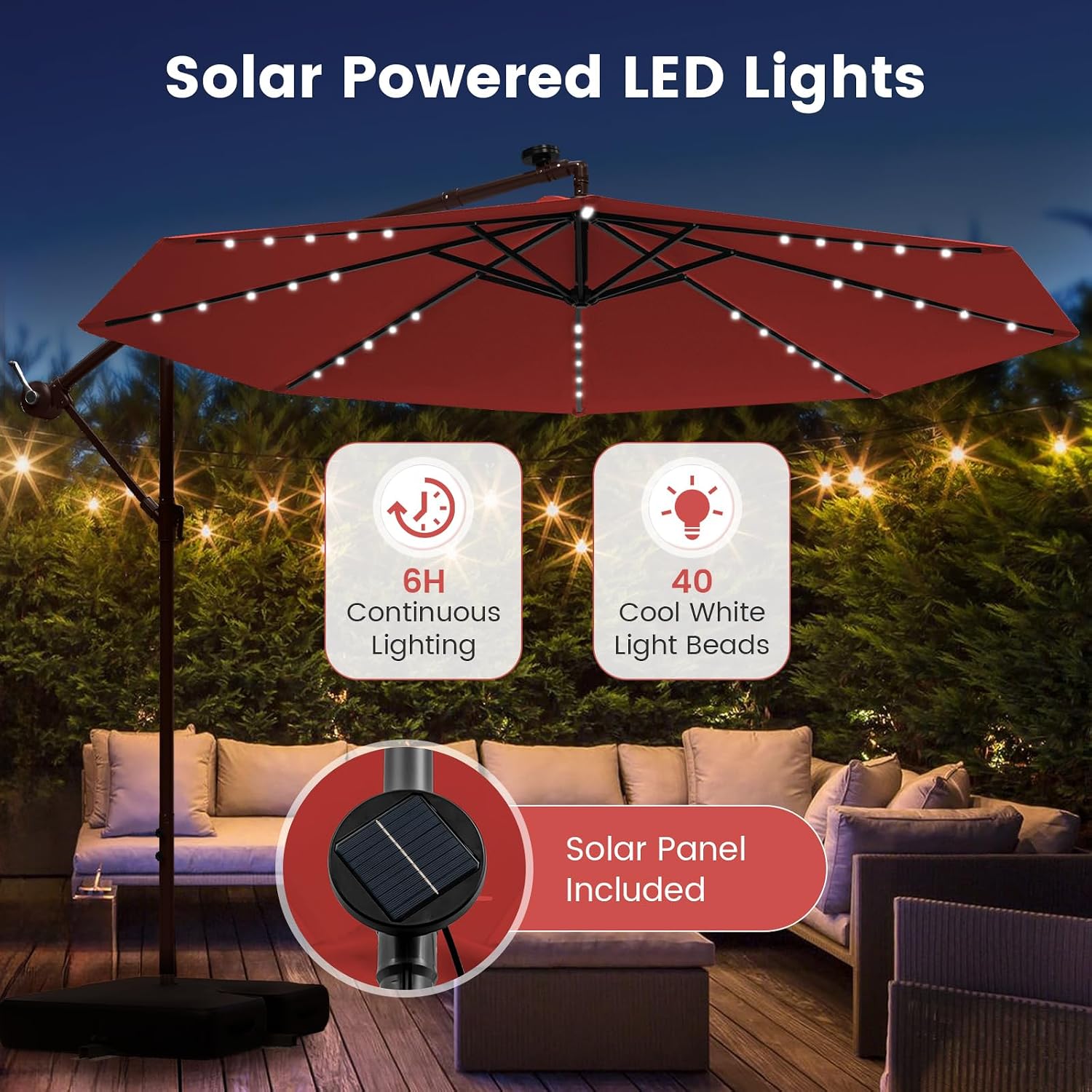
Image 4: Solar Powered LED Lights and Solar Panel
6. Maintenance
6.1 Cleaning
- Wipe the canopy and frame with a damp cloth.
- For stubborn dirt, use a mild soap solution and rinse thoroughly.
- Allow the canopy to dry completely before closing or storing to prevent mildew.
6.2 Storage
- When not in use for extended periods, especially during off-season or severe weather, close the umbrella and secure it with the strap.
- Consider using a protective cover to prolong the life of the umbrella.
- Store the umbrella in a dry, sheltered area if possible.
7. Troubleshooting
7.1 Solar Lights Not Working
- Check Solar Panel Exposure: Ensure the solar panel receives direct sunlight for at least 6 hours during the day. Obstructions like leaves or dirt can hinder charging.
- Verify Connections: Confirm that the solar panel cable is securely connected to the lighting strip.
- Check for Battery Activation: Some solar lights have a pull-tab or switch to activate the internal battery. Ensure this is engaged.
- Test in Darkness: The lights are designed to activate in low light conditions. Test them in a dark environment to confirm functionality.
7.2 Umbrella Instability
- Ensure Base is Weighted: The sandbags must be fully filled (220 lbs total) to provide adequate stability.
- Check for Loose Connections: Verify that all pole connections and base attachments are tightened securely.
- Avoid High Winds: Do not use the umbrella in strong winds. Close and secure it immediately.
8. Specifications
| Feature | Detail |
|---|---|
| Model Number | CA7440HM |
| Canopy Diameter | 10 Feet (3.05 meters) |
| Canopy Height | 6.6 Feet (2.01 meters) |
| Frame Material | Metal (Iron shaft) |
| Canopy Material | 180 GSM Polyester Fabric |
| Special Features | UV Resistant, Water Protection, Fade Resistant, Vented Top, Solar LED Lights |
| LED Lights | 32 Solar LED Bulbs (6 hours continuous lighting after 6 hours charge) |
| Opening Mechanism | Crank Lift |
| Tilt Mechanism | Manual Tilt |
| Included Base Weight | 2 empty sandbags (each holds 110 lbs, total 220 lbs when filled) |
| Care Instructions | Wipe with damp cloth |
| Country of Origin | China |
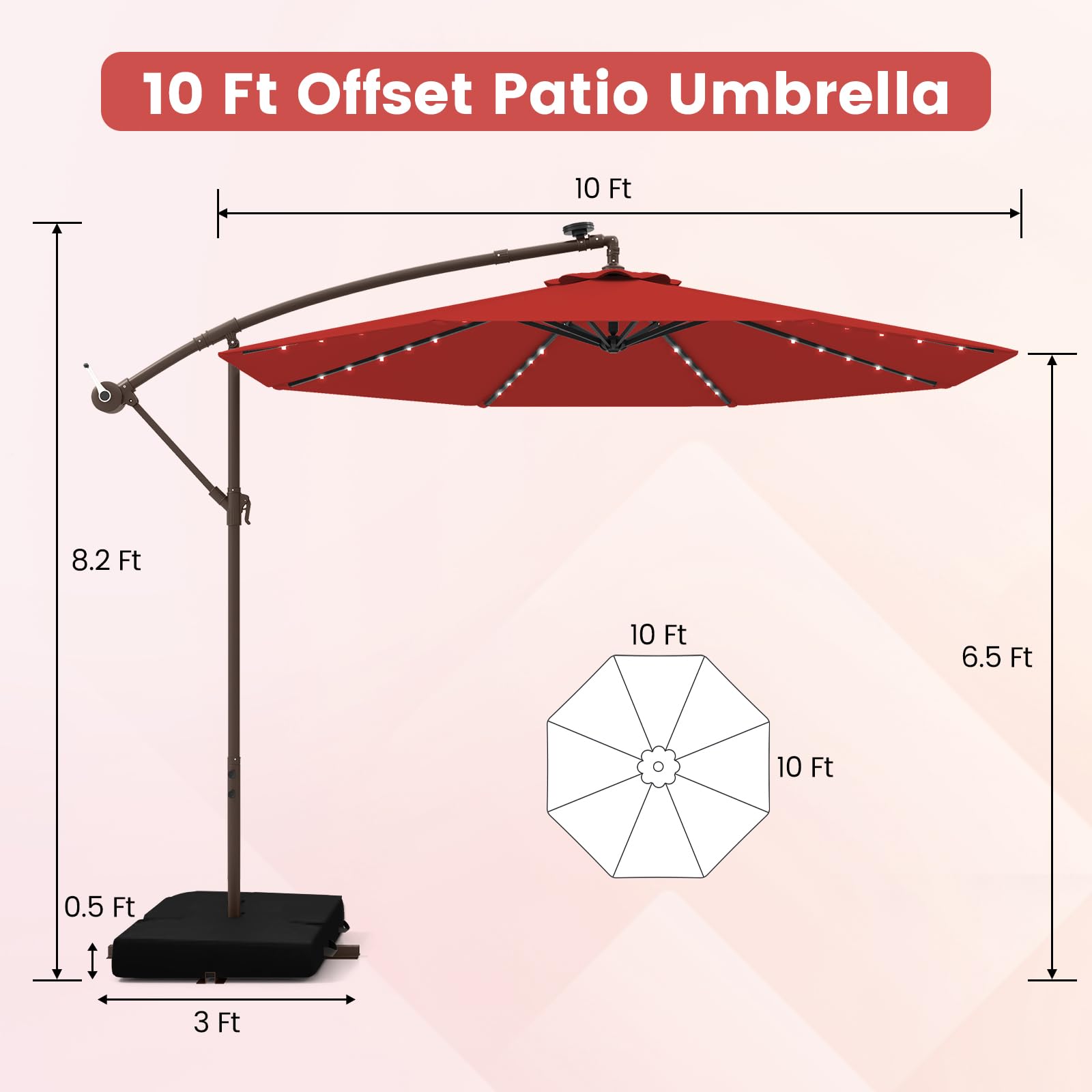
Image 5: Umbrella Dimensions
9. Warranty and Support
For warranty information or technical support, please refer to the retailer where the product was purchased or visit the official Tangkula website. Keep your purchase receipt for warranty claims.


