1. Introduction
This user manual provides detailed instructions for the XIVUE Replacement Remote Control. This remote is specifically designed to replace the original remote for various Superfit Costway Treadmill models, allowing for seamless control of your treadmill's start/stop and speed adjustments.

Image 1.1: Front view of the XIVUE Replacement Remote Control.
2. Product Overview
The XIVUE Replacement Remote Control features a user-friendly design with clearly marked buttons for essential treadmill functions. It is built for durability and ease of use.
2.1. Key Features
- Start/Stop Control: Two power buttons to initiate or halt treadmill operation.
- Speed Adjustment: Plus (+) and Minus (-) buttons for increasing and decreasing treadmill speed.
- Ergonomic Design: Shaped for comfortable handling.
- Battery Type: Requires CR2016*2PCS batteries.
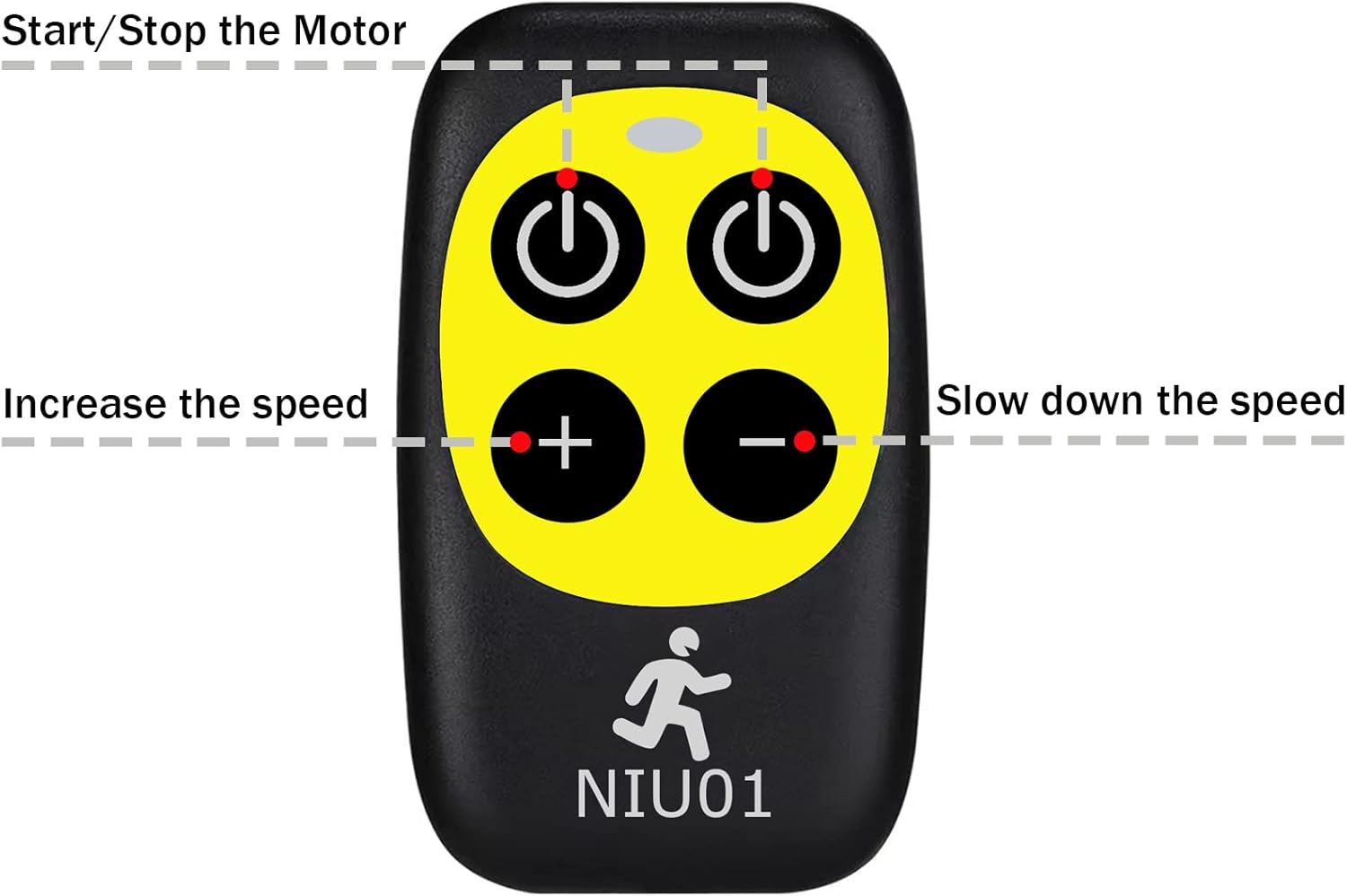
Image 2.1: Diagram illustrating the functions of each button on the remote control. The top two buttons are for Start/Stop, and the bottom two are for Speed adjustment (Increase/Decrease).

Image 2.2: Visual representation of the remote control's design benefits, highlighting its ease of use, durability, and long-lasting quality.
3. Compatibility
This replacement remote control is compatible with the following Superfit Costway Treadmill models and their variants:
- SP37146 (B081JDMJ4J)
- SP37036 (B07ZRSBP5S)
- SP37148 (B0842LPY98)
- SP37747US
- SP37514
- SP37513
- SP37522
- SP37514YE, SP37514RE, SP37514WH
- SP37038RE, SP37146BK, SP37038NY, SP37146YE, SP37146GN, SP37038SL, SP37146WH
- OST-SP37036RE, OST-SP37036YE, OST-SP37148BK, OST-SP37067GN, OST-SP37067SL, OST-SP37067NY
- OST-SP37747US-SL, OST-SP37747US-NY, OST-SP37747US-DK, OST-SP37747US-RE
- SUP37SP747US-NY, SUP37SP747US-DK, SUP37SP747US-SL, SUP37SP747US-RE
- SP37513BK, SP37513RE
- OST-OSTSP37036NY, OST-OSTSP37036GN, OST-OSTSP37036YE, OST-OSTSP37036WH, OST-OSTSP37036RE, OST-OSTSP37036BK, OST-OSTSP37036SL

Image 3.1: This image shows a comparison between the original remote control (right) and the XIVUE replacement remote control (left), indicating that the replacement is a suitable alternative.
4. Setup and Pairing Instructions
Follow these steps to set up and pair your new remote control with your Superfit Costway Treadmill:
- Power On Treadmill: Turn on the power to your treadmill and ensure it is functioning normally.
- Unplug Safety Lock: Locate and unplug the safety lock from the treadmill's console. This action typically prepares the treadmill for pairing mode.
- Initiate Pairing: Within 10 seconds of unplugging the safety lock, point the remote control directly at the display window of the treadmill.
- Hold Start/Pause Button: Simultaneously hold down the Start/Pause button on the remote control for approximately 3 seconds.
- Confirmation: You will hear a