1. Introduction
This manual provides detailed instructions for the installation, operation, and maintenance of your WAVLINK AX1800 USB WiFi 6 Adapter. This device is designed to upgrade your desktop PC or laptop to WiFi 6 standards, offering enhanced wireless connectivity.

Figure 1: WAVLINK AX1800 USB WiFi 6 Adapter
2. Package Contents
Verify that all items are present in your package:
- 1 x AX1800 Dual Band USB WiFi 6 Adapter
- 1 x USB 3.0 Cable (3.28ft / 1 meter)
- 1 x Quick Start Guide

Figure 2: Package Contents
3. Product Features
The WAVLINK AX1800 USB WiFi 6 Adapter incorporates advanced technologies to provide a robust wireless experience:
- AX1800 WiFi 6 Technology: Supports speeds up to 1201Mbps on the 5GHz band and 574Mbps on the 2.4GHz band.
- Dual Band Operation: Utilizes both 5GHz and 2.4GHz frequencies for flexible connectivity.
- High Gain Antennas: Equipped with 4x3dBi high-gain antennas for extended signal range and stability.
- MU-MIMO and OFDMA: Enhances efficiency in multi-device environments, reducing latency.
- Beamforming Technology: Directs WiFi signals towards connected devices for improved performance.
- USB 3.0 Interface: Ensures high-speed data transfer between the adapter and your computer.
- Magnetic Base Design: Provides stable placement and flexible positioning on metal surfaces.
- WPA3 Security: Supports the latest WPA3 encryption for enhanced network security.

Figure 3: Key Features Overview
Figure 4: Quick Heat Dissipation Design
Figure 5: Magnetic Base and Anti-Skid Design
4. System Requirements
The WAVLINK AX1800 USB WiFi 6 Adapter is compatible with the following operating systems:
- Windows 10 (32/64-bit)
- Windows 11 (32/64-bit)
Note: This adapter is not compatible with other operating systems.

Figure 6: Windows 10/11 Compatibility
5. Installation Guide
5.1 Physical Connection
- Connect the provided USB 3.0 cable to the WAVLINK AX1800 USB WiFi 6 Adapter.
- Plug the other end of the USB 3.0 cable into an available USB 3.0 port on your desktop PC or laptop.
- Position the adapter using its magnetic base for optimal signal reception.
5.2 Driver Installation (Plug and Play)
The WAVLINK AX1800 USB WiFi 6 Adapter features a built-in driver for convenient installation:
- Connect the adapter to your computer's USB 3.0 port.
- Open "This PC" (or "My Computer") and locate the "CD Drive" icon that appears.
- Double-click the "CD Drive" and follow the on-screen instructions to install the driver.
Note: If your computer already has the necessary driver installed, the "CD Drive" may not appear after connecting the adapter. In this case, the adapter should function automatically.

Figure 7: Driver Installation Steps
6. Operating Modes
The adapter supports two primary operating modes:
6.1 WiFi Mode (Signal Receiver)
In WiFi Mode, the adapter functions as a wireless client, allowing your PC to connect to an existing WiFi network (e.g., from a router). This provides wireless internet access to your computer without the need for an Ethernet cable.
6.2 Soft AP Mode (Signal Transmitter)
In Soft AP Mode, the adapter transforms your wired internet connection into a WiFi hotspot. This allows other wireless devices (smartphones, tablets, laptops) to connect to your PC's internet connection wirelessly.
Figure 8: WiFi Mode vs. Soft AP Mode
7. Security
The WAVLINK AX1800 USB WiFi 6 Adapter supports the latest WPA3 security protocol, alongside WPA, WPA2, WPA-PSK, and WPA2-PSK encryption standards. WPA3 provides enhanced protection for your personal data and network privacy, ensuring a secure wireless connection.
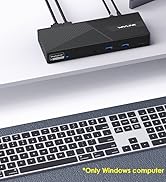
Figure 9: WPA3 Security
8. Troubleshooting
If you encounter issues with your WAVLINK AX1800 USB WiFi 6 Adapter, consider the following troubleshooting steps:
- Adapter Not Detected: Ensure the adapter is securely plugged into a functioning USB 3.0 port. Try a different USB port.
- No Internet Connection: Verify that your router is working correctly and that other devices can connect to the internet. Check if the correct WiFi network is selected and the password is entered accurately.
- Slow Speeds: Ensure your router supports WiFi 6 for optimal performance. Position the adapter for better signal reception, away from obstructions. Update your router's firmware.
- Driver Issues: If the adapter is not functioning after installation, try uninstalling and reinstalling the driver. Ensure you are running a compatible Windows operating system (Windows 10/11).
- Frequent Disconnections: Check for interference from other electronic devices. Ensure the adapter is not overheating. Update the driver to the latest version from the WAVLINK website if available.
9. Technical Specifications
| Feature | Specification |
|---|---|
| Model Number | AX1800-WiFi 6 |
| Brand | WAVLINK |
| Hardware Interface | USB 3.0, USB 3.0 Type A |
| Data Transfer Rate | 1800 Mbps (1201Mbps on 5GHz, 574Mbps on 2.4GHz) |
| Data Link Protocol | USB, Wireless |
| Antennas | 4x3dBi High Gain Antennas |
| Wireless Standards | WiFi 6 (802.11ax) |
| Security Protocols | WPA, WPA2, WPA-PSK, WPA2-PSK, WPA3-PSK |
| Compatible Operating Systems | Windows 10/11 (32/64-bit) |
| Product Dimensions | 3.15 x 3.15 x 3.94 inches (8 x 8 x 10 cm) |
| Item Weight | 11.3 ounces |
| Color | Black |

Figure 10: Product Dimensions
10. Support and Warranty
For technical support or warranty inquiries, please contact WAVLINK customer service:
- Phone: +1 8889730883 (UTC -5) Mon - Fri 9AM - 6PM
- Email: contact@wavlink.com
Please refer to the official WAVLINK website for the most up-to-date warranty information and driver downloads.


