1. Introduction
This manual provides detailed instructions for the installation, operation, and maintenance of your CO-Z 400W 1000KG Automatic Sliding Gate Opener. Please read this manual thoroughly before installation and use to ensure proper function and safety. Keep this manual for future reference.
The CO-Z automatic sliding gate opener is designed to manage gates up to 12.2 meters (40 feet) wide and weighing up to 1000 kg (2200 lbs). It features two remote controls, three auto-close presets, infrared obstacle detection, pedestrian mode, soft start/stop, and overheat protection. The robust steel frame and IP44-rated housing ensure durability in various weather conditions.
2. Package Contents
Verify that all items listed below are included in your package. If any parts are missing or damaged, please contact customer service.

Image: All components included in the CO-Z Automatic Sliding Gate Opener package.
- 1x Motor and Control Board
- 2x Manual Release Keys
- 2x Remote Controls
- 1x Mounting Plate
- 12x Rack Modules (Nylon)
- 2x Limit Switches with Accessories
- 4x M10 Foundation Bolts
- 4x M6x10 Mounting Bolts
- 4x M10x50 Hexagonal Bolts
- 24x Self-tapping Screws
- 24x Mounting Eyelets
- 8x M10 Flat Washers
- 8x M10 Spring Washers
- 8x M10 Nuts
- 2x Infrared Sensors
- 1x User Manual
3. Specifications

Image: Technical specifications including power, torque, gate weight, gate width, speed, remote range, and IP rating.
| Feature | Specification |
|---|---|
| Input Power | 220-240V 50Hz |
| Rated Power | 400W |
| Torque | 22 Nm |
| Max. Gate Weight | 1000 kg (2200 lbs) |
| Max. Gate Width | 12.2 m (40 ft) |
| Gate Speed Range | 11-13 m/min |
| Remote Control Range | 30 m (100 ft) |
| Max. Remote Controls Supported | 40 |
| Waterproof Rating | IP44 |
| Temperature Range | -20°C to 70°C (-4°F to 158°F) |
| Max. Noise Level | 56 dB |
| Rack Material | Nylon |
4. Safety Information
- Read and understand all instructions before installing and using the gate opener.
- Ensure the gate is properly installed and operates smoothly manually before installing the opener.
- Keep children and pets away from the gate area, especially during operation.
- Do not allow children to operate the gate opener or play with remote controls.
- Always keep the gate in sight while it is operating.
- Do not walk or drive through the gate while it is moving.
- In case of power failure, use the manual release key to operate the gate.
- Regularly inspect the gate opener for signs of wear or damage. Disconnect power before performing any maintenance or repairs.
- Ensure all electrical connections are made by a qualified professional and comply with local electrical codes.
5. Installation
5.1. Rack Installation
The gate racks are essential for the smooth operation of the sliding gate. Ensure they are installed correctly and securely.
Video: Installation of the gate racks, showing how to drill holes based on gear height and pre-install racks without tightening screws.
- Align a rack with the pinion gear of the gate opener.
- Mark the positions on the gate where the racks will be installed.
- Drill holes in the gate based on the gear height.
- Pre-install the racks without fully tightening the screws.
- Repeat for all rack modules, ensuring proper alignment and spacing.
- Once all racks are in place, securely tighten all self-tapping screws.
5.2. Motor Installation
The motor unit should be securely mounted on a stable concrete base.

Image: The main motor unit of the CO-Z Automatic Sliding Gate Opener.
Video: Steps for threading the power line, connecting wires, and securing the gate opener to its base.
- Prepare a pre-cast concrete base for the gate opener.
- Thread the power line through the pre-cast concrete base and the wire hole in the gate opener base.
- Place the gate opener in the desired position, ensuring the pinion gear aligns with the racks.
- Adjust the racks' height and securely tighten the screws for smooth manual gate sliding.
- Connect the power line's three wires (live, neutral, ground) to the mainboard. Ensure the ground wire is not mixed with live or neutral wires.
- Secure the gate opener to the base using the provided bolts. Refer to the manual for specific drilling and fixing methods.
5.3. Magnetic Limit Switches Installation
Magnetic limit switches define the open and closed positions of the gate.

Image: Magnetic limit switches, which control the gate's open and closed positions.
Video: Assembly and installation of the high and low magnetic limit switches.
- Assemble the high and low magnetic limit switches.
- To install the high magnetic limit switch, power on the opener, manually move the gate to the far right, and then move it 2-4 inches to the left.
- Slide the high limit switch along the rack to the right until the 13th indicator light on the control board lights up, then secure with screws.
- To install the low magnetic limit switch, manually move the gate to the far left, and then move it 2-4 inches to the right.
- Slide the low limit switch along the rack to the left until the 14th indicator light on the control board lights up, then secure with screws.
5.4. Infrared Sensors Installation
Infrared sensors provide an additional layer of safety by detecting obstacles in the gate's path.
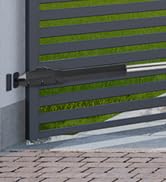
Image: Infrared safety sensors, designed to detect obstacles.
Video: Detailed wiring and installation steps for the infrared sensors.
- Connect the receiver V+ to 24V, V- and COM to GND, and NC to IR on the mainboard.
- Connect the transmitter V+ to 24V and V- to GND.
- Match transmitter and receiver wires based on colors. Twist together transmitter V+ with receiver V+ and transmitter V- with receiver V- and COM.
- Disconnect the mainboard signal terminal and remove the short circuit. Connect all the wires to the signal terminal, and then plug it back in.
- Align and install the transmitter and receiver in the desired location, ensuring they are at the same height and facing each other directly.
- After installation, the 8th indicator light on the control board lights up with no detected obstacles and goes out if obstacles are detected.
6. Operation
6.1. Remote Control Pairing
Pair your remote controls with the gate opener for wireless operation.
Image: Two remote controls included with the gate opener.
Video: Instructions for pairing the remote control with the gate opener.
- To pair your remote, hold down the S1 button on the control board until the nearby indicator light turns on.
- Press the remote button twice; if the indicator flashes and goes out, your remote is paired.
6.2. Testing Functionality
After installation, test the gate opener's functions to ensure everything is working correctly.
Video: Demonstrates testing the remote control and infrared sensors for automatic gate operation and obstacle detection.
- To test the remote and infrared sensors, press a button on the remote to check whether the gate opens and closes automatically.
- The gate should stop and retract if a pedestrian passes during closing. Infrared sensors are inactive during opening.
- If the gate closes when a pedestrian passes during opening but not during closing, adjust DIP 2 on the mainboard.
7. Maintenance
Regular maintenance ensures the longevity and safe operation of your gate opener.
- Monthly: Check the gate's movement for any obstructions or unusual noises. Ensure the racks are clean and free of debris.
- Quarterly: Inspect all mounting hardware, bolts, and screws for tightness. Check the condition of the power cable and sensor wires.
- Annually: Lubricate moving parts as recommended by the manufacturer (refer to the full manual for specific lubrication points). Test the safety features, including the infrared sensors and obstacle detection.
- Keep the control board area clean and free from moisture and insects.
8. Troubleshooting
Here are some common issues and their potential solutions:
- Gate not moving: Check power supply, ensure the manual release is engaged (if applicable), verify remote control battery, and check for any physical obstructions.
- Remote control not working/pairing: Ensure the remote is within range. Re-attempt the pairing process as described in Section 6.1. Check remote battery.
- Gate stops unexpectedly: Check infrared sensors for obstructions or misalignment. Ensure limit switches are correctly positioned.
- Unusual noises during operation: Inspect racks and pinion for debris or damage. Check for loose mounting bolts.
- Gate does not fully open/close: Re-adjust the magnetic limit switches (Section 5.3).
If you encounter issues not covered here or require further assistance, please contact CO-Z customer support.
9. Warranty and Support
Your CO-Z Automatic Sliding Gate Opener comes with a manufacturer's warranty. Please refer to the warranty card included in your package for specific terms and conditions.
For technical support, replacement parts, or any questions regarding your product, please contact CO-Z customer service through the retailer where you purchased the product or visit the official CO-Z website.


