
1. Introduction
This manual provides detailed instructions for the assembly, operation, and maintenance of your Montech AIR 903 Base Midi-Tower computer case. Designed for optimal airflow and compatibility with a wide range of components, this case offers a robust foundation for your PC build.
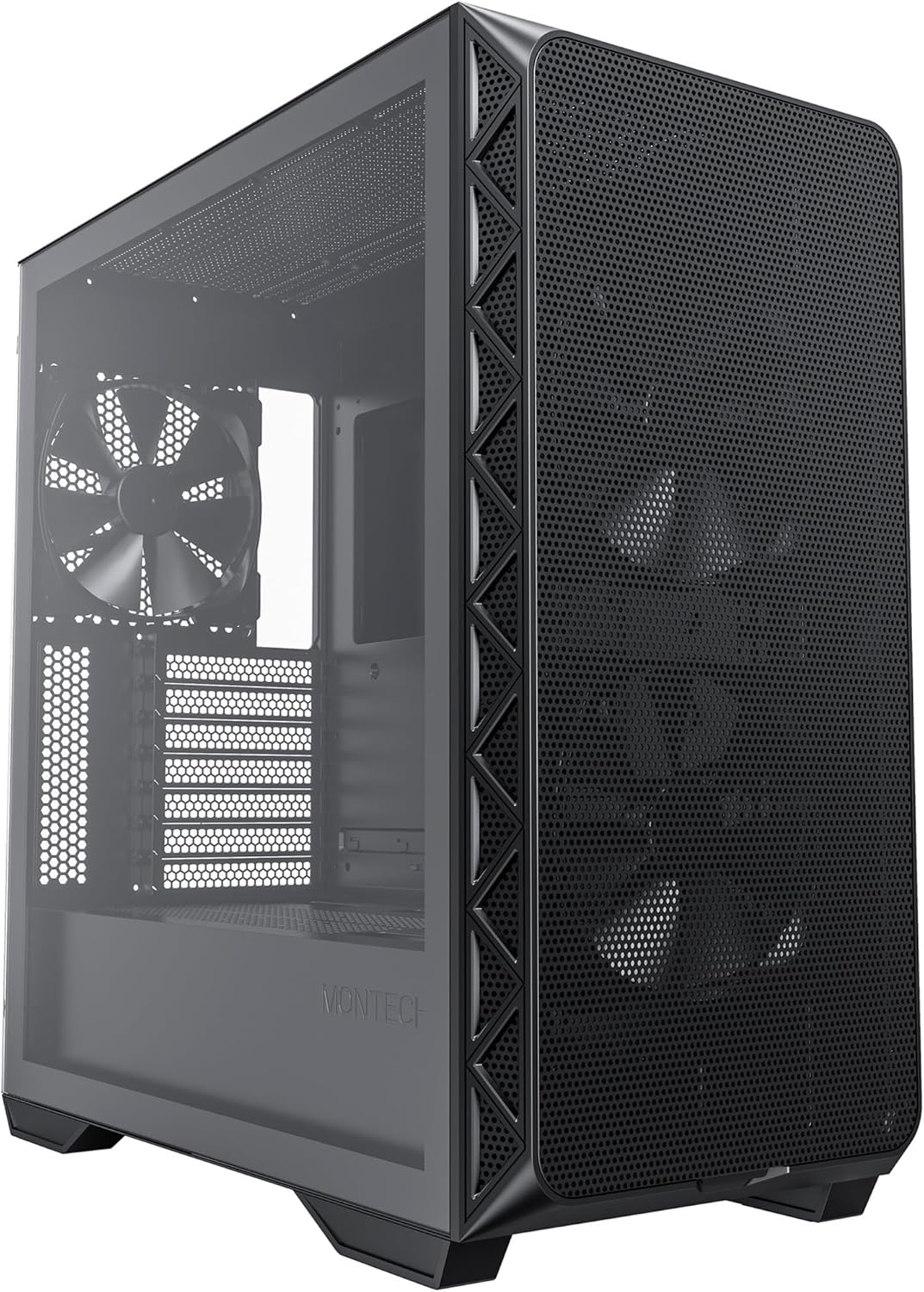
Figure 1: Montech AIR 903 Base Midi-Tower
2. Setup
2.1 Dimensions and Compatibility
The Montech AIR 903 Base Midi-Tower measures approximately 18.82 x 9.05 x 19.41 inches (465mm x 232mm x 492mm). It supports Mini-ITX, ATX, and Extended ATX (E-ATX) motherboards. Please note that using E-ATX motherboards may cover some rubberized cable holes.
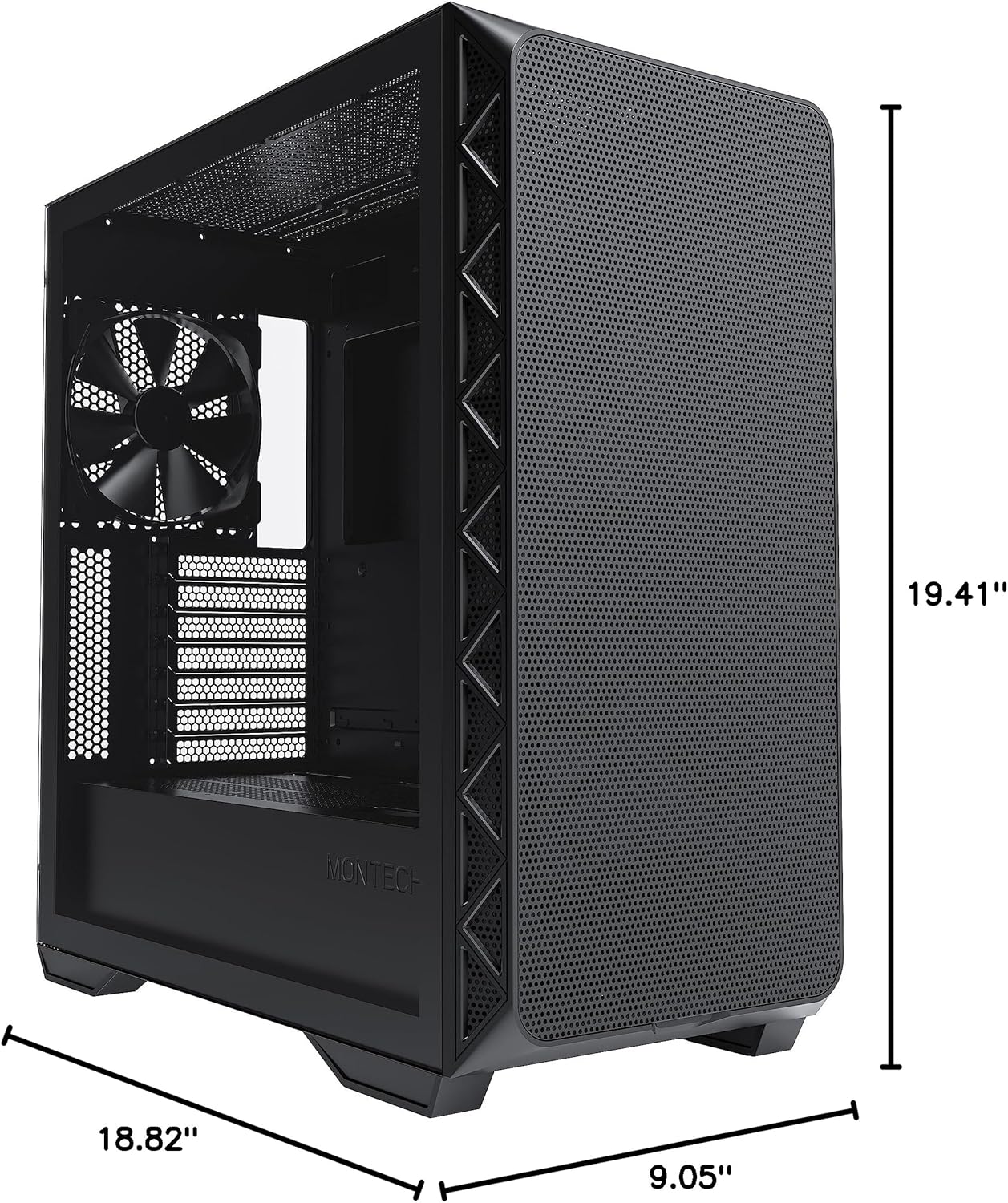
Figure 2: Case Dimensions
2.2 Component Installation
The case offers ample space for various components:
- GPU Clearance: Supports graphics cards up to 400mm in length, accommodating high-end models like the RTX 4090.
- CPU Cooler Height: Accommodates CPU coolers up to 180mm in height.
- PSU Compartment: A dedicated compartment at the rear supports power supplies up to 220mm in length without interfering with cables. This compartment can be extended by removing the hard drive cage.
- Drive Bays: The case includes one 3.5-inch drive bay (inside the removable cage) and five 2.5-inch drive spots (two behind the motherboard, two next to it, and one on top of the 3.5-inch cage). Note that the 2.5-inch spots are shared.

Figure 3: Internal Layout
2.3 Cable Management
The Montech AIR 903 Base features well-planned cable routing options, including rubberized cable holes and pre-attached Montech straps behind the motherboard tray. This allows for a clean and organized build, improving airflow and aesthetics.
2.4 I/O Panel
The top I/O panel provides convenient access to essential ports and controls:
- 2 x USB 3.0 Type-A ports
- 1 x USB Type-C port
- Audio In/Out jacks
- Power button
- Reset button
- LED button (for ARGB control)

Figure 4: Top I/O Panel
3. Operating
3.1 Airflow and Cooling
The AIR 903 Base is designed for excellent airflow, featuring an innovative mesh front panel with a high ventilation rate. This design ensures optimal cooling performance for your components.

Figure 5: Mesh Front Panel
The case comes pre-installed with 140mm PWM fans (quantity may vary by specific model, Base typically includes 3). It supports additional fans and radiators:
- Front: Up to 3 x 140mm or 3 x 120mm fans. Radiator support up to 360mm or 280mm.
- Top: Up to 2 x 140mm or 3 x 120mm fans. Radiator support up to 360mm or 280mm.
- Rear: 1 x 120mm or 1 x 140mm fan.
- Bottom: 2 x 120mm fans (requires removing the hard drive cage).

Figure 6: Top Panel Mesh
3.2 ARGB Lighting Control
If your case model includes ARGB fans, they are connected to a pre-installed ARGB controller and fan hub located behind the motherboard tray. The LED button on the top I/O panel allows you to cycle through various lighting modes. For advanced control, connect the 3-pin ARGB and PWM cables from the hub to your motherboard (if supported) to manage lighting and fan speeds via software.
4. Maintenance
4.1 Cleaning Dust Filters
The front mesh panel can be easily removed by pulling it from the bottom, providing convenient access for cleaning the front fans and mesh. The top panel also features a magnetic dust filter for easy removal and cleaning. Regularly clean these filters to maintain optimal airflow and prevent dust buildup inside your system.
5. Troubleshooting
5.1 Fans or ARGB Not Functioning
Ensure all fan and ARGB cables are securely connected to the pre-installed hub and that the hub itself is connected to SATA power and the appropriate headers on your motherboard (if using software control). Check your motherboard's BIOS/UEFI settings for fan control options.
5.2 Front Panel Not Sitting Flush
Inspect the front mesh panel for any physical damage or dents that might prevent it from sitting flush. Ensure all clips are intact and properly aligned when reattaching the panel.
5.3 Component Fit Issues
Refer to the specifications section for maximum component dimensions. If installing a large PSU, consider removing the hard drive cage to provide more clearance. For large CPU coolers, ensure RAM clearance is sufficient; some coolers allow for fan elevation to clear tall RAM modules.
6. Specifications
| Feature | Specification |
|---|---|
| Brand | Montech |
| Model Name | AIR 903 BASE |
| Item Model Number | AIR903BASEB |
| Case Type | Mid Tower |
| Motherboard Compatibility | Extended ATX, ATX, Micro-ATX, Mini-ITX |
| Item Dimensions (LxWxH) | 18.82 x 9.05 x 19.41 inches |
| Item Weight | 19.62 pounds |
| Color | Black |
| Material | Tempered Glass |
| Number of USB 3.0 Ports | 2 |
| Number of USB 2.0 Ports | 2 |
| Cooling Method | Air, Water |
| Fan Size | 140 Millimeters |
| Power Supply Mounting Type | Rear Mount |
7. Warranty and Support
For warranty information and technical support, please visit the official Montech website or contact your local retailer. Keep your proof of purchase for warranty claims.
8. Important Safety Information
Always disconnect power before installing or servicing components. Handle tempered glass panels with care to prevent breakage. Avoid exposing the case to extreme temperatures or humidity. Keep out of reach of children.


