
1. Introduction
This manual provides essential instructions for the safe and effective use of your FLYLINKTECH 4000A Portable Car Battery Jump Starter. Please read this manual thoroughly before operation and retain it for future reference. This device is designed to jump-start vehicles with dead or low-voltage batteries and can also function as a portable power bank and LED flashlight.
2. What's in the Box
Verify that all items are present upon opening the package:
- FLYLINKTECH CF900 Jump Starter Unit
- Smart Jumper Cables
- USB-C Charging Cable
- Portable EVA Carrying Case
- User Manual (this document)

Image: Contents of the FLYLINKTECH CF900 package. This includes the jump starter unit, smart jumper cables, a USB-C charging cable, a portable EVA carrying case, and the user manual.
3. Product Features
- High-Power Jump Starter: Delivers 4000A peak current, suitable for vehicles with up to 9.0L gas or 8.0L diesel engines. Capable of up to 30 jump starts on a single charge.
- Versatile Power Bank: Features an 18,000mAh battery capacity and dual USB ports, including Quick Charge 3.0, for charging various electronic devices. Maintains charge for up to 24 months when not in use.
- Multi-functional LED Flashlight: Equipped with a bright 600-lumen LED light offering standard, SOS, and strobe modes for emergencies. Provides up to 48 hours of continuous illumination.
- Enhanced Safety Features: Integrated smart protection system provides 10 layers of safety, including reverse polarity, over-current, and over-voltage protection. Ensures safe operation in extreme temperatures (-4°F to 140°F) and prevents sparks or incorrect connections.
- Durable and Portable Design: Compact and lightweight (820g) with a rugged ABS exterior for protection against impacts and scratches.

Image: Detailed view of the FLYLINKTECH CF900 jump starter, highlighting the LED display, power button, LED flashlight, USB output ports (USB1 5V/2.4A, USB2 Quick Charge 3.0), jump start socket, and 5V/2A USB-C input port.
4. Setup and Charging
Before first use, fully charge the jump starter. It is recommended to recharge the unit every 3-6 months to maintain optimal battery health.
- Locate the USB-C input port on the jump starter.
- Connect the provided USB-C charging cable to the jump starter's input port.
- Connect the other end of the USB-C cable to a 5V/2A USB wall adapter (not included) or a compatible USB charging port.
- The LCD display will show the charging progress. Charge until the display indicates 100%.

Image: The FLYLINKTECH jump starter functioning as a portable power bank, charging a smartphone and a tablet via its USB output ports. The image highlights the 18000mAh capacity and Quick Charge 3.0 feature.
5. Operating Instructions
5.1. Jump Starting a Vehicle
Ensure the jump starter is at least 50% charged before attempting to jump start a vehicle.
- Connect Smart Jumper Cables: Insert the blue plug of the smart jumper cables completely into the jump start socket on the jump starter unit. Ensure a secure connection. The indicator light on the smart clamp will flash green and red.
- Connect to Car Battery: Attach the red clamp to the positive (+) terminal of the car battery and the black clamp to the negative (-) terminal.
- Check Indicator Light:
- Solid Green: Connection is correct and safe. Proceed to start the vehicle.
- Solid Red with Beep: Reverse polarity detected. Disconnect clamps and re-attach correctly.
- Flashing Green: Battery voltage is too low. Press the "BOOST" button on the smart clamp for 3 seconds until the light turns solid green. Start the vehicle within 30 seconds.
- No Light/No Beep: Check connections or if the car battery is severely damaged.
- Start Vehicle: Once the indicator light is solid green, start your vehicle's engine.
- Remove Clamps: As soon as the engine starts, remove the smart jumper cables from the car battery terminals first, then disconnect the blue plug from the jump starter unit.

Image: Easy operation guide for jump starting a car. Step 1: Insert the jump clamp into the booster. Step 2: Connect the clamps to the car battery. Step 3: Start your car. Step 4: Remove the clamps.
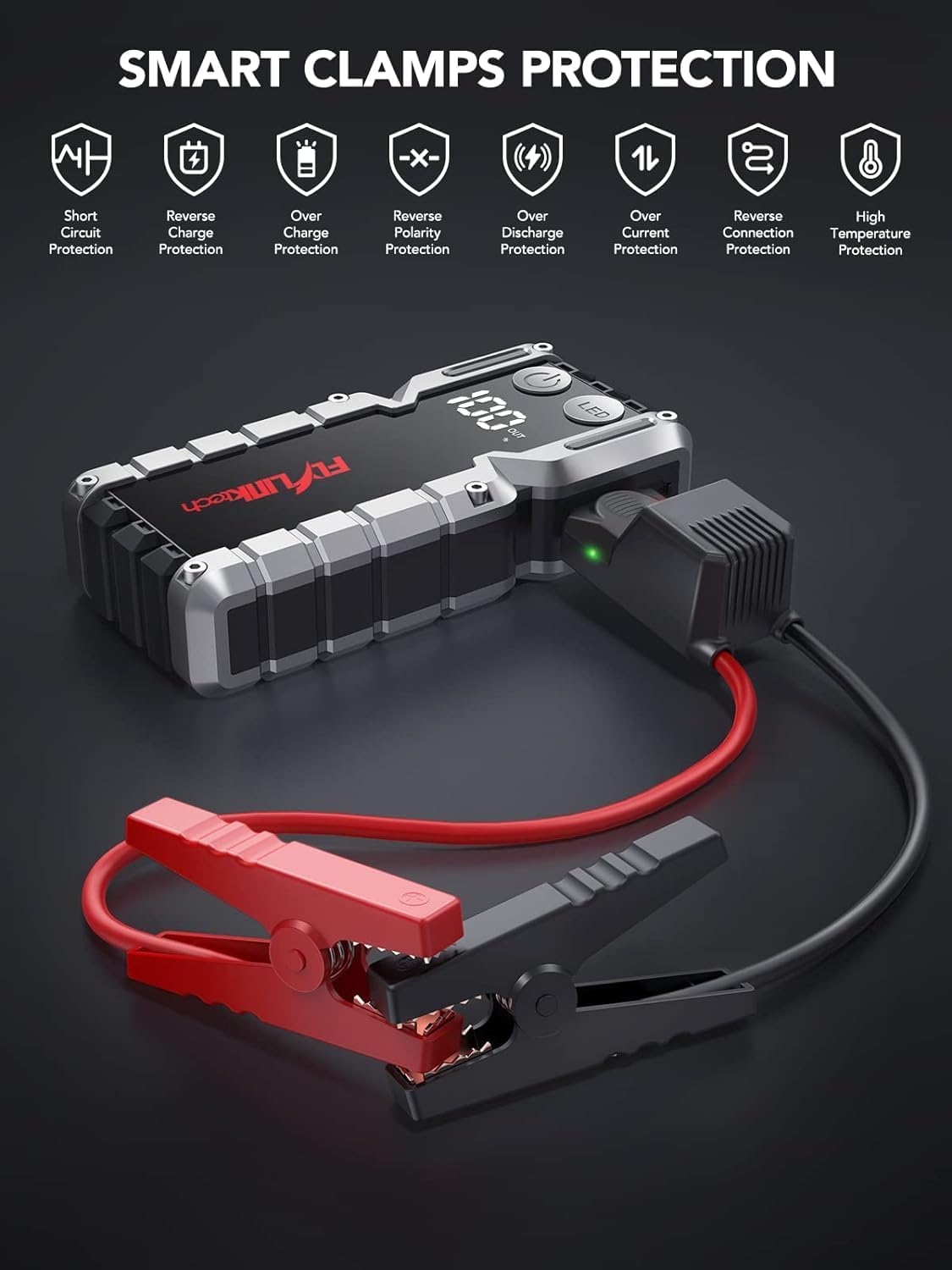
Image: Smart Clamps Protection. Icons represent various safety features including short circuit protection, reverse charge protection, over charge protection, reverse polarity protection, over discharge protection, over current protection, and high temperature protection.
5.2. Using as a Power Bank
The jump starter can charge various USB-powered devices.
- Connect your device's USB charging cable to one of the USB output ports (USB1 or USB2 QC3.0) on the jump starter.
- The jump starter will automatically begin charging your device.
- The LCD display will show the remaining battery percentage of the jump starter.
5.3. Using the LED Flashlight
The built-in LED flashlight has three modes: standard, SOS, and strobe.
- Press and hold the "LED" button for 3 seconds to turn on the standard flashlight mode.
- Press the "LED" button again to cycle through the modes: Standard > SOS > Strobe.
- Press and hold the "LED" button for 3 seconds to turn off the flashlight.

Image: The built-in LED flashlight of the FLYLINKTECH jump starter, demonstrating its three modes: standard flashlight, SOS signal, and strobe light.
6. Maintenance
- Store the jump starter in its portable EVA carrying case when not in use to protect it from dust and damage.
- Recharge the unit every 3-6 months, even if not used, to maintain battery health and extend its lifespan.
- Clean the exterior with a soft, dry cloth. Do not use harsh chemicals or abrasive cleaners.
- Keep the jump starter away from direct sunlight, heat sources, and moisture.
- Do not disassemble the unit. Servicing should only be performed by qualified personnel.
7. Troubleshooting
| Problem | Possible Cause | Solution |
|---|---|---|
| Jump starter does not turn on. | Battery is completely discharged. | Charge the jump starter fully using the provided USB-C cable. |
| Vehicle does not start after connecting. | Incorrect clamp connection (reverse polarity). Jump starter battery too low. Vehicle battery severely damaged. Smart clamp indicator not solid green. | Ensure clamps are connected correctly (red to +, black to -). Recharge the jump starter. Consult a professional mechanic. Follow indicator light instructions in Section 5.1. If flashing green, use BOOST function. |
| Smart clamp indicator is solid red and beeping. | Reverse polarity connection. | Immediately disconnect clamps and re-attach correctly (red to +, black to -). |
| Flashlight does not work. | Battery is too low. LED button not pressed correctly. | Charge the jump starter. Press and hold the "LED" button for 3 seconds to activate. |
| Devices not charging via USB ports. | Jump starter battery too low. Cable connection issue. | Charge the jump starter. Ensure USB cables are securely connected to both the jump starter and the device. Try a different cable. |
8. Specifications
| Feature | Detail |
|---|---|
| Model | CF900 |
| Battery Capacity | 18000 mAh (66.6Wh) |
| Peak Current | 4000A |
| Jump Start Output | 12V |
| USB1 Output | 5V/2.4A |
| USB2 Output (QC3.0) | 5V/2.4A, 9V/2A, 12V/1.5A |
| Type-C Input | 5V/2A |
| Operating Temperature | -20°C to 60°C (-4°F to 140°F) |
| Product Dimensions | 19 cm x 9 cm x 4 cm (approx.) |
| Item Weight | 820 g |
| Engine Compatibility | Up to 9.0L Gas or 8.0L Diesel |
9. Warranty and Support
FLYLINKTECH provides the following support for this product:
- 3-Year Free Warranty: Covers manufacturing defects and malfunctions under normal use.
- Lifetime Technical Support: Assistance with product usage, troubleshooting, and general inquiries.
- 7/24 Customer Service: Available around the clock for any questions or concerns.
For support, please refer to the contact information provided in your product packaging or visit the official Flylinktech website.


