1. Introduction
This manual provides essential information for the safe and effective operation, maintenance, and troubleshooting of your Shark NeverChange Air Purifier Max HP301. Please read this manual thoroughly before using the appliance and retain it for future reference.

Image 1.1: The Shark NeverChange Air Purifier Max HP301 unit.
2. Important Safety Instructions
When using electrical appliances, basic safety precautions should always be followed to reduce the risk of fire, electric shock, and injury.
- Read all instructions before using the air purifier.
- Do not operate any fan with a damaged cord or plug. Discard fan or return to an authorized service facility for examination and/or repair.
- Do not run cord under carpeting. Do not cover cord with throw rugs, runners, or similar coverings. Arrange cord away from traffic area and where it will not be tripped over.
- Do not use the air purifier outdoors.
- Do not use the air purifier in wet locations such as bathrooms or laundry areas.
- Always unplug the air purifier before moving it, cleaning it, or changing filters.
- Do not insert fingers or foreign objects into any openings.
- Do not block air intakes or exhaust in any manner.
- Use only as described in this manual.
3. Product Overview and Components
The Shark NeverChange Air Purifier Max HP301 is designed to provide clean air for large rooms, covering up to 1300 sq. ft. It features a multi-layer filtration system and intelligent air quality monitoring.
Included Components:
- Shark NeverChange Air Purifier MAX Unit
- Debris Defense Washable Filter
- NeverChange HEPA Filter
- Odor Neutralizer Technology Cartridge

Image 3.1: Overview of the Shark NeverChange Air Purifier Max HP301, highlighting the control panel, LED screen, DebrisDefense filters, and NeverChange filter.
4. Setup
- Unpack the Unit: Carefully remove the air purifier from its packaging.
- Remove Protective Packaging: Ensure all protective films and packaging materials are removed from the unit and filters.
- Install Filters:
- Open the filter access panel.
- Insert the NeverChange HEPA filter, followed by the Debris Defense Washable Filter. Ensure they are seated correctly.
- Close the filter access panel securely.
- Install Odor Neutralizer Cartridge:
- Locate the cartridge slot, typically on the top of the unit.
- Insert the Odor Neutralizer Technology Cartridge.
- Position the Air Purifier: Place the unit on a firm, level surface, at least 6 inches (15 cm) away from walls or furniture to allow for proper airflow.
- Connect to Power: Plug the power cord into a standard electrical outlet.
5. Operating Instructions
Control Panel and Display:
The top control panel and front LED screen provide real-time air quality information and allow you to adjust settings.

Image 5.1: The CleanSense IQ display tracks and improves air quality in real time, showing percentages from 40% to 100% clean air.
- Power Button: Press to turn the unit ON or OFF.
- CleanSense IQ: The display shows real-time air quality as a percentage. The unit automatically adjusts fan speed to maintain optimal air quality.
- Fan Speed Control: Adjust fan speed manually (Low, Medium, High, Max) or select Auto Mode for automatic adjustment based on air quality.
- Odor Neutralizer Technology: An adjustable cartridge guards against odors and releases a fresh scent. Adjust the intensity as desired.
- Brightness Control: Dimmable lights for the display, useful for minimal sleep interruption.
- Air Info: Toggle between PM10 (dust & pollen), PM2.5 (smoke & pollution), and PM1 (allergens) readings on the display.
- Shut-off Timer: Set a duration for the unit to operate before automatically turning off.
Coverage and Performance:
The HP301 model is designed for whole-home coverage, purifying up to 1300 sq. ft. in one hour.

Image 5.2: The air purifier provides 1300 sq ft of coverage, suitable for purifying multiple rooms simultaneously.
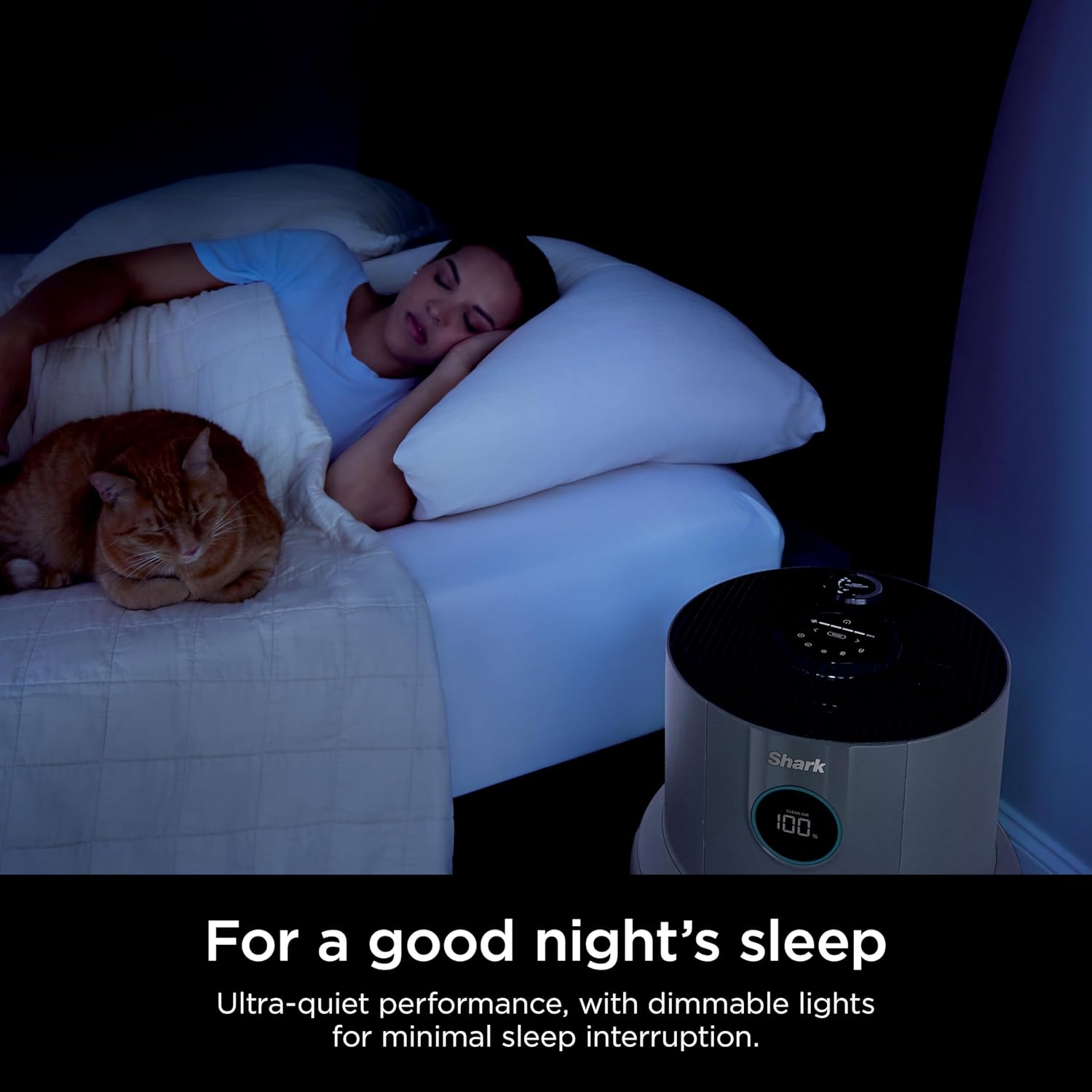
Image 5.3: The unit operates with ultra-quiet performance and dimmable lights for minimal sleep interruption.
6. Maintenance
Regular maintenance ensures optimal performance and extends the lifespan of your air purifier.
Filter System:
The Shark NeverChange Air Purifier Max HP301 utilizes a four-layer filtration system:
- DebrisDefense™: Captures large particles like hair, dust, and lint. This filter is washable.
- Pet Particle Barrier: Targets pet dander and allergens.
- Activated Carbon: Absorbs cooking odors, pet odors, and gases.
- NanoSeal HEPA: Captures 99.98% of large, small, and micro-sized particles, exceeding HEPA standards. This filter is designed for long-lasting use, up to 5 years.

Image 6.1: The four layers of the Shark NeverChange Filtration System, designed to capture 99.98% of particles.

Image 6.2: The NeverChange filtration system provides long-lasting filtration for up to 5 years, reducing the need for frequent filter replacements.
Cleaning the DebrisDefense™ Filter:
The DebrisDefense™ filter is washable and should be cleaned regularly to maintain peak performance.
- Power Off and Unplug: Always turn off and unplug the air purifier before performing any maintenance.
- Remove Filter: Pull out the DebrisDefense™ filter from the unit.
- Clean Filter: You can vacuum, wipe, or rinse the filter with water. If rinsing, ensure it is completely dry before reinserting.
- Reinstall Filter: Place the clean and dry DebrisDefense™ filter back into the unit.

Image 6.3: The DebrisDefense™ filter can be easily pulled out and cleaned by wiping or vacuuming.
Odor Neutralizer Cartridge:
The Odor Neutralizer Technology cartridge helps guard against odors and releases a fresh scent. Replace the cartridge as needed.

Image 6.4: The Odor Neutralizer Technology cartridge helps reduce odors and provides a fresh scent.
7. Troubleshooting
If you encounter issues with your Shark NeverChange Air Purifier Max HP301, refer to the following common problems and solutions:
| Problem | Possible Cause | Solution |
|---|---|---|
| Unit does not turn on. | Not plugged in; power outlet malfunction; power button not pressed. | Ensure the power cord is securely plugged into a working outlet. Press the power button firmly. |
| Air quality reading is not improving. | DebrisDefense filter is dirty; unit is in a very polluted environment; filter not installed correctly. | Clean the DebrisDefense filter. Ensure all filters are correctly installed. Allow more time for purification in larger or more polluted spaces. |
| Unusual noise from the unit. | Obstruction in fan; unit not on a level surface; loose filter. | Turn off and unplug the unit. Check for any obstructions in the air intake/exhaust. Ensure the unit is on a stable, level surface and filters are securely in place. |
| Odor Neutralizer scent is weak or absent. | Cartridge needs replacement; intensity setting is too low. | Check the Odor Neutralizer cartridge and replace if depleted. Adjust the intensity setting on the control panel. |
8. Specifications
| Feature | Detail |
|---|---|
| Brand | Shark |
| Model Number | HP301 |
| Product Dimensions | 13.2"D x 13.2"W x 22.5"H |
| Floor Area Coverage | 1300 Square Feet (at one air change per hour) |
| Filtration Standard | Exceeds HEPA Standards (Captures 99.98% of particles 0.1-0.2 microns) |
| Filter Lifespan | Up to 5 years (NeverChange HEPA filter) |
| Special Features | CleanSense IQ, Odor Neutralizer Technology, DebrisDefense Washable Filter, Programmable |
| Controller Type | Button Control |
| Wattage | 54 watts |
| Item Weight | 12.27 pounds |
| UPC | 622356610261 |
9. Warranty and Support
For warranty information or product support, please refer to the warranty card included with your purchase or visit the official Shark website. You can also contact Shark customer service for assistance with your HP301 air purifier.
Online Support: www.sharkclean.com