
1. Introduction
The K&F Concept Nano-X Series 43mm Circular Polarizing (CPL) Lens Filter is designed to enhance photographic images by reducing unwanted reflections and increasing color saturation and contrast. This filter is an essential tool for capturing vivid landscapes and scenes with reflective surfaces.
Key features include a multi-layer coating for optical clarity, an ultra-slim design to prevent vignetting, and durable construction with water, oil, and scratch resistance.

Image 1: K&F Concept Nano-X CPL filter demonstrating its effect on a landscape with water.
2. Setup and Installation
2.1 Identifying Your Lens Thread Size
Before installing the CPL filter, verify your camera lens's thread size. This is typically indicated by a "ø" (diameter) symbol followed by a number (e.g., ø43mm) printed on the front of your lens barrel or inside the lens cap. Ensure the filter size matches your lens thread size.

Image 2: Locating the lens thread size on a camera lens.
2.2 Attaching the Filter
- Carefully align the filter's threads with the threads on the front of your camera lens.
- Gently rotate the filter clockwise until it is securely fastened. Avoid overtightening.
- The ultra-slim design of the K&F Concept Nano-X CPL filter helps prevent vignetting, especially on wide-angle lenses.
2.3 Lens Cap Compatibility
The filter is designed to support the installation of a standard lens cap of the same size directly onto the filter's front threads.

Image 3: The filter's slim profile allows for a lens cap to be attached.
3. Operating the CPL Filter
A Circular Polarizing filter works by selectively filtering out polarized light, which is often caused by reflections from non-metallic surfaces or atmospheric haze. To achieve the desired effect, rotate the outer ring of the CPL filter while looking through your camera's viewfinder or live view screen.
3.1 Reducing Reflections and Glare
Rotate the filter until reflections from surfaces like water, glass, or wet foliage are minimized or eliminated. This allows for clearer visibility into water or through windows, and reduces harsh glare.
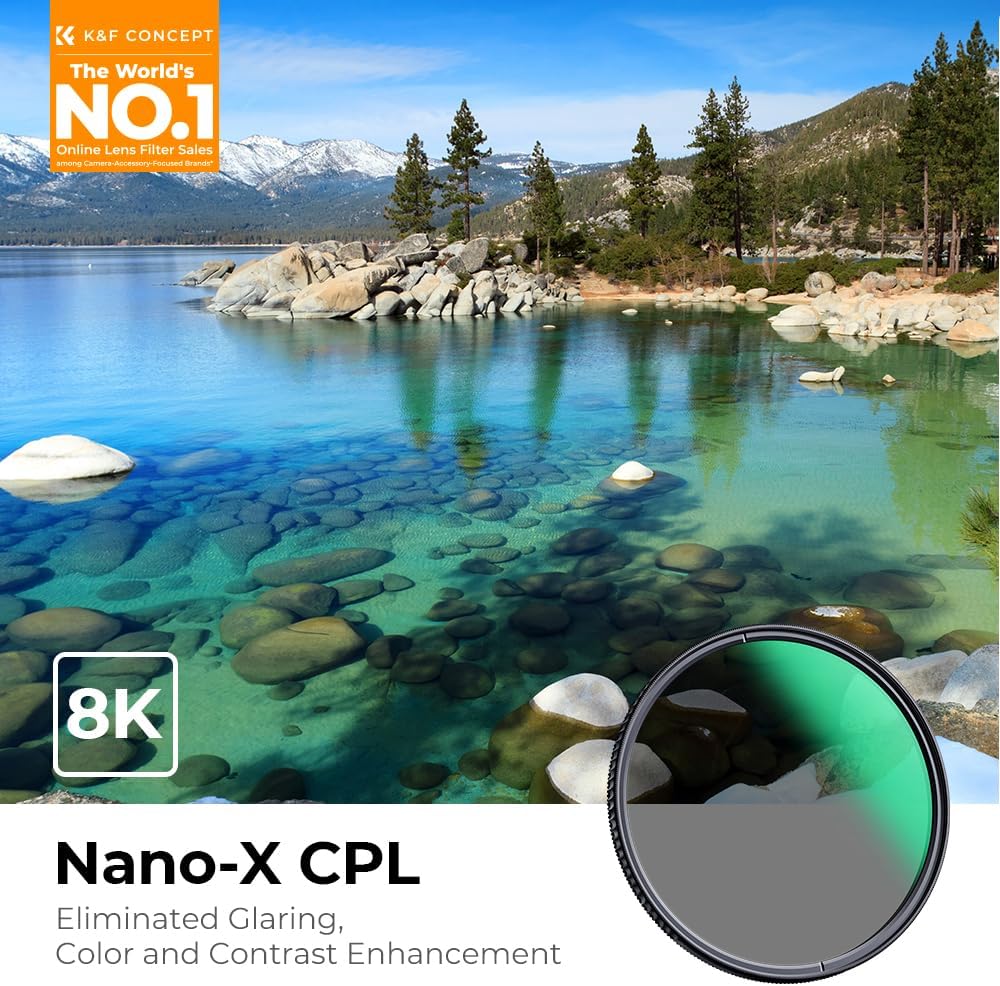
Image 4: Demonstrating reflection reduction on water surfaces.
3.2 Enhancing Color and Contrast
The CPL filter can also deepen the blue of the sky, make clouds appear more defined, and increase the saturation of colors in landscapes, such as green foliage. Rotate the filter to find the optimal point where colors appear most vibrant and contrast is enhanced.

Image 5: Effect of CPL filter on sky and foliage color saturation.

Image 6: Ultra Definition Imaging with K&F Concept CPL filter.
4. Maintenance and Care
Proper care ensures the longevity and optimal performance of your K&F Concept CPL filter.
4.1 Cleaning the Filter
The filter features double-sided 28-layer nanometer coatings that provide resistance against water, oil, dust, and scratches, making it easy to clean.
- Use a clean, soft microfiber cloth specifically designed for optics to gently wipe the filter surface.
- For stubborn smudges or fingerprints, apply a small amount of lens cleaning solution to the cloth (not directly to the filter) and wipe in a circular motion.
- Avoid using abrasive materials or harsh chemicals, as these can damage the coatings.

Image 7: Water and dust-proof coatings for easy cleaning.
4.2 Storage
When not in use, store the filter in its protective case to prevent dust accumulation and accidental damage.
4.3 Durability
Crafted from a lightweight aluminum-magnesium alloy and featuring an anti-scratch coating, this filter is designed for long-lasting performance and resistance to daily wear.

Image 8: Wear-resistant and anti-scratch coating.
5. Troubleshooting
5.1 Filter is Difficult to Remove
If the filter becomes stuck or is difficult to unscrew from your lens, try rotating it counter-clockwise with firm, even pressure. Avoid using excessive force or tools that could damage the filter or lens threads.
5.2 Unexpected Darkening of Image
CPL filters inherently reduce the amount of light entering the lens, which can make the image appear darker. This is normal. Adjust your camera's exposure settings (ISO, aperture, shutter speed) to compensate for the light loss.
5.3 Uneven Polarization Effect
In very wide-angle shots, especially with a broad sky, the polarization effect might appear uneven. This is a characteristic of polarizing filters and is more noticeable at wider focal lengths. Adjusting the rotation slightly may help, but complete uniformity across an extremely wide field of view is not always achievable.
6. Specifications
| Feature | Detail |
|---|---|
| Model Number | KF01.990V1 |
| Brand | K&F CONCEPT |
| Product Dimensions | 1.69 x 1.69 x 0.04 inches (43mm diameter, 5.3mm thickness) |
| Item Weight | 3.52 ounces |
| Material | Aluminum-Magnesium Alloy |
| Photo Filter Thread Size | 43 Millimeters |
| Coating Description | 28 Multi-Layer Coating (Nano-X Series) |
| Photo Filter Effect Type | Polarizer |
| Water Resistance Level | Water Resistant (due to coating) |

Image 9: Detailed size compatibility chart for K&F Concept filters.
7. Warranty and Support
7.1 Warranty Information
For specific warranty details, including coverage period and terms, please refer to the documentation included with your product or visit the official K&F Concept website. Standard return policies may offer a refund or replacement within 30 days of purchase.
7.2 Customer Support
If you encounter any issues or have questions regarding your K&F Concept CPL filter, please contact K&F Concept customer support through their official website or the retailer from whom you purchased the product. Provide your model number (KF01.990V1) and purchase details for efficient assistance.