
adidas T-19X
adidas T-19X Treadmill User Manual
Model: T-19X (AVUS-10521-120)
Introduction
Welcome to your new adidas T-19X Treadmill. This manual provides essential information for the safe and effective assembly, operation, and maintenance of your fitness equipment. Please read all instructions carefully before use and retain this manual for future reference.
Important Safety Information
Before beginning any exercise program, consult with your physician. It is imperative to follow these safety guidelines to prevent injury and ensure proper operation of the treadmill.
- Always place the treadmill on a flat, stable surface.
- Keep children and pets away from the treadmill during operation.
- Ensure adequate clearance around the treadmill (at least 2 meters behind and 0.6 meters on each side).
- Wear appropriate athletic footwear and clothing.
- Use the safety key at all times. Attach the clip to your clothing before starting your workout.
- Do not operate the treadmill if it is damaged or malfunctioning.
- Maximum user weight: 140 kg.
- This product is designed for household use only. Commercial use will void the warranty.
Setup and Assembly
Assembly typically requires two adults and takes approximately 45 minutes. Ensure all parts are present before beginning.
Step 1: Unboxing and Preparation
Carefully remove all components from the packaging. Lay them out on a clean, flat surface. Verify that all parts listed in the hardware pack are present.

Image: All components of the adidas T-19X Treadmill laid out for assembly, including the main unit, console, and hardware pack.
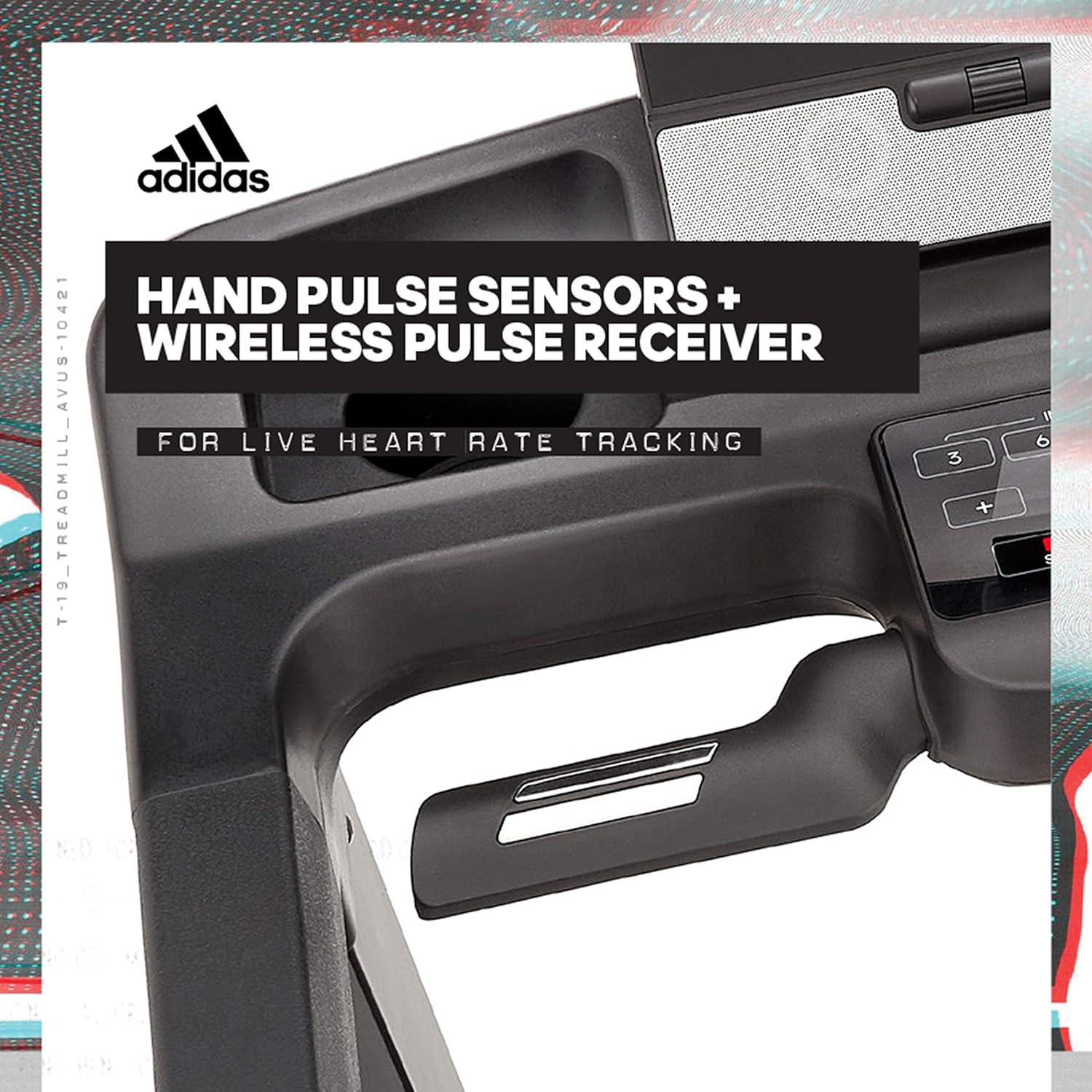
Image: Close-up of the hardware pack, showing various bolts, washers, and tools required for assembly.
Step 2: Securing the Uprights and Arms
Unfold the uprights into their operational position. Secure them using the provided bolts and Allen key. Repeat this process for both sides. Then, unfold the arms into position and secure them using bolts and washers.
Step 3: Attaching the Console
Carefully feed the wires from the console through the designated hole in the uprights. Connect each set of wires in the order shown in the assembly guide. Secure the console using bolts and washers.

Image: The 10.1-inch touch screen console of the adidas T-19X Treadmill, displaying workout metrics.
Step 4: Attaching the Console Plate
Tuck any excess wires neatly into the cavity beneath the console. Place the console plate into position and secure it using screws and the screwdriver.
Step 5 & 6: Preparing and Attaching the Covers
Cut and remove the transportation strap securing the running deck. Attach the right cover to the base using two screws. Repeat this process for the left side with the other cover.
Step 7 & 8: Final Touches and Unfolding
Plug the safety key into the console. Remove the safety pin and carefully lift the base of the treadmill to unfold it into its operational position. Your treadmill is now ready for use.

Image: A fully assembled adidas T-19X Treadmill, viewed from the side, ready for use.
Operating Instructions
Console Overview
The T-19X features a 10.1-inch touch screen display with internet connectivity, allowing for music and video enjoyment during workouts. The console displays performance metrics and live heart rate statistics.
Image: The 10.1-inch touch screen console of the adidas T-19X Treadmill, displaying workout metrics.
Starting a Workout
- Ensure the safety key is properly inserted into the console and clipped to your clothing.
- Step onto the treadmill, placing your feet on the side rails.
- Press the START button on the console. The belt will begin to move at a low speed.
- Gradually increase speed and incline using the touch panel or handlebar switches.
Adjusting Speed and Incline
The treadmill features a 4 horsepower motor, offering speeds up to 20 km/h and an incline of up to 15%. Adjustments can be made via the touch panel or convenient switches on the handlebars.

Image: A person running on the adidas T-19X Treadmill, demonstrating its use.

Image: Detail of the NRG cushioning technology on the treadmill's running deck, designed for shock absorption.
Workout Programs
The T-19X includes 27 built-in programs and 3 virtual active running routes. It also features a cooling fan, tablet holder, and USB charging port for enhanced user experience.

Image: The console area showing MP3 connectivity, 5W speakers, and an adjustable cooling fan.
Heart Rate Monitoring
Hand pulse sensors are integrated into the handlebars, along with a wireless pulse receiver, for accurate heart rate tracking during your workout.

Image: Detail of the hand pulse sensors on the treadmill handlebars for heart rate monitoring.
Maintenance
Regular maintenance ensures the longevity and safe operation of your treadmill.
- Cleaning: Wipe down the console and other surfaces with a damp cloth after each use. Avoid abrasive cleaners.
- Belt Lubrication: The running belt requires periodic lubrication. Refer to the detailed instructions in the full manual for the correct procedure and frequency.
- Belt Tension and Alignment: Check the running belt tension and alignment regularly. Adjust as needed according to the full manual's instructions to prevent wear and tear.
- General Inspection: Periodically inspect all bolts and connections to ensure they are secure. Tighten any loose fasteners.
Troubleshooting
If you encounter issues with your treadmill, refer to the following common problems and solutions. For more complex issues, contact customer support.
| Problem | Possible Cause | Solution |
|---|---|---|
| Treadmill does not start. | Safety key not inserted correctly; power cord not plugged in; circuit breaker tripped. | Ensure safety key is fully inserted. Check power connection. Reset circuit breaker if necessary. |
| Running belt slips or hesitates. | Belt tension too loose; belt requires lubrication. | Adjust belt tension according to the manual. Lubricate the belt as per maintenance instructions. |
| Unusual noise during operation. | Loose components; motor issues; belt friction. | Inspect and tighten all visible bolts. Check for foreign objects. If noise persists, contact support. |
| Console display is blank or unresponsive. | Loose cable connections; power issue. | Check all console cable connections (refer to assembly step 3). Ensure stable power supply. |
Specifications
- Model: T-19X (AVUS-10421-120)
- Motor: 4 Horsepower
- Max Speed: 20 km/h
- Incline: 15% (automatic adjustment)
- Running Surface: 152 cm (Length) x 51 cm (Width)
- Max User Weight: 140 kg
- Display: 10.1-inch LED Touch Display
- Programs: 27 built-in programs, 3 virtual active running routes
- Connectivity: USB charging port, MP3 connectivity with speakers
- Heart Rate Monitoring: Hand pulse sensors, wireless pulse receiver
- Cushioning: NRG Cushioning Technology
- Foldable Size: 126.5 cm (Length) x 87.5 cm (Width) x 166.5 cm (Height)
- Product Weight: 132.9 kg
- Material: Iron
- Color: Black

Image: Diagram showing the dimensions of the adidas T-19X Treadmill, including length, width, and height.
Warranty & Support
The adidas T-19X Treadmill comes with a warranty period as follows:
- Motor and Electronic Parts: 2 years
- On-site Service Fee: 1 year free
Please note that this warranty applies to household use only. Use in commercial facilities or for an unspecified large number of users is not covered. For support, please refer to the contact information provided with your purchase documentation or visit the official adidas fitness website.
For additional support and resources, you may visit the Reebok Fitness Treadmill Support page (Note: This product is branded adidas, but support may be shared with Reebok Fitness products by the same manufacturer).
Related documentsT-19X


Ask a question about this manual
Ask about setup, troubleshooting, compatibility, parts, safety, or missing instructions. Manuals+ will review the question and use this page’s manual context to help answer it.