
Introduction
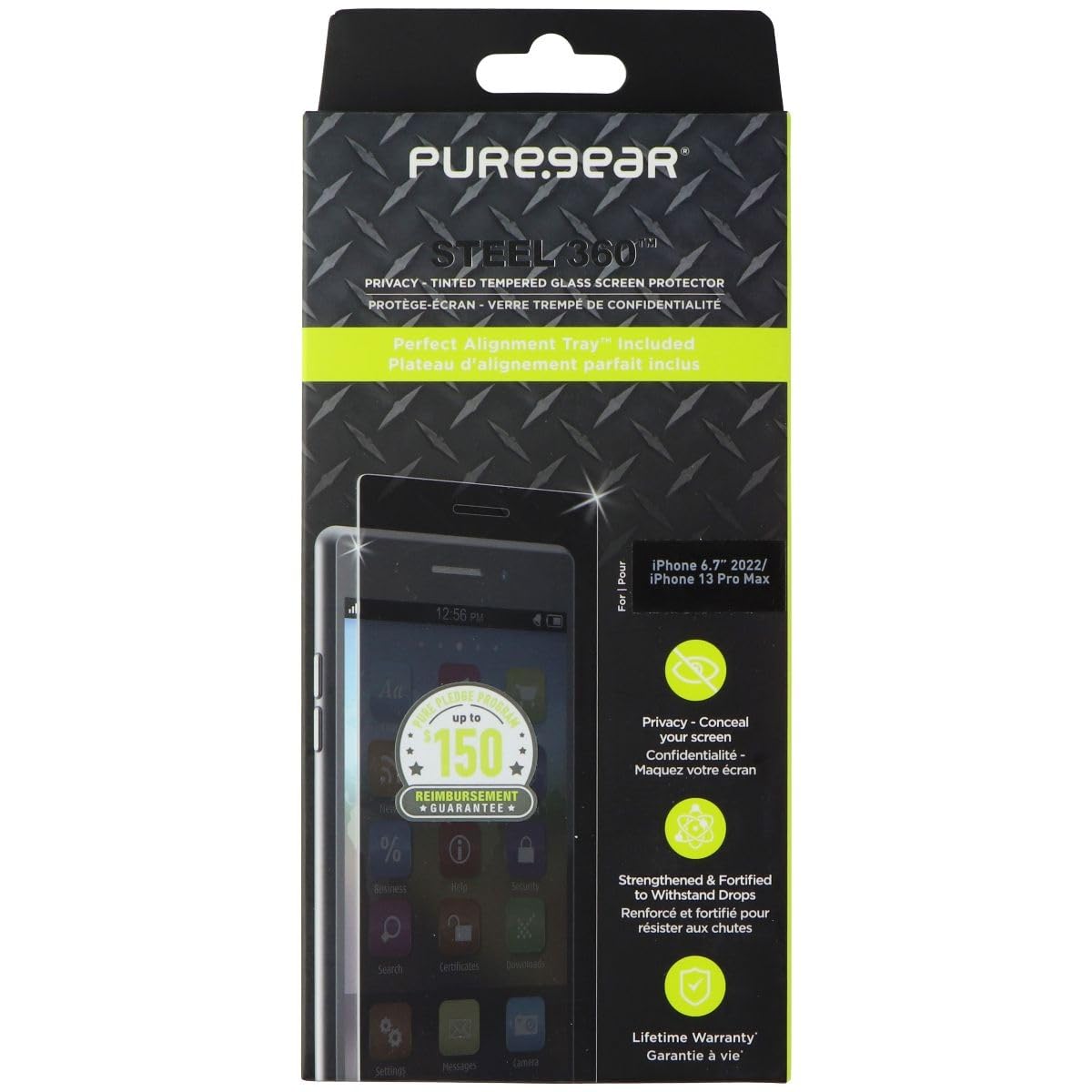
This manual provides instructions for the installation, use, and maintenance of your PureGear Steel 360 Privacy Glass Protector for Apple iPhone 14 Plus and iPhone 13 Pro Max. This tempered glass screen protector is designed to offer privacy, scratch resistance, and antimicrobial protection for your device's screen.
Package Contents
- PureGear Steel 360 Privacy Glass Protector
- Perfect Alignment Tray™
- Cleaning Kit (wipes, dust removal sticker)
Setup and Installation
Follow these steps carefully for optimal installation of your screen protector:
- Clean Your Device Screen: Use the provided cleaning wipes to thoroughly clean your iPhone screen. Ensure all dust, smudges, and fingerprints are removed. Use the dust removal sticker to pick up any remaining particles. A clean screen is essential for a bubble-free application.
- Position the Alignment Tray: Place the Perfect Alignment Tray™ over your iPhone. This tray is designed to guide the screen protector into the correct position, ensuring a precise and easy application.
- Apply the Screen Protector: Carefully peel off the protective film from the adhesive side of the glass protector. Align the protector with the top edge of the alignment tray and gently lower it onto your phone screen. The alignment tray will help ensure perfect placement.
- Remove Air Bubbles: Once the protector is in place, gently press down on the center of the screen. The adhesive will spread. Use a soft cloth or squeegee (if provided) to push any remaining air bubbles towards the edges of the screen. Small bubbles should disappear within 24-48 hours.
- Final Check: Remove the alignment tray and inspect the screen protector for proper adhesion and alignment.
Operating Features
- Privacy Tint: The screen protector features a privacy tint that limits the viewing angle, helping to conceal your screen content from onlookers.
- Scratch Resistance: Made from tempered glass with a 9H hardness rating, this protector offers robust protection against scratches and minor impacts.
- Antimicrobial Protection: The screen protector incorporates Nano Silver Technology to guard against various germs, making it easier to maintain a hygienic device surface.
Maintenance
To keep your PureGear Steel 360 Privacy Glass Protector clean and effective:
- Wipe the screen regularly with a soft, lint-free cloth.
- For deeper cleaning, use a screen cleaner solution specifically designed for electronics or a damp cloth with mild soap, then dry thoroughly.
- Avoid using harsh chemicals or abrasive materials, as these can damage the privacy tint or the antimicrobial coating.
Troubleshooting
- Bubbles Under the Protector: If small bubbles remain after installation, try gently pushing them towards the edges with a soft cloth. Most small bubbles will dissipate within 24-48 hours. For larger, persistent bubbles, it may indicate dust trapped underneath. In such cases, carefully lift a corner of the protector, remove the dust with a dust removal sticker, and reapply.
- Misalignment: If the screen protector is misaligned, carefully lift it from one corner and reposition it using the alignment tray. Ensure your hands are clean to avoid leaving fingerprints on the adhesive.
- Blurry Selfies/Front Camera Issues: Some privacy screen protectors can affect front-facing camera clarity due to the tint or specific cutouts. Ensure the camera cutout on the protector is perfectly aligned with your phone's front camera. If issues persist, it might be an inherent characteristic of the privacy feature.
- Reduced Touch Sensitivity: If you experience reduced touch sensitivity, check your phone's settings for a "Touch Sensitivity" or "Glove Mode" option and enable it. This can often compensate for the added layer of the screen protector.
Specifications
| Feature | Detail |
|---|---|
| Brand | PureGear |
| Model Number | 64115PG |
| Compatible Devices | Apple iPhone 14 Plus, Apple iPhone 13 Pro Max |
| Material | Tempered Glass |
| Item Hardness | 9H |
| Special Features | Privacy Tint, Scratch Resistant, Antimicrobial (Nano Silver Technology) |
| Screen Size | 6.7 Inches |
| Product Dimensions | 9.25 x 4.25 x 0.5 inches |
| Item Weight | 2.46 ounces |
Warranty and Support
PureGear offers a "Pure Pledge Program" with up to $150 reimbursement guarantee. Please refer to the official PureGear website or the product packaging for full details and terms of this guarantee.
For further assistance, product registration, or warranty claims, please visit the official PureGear support website or contact their customer service. Keep your proof of purchase for warranty purposes.