
Introduction
Thank you for choosing the DownyPaws Fursink Wireless Cat Water Fountain. This manual provides essential information for the safe and efficient operation, maintenance, and troubleshooting of your new pet water fountain. Please read it thoroughly before use and retain it for future reference.
This wireless cat water fountain is designed to provide fresh, filtered water for your pets, promoting hydration and overall well-being. Its cordless design allows for flexible placement, and the quiet operation ensures a peaceful environment.
Product Components
Familiarize yourself with the components of your DownyPaws Fursink Wireless Cat Water Fountain:
- Main Water Tank (84oz/2.5L capacity)
- Stainless Steel Water Tray
- Wireless Pump Unit with Spout
- Rechargeable Battery (4,000mAh, built-in to pump unit)
- Filter Cartridge (5-level filtration system)
- USB Charging Cable

Image: Exploded view showing the main water tank, stainless steel water tray, and wireless pump unit. This illustrates the modular design for easy assembly and cleaning.
Setup Instructions
- Charge the Pump Unit: Before first use, fully charge the wireless pump unit using the provided USB cable. The battery indicator light will show charging status. A full charge can last up to 30 days in motion-activated mode (based on 1 cat household).
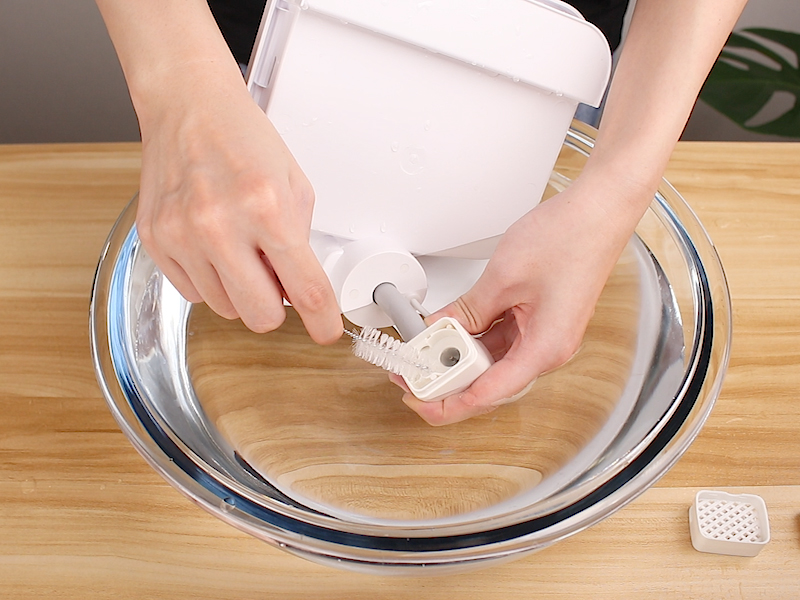
Image: The wireless pump unit connected to a USB charging cable, indicating the charging process.
- Rinse Filter: Rinse the new filter cartridge thoroughly under running water for at least 2 minutes to remove any loose carbon particles.
- Assemble Filter: Place the rinsed filter cartridge into the designated slot in the stainless steel water tray.
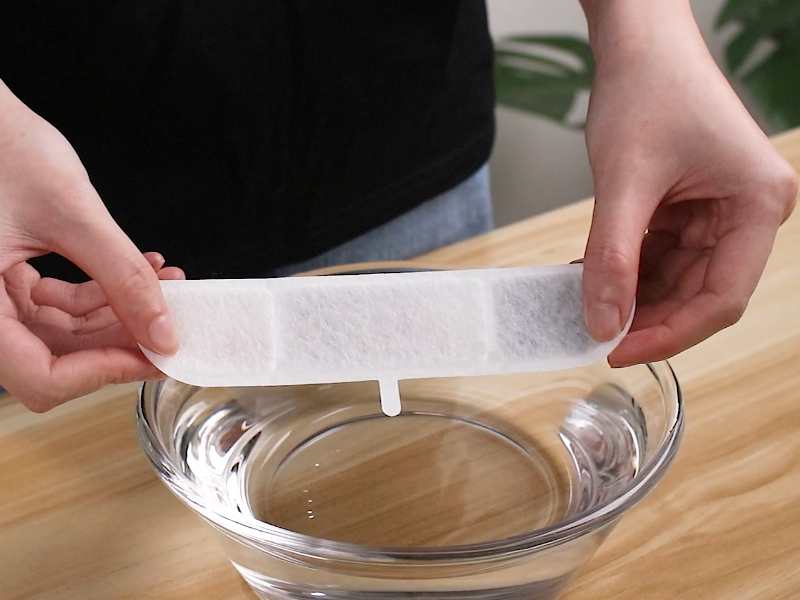
Image: A filter cartridge being rinsed in a bowl of water, preparing it for installation.
- Fill Water Tank: Fill the main water tank with clean water up to the MAX fill line. The fountain has an 84oz/2.5L capacity.
- Place Water Tray: Carefully place the stainless steel water tray with the installed filter onto the main water tank.
- Install Pump Unit: Insert the charged wireless pump unit into its designated slot on the water tray. Ensure it is securely seated.

Image: A hand installing the wireless pump unit into the top of the water fountain, completing the assembly.
- Power On: Press the power button on the pump unit to turn on the fountain.
Operating Instructions
Water Modes
The DownyPaws Fursink offers two operating modes:
- Motion-Activated Mode: In this mode, the fountain dispenses water when a pet approaches within 5 feet (1.5 meters) and a 120-degree detection angle. This simulates a faucet-style flow, encouraging pets to drink.
- Timer Mode: In this mode, the fountain releases water every 15 minutes for 20 seconds.
To switch between modes, press the mode selection button on the pump unit. The indicator lights will show the active mode.

Image: A cat approaching the fountain, illustrating the motion-activated mode where water begins to flow upon detection.
Battery Indicator
The pump unit features a battery level indicator. Monitor this indicator to know when recharging is necessary. When the battery is low, recharge the unit promptly to ensure continuous operation.

Image: A cat drinking from the fountain, with a graphic illustrating the long battery life of the device.
Low Water Detection
The fountain is equipped with a low water detection system. The pump will automatically stop operating when the water level drops below a safe threshold to prevent damage. An LED indicator light will illuminate to remind you to add water.

Image: A visual representation of the low water detection system, showing the water level dropping and an alert icon appearing.
Maintenance
Regular cleaning and filter replacement are crucial for maintaining water quality and the longevity of your fountain.
Cleaning the Fountain
It is recommended to clean the fountain at least once a week.
- Disconnect the pump unit and remove the water tray.
- Empty any remaining water from the tank and tray.
- Disassemble all parts: water tank, stainless steel tray, and pump unit.
- Wash the water tank and stainless steel tray with mild soap and water. Rinse thoroughly.
- Important: For the spout and pump unit cleaning, rinse only. Do not immerse the battery compartment of the pump unit in water. Use a small brush (if provided) to clean the inside of the spout and pump components.

Image: A small brush being used to clean the interior of the fountain's spout, emphasizing proper cleaning technique.
- Rinse all parts thoroughly to remove any soap residue.
- Reassemble the fountain once all parts are clean and dry.
Image: An exploded view of the fountain components, with water splashes, illustrating the ease of disassembly for cleaning.
Filter Replacement
The 5-level filtration system includes activated carbon, ion exchange resin, medical stone, non-woven fabric, and a high-density sponge. Replace the filter cartridge every 2-4 weeks, or more frequently if you have multiple pets or if the water appears dirty.

Image: A detailed diagram illustrating the multi-layer filtration system, showing activated carbon, ion exchange resin, medical stone, and cotton layers.
Troubleshooting
| Problem | Possible Cause | Solution |
|---|---|---|
| Fountain not dispensing water. | Low battery. Low water level. Pump clogged. Incorrect mode selected. | Recharge the pump unit. Add water to the tank. Clean the pump and spout thoroughly. Ensure motion-activated or timer mode is active. |
| Water flow is weak. | Clogged filter. Pump partially clogged. Insufficient water. | Replace the filter cartridge. Clean the pump and spout. Ensure water level is adequate. |
| Fountain is noisy. | Low water level. Debris in pump. Improper assembly. | Add water to the tank. Clean the pump. Reassemble all parts correctly, ensuring a snug fit. |
| Water appears dirty or has odor. | Expired filter. Infrequent cleaning. | Replace the filter cartridge. Clean the fountain thoroughly as per maintenance instructions. |
Specifications
- Model Name: Fursink
- Model Number: DPWFP6
- Capacity: 84oz / 2.5L
- Dimensions (LxWxH): 8.1 x 7.3 x 7.1 inches
- Material: Stainless Steel (tray), Acrylonitrile Butadiene Styrene (ABS)
- Battery: 4,000mAh Lithium Ion (rechargeable, included)
- Noise Level: Approximately 30 decibels
- Filtration System: 5-level (Activated Carbon, Ion Exchange Resin, Medical Stone, Non-woven Fabric, High-density Sponge)
- Water Modes: Motion-Activated, Timer Mode
- BPA-Free: Yes
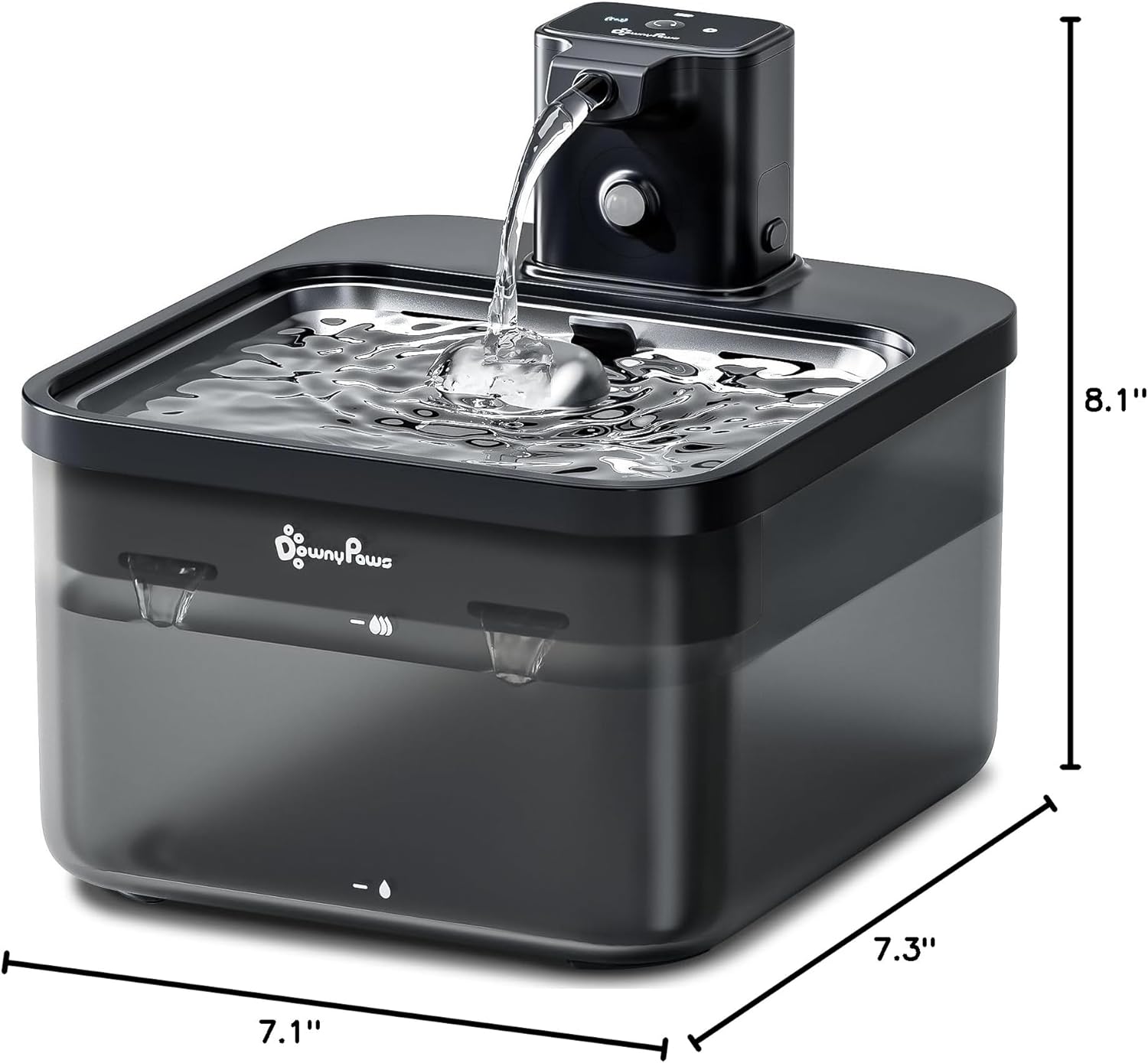
Image: A diagram showing the dimensions of the cat water fountain (length, width, height).
Warranty and Support
The DownyPaws Fursink Wireless Cat Water Fountain comes with a 1-year manufacturer's warranty from the date of purchase.
This warranty covers defects in materials and workmanship under normal use. It does not cover damage caused by misuse, neglect, accidents, unauthorized repairs, or normal wear and tear.
For warranty claims, technical support, or any questions regarding your product, please contact DownyPaws customer service through the retailer where you purchased the product or visit the official DownyPaws brand store online. Please have your purchase receipt and model number (DPWFP6) ready when contacting support.
Online Resources:


