
AZDOME M550 Pro-2CH/3CH Cabin Camera
AZDOME 1080P Interior Cam User Manual
Model: M550 Pro-2CH/3CH Cabin Camera
Brand: AZDOME
1. Product Overview
The AZDOME 1080P Interior Cam is an essential accessory designed to enhance the recording capabilities of your AZDOME M550 Pro-2CH/3CH Dash Cam. This cabin camera provides high-definition video recording of your vehicle's interior, ensuring comprehensive coverage and peace of mind. It features advanced infrared technology for clear night vision and a convenient Type-C connector for easy integration.

Image 1: The AZDOME 1080P Interior Cam, showcasing its compact design and Type-C interface.
2. Key Features
- 1080P Cabin Camera: Specifically designed for compatibility with AZDOME M550 Pro-2CH/3CH Dash Cams, providing clear interior video.
- Hidden 6 IR LED Lights: Equipped with six infrared LED lights that automatically activate in low-light conditions, significantly improving image quality inside the vehicle during nighttime or dark environments.
- Type-C Connector: Features a reversible Type-C connector, allowing for easy and convenient plug-in without concern for orientation.
- Effortless Installation: Designed for simple plug-and-play installation directly into the main dash cam unit.

Image 2: Illustration of the 1080P Cabin Camera's IR LEDs and its performance in both daytime and nighttime conditions.
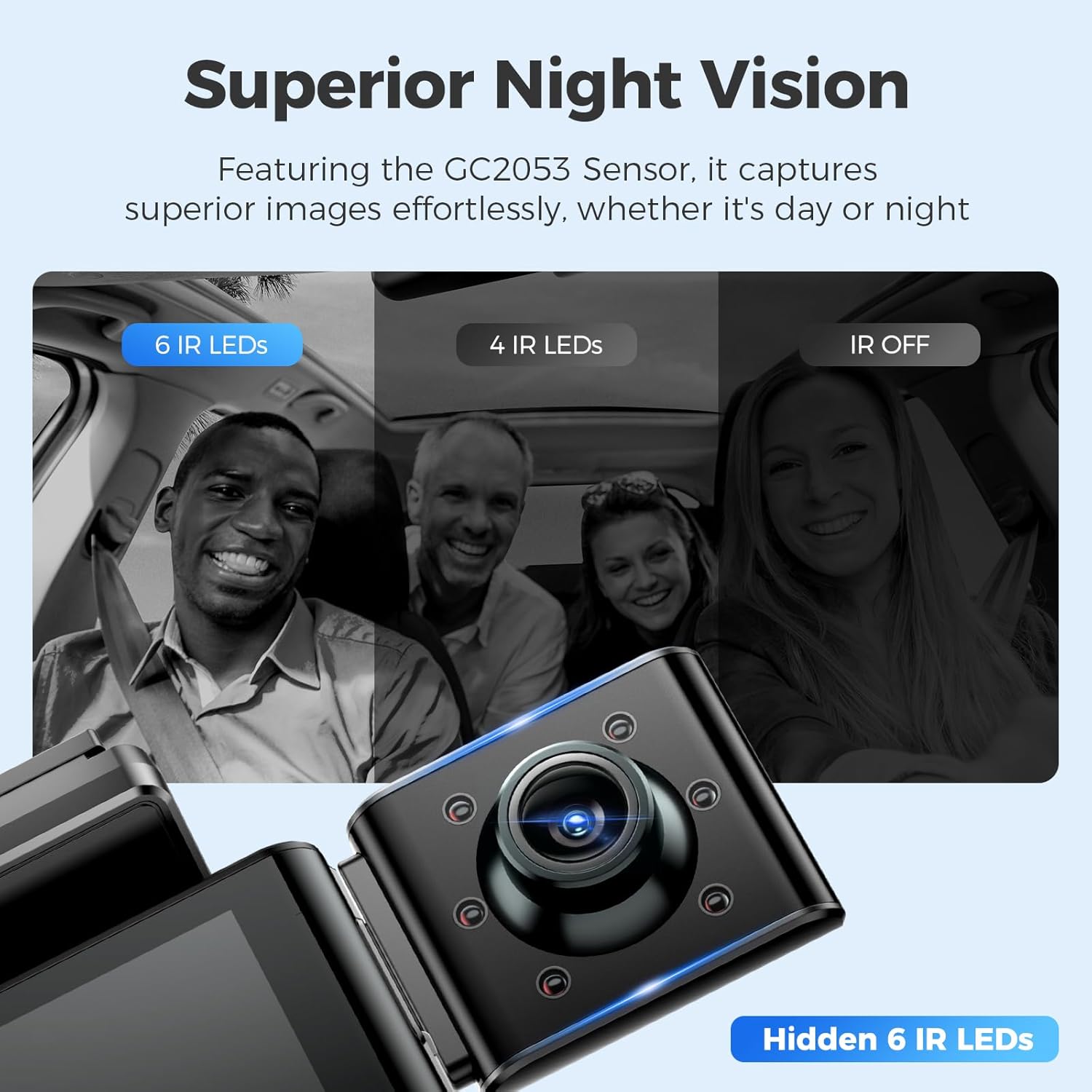
Image 3: Demonstrates the superior night vision capabilities of the camera, highlighting the hidden 6 IR LEDs for enhanced low-light recording.
3. Setup and Installation
Installing the AZDOME Interior Cam is a straightforward process. Ensure your AZDOME M550 Pro-2CH/3CH Dash Cam is powered off before beginning installation.
- Locate the Type-C Port: Identify the dedicated Type-C port on the side of your AZDOME M550 Pro-2CH/3CH Dash Cam.
- Connect the Interior Cam: Align the Type-C connector of the Interior Cam with the port on the dash cam.
- Secure Connection: Gently but firmly push the Interior Cam into the port until it is fully seated. A secure connection is crucial for proper functionality.
- Adjust Angle (if applicable): If your model features an articulating lens, adjust the camera angle to capture the desired view of the cabin.
NOTE: Make sure the cabin camera is fully connected to the front camera. An incomplete connection may lead to screen freezing or improper recording.

Image 4: Visual guide demonstrating the simple plug-in installation of the cabin camera into the main dash cam unit, along with an illustration of the articulating lens.
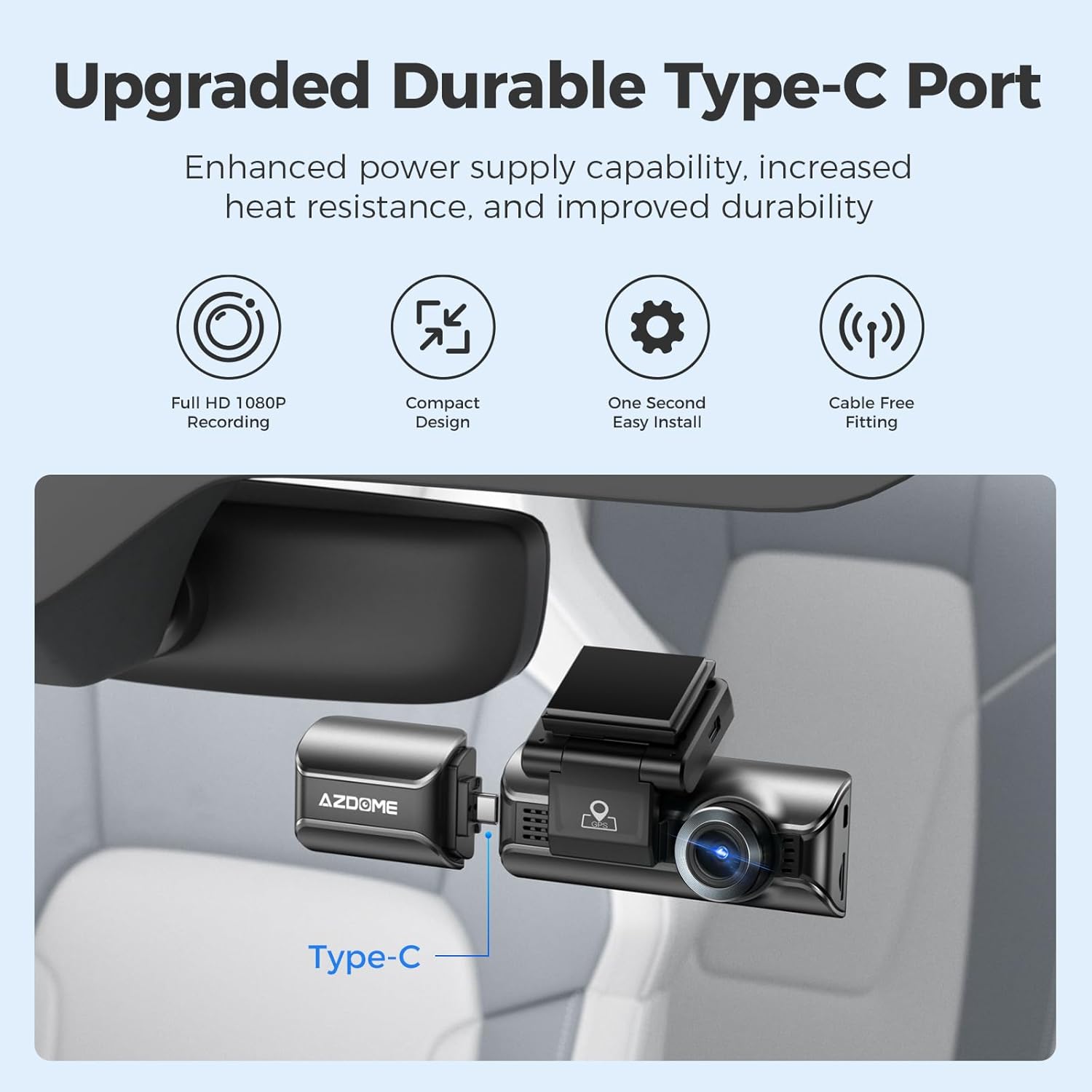
Image 5: The AZDOME dash cam with the Type-C cabin camera securely attached, illustrating the compact and integrated setup.
4. Operation
Once properly connected, the AZDOME Interior Cam operates in conjunction with your AZDOME M550 Pro-2CH/3CH Dash Cam. It will automatically begin recording when the main dash cam is powered on.
- Automatic Recording: The interior camera will automatically record video of the cabin simultaneously with the front and rear cameras (if applicable).
- Night Vision: The hidden IR LEDs will automatically activate in low-light conditions, ensuring clear video capture even in complete darkness inside the vehicle. No manual activation is required for night vision.
- Video Storage: Interior camera footage is stored on the same memory card as the main dash cam's recordings. Refer to your main dash cam's manual for details on video file management and storage.
5. Maintenance
To ensure optimal performance and longevity of your AZDOME Interior Cam, follow these simple maintenance guidelines:
- Cleaning: Use a soft, dry cloth to gently wipe the camera lens and body. Avoid using abrasive cleaners or solvents that could damage the lens or casing.
- Temperature: Avoid exposing the camera to extreme temperatures for prolonged periods.
- Connection Check: Periodically check that the Type-C connection between the interior camera and the main dash cam is secure.
6. Troubleshooting
If you encounter issues with your AZDOME Interior Cam, consider the following troubleshooting steps:
| Problem | Possible Cause | Solution |
|---|---|---|
| Interior camera not recording / Screen freeze | Incomplete connection to the main dash cam. | Ensure the Type-C connector is fully and securely inserted into the dash cam's port. Disconnect and reconnect firmly. |
| Poor image quality in low light | Lens obstruction or extreme darkness. | Clean the camera lens. Ensure no objects are blocking the camera's view or the IR LEDs. The IR LEDs activate automatically in low light. |
| Camera not detected by dash cam | Loose connection or incompatibility. | Verify the connection is secure. Confirm that your dash cam is an AZDOME M550 Pro-2CH/3CH model, as this interior cam is only compatible with these specific models. |
7. Specifications
- Product Dimensions: 3.46 x 1.37 x 2.83 inches
- Item Weight: 1.13 ounces
- Connectivity Technology: USB (Type-C)
- Special Feature: Night Vision (Hidden 6 IR LED Lights)
- Video Capture Resolution: 1080p
- Included Components: Cabin Camera
- Field Of View: 150 Degrees
- Color: Black
- Manufacturer: AZDOME Tech
- Country of Origin: China
8. Warranty and Customer Support
AZDOME is committed to providing high-quality products and excellent customer service.
- Warranty: This product comes with a 1-Year Warranty from the date of purchase.
- Return Policy: A 30-Day Return Policy is available for eligible purchases.
- Defects: Returns are accepted for products with manufacturing defects.
For any inquiries, technical support, or warranty claims, please contact AZDOME customer service:
- Email: service@azdomevip.com
- Phone: (833) 667-5545

Image 6: Overview of AZDOME's warranty and service policies, including contact information for customer support.
Ask a question about this manual
Ask about setup, troubleshooting, compatibility, parts, safety, or missing instructions. Manuals+ will review the question and use this page’s manual context to help answer it.