
1. Product Overview
The WdtPro NS-2500 is a compact, rechargeable LED flashlight designed for various applications including daily lighting, outdoor activities, and emergency situations. It features multiple lighting modes, a zoomable beam, and a durable, waterproof construction.

Image 1.1: WdtPro NS-2500 Flashlight and included accessories.
2. Package Contents
Please verify that all items are present in your package:
- 1x WdtPro NS-2500 Rechargeable LED Flashlight
- 1x Rechargeable Battery (pre-installed)
- 1x USB Charging Cable
- 1x User Manual
3. Setup
3.1 Initial Battery Preparation
Before first use, the pre-installed battery requires a protective insulating sheet to be removed. This sheet prevents battery discharge during shipping.
- Unscrew the tail cap of the flashlight.
- Remove the insulating sheet located between the battery and the contact spring.
- Screw the tail cap back on securely.

Image 3.1: Removing the insulating sheet from the battery compartment.
3.2 Charging the Flashlight
The flashlight comes with a built-in rechargeable battery. It is recommended to fully charge the flashlight before its first use.
- Locate the USB charging port on the flashlight body.
- Open the protective rubber cover of the USB port.
- Connect the small end of the provided USB cable to the flashlight's charging port.
- Connect the larger end of the USB cable to a compatible USB power source (e.g., computer, power bank, USB wall adapter).
- The indicator light will turn red during charging and green when fully charged.
- Charging typically takes 3-4 hours.
- Once charging is complete, disconnect the USB cable and securely close the rubber cover to maintain water resistance.

Image 3.2: USB charging connection and indicator lights.
4. Operating Instructions
4.1 Powering On/Off and Mode Selection
The flashlight features a dual-switch design for ease of use:
- Functional Switch: Controls the main lighting modes. Press to cycle through High, Medium, and Low brightness settings. Press and hold to turn off.
- Emergency Switch: Activates Strobe or SOS modes directly. Press once for Strobe, press again for SOS. Press a third time to return to the previous functional mode or turn off if no functional mode was active.

Image 4.1: Dual switch operation for different lighting modes.
4.2 Zoom Function
The flashlight features a zoomable head to adjust the beam focus from a wide floodlight to a narrow spotlight.
- To adjust the beam, gently slide the head of the flashlight forward or backward.
- Sliding forward narrows the beam for a focused spotlight.
- Sliding backward widens the beam for a broad floodlight.
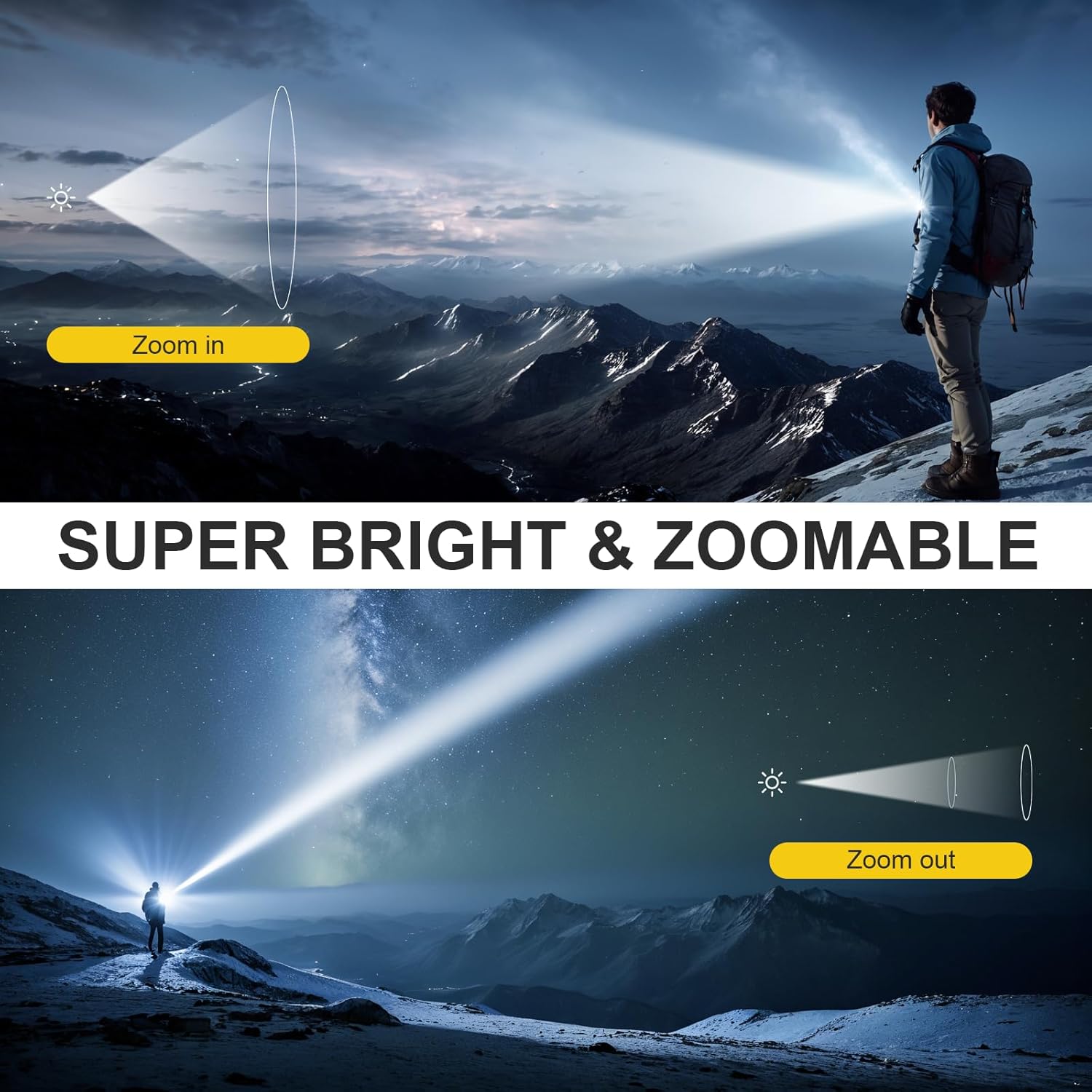
Image 4.2: Adjusting the flashlight beam from wide to narrow.
4.3 Low Battery Warning
The flashlight is equipped with a low battery warning indicator. When the battery power drops below 30%, the indicator light on the flashlight will change from green to red, signaling that a recharge is needed.
5. Maintenance
5.1 Cleaning
To maintain optimal performance, keep the flashlight clean. Wipe the body with a soft, damp cloth. Do not use abrasive cleaners or solvents.
5.2 Water Resistance
The WdtPro NS-2500 flashlight has an IP65 waterproof rating, meaning it is protected against dust ingress and low-pressure water jets from any direction. It is suitable for use in rain or wet conditions but should not be submerged in water.

Image 5.1: Flashlight demonstrating IP65 water resistance.
5.3 Battery Care
The built-in rechargeable battery is designed for long-lasting use. Overcharge protection is integrated to prevent damage from prolonged charging. For best battery life, avoid completely draining the battery frequently.
6. Troubleshooting
- Flashlight does not turn on:
- Ensure the insulating sheet has been removed from the battery (refer to Section 3.1).
- Check if the battery is charged. If the indicator light is red, charge the flashlight.
- Ensure the tail cap is screwed on tightly.
- Flashlight does not charge:
- Verify the USB cable is securely connected to both the flashlight and the power source.
- Try a different USB cable or power source.
- Ensure the charging port is clean and free of debris.
- Light output is dim:
- The battery may be low. Recharge the flashlight.
- Ensure the lens is clean.
7. Specifications
| Feature | Specification |
|---|---|
| Model Number | NS-2500 |
| Brand | WdtPro |
| Light Source Type | LED |
| Brightness | Up to 1200 Lumens |
| Modes | High, Medium, Low, Strobe, SOS |
| Special Features | Adjustable Focus, Dual Switch, Rechargeable, With Clip, Low Battery Warning, Overcharge Protection |
| Power Source | Battery Powered (Rechargeable) |
| Battery Type | NiMH (18650 type) |
| Charging Time | Approx. 3-4 hours |
| Runtime (Low Mode) | Up to 12 hours |
| Runtime (High Mode) | Up to 3 hours |
| Material | Aluminum Alloy |
| Water Resistance Level | IP65 |
| Product Dimensions | 5.5"D x 1.2"W x 1.2"H (14cm x 3cm x 3cm) |
| Item Weight | 5.6 ounces (158.7g) |
8. Warranty and Support
8.1 Warranty Information
The WdtPro NS-2500 Rechargeable LED Flashlight comes with a 1-year replacement warranty. This warranty covers manufacturing defects and ensures a replacement if the product fails due to such issues within one year from the date of purchase. Please retain your proof of purchase for warranty claims.
8.2 Customer Support
For any questions, concerns, or support needs regarding your WdtPro flashlight, please contact our customer service team. We offer 24-hour online customer service to assist you.
For further assistance, please visit the WdtPro Store on Amazon or refer to the contact information provided with your purchase.