
Amazon Basics FT19-16AB-EU
Contents
Amazon Basics Portable Table Fan User Manual
Model: FT19-16AB-EU
Important Safety Instructions
Please read and understand all safety instructions before using this appliance. Failure to follow these instructions may result in electric shock, fire, or serious personal injury.
- Always ensure the voltage of the power supply matches the voltage specified on the fan's rating label (220-240 V).
- Do not operate the fan with a damaged cord or plug. If the cord or plug is damaged, contact qualified service personnel for repair.
- Keep fingers, pencils, or any other objects away from the fan blades and openings when the fan is operating.
- Do not use the fan near water or in excessively humid environments, such as bathrooms or laundry areas.
- Unplug the fan from the power outlet when not in use, when moving it from one location to another, and before cleaning.
- This appliance is intended for household use only. Do not use it for commercial or industrial purposes.
- Do not block air openings or operate the fan on a soft surface, such as a bed or rug, where openings may become blocked.
- Do not place the fan directly under a power outlet.
- Do not allow children to operate or play with the fan. Close supervision is necessary when any appliance is used by or near children.
Product Overview
The Amazon Basics Portable Table Fan is designed to provide efficient and quiet cooling for small spaces. Its compact and lightweight design makes it ideal for use on desks, nightstands, workstations, bedrooms, living rooms, or kitchens.

Figure 1: Front view of the Amazon Basics portable table fan, showing the white grille and central Amazon Basics logo.
Key Features
- Lightweight and Portable: 18 cm fan, ideal for small areas.
- 3 Speed Settings: Adjustable airflow for personalized comfort (Off, Low, Medium, High).
- Adjustable Tilt Angle: Fan head can be adjusted by 90° to direct airflow.
- No Assembly Required: Ready to use right out of the box.
- Quiet Operation: Designed for low-noise cooling.

Figure 2: Diagram illustrating the fan's features, including the removable front cover for cleaning, 17.8 cm blades, 3 speed settings, and 90-degree adjustable tilt.
Setup
The Amazon Basics Portable Table Fan requires no assembly. It is designed for immediate use upon unpacking.
- Unpack: Carefully remove the fan from its packaging.
- Placement: Place the fan on a stable, flat surface. Ensure there is adequate space around the fan for proper airflow and to prevent obstruction of the air intake/outlet.
- Connect Power: Plug the power cord into a standard 220-240 V electrical outlet.

Figure 3: The fan positioned on a wooden floor, demonstrating its compact size and suitability for various room settings.
Operation
Operating your Amazon Basics Portable Table Fan is straightforward.
Controls
The fan features a rotary dial located on the back of the unit to control the power and fan speed settings.
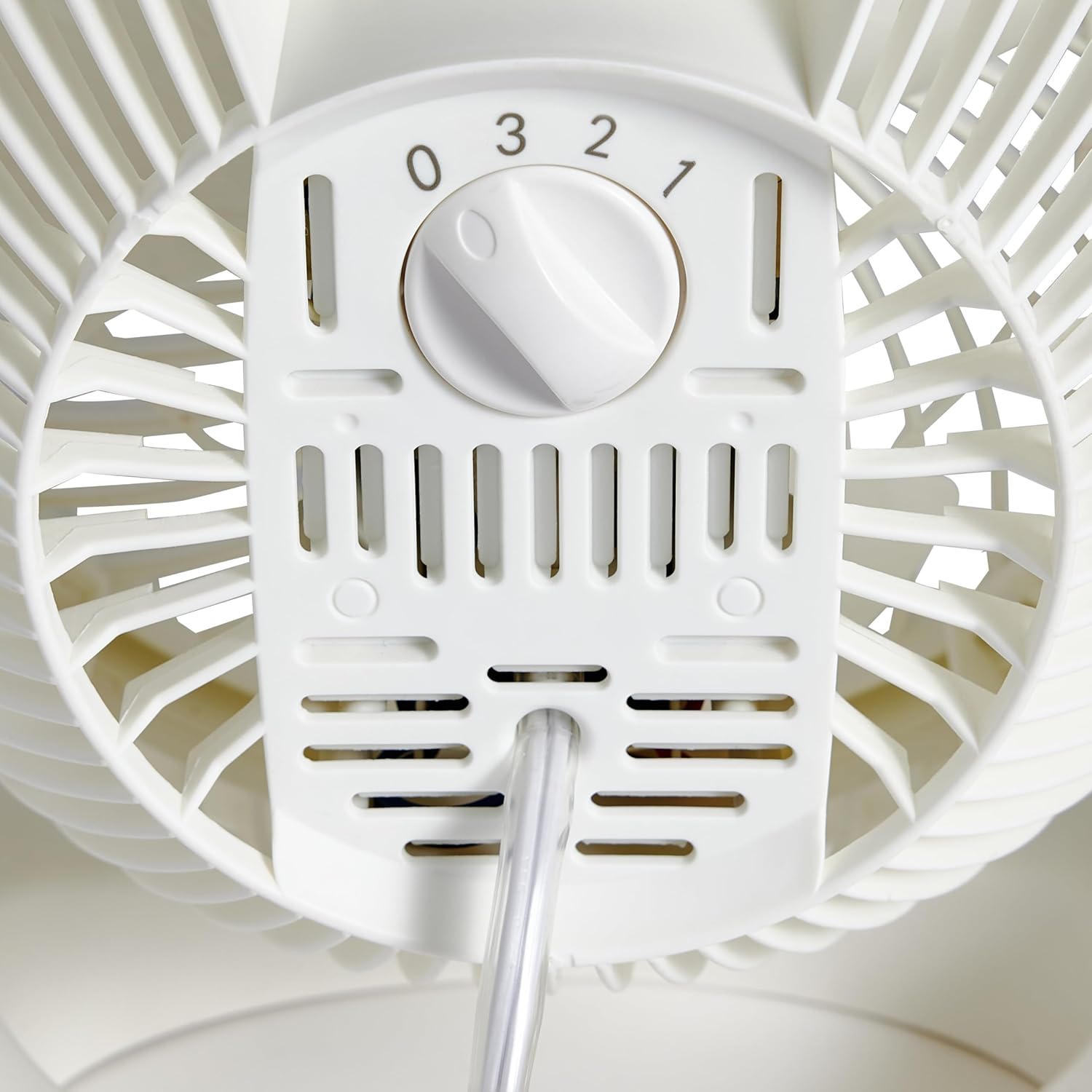
Figure 4: Close-up view of the rotary control dial on the rear of the fan, indicating the 0 (off), 1 (low), 2 (medium), and 3 (high) speed settings.
- 0 (Off): Turns the fan off.
- 1 (Low): Provides a gentle, quiet airflow.
- 2 (Medium): Offers a moderate airflow for general cooling.
- 3 (High): Delivers maximum airflow for stronger cooling.
Adjusting Airflow Direction
The fan head can be manually tilted up or down to direct the airflow precisely where needed. The tilt angle is adjustable by up to 90 degrees.

Figure 5: Side view of the fan, demonstrating its ability to tilt upwards, allowing for flexible airflow direction.
Maintenance
Regular cleaning and maintenance will help ensure the longevity and optimal performance of your fan.
Cleaning Instructions
- Disconnect Power: Always unplug the fan from the electrical outlet before cleaning.
- Clean Exterior: Use a soft, damp cloth to wipe the exterior surfaces of the fan. Do not use abrasive cleaners or solvents, as they may damage the finish.
- Clean Blades: The front grille can be removed for easier access to the fan blades. Gently wipe the blades with a soft, dry cloth or use a vacuum cleaner with a brush attachment to remove dust and debris. Ensure the blades are completely dry before reassembling.
- Reassemble: Securely reattach the front grille after cleaning.

Figure 6: A hand demonstrating the cleaning process of the fan blades using a brush, after the front grille has been removed.
Do not immerse the fan in water or any other liquid. Do not allow water to drip into the motor housing.
Troubleshooting
If you encounter any issues with your fan, please refer to the following troubleshooting guide before contacting support.
| Problem | Possible Cause | Solution |
|---|---|---|
| Fan does not turn on. | Not plugged in; Power outlet not working; Control dial is off. | Ensure the fan is securely plugged into a working electrical outlet. Test the outlet with another appliance. Turn the control dial to a speed setting (1, 2, or 3). |
| Weak or no airflow. | Fan speed set too low; Air intake/outlet blocked; Dirty blades. | Increase the fan speed using the control dial. Ensure nothing is obstructing the front or back of the fan. Clean the fan blades and grille as per maintenance instructions. |
| Unusual noise or rattling. | Fan not on a stable surface; Loose parts; Debris inside. | Place the fan on a firm, level surface. Unplug the fan and check for any loose parts or foreign objects inside the grille. If the noise persists, discontinue use and contact support. |
Specifications
Detailed technical specifications for the Amazon Basics Portable Table Fan.
| Attribute | Value |
|---|---|
| Model Number | FT19-16AB-EU |
| Dimensions (L x W x H) | 15.49 x 27.3 x 27.69 cm |
| Weight | 1.41 kg |
| Voltage | 220-240 V |
| Wattage | 35 W |
| Fan Size | 18 cm |
| Color | White |
| Special Features | Portable, Adjustable Tilt |
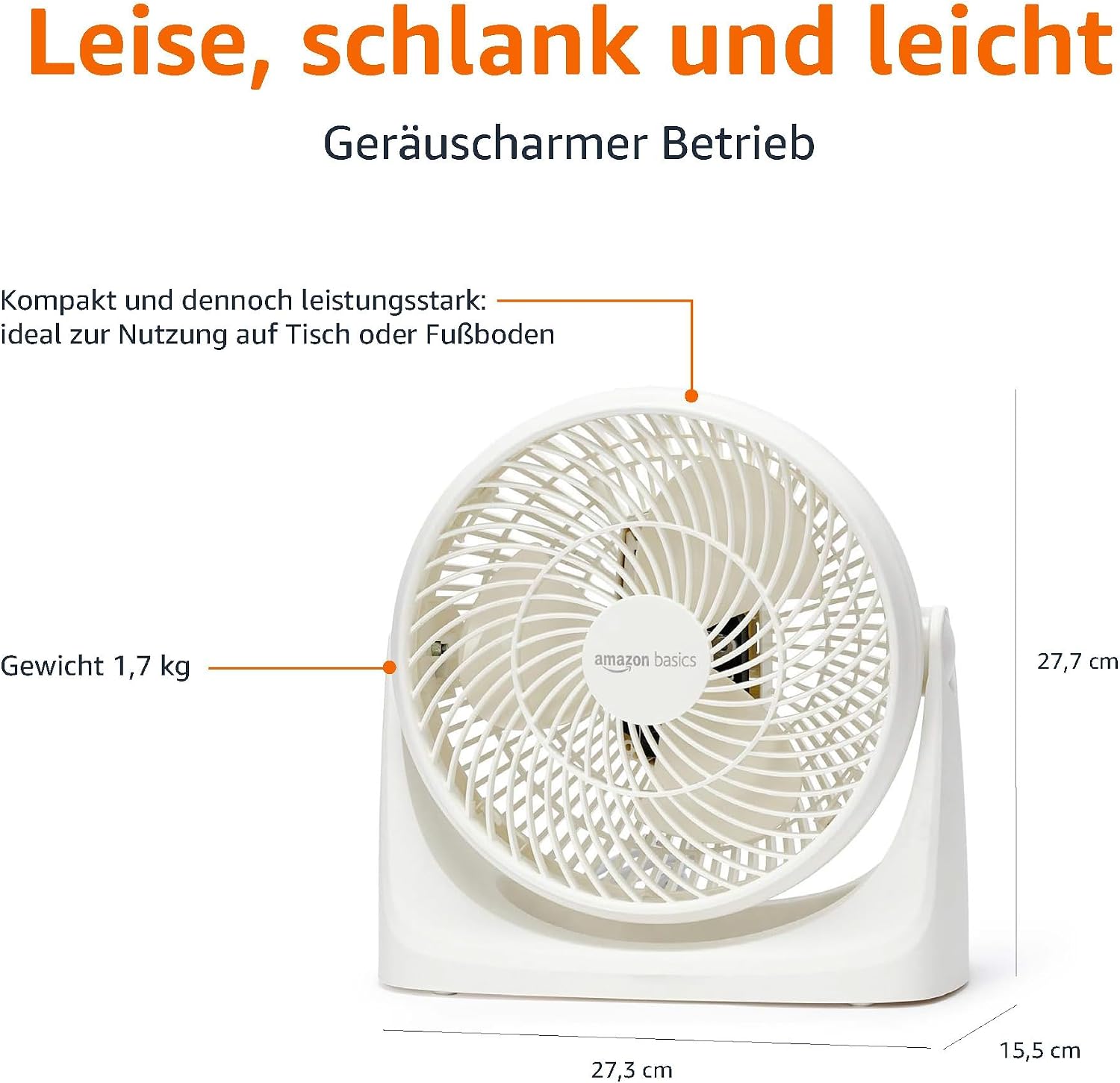
Figure 7: Visual representation of the fan's dimensions (length, width, height) and its weight.
Warranty and Support
This Amazon Basics product is backed by a limited warranty. For specific warranty details, please refer to the documentation included with your purchase or visit the Amazon Basics official website.
For technical support, troubleshooting assistance, or to inquire about warranty claims, please contact Amazon Customer Service through their official website or your purchase platform.
Online Support: Amazon Customer Service
Documents and downloads
Ask a question about this manual
Ask about setup, troubleshooting, compatibility, parts, safety, or missing instructions. Manuals+ will review the question and use this page’s manual context to help answer it.