
zidoo Z20 PRO
zidoo Z20 PRO 4K Media Player User Manual
Model: Z20 PRO
Introduction
This manual provides comprehensive instructions for the setup, operation, and maintenance of your zidoo Z20 PRO 4K Media Player. Please read this manual thoroughly before using the device to ensure proper functionality and to maximize your user experience.
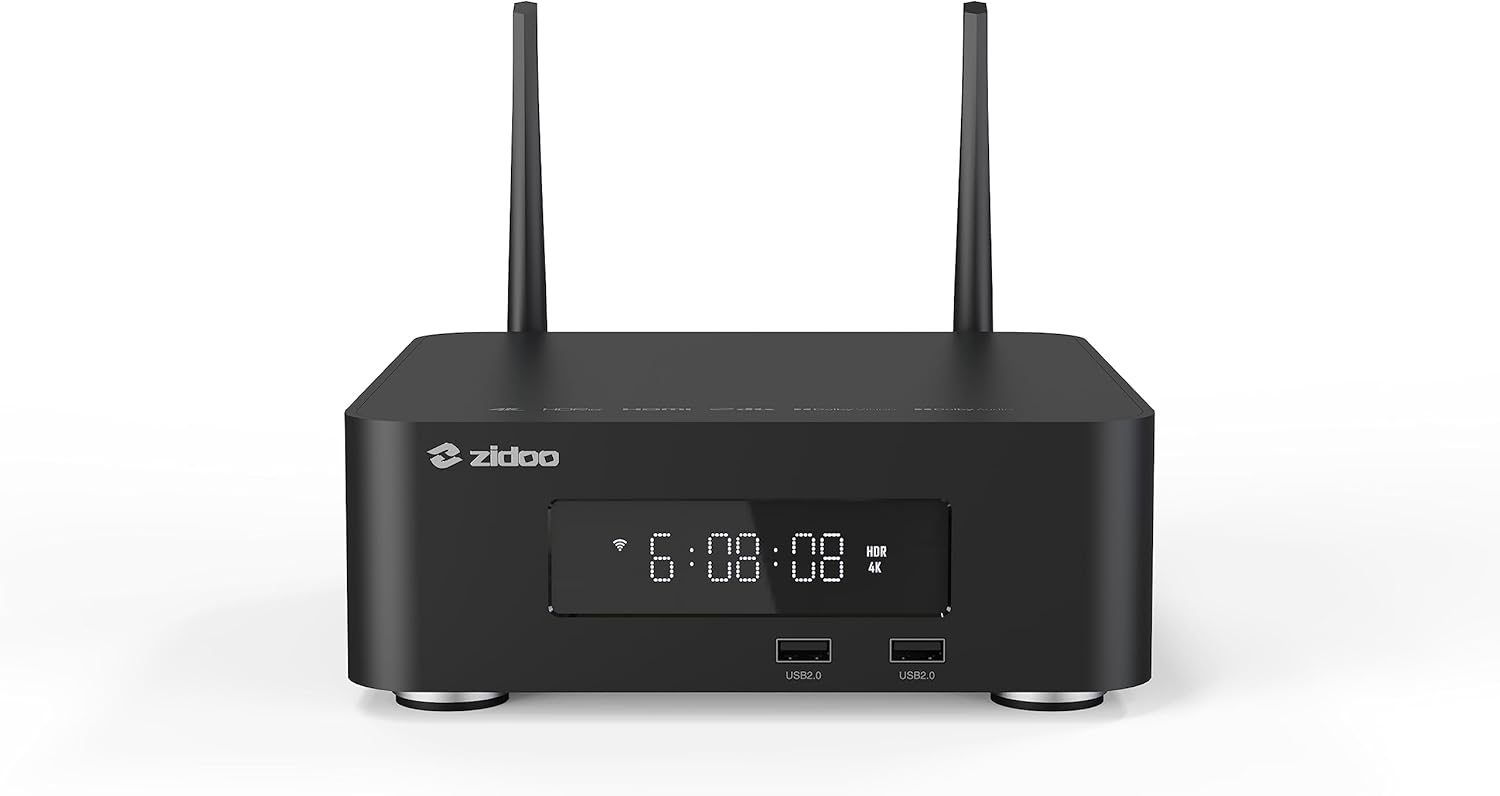
Figure 1: Front view of the zidoo Z20 PRO 4K Media Player, showing the digital display and front USB ports.
Package Contents
Verify that all items are present in the package:
- zidoo Z20 PRO 4K Media Player Unit
- Power Adapter
- Remote Control
- HDMI Cable
- User Manual (this document)
- Wi-Fi Antennas (2x)
Product Overview
Front Panel
- Digital Display: Shows time and status indicators.
- USB 2.0 Ports (x2): For connecting USB storage devices or peripherals.
Rear Panel
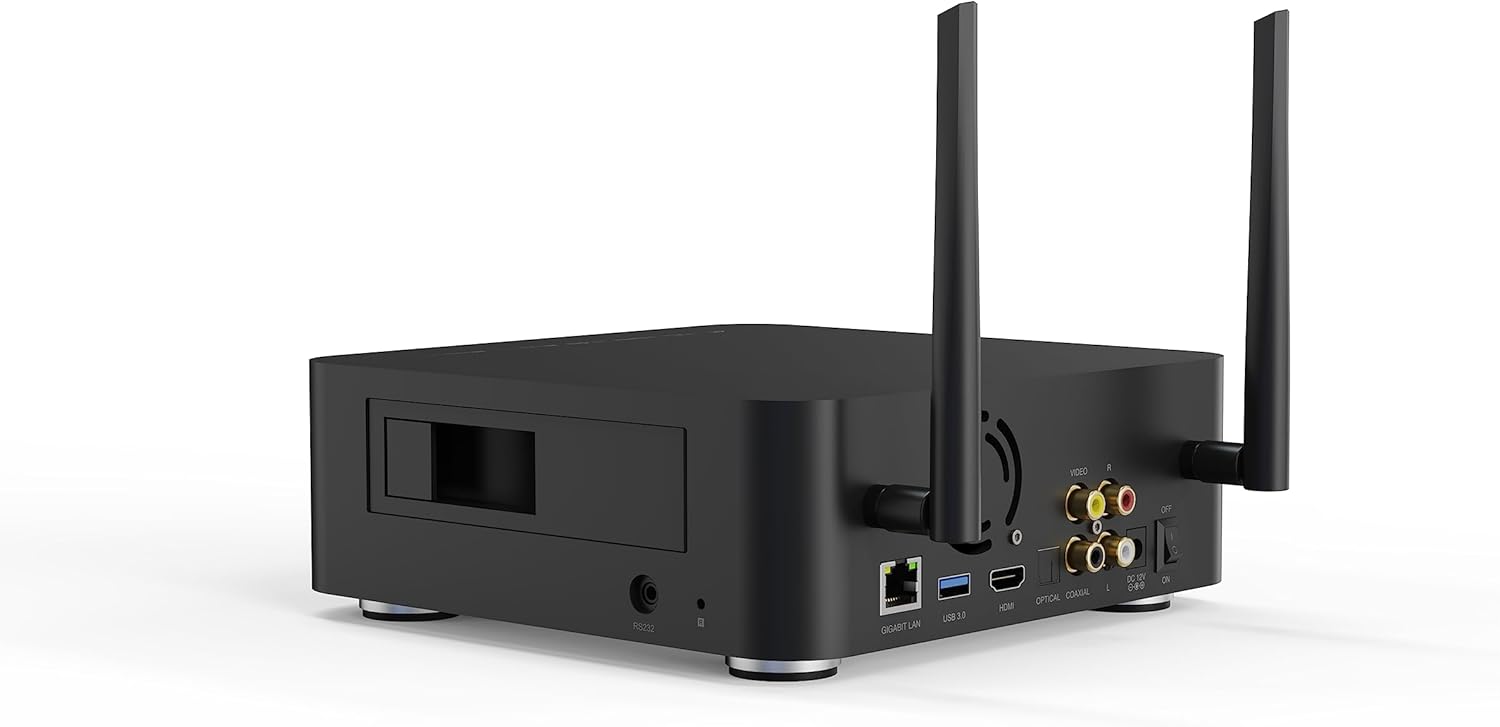
Figure 2: Rear view of the zidoo Z20 PRO 4K Media Player, highlighting connectivity ports.
- Gigabit LAN Port: For wired network connection.
- USB 3.0 Port (x1): For high-speed data transfer with compatible devices.
- HDMI Output: Connects to your TV or display for video and audio.
- Optical Audio Output: For digital audio connection to sound systems.
- Coaxial Audio Output: For digital audio connection to sound systems.
- RCA Audio/Video Outputs: For analog audio and composite video connections.
- DC 12V Power Input: Connects to the included power adapter.
- Power Switch: Main power toggle.
- Wi-Fi Antenna Connectors: For attaching the included Wi-Fi antennas.
Side Panel
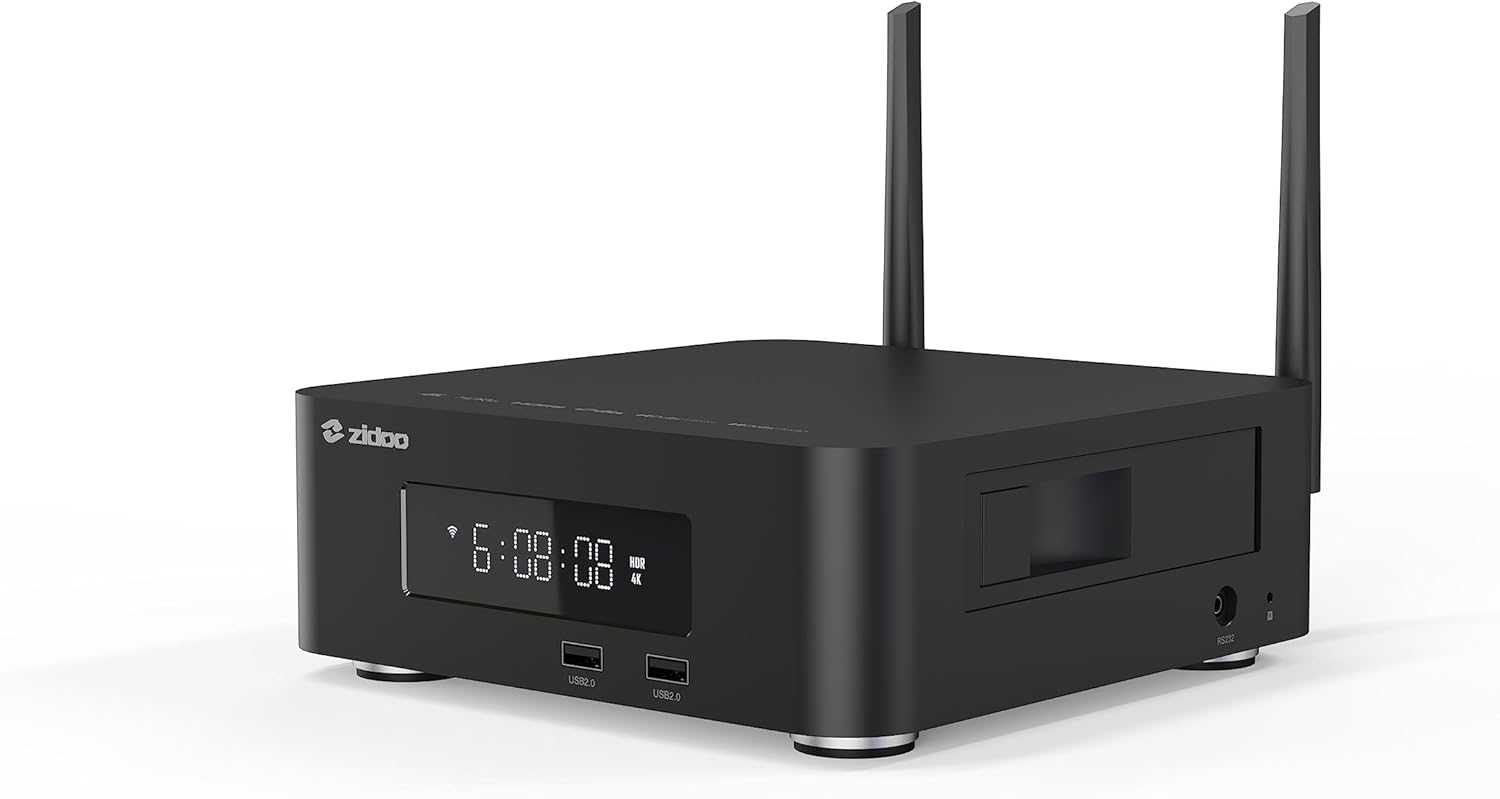
Figure 3: Side view of the zidoo Z20 PRO 4K Media Player, showing the hidden HDD bay.
- Hidden HDD Bay (SATA 3.0): Supports internal hard drives up to 16TB.
- SD Card Slot: For expanding storage or playing media from SD cards.
Setup Guide
- Connect Antennas: Screw the two Wi-Fi antennas onto the connectors at the rear of the device.
- Connect to Display: Connect one end of the HDMI cable to the HDMI output port on the Z20 PRO and the other end to an HDMI input port on your TV or display.
- Connect to Network (Optional):
- Wired: Connect an Ethernet cable from your router to the Gigabit LAN port on the Z20 PRO.
- Wireless: The device supports 2.4G+5G dual-band WiFi 6. You will configure the wireless connection in the system settings after initial power-on.
- Install Internal HDD (Optional): If using an internal hard drive, carefully open the hidden HDD bay on the side, insert your SATA 3.0 compatible hard drive (up to 16TB), and secure it.
- Connect Power: Connect the power adapter to the DC 12V input port on the Z20 PRO, then plug the adapter into a power outlet.
- Power On: Flip the power switch on the rear panel to the "ON" position. The device will boot up.
- Initial Setup: Follow the on-screen prompts for initial setup, including language selection, network configuration (if not wired), and time zone settings.
Operating Instructions
Navigation
Use the included remote control to navigate the Android 11 interface. The directional pad, OK button, Back button, and Home button are primary controls.
Media Playback
The Z20 PRO supports various media formats and sources:
- Local Storage: Play media from connected USB drives, internal HDD, or SD cards.
- Network Storage: Access media from NAS (Network Attached Storage) devices or shared folders on your PC via NFS, SMB V1/V2/V3, or UPnP protocols.
- Supported Formats: 4K@60Hz, 12Bit, BD/UHD BDMV/ISO, MVC 3D (Blu-ray MKV), MKV, TS, AV1 decoding. Supports HDR (HDR10/HLG/HDR10+/Dolby Vision).
- Audio Playback: Master-level DSD (SACD ISO, DFF, DSF), Lossless CD (WAV, APE, FLAC) up to DSD256/PCM 192KHZ sampling rate.
System Settings
Access the system settings menu to configure:
- Network: Wi-Fi connection, Ethernet settings.
- Display: Resolution, HDR settings, aspect ratio.
- Audio: Audio output mode (HDMI, SPDIF), passthrough settings.
- Storage: Manage internal and external storage devices.
- Applications: Install, uninstall, and manage Android applications.
- About: View device information and perform OTA updates.
ZIDOO Controller App
Utilize the official ZIDOO Controller app for remote control and enhanced functionality from your smartphone or tablet.
Maintenance
- Cleaning: Use a soft, dry cloth to clean the exterior of the device. Avoid liquid cleaners or abrasive materials.
- Ventilation: Ensure the device is placed in a well-ventilated area to prevent overheating. Do not block ventilation openings.
- Software Updates: Regularly check for and install OTA (Over-The-Air) software updates to ensure optimal performance and access to new features. Navigate to Settings > About > System Update.
- Hard Drive Management: If an internal HDD is installed, periodically check its health and ensure sufficient free space for optimal performance.
Troubleshooting
| Problem | Possible Cause | Solution |
|---|---|---|
| No Power | Power cable not connected; Power switch off; Faulty power adapter. | Ensure power cable is securely connected. Turn on the power switch on the rear. Test with another power outlet. |
| No Video Output | HDMI cable loose or faulty; Incorrect TV input selected; Display resolution mismatch. | Check HDMI cable connections. Select the correct HDMI input on your TV. Try a different HDMI cable. Adjust display resolution in settings if possible. |
| No Audio Output | Audio settings incorrect; Cable issues; Receiver/TV volume low. | Check audio output settings in the Z20 PRO. Ensure cables are connected correctly. Increase volume on your TV/receiver. |
| Network Connection Issues | Incorrect Wi-Fi password; Router issues; Ethernet cable disconnected. | Verify Wi-Fi password. Restart your router. Check Ethernet cable connection. |
| Slow Performance / App Crashes | Too many apps running; Low storage space; Outdated firmware. | Close unused applications. Clear cache. Check for and install system updates. Consider a factory reset if issues persist (backup data first). |
Specifications
| Feature | Detail |
|---|---|
| Model | Z20 PRO |
| Processor | RTD1619BPD Quad-core 64bit |
| RAM | 4GB DDR4 |
| Internal Storage | 32GB eMMC |
| Operating System | Android 11 |
| Video Output | HDMI 2.0a (4K@60Hz, 12Bit, HDR10/HLG/HDR10+/Dolby Vision) |
| Audio Output | HDMI, Optical, Coaxial, RCA Stereo |
| Connectivity | Gigabit Ethernet, Wi-Fi 6 (2.4G+5G dual-band), Bluetooth 5.2 |
| USB Ports | 1x USB 3.0, 2x USB 2.0 |
| Internal HDD Bay | SATA 3.0 (Supports up to 16TB) |
| Dimensions | 7.76 x 7.76 x 2.68 inches |
| Weight | 5.1 pounds |
Warranty and Support
ZIDOO is committed to providing excellent service. For any issues or inquiries regarding your zidoo Z20 PRO, please contact the seller directly via email. Additionally, a home theater forum is available on the official ZIDOO website for community support and discussions.
Please refer to your purchase documentation for specific warranty terms and conditions.
Related documentsZ20 PRO


Ask a question about this manual
Ask about setup, troubleshooting, compatibility, parts, safety, or missing instructions. Manuals+ will review the question and use this page’s manual context to help answer it.