
INSEETECH WF822-Set
INSEETECH 4G LTE Tuya Smart Solar Wireless Camera User Manual
Model: WF822-Set
1. Product Overview
The INSEETECH 4G LTE Tuya Smart Solar Wireless Camera is a robust outdoor surveillance solution designed for continuous monitoring without the need for Wi-Fi or constant power connections. It operates on a 4G LTE cellular network and is powered by an integrated solar panel and rechargeable battery, ensuring year-round functionality with minimal power consumption. This camera features 2K resolution, PTZ (Pan-Tilt-Zoom) capabilities, advanced motion detection, two-way audio, and versatile night vision modes.

Figure 1: INSEETECH 4G LTE Tuya Smart Solar Wireless Camera with solar panel and SIM card.
Key features include:
- Wire-Free & Solar Powered: Equipped with a 10W solar panel and rechargeable battery for continuous operation.
- PTZ Camera & Waterproof: Offers 355° horizontal pan and 90° vertical tilt. IP66 waterproof rating ensures durability in various weather conditions.
- Intelligent Motion Detection: Utilizes PIR motion detection and human detection technology with instant alerts via the Tuya app.
- 4MP 98ft Full Color Night Vision: Provides clear 2K images and videos at night with both infrared and full-color night vision modes.
- Two-Way Audio & Family Share: Enables communication with visitors and supports sharing access with up to 50 users.
2. Setup Guide
Follow these steps to set up your INSEETECH 4G LTE Tuya Smart Solar Wireless Camera:
2.1 Initial Charging
Before first use, fully charge the camera's internal battery using the provided power adapter. This ensures sufficient power for initial setup and configuration.
2.2 SIM Card and Memory Card Installation
The camera requires a 4G LTE SIM card (included with a 100MB/7-day free trial) and supports an 8-128GB memory card (not included) for local storage. Insert both into their respective slots on the camera body.

Figure 2: Overview of the installation process.
2.3 App Download and Connection
Download the Tuya Smart APP from your device's app store. Follow the in-app instructions to add your camera. This typically involves scanning a QR code on the camera to establish a connection.
2.4 Mounting the Camera
The camera offers flexible installation options, including integrated and split installation. The solar panel can be mounted directly on top of the camera or separately using the provided bracket and cable to ensure optimal sunlight exposure.

Figure 3: Camera dimensions for mounting planning.

Figure 4: Integrated vs. Split Installation options.
Ensure the solar panel receives at least 2 hours of direct sunlight daily for optimal charging.
3. Operating Instructions
3.1 Remote Monitoring and PTZ Control
Once connected, use the Tuya Smart APP to view live footage from anywhere. The app allows you to remotely control the camera's pan (355°) and tilt (90°) movements to cover a wide area.
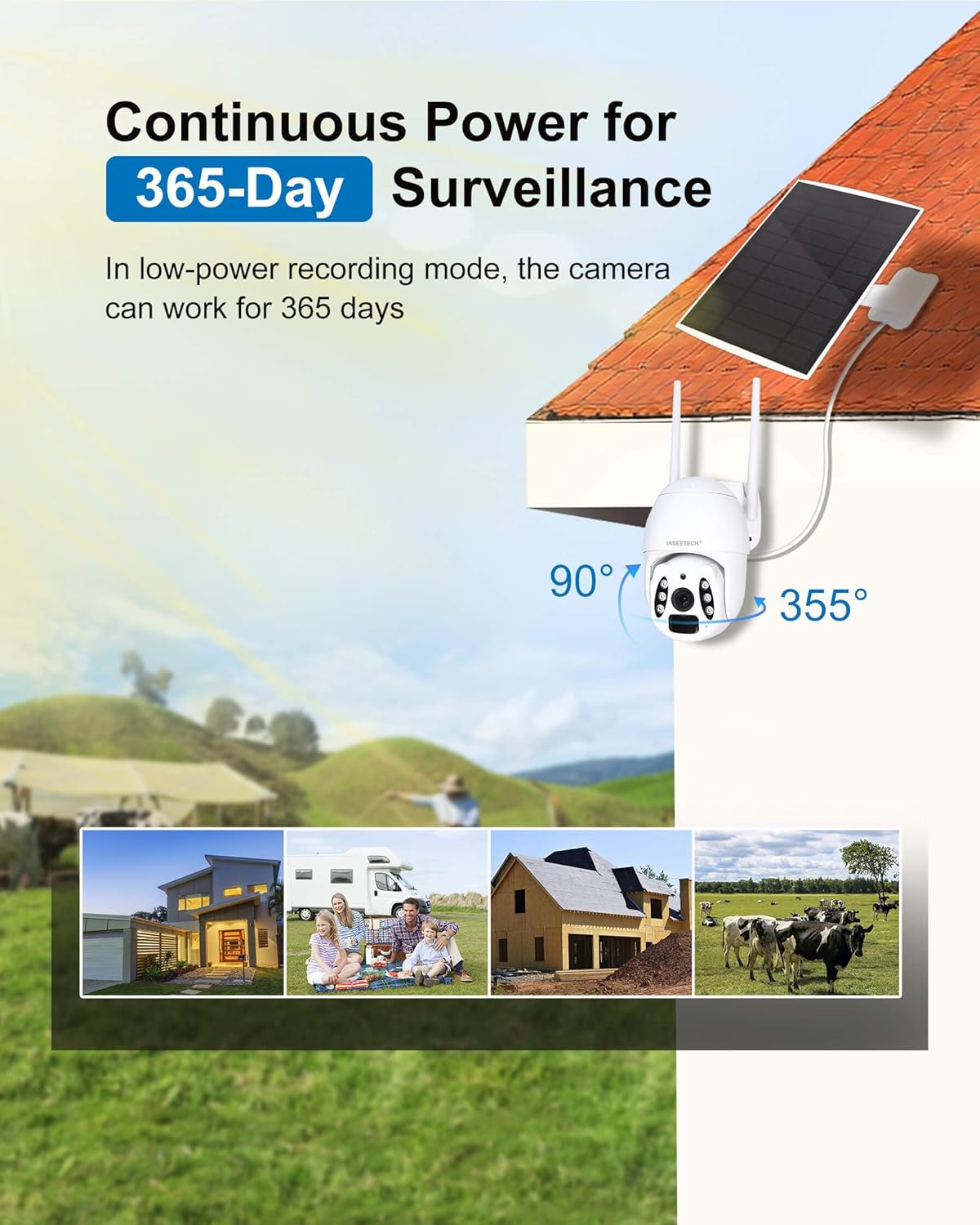
Figure 5: Camera's pan and tilt range for comprehensive coverage.
3.2 Motion Detection and Alerts
The camera features PIR motion detection and advanced human body filtering to reduce false alarms. When motion is detected, you will receive instant alerts on your Tuya app. In smart mode, the camera's lighting feature can also act as a floodlight.
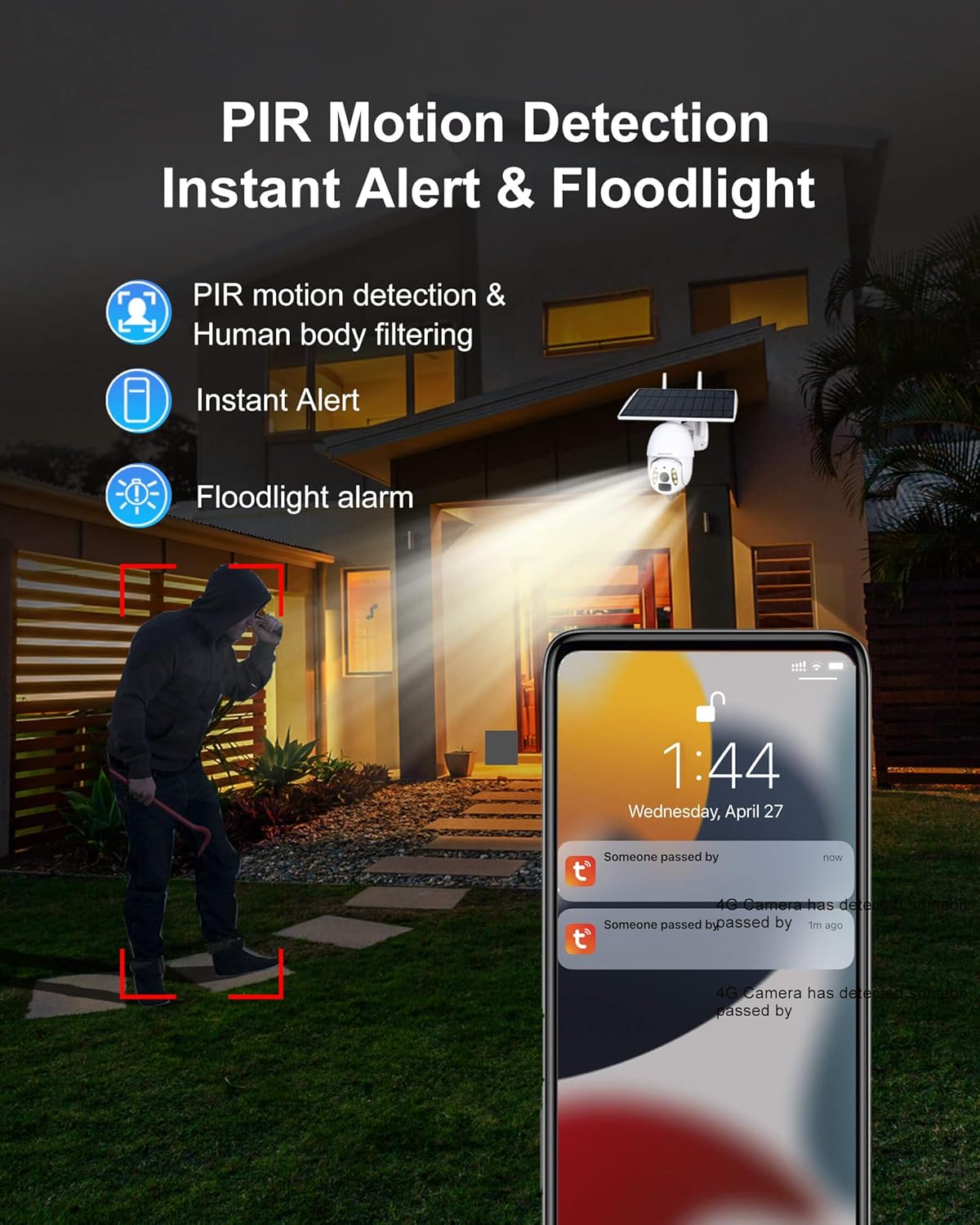
Figure 6: Motion detection and instant alert functionality.
3.3 Night Vision Modes
Equipped with a 4MP HD CMOS Sensor and dual light sources (6 infrared lights and white light), the camera offers two night vision modes:
- Infrared Night Vision: Provides clear black and white images in low-light conditions up to 98 feet.
- Full-Color Night Vision: Activates white light to capture full-color video even in pitch darkness.

Figure 7: Comparison of Infrared and Full Color Night Vision.
3.4 Two-Way Audio
The built-in microphone and speaker enable two-way communication, allowing you to talk to visitors or deter intruders directly through the app.
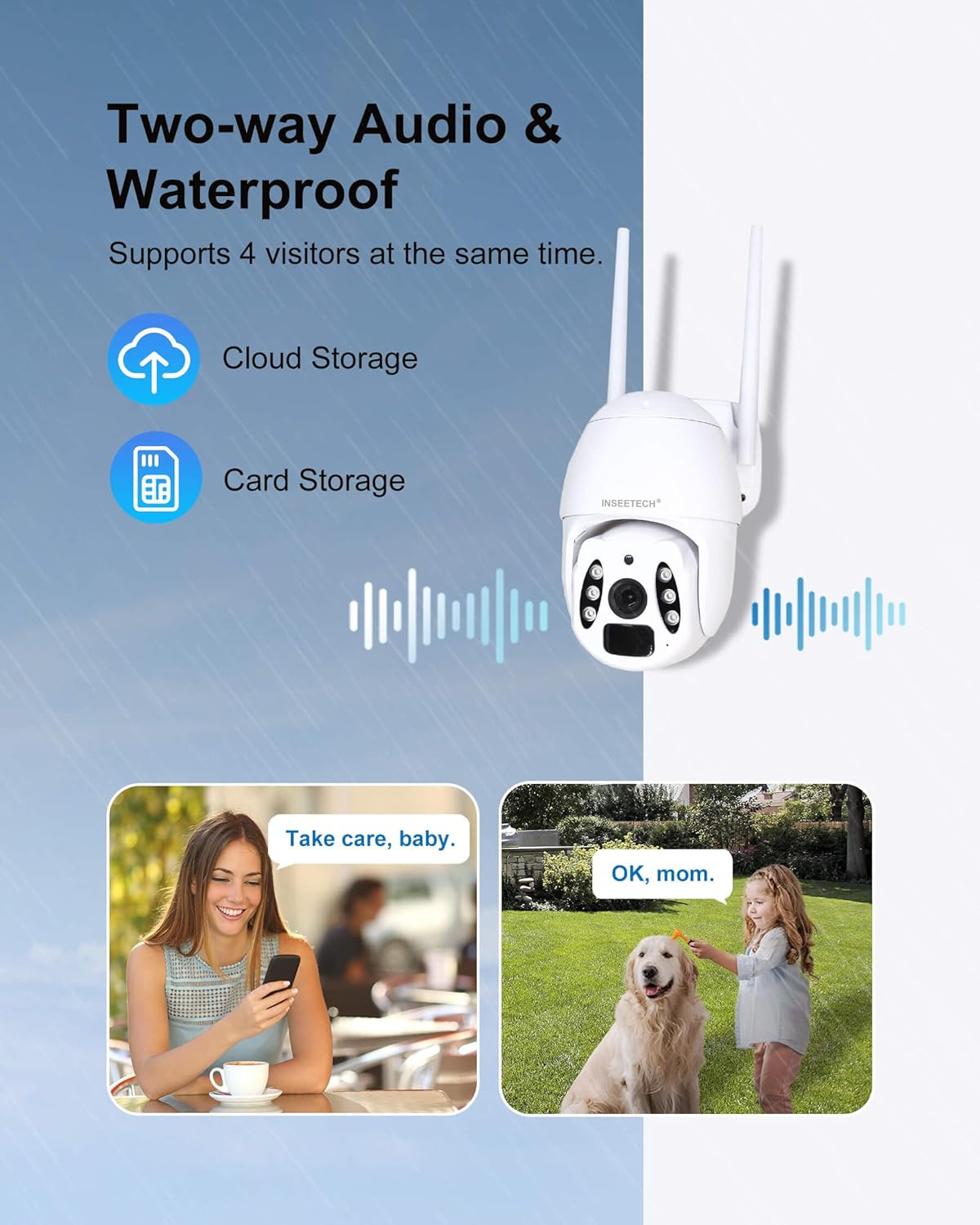
Figure 8: Two-way audio functionality.
3.5 Video Storage and Playback
Recordings can be stored on a local SD card (8-128GB, not included) or via optional cloud storage (subscription required). The Tuya app allows for easy playback of recorded events.
3.6 Multi-User Sharing
The camera supports sharing access with up to 50 users, allowing multiple family members or authorized personnel to view the live stream simultaneously while maintaining privacy settings for the main user.
3.7 Official Product Videos
Video 1: Real Footage from INSEETECH 4G SIM Card Solar Camera. This video demonstrates the actual video quality and performance of the camera in a real-world outdoor setting, showcasing its clarity and field of view.
Video 2: Why choose INSEETECH 4G LTE Cellular Wireless Solar Camera? This video highlights the key benefits and unique selling points of the camera, such as its 4G LTE connectivity, solar power, and ease of installation, explaining why it's a suitable choice for various surveillance needs.
4. Maintenance
To ensure optimal performance and longevity of your INSEETECH 4G LTE Tuya Smart Solar Wireless Camera, regular maintenance is recommended:
- Clean the Solar Panel: Periodically wipe the solar panel surface with a soft, damp cloth to remove dust, dirt, or debris that may hinder charging efficiency.
- Check Camera Lens: Ensure the camera lens is clean and free from smudges or obstructions for clear image quality.
- Inspect Mount: Regularly check the mounting bracket and screws to ensure the camera is securely fastened, especially after strong winds or adverse weather.
- Software Updates: Keep the Tuya Smart APP updated to the latest version to benefit from new features, bug fixes, and security enhancements.
- Battery Health: Monitor the battery level via the app. While solar-powered, prolonged periods of low sunlight may require manual charging.

Figure 9: The camera's IP66 waterproof rating ensures durability against elements.
5. Troubleshooting
If you encounter issues with your camera, refer to the following common troubleshooting tips:
- Camera Offline:
- Check 4G LTE signal strength in the camera's location.
- Ensure the SIM card is correctly inserted and activated with a valid data plan.
- Verify the camera battery is charged.
- Restart the camera by turning it off and on.
- Poor Image Quality:
- Clean the camera lens.
- Ensure sufficient lighting, especially for night vision.
- Check the camera's resolution settings in the app.
- Motion Detection Issues:
- Adjust motion detection sensitivity in the app.
- Ensure the camera's field of view is clear of obstructions.
- Verify human body filtering settings if experiencing too many false alarms.
- Playback Not Working (SD Card):
- Ensure an SD card is inserted and properly formatted within the app.
- Check if the SD card is full; consider enabling loop recording or upgrading to a larger capacity card.
- Verify recording settings in the app (e.g., continuous recording, event-triggered recording).
- Two-Way Audio Problems:
- Check microphone and speaker settings in the app.
- Ensure your phone's volume is up.
- Verify network connectivity for real-time audio transmission.
6. Specifications
| Feature | Specification |
|---|---|
| Model Name | WF822-Set |
| Indoor/Outdoor Usage | Outdoor |
| Power Source | Solar Powered |
| Connectivity Technology | Wireless (4G LTE Cellular) |
| Video Capture Resolution | 4MP |
| PTZ Capabilities | 355 Degrees Horizontal, 90 Degrees Vertical |
| Night Vision Range | 98 Feet |
| Water Resistance Level | IP66 |
| Two-Way Audio | Yes |
| Motion Detection | PIR Motion Detection, Human Body Filtering |
| Storage Options | SD Card (8-128GB, not included), Cloud Storage (subscription) |
| Battery | 1 Lithium Ion battery (included) |
| Solar Panel Wattage | 10 watts |
| Dimensions (L x W x H) | 7.9 x 7.5 x 4.3 inches |
| Item Weight | 3.54 pounds |
| Color | White |
| Material | Acrylonitrile Butadiene Styrene (ABS) |
7. Warranty and Support
For warranty information and customer support, please refer to the documentation included with your product or visit the official INSEETECH website. Our customer service team is available to assist with any issues or questions you may have regarding the camera's operation, installation, or features.
Ask a question about this manual
Ask about setup, troubleshooting, compatibility, parts, safety, or missing instructions. Manuals+ will review the question and use this page’s manual context to help answer it.