
1. Introduction
Thank you for choosing the LITTLE TREE 55-Inch L-Shaped Computer Desk. This manual provides essential information for the safe assembly, proper use, and maintenance of your new desk. Please read these instructions carefully before beginning assembly and retain them for future reference.
2. Safety Information
- Always follow the assembly instructions precisely to ensure the desk's stability.
- If the desk is used in an environment with children, consider anchoring it to the wall to prevent tipping. Wall anchoring hardware may not be included and should be purchased separately if needed.
- Keep liquids away from the desk's surfaces to prevent damage. In case of spills, wipe immediately with a dry cloth.
- Do not overload the desk or shelves beyond their recommended weight capacity (Maximum Weight Recommendation: 77 pounds).
- Ensure all screws and fasteners are tightened securely before use and periodically check for any loosening.
3. Product Specifications
| Feature | Detail |
|---|---|
| Brand | LITTLE TREE |
| Model Number | MH039 |
| Dimensions (D x W x H) | 43.3" x 55.11" x 35.43" |
| Item Weight | 70 pounds |
| Material | Engineered Wood, Metal |
| Color | Walnut |
| Special Features | Monitor Stand, Reversible Design, Scratch Resistant Surface, 2 Drawers, 4 Shelves, Headphone Hook |
| Number of Drawers | 2 |
| Number of Shelves | 4 |
| Maximum Weight Recommendation | 77 pounds |
4. Package Contents
Your LITTLE TREE L-Shaped Computer Desk package includes all necessary components, simple assembly tools, and a step-by-step instruction guide. Please verify that all parts are present and undamaged before beginning assembly. If any parts are missing or damaged, please contact customer support.
5. Setup and Assembly
Assembly of this desk is designed to be straightforward. Each component is marked, and a detailed step-by-step guide is provided in the packaging. It is recommended that two people assemble the desk for ease and safety.
5.1 Reversible Design
The L-shaped section of the desk, including the drawers and shelves, can be assembled on either the left or right side to best suit your room layout and preferences. Refer to the specific sections in your included assembly guide for instructions on configuring the desk for your desired orientation.


5.2 General Assembly Steps
- Unpack all components and lay them out on a clean, soft surface to prevent scratches.
- Identify all parts using the provided parts list in your assembly guide.
- Follow the step-by-step diagrams and instructions in the included manual to connect the frame components.
- Attach the desk panels, ensuring proper alignment and secure fastening.
- Assemble and install the drawers and shelves according to your desired left or right configuration.
- Install the monitor stand and headphone hook.
- Once fully assembled, gently move the desk to its desired location.
6. Operating Instructions (Usage)
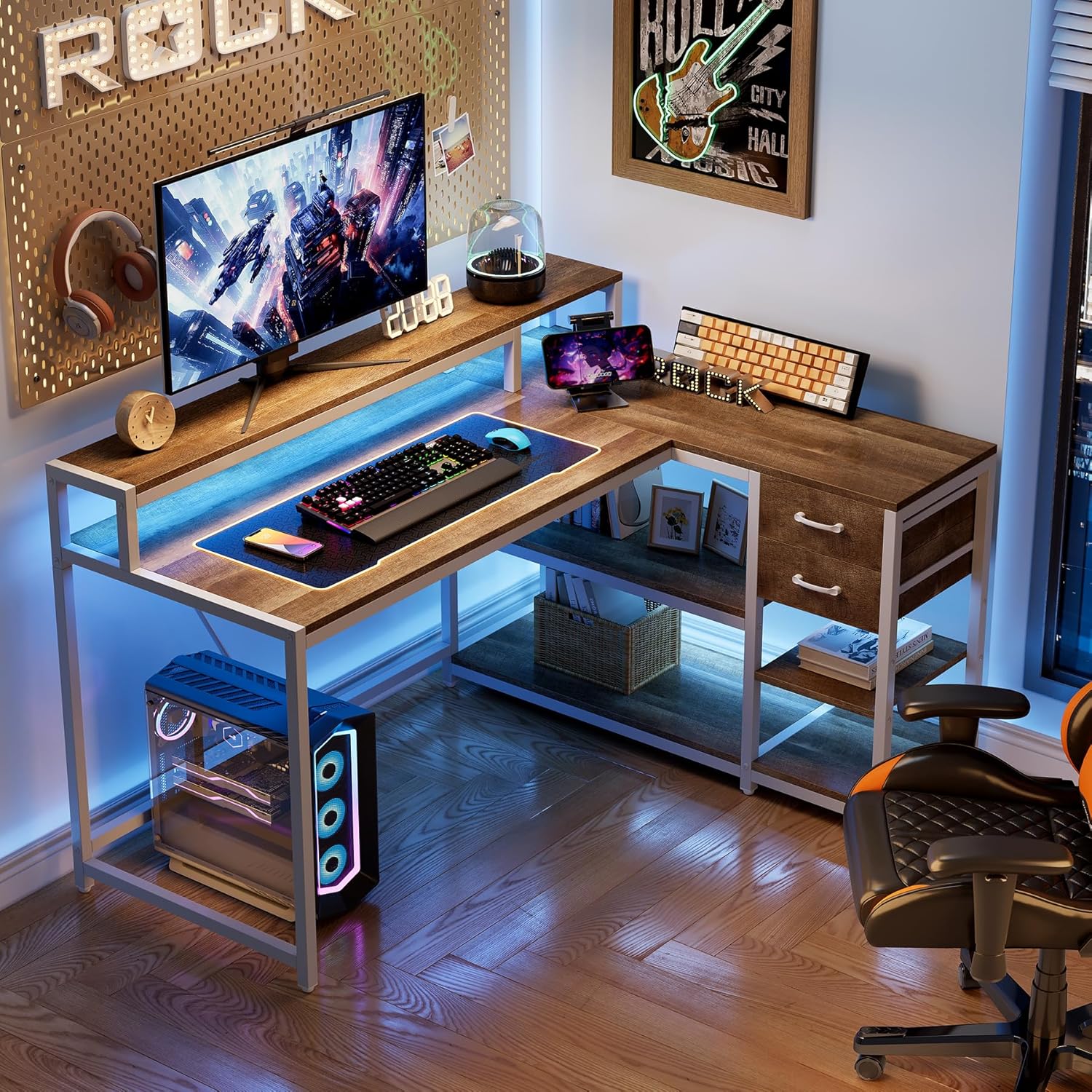
The LITTLE TREE L-Shaped Computer Desk is designed for versatile use in home offices, gaming setups, or study areas.
- Main Desktop Surface: Provides ample space for your computer, keyboard, mouse, and other essential work items.
- Monitor Stand: The elevated monitor stand helps promote ergonomic posture by raising your screen to a comfortable viewing height.
- Drawers: Two integrated drawers offer enclosed storage for office supplies, documents, or personal items, helping to keep your workspace tidy.
- Storage Shelves: Four open shelves provide additional space for books, decorative items, or other accessories, keeping them within easy reach.
- Headphone Hook: Utilize the convenient headphone hook to keep your headphones organized and off the desk surface.

7. Maintenance and Care
Proper care will extend the life and appearance of your desk.
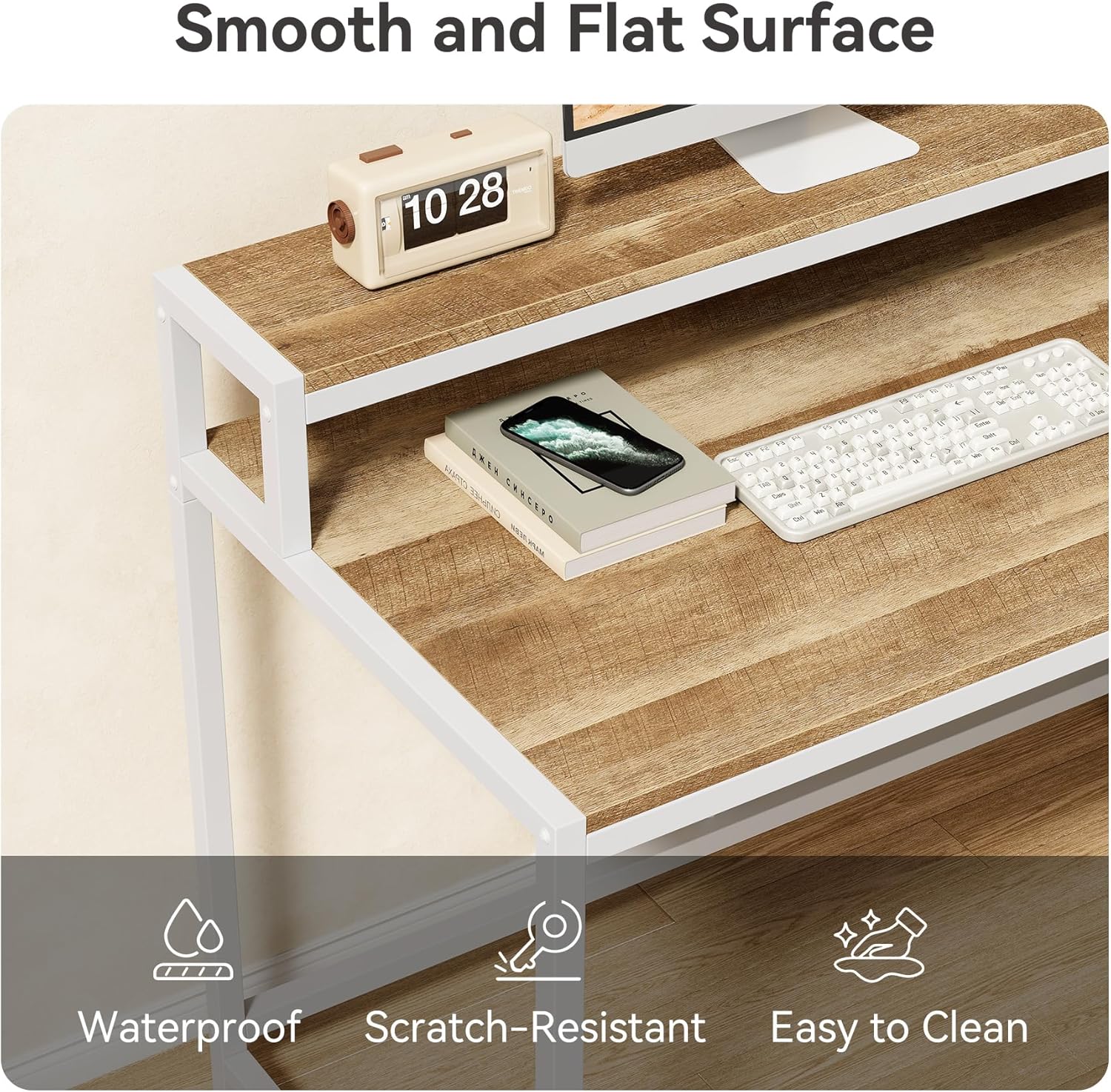
- Cleaning: Wipe the desk surfaces with a dry cloth. For stubborn marks, a slightly damp cloth followed immediately by a dry cloth can be used. Avoid abrasive cleaners or harsh chemicals, as these can damage the finish.
- Scratch Resistance: The desk features a scratch-resistant surface, but it is still advisable to use coasters for drinks and protective pads under heavy or sharp objects.
- Stability Check: Periodically check all screws and fasteners to ensure they remain tight. Re-tighten if necessary to maintain stability.

8. Troubleshooting
If you encounter any issues during assembly or use, please refer to the following common solutions:
- Instability/Wobbling: Ensure all screws are fully tightened. Check that the desk is on a level surface. Adjustable feet may be present to compensate for uneven floors.
- Parts Misalignment: Double-check the assembly instructions, especially for the reversible sections. Sometimes, a part may need to be flipped or reoriented. Disassemble the affected section and reassemble carefully.
- Drawers Not Sliding Smoothly: Verify that the drawer slides are correctly installed and aligned. Ensure no debris is obstructing the tracks.
- Missing or Damaged Parts: If you find any parts missing or damaged upon opening the package, do not proceed with assembly. Contact customer support immediately for assistance.
9. Warranty and Support
This LITTLE TREE desk comes with a limited warranty. Please refer to the warranty information included in your product packaging for specific terms and conditions.
For further assistance, technical support, or to report missing/damaged parts, please contact LITTLE TREE customer service through the retailer where you purchased the product or visit the official LITTLE TREE website for contact information.


