
Studebaker SB2003EB
Studebaker SB2003 Retro Portable AM FM Radio Instruction Manual
Model: SB2003EB | Brand: Studebaker
1. Introduction
This manual provides detailed instructions for the operation and maintenance of your new Studebaker SB2003 Retro Portable AM FM Radio. This classic vintage retro design radio offers a compact and durable build, featuring a built-in speaker, AC/DC power options, and auxiliary input capabilities. Please read this manual thoroughly before using the product to ensure proper function and longevity.
2. What's in the Box
Upon opening the package, please verify that all the following components are included:
- Studebaker SB2003 Retro Portable AM FM Radio Unit
- Owner's Manual
- Power Adapter
- 3.5mm Auxiliary Cable
3. Product Features and Components
Familiarize yourself with the key features and components of your Studebaker SB2003 radio:
- Portable AM/FM Analog Radio: Enjoy your favorite AM and FM stations with classic analog tuning.
- 3.5mm Headphone Jack: Connect headphones for private listening.
- 3.5mm Aux-in Jack: Connect external audio devices like smartphones or MP3 players.
- 3" Speaker: Provides clear audio output.
- AC/DC Power Operation: Can be powered by the included AC adapter or batteries for portability.
- 4 C Battery Powered: For portable use, the radio requires four 'C' size batteries (not included).
- FM Swivel Telescopic Antenna: Extend and adjust for optimal FM reception.
- Foldable Handle: For easy carrying and transport.
- Rotary Volume Control: Adjust the audio output level.
- AM/FM Band Rotary Selector: Switch between AM and FM radio bands.
Product Views

Figure 3.1: Front view of the Studebaker SB2003 radio, highlighting its retro design and control knobs.
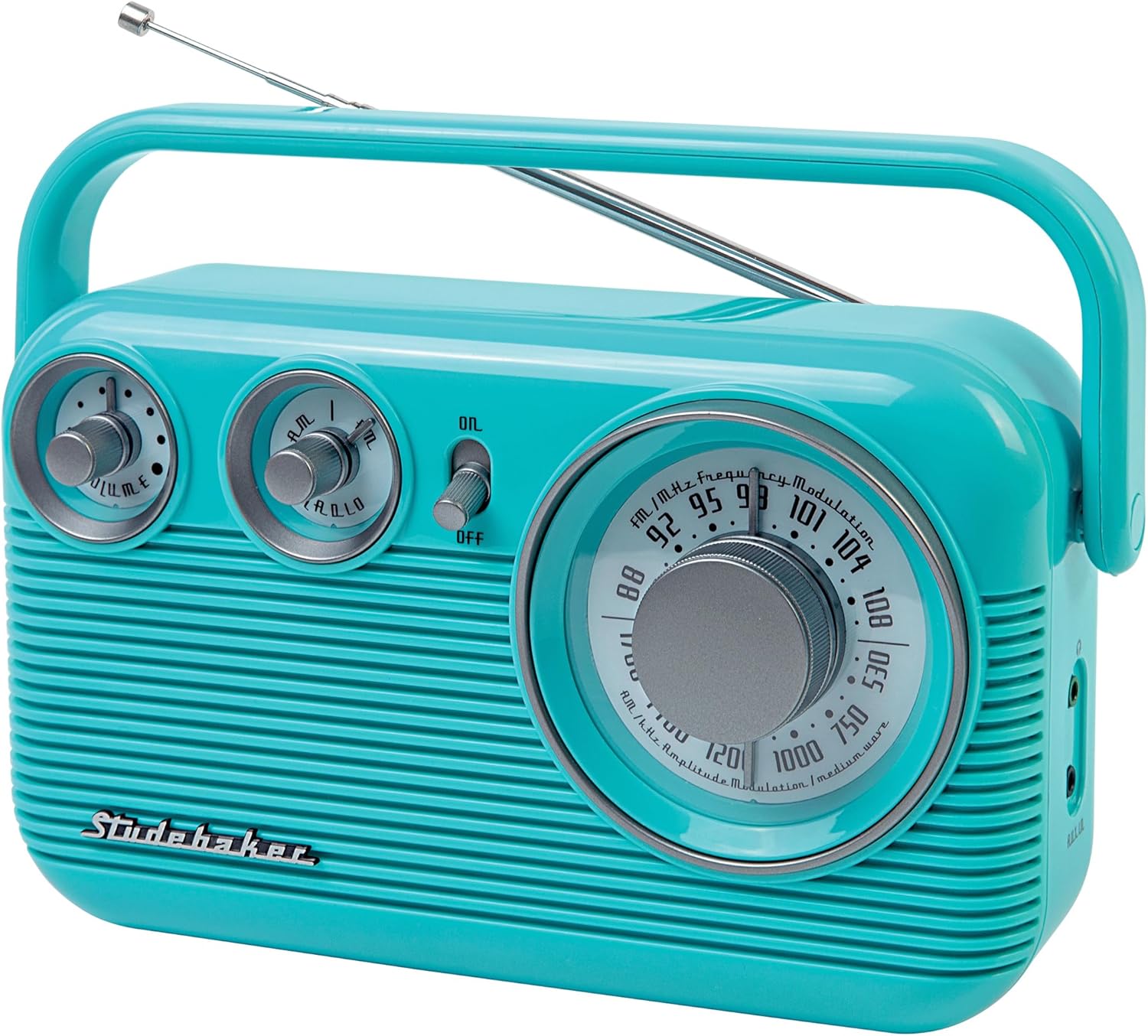
Figure 3.2: Angled view of the radio, showing the extendable FM telescopic antenna for improved reception.
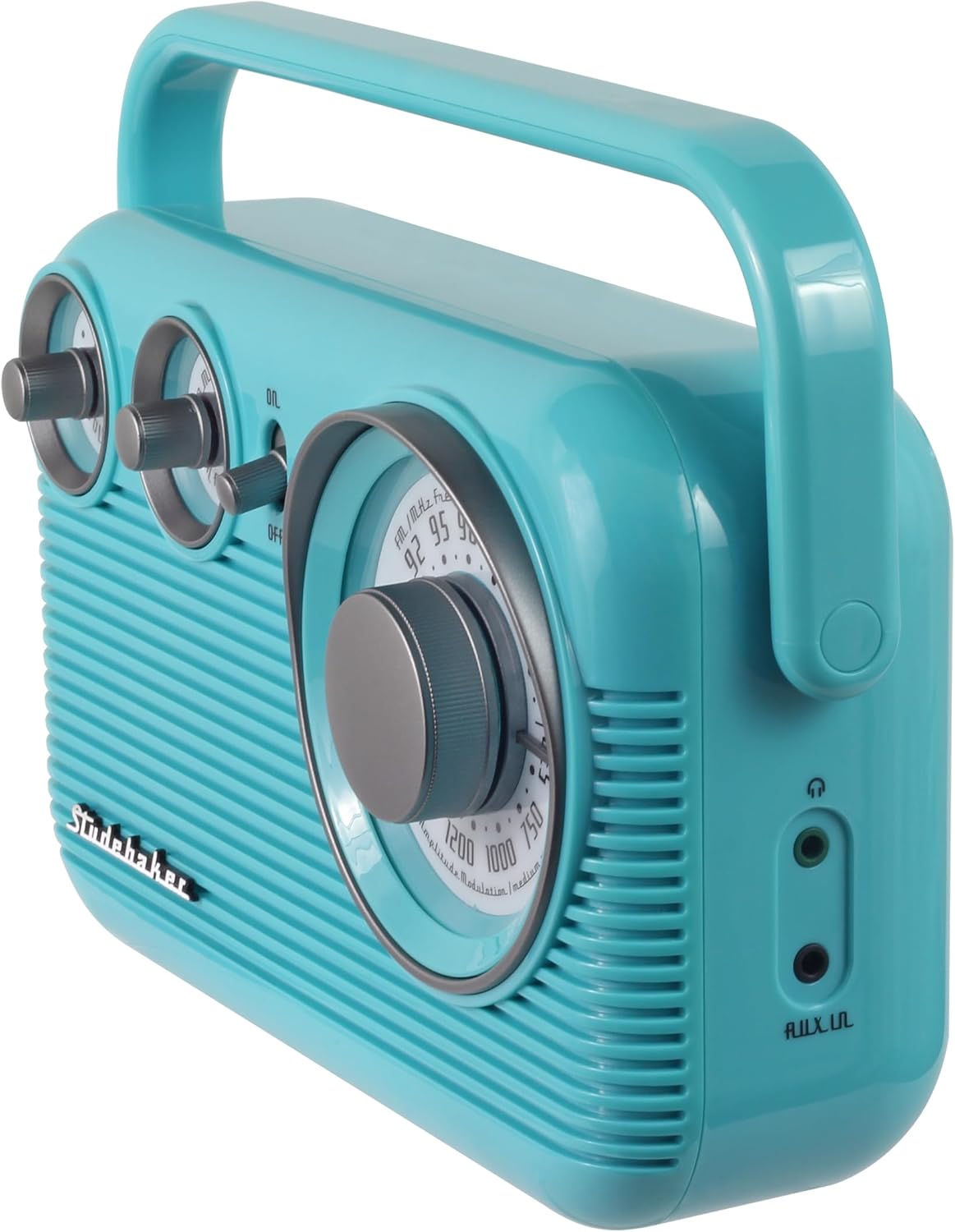
Figure 3.3: Side view illustrating the 3.5mm headphone jack and auxiliary input jack for connecting external devices.

Figure 3.4: Product dimensions for the Studebaker SB2003 radio.
4. Setup
4.1 Powering the Radio
Your Studebaker SB2003 radio can be powered in two ways:
- AC Power: Connect the included AC power adapter to the DC IN jack on the back of the radio and plug the other end into a standard wall outlet.
- Battery Power: For portable use, open the battery compartment on the back of the radio. Insert four (4) 'C' size batteries (not included), ensuring correct polarity (+/-). Close the battery compartment securely.
4.2 Antenna Adjustment
For optimal FM reception, extend the telescopic antenna fully. For AM reception, the radio has a built-in AM antenna, and you may need to rotate the entire unit for best signal.
5. Operating Instructions
5.1 Power On/Off
Locate the ON/OFF switch on the front panel. Slide the switch to the "ON" position to power on the radio. Slide it to the "OFF" position to turn off the radio.
5.2 Selecting Radio Band (AM/FM)
Use the AM/FM band rotary selector knob to choose between AM (Amplitude Modulation) or FM (Frequency Modulation) radio bands.
5.3 Tuning to a Station
Rotate the large TUNING knob on the front panel to scan through available radio frequencies. The frequency dial will indicate the current station. Adjust slowly for precise tuning.
5.4 Adjusting Volume
Turn the VOLUME knob clockwise to increase the volume and counter-clockwise to decrease it.
5.5 Using the Auxiliary Input (AUX-IN)
To play audio from an external device:
- Connect one end of the included 3.5mm auxiliary cable to the AUX-IN jack on the side of the radio.
- Connect the other end of the cable to the headphone jack or audio output of your external device (e.g., smartphone, MP3 player).
- The radio will automatically switch to AUX-IN mode. Adjust the volume on both the radio and your external device for desired sound level.
5.6 Using Headphones
For private listening, plug your headphones into the 3.5mm HEADPHONE jack located on the side of the radio. The built-in speaker will automatically mute when headphones are connected.
6. Maintenance
- Cleaning: Wipe the radio with a soft, dry cloth. Do not use abrasive cleaners or solvents.
- Battery Care: If the radio will not be used for an extended period, remove the batteries to prevent leakage and corrosion.
- Storage: Store the radio in a cool, dry place away from direct sunlight and extreme temperatures.
7. Troubleshooting
| Problem | Possible Cause | Solution |
|---|---|---|
| No power |
|
|
| Poor radio reception |
|
|
| No sound from speaker |
|
|
8. Specifications
| Feature | Detail |
|---|---|
| Model Number | SB2003EB |
| Product Dimensions (L x W x H) | 9.22" x 3.19" x 6.38" |
| Item Weight | 1.5 pounds |
| Power Source | Corded Electric or 4 x 'C' Batteries |
| Radio Bands Supported | AM, FM |
| Speaker Size | 3 inches |
| Connectivity Technology | Auxiliary, Headphone Jack |
| Special Features | Built-In AM Antenna, High Gloss Paint Finish, Portable |
9. Warranty and Support
For detailed warranty information and customer support, please refer to the included Owner's Manual or visit the official Studebaker website. Keep your purchase receipt as proof of purchase for any warranty claims.
10. Official Product Videos
There are currently no official product videos from the seller available for this model. Please refer to the written instructions or contact customer support for further assistance.
Related documentsSB2003EB


Ask a question about this manual
Ask about setup, troubleshooting, compatibility, parts, safety, or missing instructions. Manuals+ will review the question and use this page’s manual context to help answer it.