
Introduction
Thank you for choosing the Blaupunkt EM01 Type-C Wired Earphones. These earphones are designed to provide a high-quality audio experience with deep bass, clear sound, and effective noise isolation. This manual will guide you through the setup, operation, maintenance, and troubleshooting of your new earphones to ensure optimal performance.
Setup
1. Connecting to Your Device
The Blaupunkt EM01 earphones feature a Type-C connector. Simply plug the Type-C connector into the compatible Type-C port on your smartphone, tablet, laptop, or other audio device. Ensure the connection is secure.

Figure 1: Connecting the Type-C Earphones. The image displays the Type-C connector of the earphones being inserted into a laptop's Type-C port, with a smartphone nearby, illustrating the connection process.
2. Wearing the Earphones
Gently insert the ear tips into your ear canals. Adjust them until they feel comfortable and secure. A proper fit is essential for optimal sound quality and noise isolation.
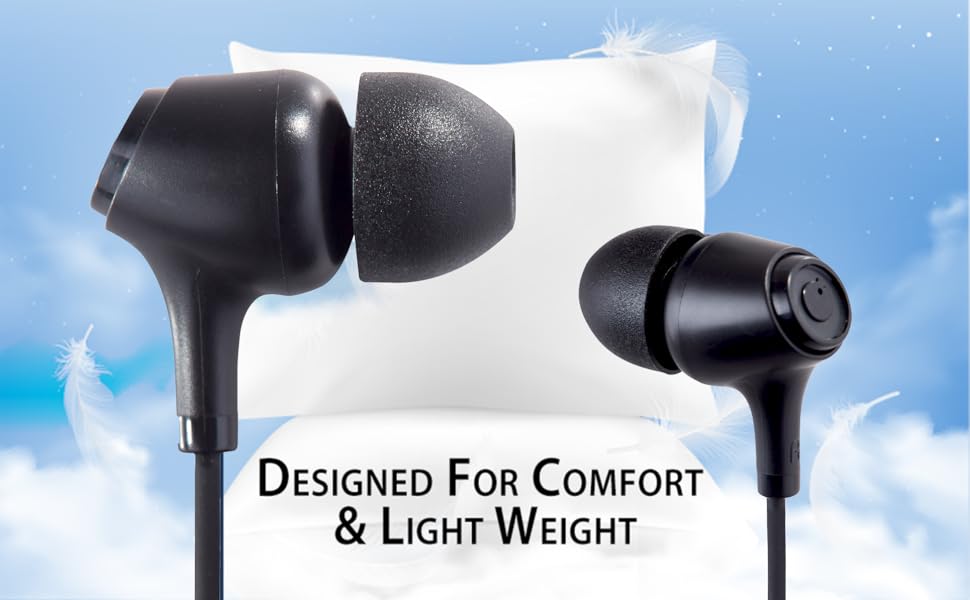
Figure 2: Designed for Comfort and Lightweight. This image highlights the ergonomic shape of the earphone buds, resting on a soft pillow, emphasizing their comfortable and lightweight design for extended wear.
Operating Instructions
In-line Remote Control Functions
The Blaupunkt EM01 earphones are equipped with an in-line remote control for easy management of calls and music playback.

Figure 3: Built-in Mic and Remote. This image focuses on the in-line remote control, clearly showing the button and the integrated microphone, with icons indicating call and music control functionalities.
- Play/Pause Music: Press the multi-function button once.
- Next Track: Press the multi-function button twice quickly.
- Previous Track: Press the multi-function button three times quickly.
- Answer/End Call: Press the multi-function button once during an incoming call or an active call.
- Reject Call: Press and hold the multi-function button for approximately 2 seconds during an incoming call.
- Activate Voice Assistant: Press and hold the multi-function button for approximately 2 seconds when no call is active and music is paused.
Maintenance
Cleaning Your Earphones
- Regularly clean the ear tips with a soft, dry cloth to remove earwax and debris.
- If necessary, remove the silicone ear tips and wash them with mild soap and water. Ensure they are completely dry before reattaching.
- Wipe the earphone body and cable with a soft, slightly damp cloth. Avoid using harsh chemicals or abrasive materials.
Cable Care
The EM01 earphones feature a tangle-free cable design. To maintain its condition, avoid excessive bending or pulling. Store the earphones neatly when not in use to prevent damage.

Figure 4: Tangle-Free Cable. This image displays the earphones with their cable neatly coiled, emphasizing the tangle-free design for convenient storage and use.
Storage
Store your earphones in a clean, dry place away from extreme temperatures, direct sunlight, and humidity. This helps prolong their lifespan.
Troubleshooting
| Problem | Possible Cause | Solution |
|---|---|---|
| No sound from earphones | Earphones not properly connected; device volume too low; audio output settings incorrect. | Ensure the Type-C connector is fully inserted. Increase device volume. Check your device's audio output settings to ensure earphones are selected. |
| Microphone not working | Microphone port blocked; device microphone settings incorrect. | Ensure the microphone on the in-line remote is not covered. Check your device's microphone input settings. |
| Poor sound quality (muffled, distorted) | Ear tips not properly seated; debris in earphone nozzle; low-quality audio source. | Adjust ear tips for a snug fit. Clean earphone nozzles. Try a different audio source or file. |
| Earphones not recognized by device | Device incompatibility; faulty Type-C port. | Ensure your device supports audio output via its Type-C port. Try connecting to another compatible device to rule out a faulty port. |
Specifications
| Brand | BLAUPUNKT |
| Model Number | EM01 TYPE C BK |
| Color | Black |
| Ear Placement | In Ear |
| Form Factor | In Ear |
| Impedance | 4 Ohms |
| Noise Control | Passive Noise Cancellation |
| Connectivity Technology | Wired (Type-C) |
| Audio Driver Type | Dynamic Driver |
| Control Method | Button (In-line Remote) |
| Item Weight | 30 Grams |
| Box Contents | 1 x Earphone |
| Compatible Devices | Tablets, Desktops, Telephones, Cellphones, Laptops, Car Audio Systems, Television (with Type-C audio output) |
Warranty Information
The Blaupunkt EM01 Type-C Wired Earphones come with a 1-year limited warranty from the date of purchase. This warranty covers manufacturing defects. It does not cover damage caused by misuse, accidents, unauthorized modifications, or normal wear and tear.
To claim warranty service, please retain your proof of purchase and contact customer support using the details provided in the Support section.
Customer Support
For any queries, technical assistance, or warranty claims regarding your Blaupunkt EM01 Type-C Wired Earphones, please contact our customer support team:
- Customer Care WhatsApp Support: 8860022600
- Email ID: wecare@blaupunktaudio.in
- Importer Contact Information: Envent Worldwide Pvt Ltd, 105-107, 1st Floor, Tower B4 Spaze ITech Park, Sohna Road Sector-49, Gurgaon