1. Introduction
This manual provides comprehensive instructions for the XIVUE NIU01 replacement remote control, designed for use with specific Superfit Costway treadmill models. Please read this manual carefully before use to ensure proper operation and pairing with your treadmill.
What's Included:
- 1 x XIVUE NIU01 Treadmill Remote Control
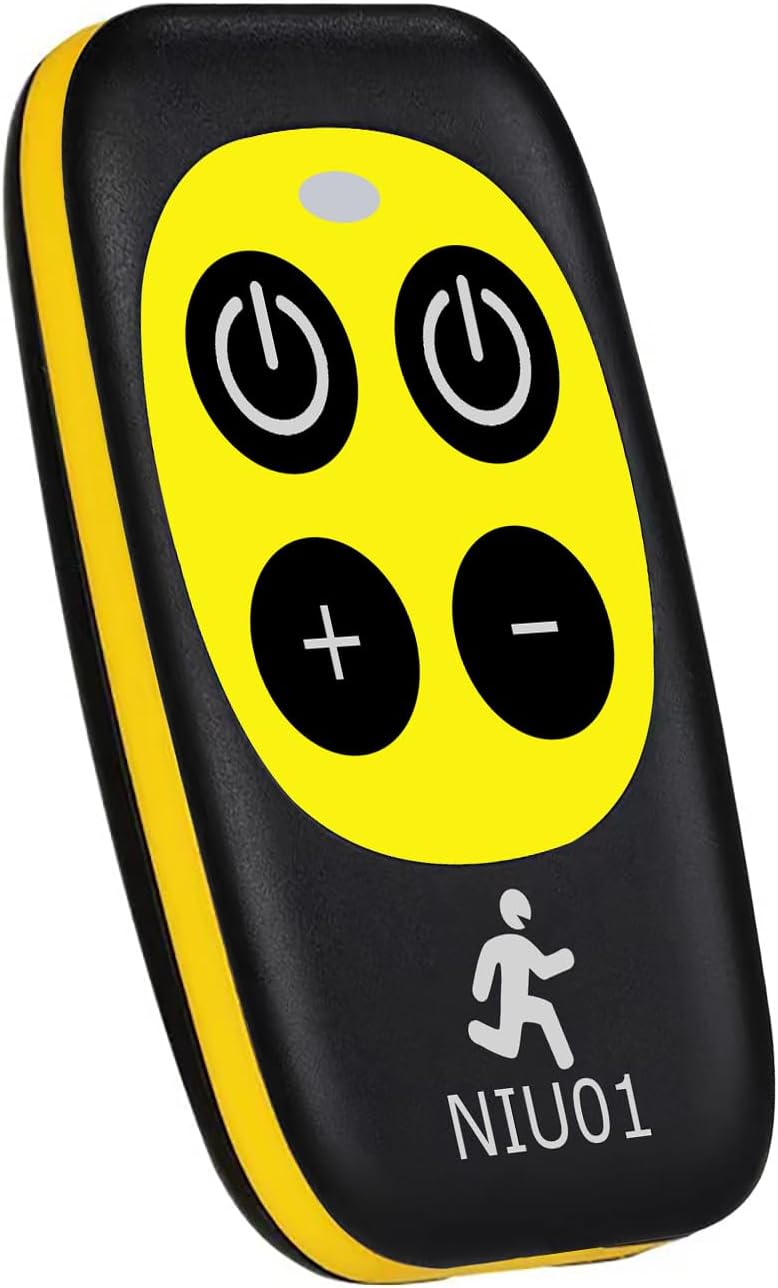
Image 1.1: Front view of the XIVUE NIU01 Treadmill Remote Control.
2. Specifications
| Brand | XIVUE |
| Model Number | NIU01 |
| Item Weight | 1.76 ounces |
| Package Dimensions | 6.18 x 3.27 x 1.65 inches |
| Battery Type | 2 x CR2016 Lithium Metal batteries (included) |
| Compatible Devices | Treadmill |
| Color | Black |
3. Battery Installation
The remote control requires two CR2016 Lithium Metal batteries. These batteries are typically pre-installed. If replacement is needed:
- Locate the battery compartment on the back of the remote control.
- Use a small screwdriver to open the battery compartment cover.
- Remove the old batteries and insert two new CR2016 batteries, ensuring correct polarity (+/-).
- Replace the battery compartment cover and secure it.

Image 3.1: Back view of the remote control, indicating the location of the battery compartment screws.
4. Operating Instructions
4.1 Button Functions
The remote control features the following buttons:
- Power On/Off (Left): Starts or stops the treadmill motor.
- Power On/Off (Right): Also starts or stops the treadmill motor.
- Speed +: Increases the treadmill speed.
- Speed -: Decreases the treadmill speed.
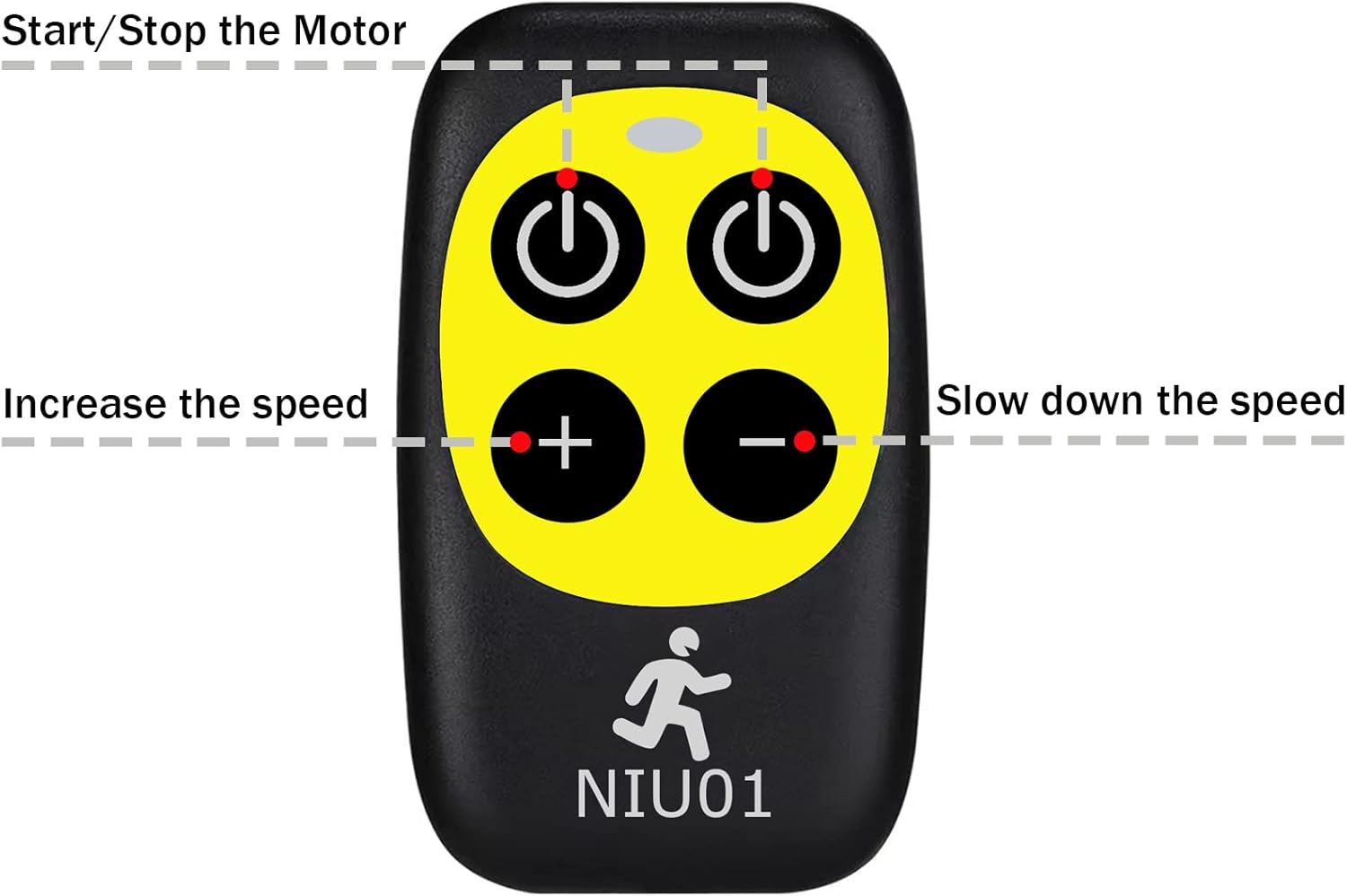
Image 4.1: Overview of remote control buttons and their respective functions.
4.2 Pairing Method
To pair the remote control with your treadmill, follow these steps:
- Ensure the treadmill is powered on and functioning normally.
- Unplug the safety lock from the treadmill.
- Within 10 seconds of unplugging the safety lock, point the remote control directly at the treadmill's display window.
- Simultaneously press and hold the Start/Pause button (one of the power buttons) on the remote control for approximately 3 seconds.
- You will hear a beep from the treadmill system, indicating successful pairing. The remote control is now ready for normal operation.
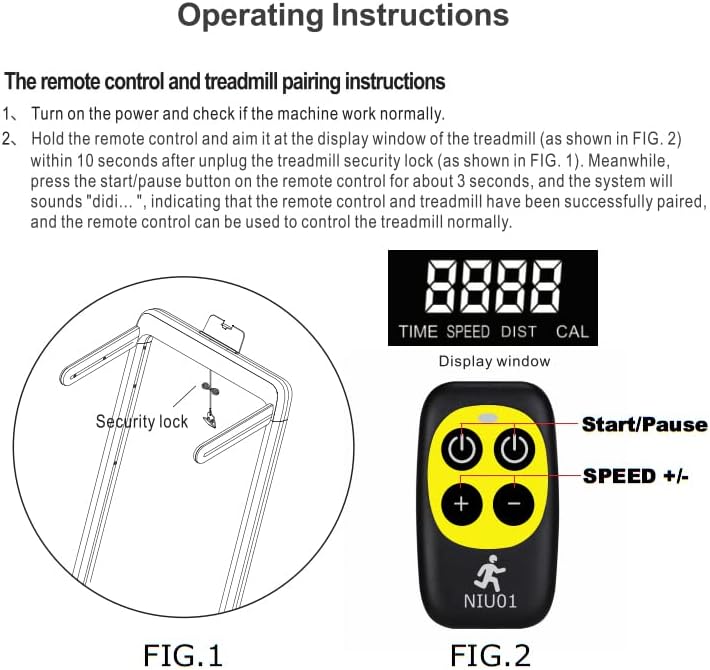
Image 4.2: Visual guide for the remote control pairing process with a treadmill.
5. Compatible Treadmill Models
This remote control is compatible with the following Superfit Costway treadmill models:
- SUP37SP747US-RE
- SP37513BK
- SP37513RE
- OST-OSTSP37036NY
- OST-OSTSP37036GN
- OST-OSTSP37036YE
- OST-OSTSP37036WH
- OST-OSTSP37036RE
- OST-OSTSP37036BK
- OST-OSTSP37036SL
- OST-SP37036RE
- OST-SP37036YE
- OST-SP37148BK
- OST-SP37067GN
- OST-SP37067SL
- OST-SP37067NY
- OST-SP37747US-SL
- OST-SP37747US-NY
- OST-SP37747US-DK
- OST-SP37747US-RE
- SUP37SP747US-NY
- SUP37SP747US-DK
- SUP37SP747US-SL
- SP37146
- SP37036
- SP37148
- SP37747US
- SP37514
- SP37513
- SP37522
- SP37514YE
- SP37514RE
- SP37514WH
- SP37038RE
- SP37146BK
- SP37038NY
- SP37146YE
- SP37146GN
- SP37038SL
- SP37146WH
6. Troubleshooting
Remote Control Not Pairing:
- Check Battery: Ensure the batteries are correctly installed and have sufficient charge. Replace if necessary.
- Verify Compatibility: Confirm your treadmill model is listed in the "Compatible Treadmill Models" section (Section 5).
- Follow Pairing Steps Precisely: Re-attempt the pairing process as described in Section 4.2. Pay close attention to the 10-second window after unplugging the safety lock and holding the Start/Pause button for 3 seconds.
- Line of Sight: Ensure there are no obstructions between the remote control and the treadmill's display window during pairing.
- Treadmill Power: Confirm the treadmill is powered on and in a ready state before attempting to pair.
7. Maintenance
Battery Replacement:
When the remote control's performance degrades or it stops responding, it may be time to replace the batteries. Refer to Section 3 for detailed battery installation instructions. Always use two new CR2016 Lithium Metal batteries for optimal performance.
Cleaning:
Wipe the remote control with a soft, dry cloth. Do not use abrasive cleaners or immerse the remote in water.
8. Warranty and Support
For any questions, technical assistance, or warranty inquiries regarding your XIVUE NIU01 Treadmill Remote Control, please contact the manufacturer or your point of purchase. Please have your product model number (NIU01) available when seeking support.