1. Product Overview
The MOMAX USB C Charging Station 100W is a compact and powerful desktop charger utilizing advanced GaN III technology. It features four ports (two USB-C PD and two USB-A QC) capable of delivering up to 100W total output, designed to keep your workspace organized and your devices charged efficiently. Its small footprint and versatile placement options make it ideal for home and office use.

Figure 1: MOMAX USB C Charging Station 100W, top-down view showing the compact design and port layout.
2. Package Contents
- MOMAX USB C Charging Station (Model: UM33)
- AC Power Cord (6.56 ft / 2m)
- Tabletop Bracket
- Instruction Manual
- Warranty Card
3. Product Features
- GaN III Technology: Offers superior charging performance, enhanced safety, and a compact design compared to traditional chargers.
- 100W Total Output: Capable of delivering up to 100W of power across all ports, with individual USB-C ports supporting up to 100W for single-device charging.
- 4-in-1 Port Design: Includes two USB-C Power Delivery (PD3.0) ports and two USB-A Quick Charge (QC3.0) ports for versatile device charging.
- Desktop Organizer: Eliminates the need for multiple adapters and power strips, promoting a neat and organized workspace.
- Versatile Placement: Comes with a tabletop bracket for vertical placement, saving desk space. Can also be laid flat.
- Extended Reach: Includes a 6.56ft (2m) extension cord for flexible placement without distance constraints.
- Advanced Safety Features: Built-in smart protection chip guards against over-voltage, over-current, short circuit, and over-charge. Made from fireproof PC material resistant to 120° high temperatures.

Figure 2: Diagram illustrating the benefits of Advanced GaN Technology, including improved efficiency, intelligent recognition, increased heat dissipation, and small size.
4. Setup Guide
- Connect to Power: Insert the AC power cord into the charging station's power input port, then plug the other end into a standard wall outlet (100-240V~50/60Hz). The indicator light on the charging station will illuminate, confirming it is powered on.
- Choose Placement:
- Vertical Placement: Attach the included tabletop bracket to the bottom of the charging station to stand it upright, optimizing desk space.
- Flat Placement: The charging station can also be laid flat on your desk surface.

Figure 3: The charging station can be used vertically with the included stand or laid flat on a surface.
5. Operating Instructions
- Connect Your Device: Use a compatible USB-C or USB-A charging cable (not included) to connect your device to the appropriate port on the charging station.
- Optimal Charging:
- For single high-power devices (e.g., laptops requiring up to 100W), use one of the USB-C PD ports.
- For multiple devices, the 100W total output will be intelligently distributed among the connected devices. Refer to the "Charging Capabilities" section for detailed power distribution.

Figure 4: The 6.56ft power cord allows for comfortable charging from various positions.
- Charging Indication: The indicator light on the charging station confirms power is supplied. Your device's screen will typically show a charging icon or battery percentage.
- Disconnecting: Once your device is fully charged, safely disconnect the charging cable from both the device and the charging station.
6. Charging Capabilities
The MOMAX UM33 charging station intelligently distributes power based on the number and type of connected devices. Below are the maximum output capabilities:
Single Port Output:
- USB-C1 or USB-C2: Up to 100W (PD3.0)
- USB-A1 or USB-A2: Up to 22.5W (QC3.0)

Figure 5: Maximum power output for individual ports.
Multiple Port Output Combinations:
- USB-C1 + USB-C2: 65W + 30W
- USB-C1/C2 + USB-A1/A2: 65W + 18W
- USB-A1 + USB-A2: 22.5W (shared)
- USB-C1 + USB-C2 + USB-A1/A2: 45W + 30W + 18W
- USB-C1/C2 + USB-A1 + USB-A2: 65W + 22.5W (shared)
- USB-C1 + USB-C2 + USB-A1 + USB-A2: 45W + 30W + 22.5W (shared)

Figure 6: Power distribution when two or more ports are in use.

Figure 7: Power distribution when three or four ports are in use.
The total maximum output across all ports is 97.5W when charging four devices simultaneously.

Figure 8: The charging station can fast charge up to four devices concurrently.
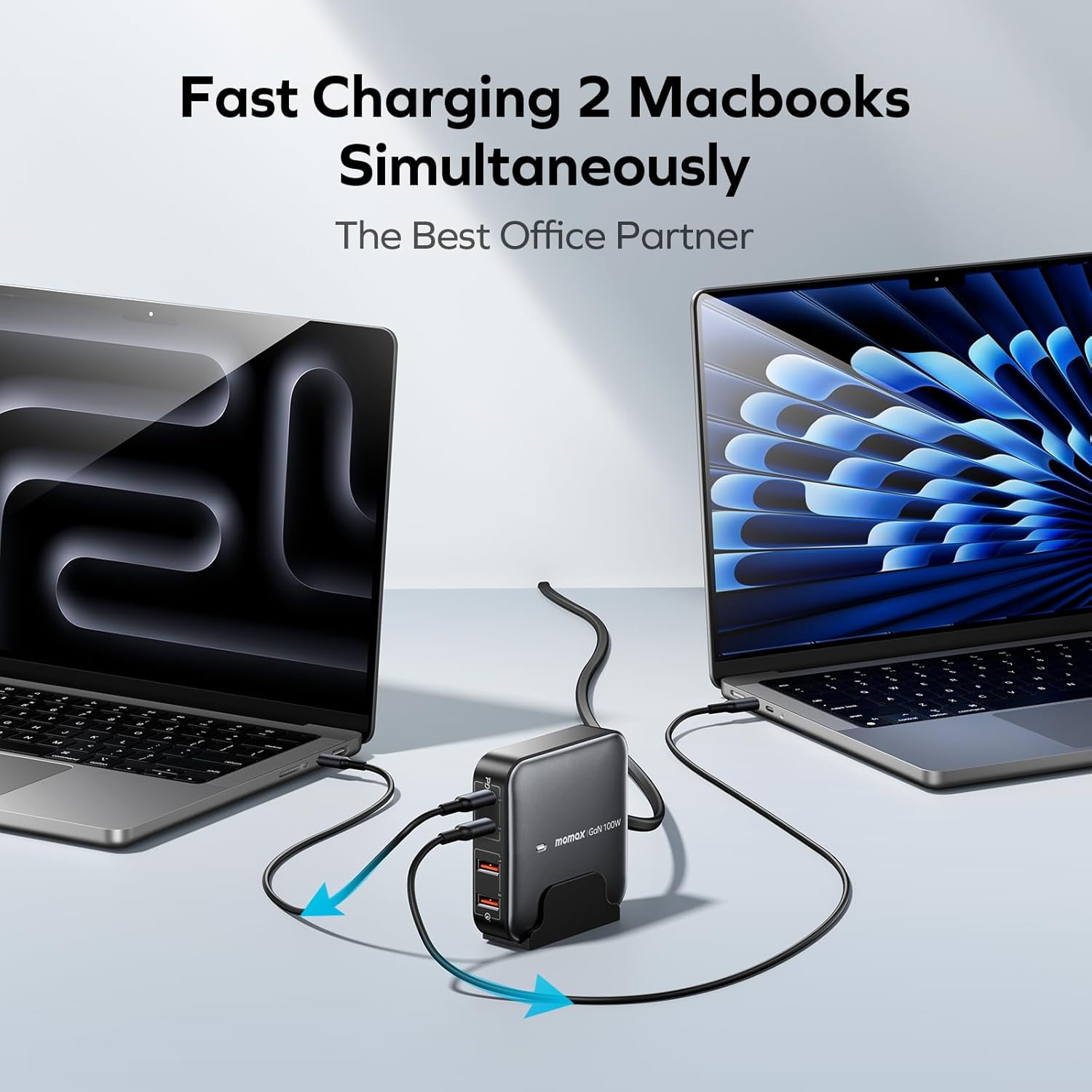
Figure 9: Example of two MacBooks being fast charged simultaneously, highlighting its use as an office partner.
7. Universal Compatibility
The MOMAX USB C Charging Station is broadly compatible with a wide range of electronic devices, including but not limited to:
- Smartphones: iPhone 15/14/14 Plus/14 Pro/14 Pro Max, iPhone 13 Pro, iPhone 12, Samsung S22/S22+/S22 Ultra, and other compatible Android phones.
- Tablets: iPad Pro 11”/12.9” (2022, 2021, 2020 models), and other compatible tablets.
- Laptops: M1 MacBook Pro (14” or smaller models), and other USB-C compatible laptops.
- Gaming Consoles: Nintendo Switch.
- Other Devices: Vision Pro, DJI Mini 4 Pro, DJI Mavic 3T, DJI Mavic 3, and other devices supporting PD3.0, QC3.0, and PPS fast charging standards.

Figure 10: Visual representation of various compatible devices and their typical charging wattage.
8. Maintenance and Care
- Keep the charging station away from water, moisture, and extreme temperatures.
- Avoid dropping or subjecting the device to strong impacts.
- Clean the surface with a soft, dry cloth. Do not use harsh chemicals or abrasive materials.
- Ensure proper ventilation around the charging station during use to prevent overheating.
- Store in a cool, dry place when not in use.
9. Troubleshooting
Common Issues and Solutions:
- Device not charging:
- Ensure the AC power cord is securely plugged into both the charging station and the wall outlet.
- Verify the indicator light on the charging station is illuminated.
- Check if the charging cable is properly connected to both the device and the charging station.
- Try a different charging cable or port to rule out cable/port issues.
- Confirm your device is compatible with the charging station's output specifications.
- Slow charging:
- Ensure you are using a high-quality cable that supports fast charging.
- Check the power distribution table in Section 6. If multiple devices are connected, the power is shared, which may result in slower charging for individual devices.
- For optimal speed, use a USB-C PD port for high-power devices.
- Close background applications on your device that may be consuming excessive power.
- Charging station feels warm:
- It is normal for the charging station to become warm during operation, especially when charging multiple devices or high-power devices.
- Ensure adequate ventilation around the unit. Avoid placing it in enclosed spaces or on soft surfaces that can block airflow.
- If it becomes excessively hot, disconnect all devices and the power cord, and allow it to cool down before resuming use.
10. Specifications
| Feature | Detail |
|---|---|
| Model | UM33 |
| AC Input | 100-240V~50/60Hz (2.5A Max) |
| USB-C1/C2 Output | 5V/9V/12V/15V=3A, 20V=5A (100W Max) |
| USB-A1/A2 Output | 4.5V=5A, 5V=4.5A, 9V=2A, 12V=1.5A (22.5W Max) |
| Total Output | 100W (Max) |
| Material | 94V0 Flame Resistant PC |
| Dimensions | 85 x 85 x 26mm (3.35 x 3.35 x 1.02 inches) |
| Weight | 264g ± 10g (0.58 lbs) |
| Special Features | Supports Qualcomm Quick Charge 3.0 technology & Huawei Supercharge |
11. Official Product Videos
Watch these official videos from MOMAX for a visual guide on setting up and using your charging station.
Video 1: MOMAX GaN Charging Station UM33. This video provides a quick overview of the charging station's features and compact design.
Video 2: MOMAX USB C Charging Station-UM33-2. This video demonstrates the charging station's ability to charge multiple devices simultaneously, including laptops and phones.
12. Warranty and Support
For warranty information and customer support, please refer to the included Warranty Card in your package or visit the official MOMAX website. You can also contact MOMAX customer service directly for assistance with product inquiries, troubleshooting, or warranty claims.
MOMAX Official Website: www.momax.net


